JNA Mobility

mobile plans

How to Choose the Perfect JNA Mobility Prepaid Plan for Your Lifestyle

How to Choose the Perfect JNA Mobility Prepaid Plan for Your Lifestyle

Everyone uses their devices differently. Whether you’re streaming Netflix, scrolling TikTok, sending photos of the grandkids, or just staying connected with friends and family, your mobile plan should fit your lifestyle—not the other way around. That’s where JNA Mobility comes in. With flexible prepaid plans, nationwide 5G coverage, and a variety of devices to choose from, you can get exactly what you need without paying for what you don’t.

Here’s a complete guide to picking the perfect JNA Mobility prepaid plan.


1. Understand Your Usage Habits

Before selecting a plan, it’s important to know how you use your phone. Ask yourself:

  • Do I stream videos frequently?
  • Do I browse social media a lot?
  • Do I mostly make calls and send texts?
  • Do I need high-speed internet for work or school?

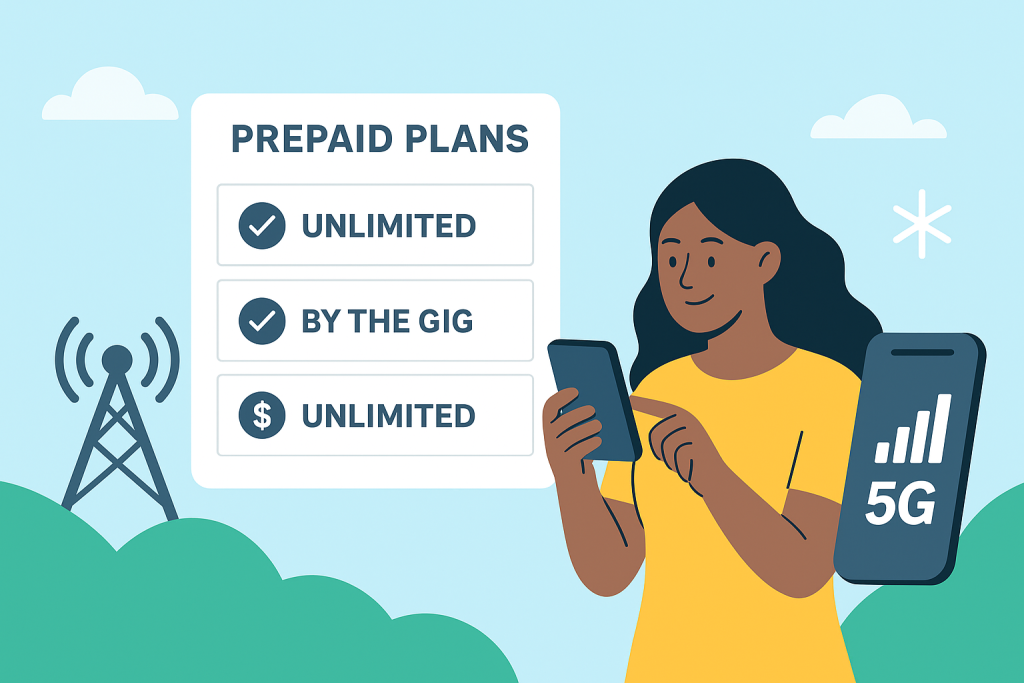
At JNA Mobility, you have the option to choose between “By the Gig” and unlimited data plans, so you only pay for what you actually use.


2. Explore JNA Mobility Plans

Here’s a quick breakdown of the plans JNA Mobility offers:

  • Unlimited+6 – $30/mo: Includes unlimited talk & text plus 1GB high-speed data. Perfect for light internet users who mostly call, text, or occasionally browse.
  • Unlimited+10 – $40/mo: Includes unlimited talk & text plus 10GB high-speed data. Great for moderate internet users who stream or use social media regularly.
  • Unlimited ULTRA – $50/mo: Includes unlimited talk & text plus 20GB high-speed data. Ideal for heavy users who stream, game, and browse constantly.

All plans also include phone insurance and roadside assistance, giving you peace of mind without added costs.


3. Consider Nationwide 5G Coverage

One of the biggest advantages of JNA Mobility is its ultrafast, reliable nationwide network. No matter where you are, you can enjoy smooth streaming, fast browsing, and clear calls. Plus, with access to a million secure hotspots, you can stay connected even when you’re out and about.


4. Choose the Right Device

Your plan is only as good as your device. At JNA Mobility, you can choose from a variety of phones to match your plan and budget. Popular options include:

  • iPhone XR (64GB & 128GB)
  • iPad Mini with Liquid Retina Display and ultrafast 5G

Don’t have a phone yet? No problem—explore our phone shop to find the perfect device to pair with your plan.


5. Enjoy Flexibility and Control

Life changes, and so can your plan. JNA Mobility makes it easy to upgrade or change your plan anytime, giving you complete control over your mobile service. Want to switch from a 10GB plan to unlimited? Done. Need fewer gigabytes this month? Adjust in minutes.


6. Extra Perks to Consider

  • Phone Insurance: Protects your device against accidental damage.
  • Roadside Assistance: Peace of mind when you’re on the go.
  • No Hidden Fees: Pay only for what you need, when you need it.

Final Thoughts

Choosing a prepaid plan doesn’t have to be confusing. By understanding your usage habits, exploring available plans, and pairing them with the right device, you can create a mobile experience that’s completely tailored to you.

With JNA Mobility, it’s simple: your wireless, your plan. Stay connected, stay flexible, and never pay for more than you need.

View Plans | Explore Phones

How to Choose the Perfect JNA Mobility Prepaid Plan for Your Lifestyle Read More »

What Really Affects Network Coverage

Why Your Phone Signal Isn’t Always Perfect — and What Really Affects Network Coverage

Let’s be honest — few things are more frustrating than watching your signal drop right when you need it most. Whether you’re trying to finish a work call, stream your favorite show, or send an important message, good network coverage has become something we all depend on.

And yet, despite the expansion of 5G and massive investments in infrastructure, we still encounter spots with weak or no signal. Why does that happen?

It turns out that network coverage is influenced by far more than just the number of towers around you. Geography, building materials, weather, and even user demand all play a part.

Let’s break down what really affects your mobile signal — and what can be done to improve it.


The Lay of the Land: How Geography Affects Your Signal

One of the biggest factors influencing network performance is geography. If you live on flat land, your phone signal likely stays strong and consistent. But in areas with mountains, hills, or deep valleys, things get tricky. These natural barriers can block or weaken radio waves, which causes signal drops or dead zones.

Forests and large bodies of water can also interfere with transmission. Trees absorb signals, while water can reflect them, which is why certain rural or coastal areas struggle with reception.

Urban and rural areas face very different challenges too. Cities typically enjoy better coverage because providers have more towers packed into a small space. In contrast, rural regions tend to have fewer towers, spaced far apart — making it harder to maintain strong coverage everywhere.

If you’re living or traveling in a rural area, it helps to explore reliable mobile plans designed for nationwide coverage. The right plan can make a big difference in how well your device stays connected when you’re off the beaten path.


What’s Behind the Signal: Infrastructure and Technology

Your phone doesn’t magically connect to the internet — it relies on a complex network of cell towers, antennas, and fiber connections. How that infrastructure is built and maintained directly affects your experience.

Cell Tower Density

The closer you are to a cell tower, the stronger your signal. But if towers are spread too far apart, you’ll experience weak spots. That’s why large cities usually have excellent coverage — there are simply more towers serving smaller areas.

Network Technology: 2G to 5G

Each generation of network technology has brought major improvements.

  • 2G and 3G were great for calls and texts.
  • 4G made streaming and browsing faster.
  • 5G, now rolling out nationwide, offers dramatically faster speeds, lower latency, and the ability to connect more devices at once.

However, 5G signals travel shorter distances and have trouble penetrating walls, meaning more small towers (or “cells”) are needed to cover the same area. Learn more about how these technologies work in our detailed guide on how network coverage really works.

Fiber Optic Backhaul

Even with plenty of towers, good coverage depends on the connection between those towers and the wider network — known as the backhaul. Fiber optics provide the fastest and most reliable backhaul, ensuring your calls stay clear and your data flows smoothly.


Environmental Factors: Weather, Buildings, and More

Network coverage doesn’t exist in a vacuum — the environment around you plays a huge role.

Weather Conditions

Heavy rain, snow, and fog can interfere with signal transmission. Water droplets in the air absorb and scatter radio waves, particularly at higher frequencies used by modern networks. That’s why your signal sometimes dips during storms or harsh weather conditions.

Building Materials

Modern buildings are another common culprit. Thick concrete walls, metal structures, and even energy-efficient windows can all block or weaken signals. You may have great coverage outdoors, but once you step inside, the connection drops. That’s why many large facilities, like airports or shopping centers, use indoor antennas and distributed systems to boost signal strength inside.

Vegetation

Trees and dense foliage absorb radio waves, reducing signal strength. It might sound surprising, but even seasonal changes can make a difference — your reception can drop slightly in summer when trees are full of leaves.


Technical Details That Matter

Frequency Bands

Think of mobile networks like lanes on a highway.

  • Low-frequency bands travel farther and can pass through obstacles easily, making them great for wide coverage.
  • Mid-frequency bands offer a good balance between range and data speed.
  • High-frequency bands deliver lightning-fast 5G speeds but cover shorter distances.

Providers use a mix of these frequencies to balance coverage and performance.

Signal Interference

Your phone’s signal might be strong, but interference can still cause problems. Wi-Fi routers, nearby electronic devices, and even other cell towers can interfere with signals. Providers use advanced algorithms to minimize this, but it’s an ongoing challenge — especially in crowded urban environments.


User Behavior and Demand

Coverage isn’t only about infrastructure — it’s also about how people use the network.

During peak hours, such as evenings or big live events, thousands of people might be streaming, gaming, or scrolling at once. The result? Network congestion. Even the strongest networks slow down when usage spikes.

Streaming in HD, using video conferencing apps, and online gaming all require large amounts of bandwidth. In high-demand areas, that can cause momentary drops in performance.

If you’re constantly on the go — driving, commuting, or traveling — your device has to switch between towers frequently. Each handoff between towers can momentarily weaken the connection, especially in areas with uneven tower spacing.


The Role of Regulation and Spectrum

Telecom networks operate under strict government regulation. Spectrum — the radio frequencies used to carry signals — is licensed and allocated by government agencies. The amount of spectrum available to each carrier determines how many users it can support and how far its coverage reaches.

Licensing costs, local zoning laws, and international coordination all shape how and where networks can operate. It’s a complex system that ensures your device can connect seamlessly whether you’re in your hometown or abroad.


How Providers Improve Coverage

Network providers are constantly working to improve coverage and reliability.

Small Cells and DAS

Small cells and distributed antenna systems (DAS) are mini base stations designed to enhance coverage in high-demand or hard-to-reach areas. They’re often installed in stadiums, campuses, and large indoor venues to fill coverage gaps and boost capacity.

Smart Network Planning

Using data and artificial intelligence, providers can analyze usage patterns to determine where new towers or upgrades are needed most. This helps ensure strong, consistent service for both urban and rural customers.

Advanced Antenna Technology

Modern antennas use technologies like MIMO (multiple-input multiple-output) and beamforming to send signals more efficiently and directly to devices. This improves both speed and reliability, even in crowded areas.


The Impact and Future of 5G

5G is transforming mobile networks worldwide. It brings faster speeds, lower latency, and the ability to handle more connected devices than ever before. For users, this means smoother video calls, faster downloads, and more reliable service — even in crowded places.

However, 5G also faces unique challenges. High-frequency signals don’t travel as far and have difficulty passing through walls or obstacles. To make 5G widely available, carriers must build more small towers and improve backhaul infrastructure.

Despite these hurdles, the future of 5G looks bright. As networks expand and technology matures, coverage will continue to improve, making dropped calls and buffering videos a thing of the past.


Final Thoughts

Network coverage isn’t just about cell towers — it’s the result of geography, weather, technology, and even human behavior working together. While some factors are beyond our control, providers are investing heavily in smarter infrastructure, advanced antenna systems, and broader 5G rollouts to deliver stronger and more consistent service.

So, the next time your phone shows one bar of signal, remember — there’s a complex system working behind the scenes to keep you connected. And with rapid advances in network technology, that connection is only going to get faster, smarter, and more reliable.

Why Your Phone Signal Isn’t Always Perfect — and What Really Affects Network Coverage Read More »

Struggling With Bad Signal

Struggling With Bad Signal? Here’s What’s Really Going On

Few things are as frustrating as a dropped call during an important conversation or painfully slow mobile data when you urgently need information. You might ask yourself:


Is it my phone? The provider? My location?

The truth is, coverage issues can stem from several factors — and diagnosing the root cause is the first step toward a better connection.

In this guide, we’ll explore the real reasons behind dropped calls and slow data, how to diagnose coverage problems accurately, and practical ways to improve your signal. Whether you’re struggling with buffering videos, lagging apps, or weak reception indoors, this guide will help you regain control of your mobile experience.


Understanding Mobile Coverage: It’s More Than Just Signal Bars

It’s easy to assume that having four or five bars means your connection is strong, but that’s not always the case. Mobile signal bars are only a rough indicator and don’t tell the full story about your network quality.

Signal Strength vs. Signal Quality

  • Signal Strength measures how strong the connection is between your device and the nearest cell tower.
  • Signal Quality measures how clean and interference-free that signal is.

You can have high signal strength but still suffer from poor signal quality — which leads to dropped calls, distorted audio, and sluggish data speeds. Both need to be good for reliable performance.


Common Causes of Dropped Calls and Slow Data

Several factors can affect your mobile connection. Some are environmental, while others are related to your device or network provider.

1. Physical Obstructions

Objects like buildings, trees, mountains, and even thick concrete walls inside your home can weaken or block signals. Urban areas often face signal reflection (where signals bounce off structures), while rural areas can have large coverage gaps due to fewer towers.

2. Distance from the Nearest Cell Tower

The farther you are from a cell tower, the weaker your connection will be. This is a common issue in suburban and rural communities where tower density is lower.

3. Network Congestion

During peak hours or crowded events — concerts, sports games, or rush-hour commutes — thousands of users may be connected to the same tower, leading to network congestion. This overloads the system and slows down data speeds for everyone in the area.

4. Interference from Electronic Devices

Other electronics, such as Wi-Fi routers, baby monitors, microwaves, and cordless phones, can interfere with your mobile signal, especially indoors.

📱 Learn more about what factors affect network coverage and how your environment can influence your mobile performance.


How to Diagnose Your Mobile Coverage Problems

Before assuming it’s your provider’s fault, take time to troubleshoot the issue. You can often identify whether it’s caused by your location, device, or network.

1. Use Network Coverage Maps

A reliable coverage map shows whether your provider offers strong service in your area.
These maps display signal strength, data coverage, and 5G availability based on location.

📍 Here’s how to check and compare mobile network coverage maps to see if your carrier performs well in your area.

If your map shows strong coverage but your phone doesn’t, the issue may be your device or building materials blocking the signal.

2. Test in Different Locations

Move around your home, yard, or neighborhood. If the signal improves when you step outside or move closer to a window, indoor obstructions are likely the cause. Try rearranging your Wi-Fi router or using Wi-Fi calling indoors to improve reliability.

3. Check Your Device and SIM Card

Sometimes the problem isn’t your provider — it’s your phone.

  • Test your SIM card in another phone.
  • Check for system or carrier updates.
  • Replace an old or damaged SIM card.

Old software or hardware can cause compatibility issues with newer network technologies like 5G or VoLTE (Voice over LTE).


Quick Fixes to Boost Your Mobile Signal

1. Toggle Airplane Mode

Turn Airplane Mode on for about 10 seconds, then off again. This forces your device to reconnect to the nearest and strongest tower — often resolving temporary drops.

2. Restart Your Phone

It sounds simple, but restarting your phone clears temporary cache and reconnects your device to the network, solving many short-term issues.

3. Update Carrier Settings

Mobile carriers regularly push updates to improve connectivity and optimize 5G performance.
To check for updates:

  • iPhone: Settings → General → About (wait for carrier update prompt)
  • Android: Settings → About Phone → System Updates

Applying these updates can instantly improve performance.


Advanced Solutions for Persistent Coverage Issues

If you’ve tried all the basic fixes and still experience issues, here are long-term solutions to consider.

Install a Signal Booster

A signal booster (or repeater) captures the outdoor signal and amplifies it inside your home.
It’s ideal for areas with low reception due to distance or building materials. Make sure to buy one approved by your carrier for optimal results.

Use Wi-Fi Calling

If your cellular network is weak but you have strong Wi-Fi, enable Wi-Fi calling in your settings. This lets you make and receive calls over your internet connection instead of the cell network.

Consider Switching Carriers

Sometimes, the simplest fix is switching to a provider with better coverage in your area. Check reviews, coverage maps, and user feedback before making the change.

You can also explore nationwide 5G plans that adapt to your data needs.

📶 View Plans to see which mobile service best fits your lifestyle — whether you prefer flexible “By the Gig” options or unlimited data.


Keep Connected With Nationwide 5G Coverage

Today’s 5G networks offer faster speeds, lower latency, and improved reliability — but coverage still varies by location. Checking availability before you move or switch providers ensures you get the best possible experience.

If you stream often, work remotely, or travel frequently, choosing a plan that supports 5G coverage and strong roaming performance can make a huge difference in your daily connectivity.


Why Diagnosing Coverage Matters

Understanding the real cause of your coverage problems helps you choose the right fix — saving you time, money, and frustration.

  • If it’s your device, updates or repairs may solve it.
  • If it’s your location, boosters or Wi-Fi calling can help.
  • If it’s your carrier, switching to a better provider is worth considering.

By taking control of your connectivity, you can ensure fewer dropped calls, faster data, and a smoother mobile experience.


Conclusion: Take Charge of Your Mobile Connection

Dropped calls and sluggish data aren’t just inconveniences — they can interrupt business calls, affect online learning, or cause unnecessary stress. But most coverage problems are solvable once you know where to look.

Start by checking your coverage map, testing your signal in different areas, and keeping your phone updated. For persistent issues, explore boosters, Wi-Fi calling, or switching to a more reliable carrier.

Remember — a better connection starts with understanding your network.

Struggling With Bad Signal? Here’s What’s Really Going On Read More »

How to Protect Your Mobile Privacy

How to Protect Your Mobile Privacy (the Easy Way)

Your smartphone probably knows more about you than some of your closest friends. From your location history and health data to bank logins and late-night shopping searches — it’s all stored in that small device you carry everywhere.

With faster networks, smarter apps, and more connected devices than ever before, mobile privacy has become one of the most important (and overlooked) parts of modern life. But here’s the good news: you don’t have to be a cybersecurity expert to protect yourself.

With a few simple steps — and a mobile plan that values your security — you can enjoy the convenience of modern tech without putting your data at risk.


Why Mobile Privacy Matters More Than Ever

Think about it: nearly every app on your phone collects some kind of personal information. Your mobile carrier tracks your location for network coverage. Your fitness app knows when you go to bed. Even your favorite shopping apps build a profile based on what you browse and buy.

That data isn’t just sitting there — it’s being used, shared, and sometimes even sold. Without proper safeguards, it could:

  • Be used by advertisers to target you with hyper-personalized ads.
  • End up in the wrong hands during a data breach.
  • Make you vulnerable to phishing scams or identity theft.

Protecting your data isn’t about paranoia — it’s about control. The more mindful you are about privacy, the less power hackers, marketers, or unknown third parties have over your digital footprint.


How Mobile Carriers Handle Your Privacy

Mobile carriers are becoming more aware of privacy concerns — and many have started adding built-in tools to help customers protect their data. These can include:

  • Spam and robocall blocking to reduce unwanted interruptions.
  • Two-factor authentication (2FA) to add an extra layer of account security.
  • Data breach alerts so you can act fast if your information is exposed.

However, not all carriers are equal. Some are transparent about how they handle your personal information, while others quietly share data with advertisers. When reviewing options, pay attention to each carrier’s privacy policy and look beyond the marketing language.

If you’re thinking about switching, you might find it helpful to explore how mobile plan costs can include hidden privacy trade-offs — sometimes, a cheaper plan means your data is part of the price.


Practical Ways to Protect Your Mobile Data

Even with a privacy-friendly carrier, protecting your personal data starts with you. Here are a few habits that make a real difference.


1. Check Your Mobile Plan Features

Many people don’t realize that their mobile plan might already include helpful privacy tools — you just have to enable them. Look for:

  • VPN access: Encrypts your internet traffic so no one (not even your carrier) can see what sites you visit.
  • Parental or family controls: Perfect for parents who want to protect younger users’ online habits. You can learn more about smart plan setups in this guide on how family mobile plans can help you save money and stay secure.
  • Privacy dashboards: Available on most devices now, these dashboards show which apps are accessing your camera, location, or contacts.

Taking five minutes to review your mobile plan settings could uncover features that help you keep your data safe automatically.


2. Use Your Phone’s Built-In Privacy Tools

Your phone has more privacy features than you might think. Turn on biometric locks (like fingerprint or facial recognition) and ensure encrypted storage is enabled. That way, even if your device is lost or stolen, your personal data stays protected.

And if you often work remotely, it’s worth checking out the best mobile plans for remote workers — some carriers now offer plans with built-in VPNs and better network protections for mobile professionals.


3. Manage App Permissions Like a Pro

It’s shocking how many apps request unnecessary access to your data. A photo editor doesn’t need your location, and a calculator doesn’t need your microphone.

Every few weeks, go into your phone’s settings and review app permissions. Revoke anything that seems excessive. Limiting what apps can access doesn’t just improve privacy — it can also boost your phone’s battery life and speed.

If you’re often on the move, you might also want to read how to boost your cell phone signal — a strong, secure signal can reduce the need for risky public Wi-Fi connections that expose your data.


4. Stay Updated — Always

We’ve all ignored those “Update available” notifications before, but software updates are your phone’s first line of defense. They patch vulnerabilities that hackers exploit.

Set your phone to update automatically, and don’t forget to update apps as well. Most updates include behind-the-scenes privacy and security improvements you won’t want to miss.


5G and Next-Gen Networks

5G is changing how we connect — and while it offers faster speeds and lower latency, it also introduces new privacy considerations.

On one hand, 5G networks use stronger encryption and deliver updates more efficiently, which improves security. On the other hand, the explosion of connected devices — from smartwatches to home assistants — creates more potential entry points for hackers.

Artificial intelligence (AI) is starting to play a bigger role in protecting user data. AI-powered tools can monitor network behavior, detect suspicious activity in real time, and block threats before they reach you.

If you’re curious about what’s next, check out emerging SIM plan trends shaping the future of mobile privacy. The next generation of SIM technology will make it even easier to manage your privacy across multiple devices.


Choosing a Privacy-Focused Mobile Plan

When comparing plans, most people focus on price, data, and coverage. But if privacy matters to you, dig a little deeper. Ask questions like:

  • Does the carrier sell customer data to advertisers?
  • Are privacy tools like spam blocking and 2FA included by default?
  • Does it support secure 5G protocols and frequent updates?
  • Is there customer support for handling security or identity issues?

If you’re unsure where to start, consider reading the advantages of using mobile virtual network operators (MVNOs) — these smaller carriers often offer more affordable, flexible, and privacy-conscious options.

And don’t forget to look into phone insurance benefits. In the event of loss or theft, it’s not just about replacing your device — it’s about preventing your personal data from falling into the wrong hands.


Bonus Tip: Make the Most of Wi-Fi Calling

Wi-Fi calling is a game-changer when your cellular connection is weak. It routes calls and texts through Wi-Fi networks instead of cell towers. But what most people don’t realize is that Wi-Fi calling can also enhance security, especially when combined with a trusted VPN. It ensures your communications are encrypted even in areas with poor mobile coverage.

If you travel frequently or work from multiple locations, enabling Wi-Fi calling is a must for both performance and privacy.


Balancing Convenience and Privacy

Let’s be honest — we all love the convenience our phones bring. Instant navigation, video calls, streaming, shopping — everything is just a tap away. But that convenience shouldn’t come at the cost of your privacy.

You don’t need to live off the grid or turn off your phone to stay safe. Just be intentional:

  • Choose a carrier that values privacy.
  • Use the tools already built into your phone.
  • Review what data you’re sharing — and with whom.

If you want a device that complements this balance, you might find our tablet buying guide helpful. It breaks down performance, connectivity, and privacy features so you can pick the right device for your needs.


Final Thoughts: Stay Connected, Stay Secure

Mobile privacy isn’t just a tech topic — it’s a life skill. The more you understand how your data is collected, stored, and shared, the easier it becomes to take control of it.

At JNA Mobility, we’re committed to helping you stay connected without sacrificing security. Whether you’re choosing a new mobile plan, upgrading your device, or learning how to protect your personal information, your privacy should always come first.

Remember: your data tells your story. Make sure you’re the one in control of how it’s shared.

How to Protect Your Mobile Privacy (the Easy Way) Read More »

cheapest mobile plans

Insider Tips for Securing the Cheapest Mobile Plans

having a mobile plan that fits your needs without breaking the bank is crucial. But with so many options available, how do you find the best deal? Don’t worry, we’ve got you covered. This guide will walk you through insider tips for securing the cheapest mobile plans, ensuring you get the best bang for your buck.

Understanding Your Mobile Usage

Before plunging into the ocean of mobile plans, grasp your usage patterns. Understanding them is crucial, especially when seeking the cheapest mobile plans.

Assessing Your Data Needs

Do you stream videos or music on the go? Or maybe you just need enough data to check emails and browse social media. Assessing your data needs can prevent you from overspending on plans with more data than you require.

Considering Call and Text Requirements

While data is often the star of mobile plans, don’t forget about calls and texts. If you make a lot of calls or send numerous texts, ensure your plan includes unlimited options or sufficient minutes and messages to avoid extra charges.

Evaluating Additional Features

Some plans come with extra features like mobile hotspot data, international calling, or subscription services (like streaming). Determine which extras are essential for you.

Researching Mobile Plan Providers

Knowing the landscape of mobile plan providers can help you make a more informed choice.

Comparing Major Carriers vs. MVNOs

Major carriers like Verizon, AT&T, and T-Mobile offer extensive coverage and reliability. However, Mobile Virtual Network Operators (MVNOs) like Mint Mobile, Cricket Wireless, and Boost Mobile often provide cheaper plans using the major carriers’ networks.

Reading Customer Reviews and Feedback

Customer reviews can offer insights into a provider’s service quality and customer support. Check forums, social media, and review sites before making a decision.

Timing Your Purchase

When you buy your mobile plan can significantly impact the cost.

Seasonal Deals and Promotions

Carriers often roll out special promotions with cheapest prices for mobile plans during certain times of the year. Keep an eye out for these seasonal deals.

Black Friday and Cyber Monday Offers

These shopping events are not just for electronics. Many carriers offer substantial discounts on mobile plans during Black Friday and Cyber Monday.

Back-to-School and Holiday Discounts

Back-to-school season and holidays like Christmas often come with attractive mobile plan offers. Timing your purchase around these periods can save you money.

Leveraging Family and Group Plans

Sharing is caring, especially when it saves money.

Benefits of Family Plans

Family plans allow you to share data and minutes among multiple lines, often at a lower cost per line compared to individual plans.

Sharing Costs with Friends

You don’t have to be related to benefit from group plans. Many providers offer group discounts for friends who sign up together.

Exploring Prepaid Plans

Prepaid plans can be a great way to save money while maintaining flexibility.

Advantages of Prepaid over Postpaid

Prepaid plans often come without the commitment of a contract, and they can be cheaper as you pay for what you use upfront.

Top Prepaid Plan Providers

Providers like Metro by T-Mobile, Mint Mobile, and Tracfone offer competitive prepaid plans that might suit your needs better than traditional postpaid options.

Negotiating with Providers

Don’t be afraid to haggle a bit for a better deal.

How to Negotiate Better Deals

Call your provider and ask if there are any discounts or promotions available. Sometimes, just showing interest in switching can prompt them to offer you a better rate.

Leveraging Loyalty for Discounts

If you’ve been with a provider for a long time, use your loyalty as a bargaining chip. Long-term customers often qualify for special discounts.

Utilizing Online Comparison Tools

Harness the power of the internet to compare plans efficiently.

Best Websites and Apps for Comparing Plans

Websites like Wirefly, WhistleOut, and apps like MyRatePlan can help you compare various mobile plans based on your needs and preferences.

How to Interpret Comparison Results

Look beyond just the price. Consider data limits, network coverage, and customer service ratings when comparing plans.

Taking Advantage of Student and Senior Discounts

Special demographic discounts can provide significant savings.

Special Plans for Students

Many carriers offer student discounts, often providing extra data or reduced rates. Don’t forget to ask about these when shopping for a plan.

Senior Discounts and Benefits

Seniors can often get lower rates and special plans tailored to their usage patterns. Check with providers for senior-specific offers.

Considering International and Roaming Needs

Frequent travelers need to pay extra attention to roaming and international options.

Finding Plans with Affordable International Options

If you travel frequently, look for plans that offer affordable international roaming rates or inclusive international calling.

Avoiding Roaming Charges

To avoid exorbitant roaming fees, consider plans that offer international data packages or use local SIM cards when traveling abroad.

Understanding Contract Terms

Always read the fine print to avoid unexpected costs.

Hidden Fees and Charges

Be aware of activation fees, early termination charges, and other hidden costs that might be buried in the contract.

Flexibility and Cancellation Policies

Check if the plan offers flexibility to change or cancel without hefty fees. Plans with no contract can provide more freedom.

Making Use of Employer Discounts

Your job might come with perks you didn’t know about.

Corporate Plans and Benefits

Many employers have partnerships with carriers, offering their employees discounted rates. Check with your HR department to see if you’re eligible.

Verifying Eligibility

Ensure you meet all the criteria for any corporate discounts before applying them to your plan.

Switching Carriers Strategically

Switching can sometimes be the best way to save.

Benefits of Switching

New customers often get the best deals. Look for introductory offers and switching bonuses.

How to Switch Without Losing Your Number

Porting your number to a new carrier is usually straightforward. Just ensure your new plan is active before canceling the old one.

Using Wi-Fi and Apps to Save Data

Maximize your savings by reducing data usage.

Maximizing Wi-Fi Usage

Whenever possible, connect to Wi-Fi to save your mobile data. This is especially useful for data-heavy activities like streaming.

Data-Saving Apps and Tips

Use apps like DataEye or Google’s Datally to monitor and reduce data usage. Simple habits like turning off auto-play for videos can also save data.

Conclusion

Securing the cheapest mobile plans doesn’t have to be a daunting task. By understanding your needs, timing your purchase, and leveraging available discounts and negotiation tactics, you can find a plan that fits both your lifestyle and your budget. So, take these insider tips to heart and start saving today!

Insider Tips for Securing the Cheapest Mobile Plans Read More »