JNA Mobility

myrene b

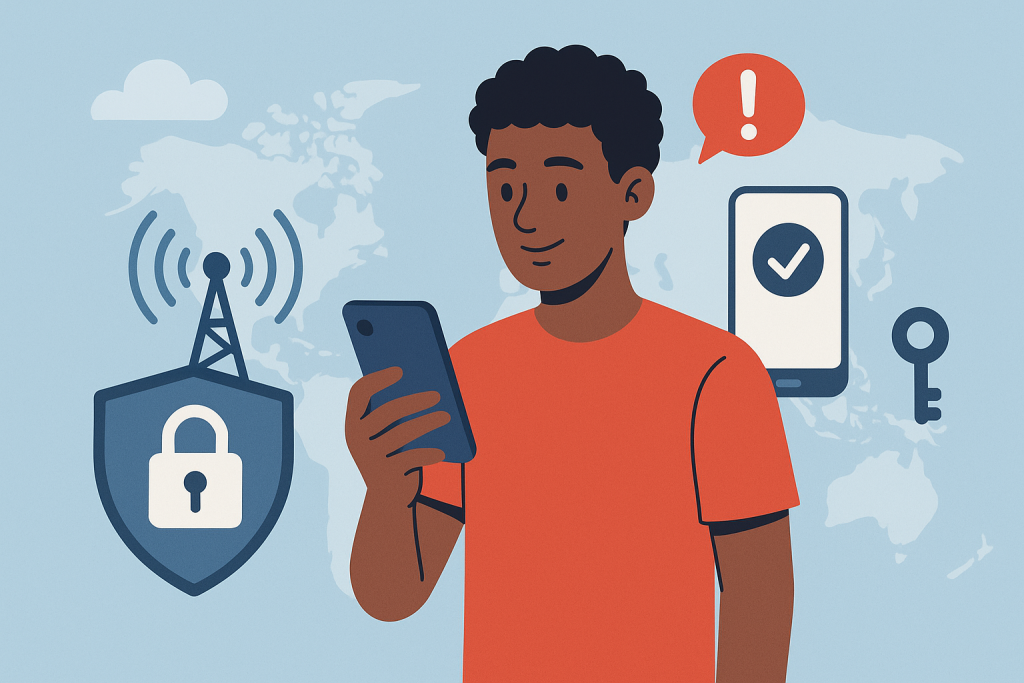
What You Need to Know About Staying Safe on 5G Phones

What You Need to Know About Staying Safe on 5G Phones

As 5G continues to roll out worldwide, smartphones are becoming faster, more responsive, and capable of powering the next wave of connected experiences. But with that leap in performance comes a bigger responsibility: keeping your data secure. Faster networks mean more devices, more data exchange, and unfortunately, more opportunities for cybercriminals.

If you’re using a 5G phone or thinking about upgrading, understanding the new security landscape is essential. This updated guide breaks down how 5G works, the real security challenges you should be aware of, and the best practices to keep your information protected. You’ll also find actionable insights and helpful links to related resources across the JNA Mobility website to make smarter decisions about your device and your plan.


What Exactly Is 5G and Why Does It Matter?

5G is the fifth generation of wireless mobile technology, designed to be dramatically faster and more efficient than its predecessors. It delivers:

  • Higher data speeds
  • Lower latency
  • Support for more connected devices
  • Better performance in crowded areas
  • Enhanced reliability for high-demand applications

These features make 5G a critical foundation for innovations like smart homes, advanced mobile gaming, telemedicine, autonomous vehicles, and the growing Internet of Things (IoT).

If you’re exploring options for upgrading your device, JNA Mobility offers a curated selection of reliable 5G phones within its phone shop to help you find one that fits your needs and budget.


Why 5G Security Matters More Than Ever

The speed and complexity that make 5G powerful also expand the attack surface for cybercriminals. With more devices connecting to the network—smartphones, sensors, appliances, wearables, and more—each interaction becomes a potential vulnerability if not properly secured.

Here’s why security in the 5G era is more critical:

  • More connected endpoints mean more potential access points for attackers.
  • Network virtualization introduces new layers that must be secured.
  • High-speed data transfers increase the urgency for real-time threat detection.
  • IoT expansion creates opportunities for hackers to target weaker, less protected devices.

Understanding these risks helps you stay one step ahead.


The Most Common Security Threats in the 5G Era

Below are the threats that smartphone users encounter most frequently today—many of which become more aggressive in a high-speed, always-connected environment.

Phishing Attacks

Attackers often imitate trusted websites, apps, or messages to steal personal information. With 5G enabling faster communication, phishing attempts can spread faster and appear more convincing.

Malware and Spyware

Malicious software can enter your device through rogue apps, unsafe downloads, or compromised links. Once installed, malware can monitor your activity, steal passwords, or damage your system.

Man-in-the-Middle (MitM) Attacks

These occur when a hacker intercepts data between your device and the network. On insecure networks—especially public Wi-Fi—your information can be exposed.

IoT Device Vulnerabilities

A single weak smart device connected to your network can serve as a bridge for hackers to access your phone and other data.


How to Protect Your Data on 5G Phones

You don’t need to be a security expert to protect your information. These practical strategies drastically reduce your risk and should be part of your routine mobile habits.


1. Use Strong Passwords and Biometric Authentication

Avoid simple, predictable passwords. Instead:

  • Use long combinations of letters, numbers, and symbols
  • Do not reuse passwords
  • Consider using a password manager
  • Enable biometrics like fingerprint or facial recognition

These add essential layers of protection against unauthorized access.


2. Keep Your Device Updated

Security patches are included in regular software updates for your phone and apps. Outdated software is one of the easiest ways hackers gain access.

  • Turn on automatic updates
  • Routinely check for app updates
  • Remove apps you no longer use

3. Avoid Public Wi-Fi or Use a VPN

Public Wi-Fi networks are easy targets for cybercriminals. If you must connect to one:

  • Use a VPN to encrypt your data
  • Avoid logging in to sensitive accounts
  • Do not access banking or financial apps

4. Turn On Two-Factor Authentication (2FA)

2FA adds a second verification step, usually via SMS, authenticator apps, or biometric checks. Even if someone steals your password, they still can’t get in.


5. Download Apps Only From Trusted Sources

The safest place to install apps is through:

  • Google Play Store
  • Apple App Store

Be suspicious of apps that request permissions unrelated to their function. For example, a calculator app shouldn’t need access to your contacts or camera.


How Telecom Providers Strengthen 5G Security

Service providers play a major role in securing 5G networks. The right provider will invest in modern security protocols and infrastructure designed to protect consumers from evolving threats.

JNA Mobility, for example, integrates advanced safeguards and consistent monitoring across its network to ensure a safe experience for all subscribers. You can explore their secure, flexible 5G plans to see which package fits your communication needs.


How JNA Mobility Prioritizes User Security

JNA Mobility actively strengthens and updates its systems to keep up with modern threats. Their commitment includes:

  • Real-time monitoring
  • Upgraded encryption standards
  • Network-wide security audits
  • Proactive updates to protect customers

When choosing a provider, selecting one with this level of attention to security makes a measurable difference in your safety and peace of mind.


5G + AI: A New Phase of Security and Communication

Artificial intelligence is rapidly transforming digital security. AI tools can:

  • Detect anomalies in real time
  • Identify unusual device behavior
  • Prevent attacks before they escalate
  • Automate threat responses

If you want clarity on how this partnership works, read more in JNA Mobility’s feature on 5G and AI transforming communication.


Why User Awareness Matters

Even the most secure network can’t protect you if you’re unknowingly clicking harmful links or ignoring security alerts. Cybersecurity is a shared responsibility, and your daily habits play a major role.

Here’s what you should stay informed about:

  • New phishing trends
  • Mobile security best practices
  • Device update schedules
  • App permission settings
  • Scam alerts from your telecom provider

Security will continue evolving alongside 5G technology. We can expect improvements in:

  • Stronger encryption systems designed for ultra-fast networks
  • More secure IoT frameworks to protect smart devices
  • AI-driven threat prediction instead of simple detection
  • Network slicing security, ensuring isolated, protected data channels
  • Decentralized authentication for faster and more secure identity management

As the ecosystem matures, both telecom providers and smartphone users will benefit from more robust protections.


Conclusion

5G technology is opening doors to innovation, speed, and next-level connectivity—but it also introduces new challenges that demand awareness and smarter habits. By understanding the risks and applying strong security practices, you can enjoy the advantages of 5G without putting your personal information at risk.

Whether you’re upgrading your device, choosing a plan, or exploring how 5G fits into your daily life, staying proactive is the best way to protect your digital world.

What You Need to Know About Staying Safe on 5G Phones Read More »
How to Choose the Perfect JNA Mobility Prepaid Plan for Your Lifestyle

How to Choose the Perfect JNA Mobility Prepaid Plan for Your Lifestyle

Everyone uses their devices differently. Whether you’re streaming Netflix, scrolling TikTok, sending photos of the grandkids, or just staying connected with friends and family, your mobile plan should fit your lifestyle—not the other way around. That’s where JNA Mobility comes in. With flexible prepaid plans, nationwide 5G coverage, and a variety of devices to choose from, you can get exactly what you need without paying for what you don’t.

Here’s a complete guide to picking the perfect JNA Mobility prepaid plan.


1. Understand Your Usage Habits

Before selecting a plan, it’s important to know how you use your phone. Ask yourself:

  • Do I stream videos frequently?
  • Do I browse social media a lot?
  • Do I mostly make calls and send texts?
  • Do I need high-speed internet for work or school?

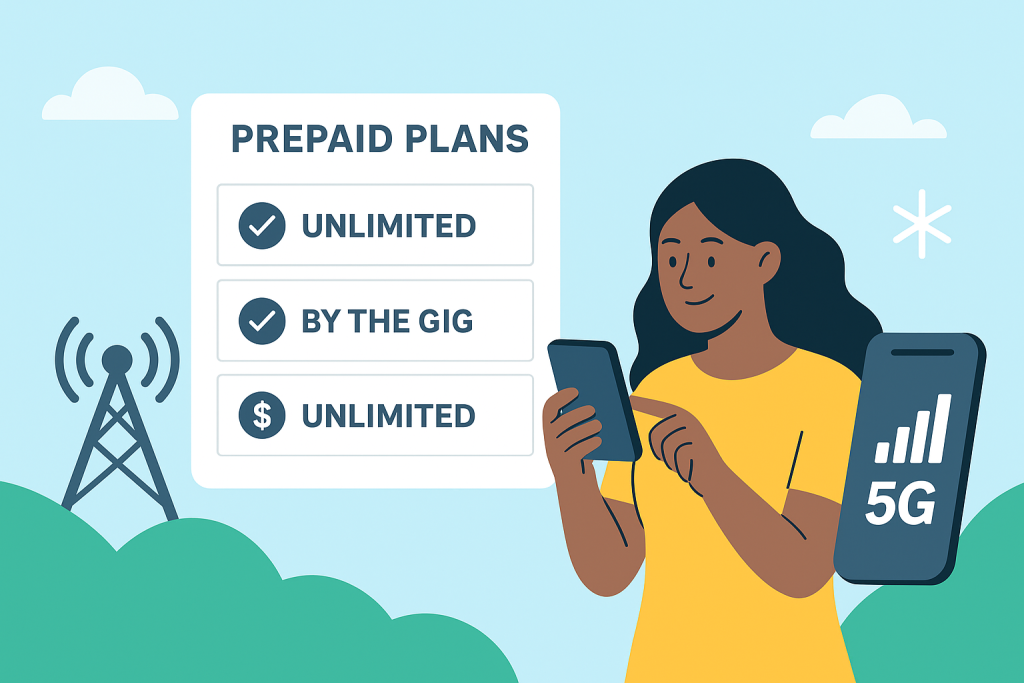
At JNA Mobility, you have the option to choose between “By the Gig” and unlimited data plans, so you only pay for what you actually use.


2. Explore JNA Mobility Plans

Here’s a quick breakdown of the plans JNA Mobility offers:

  • Unlimited+6 – $30/mo: Includes unlimited talk & text plus 1GB high-speed data. Perfect for light internet users who mostly call, text, or occasionally browse.
  • Unlimited+10 – $40/mo: Includes unlimited talk & text plus 10GB high-speed data. Great for moderate internet users who stream or use social media regularly.
  • Unlimited ULTRA – $50/mo: Includes unlimited talk & text plus 20GB high-speed data. Ideal for heavy users who stream, game, and browse constantly.

All plans also include phone insurance and roadside assistance, giving you peace of mind without added costs.


3. Consider Nationwide 5G Coverage

One of the biggest advantages of JNA Mobility is its ultrafast, reliable nationwide network. No matter where you are, you can enjoy smooth streaming, fast browsing, and clear calls. Plus, with access to a million secure hotspots, you can stay connected even when you’re out and about.


4. Choose the Right Device

Your plan is only as good as your device. At JNA Mobility, you can choose from a variety of phones to match your plan and budget. Popular options include:

  • iPhone XR (64GB & 128GB)
  • iPad Mini with Liquid Retina Display and ultrafast 5G

Don’t have a phone yet? No problem—explore our phone shop to find the perfect device to pair with your plan.


5. Enjoy Flexibility and Control

Life changes, and so can your plan. JNA Mobility makes it easy to upgrade or change your plan anytime, giving you complete control over your mobile service. Want to switch from a 10GB plan to unlimited? Done. Need fewer gigabytes this month? Adjust in minutes.


6. Extra Perks to Consider

  • Phone Insurance: Protects your device against accidental damage.
  • Roadside Assistance: Peace of mind when you’re on the go.
  • No Hidden Fees: Pay only for what you need, when you need it.

Final Thoughts

Choosing a prepaid plan doesn’t have to be confusing. By understanding your usage habits, exploring available plans, and pairing them with the right device, you can create a mobile experience that’s completely tailored to you.

With JNA Mobility, it’s simple: your wireless, your plan. Stay connected, stay flexible, and never pay for more than you need.

View Plans | Explore Phones

How to Choose the Perfect JNA Mobility Prepaid Plan for Your Lifestyle Read More »

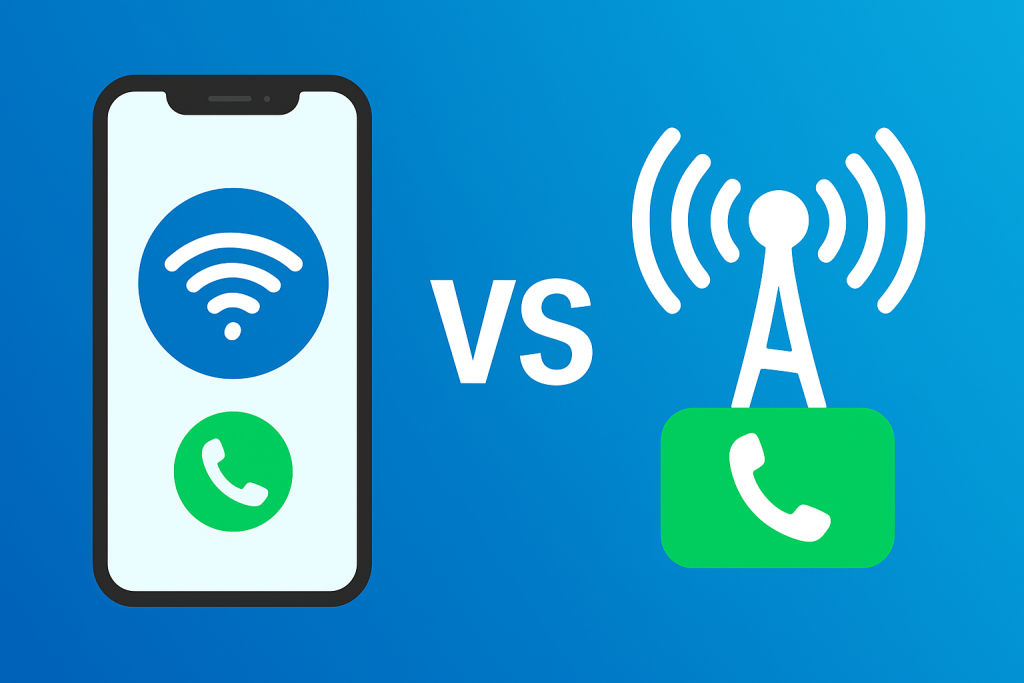
Wi-Fi Calling vs Cellular Data

Wi-Fi Calling vs Cellular Data: Which Is Better for Call Quality, Coverage, and Cost?

Staying connected is more essential than ever—whether you’re working remotely, traveling abroad, or simply catching up with loved ones. One question many smartphone users face is: should you rely on Wi-Fi calling or cellular data for your everyday communication?

Both options have their perks. Wi-Fi calling uses an internet connection to make and receive calls, while cellular data calling (like VoLTE) or 5G calling uses your mobile network. Choosing between them isn’t just about saving data or avoiding dropped calls—it’s about finding the right balance between cost, convenience, and reliability.

In this guide, we’ll help you understand how each works, the pros and cons, and how to choose what fits your lifestyle.


What Is Wi-Fi Calling?

Wi-Fi calling allows your phone to make and receive calls using a wireless internet connection instead of a traditional cellular signal. It’s supported by most carriers and smartphones, and it’s especially useful in places where your mobile network is weak.

Benefits of Wi-Fi Calling

  • Better indoor coverage: Perfect for homes, offices, or buildings where cellular reception struggles.
  • Lower international costs: Great for travelers—make calls through Wi-Fi and avoid high roaming fees.
  • No extra apps needed: You can call and text using your regular number and contacts—just like a normal call.

Limitations of Wi-Fi Calling

The main downside is dependence on your Wi-Fi connection. If your internet is slow, overloaded, or drops frequently, your call quality will suffer. You might experience lag, echo, or dropped calls.

For this reason, Wi-Fi calling works best on fast and stable connections, ideally with at least 5 Mbps upload speed.

To make the most of your Wi-Fi experience, check out our guide on tips for protecting your data and privacy on your smartphone.


What Is Cellular Data Calling?

When you make a call using your carrier’s data network, it’s usually powered by Voice over LTE (VoLTE) or Voice over 5G (VoNR) technology. This means your voice travels over the same data network used for browsing and streaming—no need to switch to older 3G or 2G voice channels.

If you want to learn how these newer networks outperform older standards, read our comparison on GSM vs. CDMA: Which mobile network is right for you?

Advantages of Cellular Data Calling

  • Reliable coverage outdoors: Perfect for commuters or field workers who move between areas with strong 4G or 5G networks.
  • High-definition call quality: Voice over data often sounds clearer than traditional calling.
  • Freedom from Wi-Fi: You’re not limited by routers or hotspots—ideal for people constantly on the go.

Downsides of Cellular Data Calling

Using your data plan for calls can eat into your monthly allowance. If you don’t have an unlimited plan, frequent calls may increase your bill. In rural or low-signal areas, call quality may also drop.

To manage your usage effectively, you can apply these 5 tips for maximizing your data usage on Spectrum Mobile.


Wi-Fi Calling vs Cellular Data: Which Is Better?

The best choice depends on your environment and communication habits. Here’s how to decide:

For International Travelers

Wi-Fi calling wins hands down. It helps you avoid roaming charges and lets you stay connected anywhere with Wi-Fi—whether that’s your hotel, café, or coworking space. It’s also perfect for business calls when abroad.
If you travel often, check out our tips for seamless international travel to ensure stress-free connectivity overseas.

For Remote Workers and Home Offices

If you work from home or indoors most of the time, Wi-Fi calling offers a stable and affordable option. However, having a backup mobile plan ensures you stay connected during Wi-Fi outages.
Explore the best mobile plans for your connectivity needs to find a plan that fits your setup.

For Frequent Commuters or Outdoor Professionals

Cellular data calling is the better choice. Strong 4G and 5G network coverage means fewer disruptions while driving, traveling, or working outdoors. It’s more consistent when you’re moving between Wi-Fi zones.

For Rural or Low-Internet Areas

If your area has poor broadband coverage, a cellular data connection will likely perform better. Carriers continue expanding nationwide 5G coverage, making this option more reliable than rural Wi-Fi.


How to Maximize Call Quality on Any Network

Regardless of which option you use, optimizing your settings and habits can make a huge difference in call clarity and reliability.

1. Enable Both Wi-Fi Calling and VoLTE

Most smartphones let you enable both under “Network Settings.” This ensures your phone automatically switches between Wi-Fi and cellular when one becomes unstable. You can learn more about this technology in our article on embracing Voice over LTE technology.

2. Test Wi-Fi Calling at Home

Make a few test calls to see if your home Wi-Fi delivers stable audio. If you experience lags, consider upgrading your router or placing it in a more open location.

3. Use Airplane Mode + Wi-Fi Abroad

When traveling internationally, turn on airplane mode and manually enable Wi-Fi. This prevents accidental roaming charges while still allowing Wi-Fi calling.

4. Monitor Data Usage

Use your carrier’s mobile app to keep an eye on how much data your calls consume. This is especially important if you’re not on an unlimited plan.

5. Keep Your Device Updated

Software updates often include network optimizations and bug fixes that improve call quality. Always stay current with the latest version of your OS.


Tips for the Best Wi-Fi or Cellular Call Experience

Even with the right settings, small tweaks can further enhance your call quality:

  • Close bandwidth-heavy apps: Streaming or downloading files while calling can cause lag.
  • Use noise-canceling earbuds or headsets: Improve clarity and block out background noise.
  • Check your router placement: Keep it away from thick walls or metal objects that block signal.
  • Run speed tests regularly: Apps like Speedtest can help you ensure your connection is call-ready.
  • Review your carrier’s coverage map: Knowing your weak zones helps you prepare alternative connections.

If you’re concerned about network consistency, read about the factors affecting network reliability.


Choosing the Right Option for You

The Wi-Fi calling vs cellular data debate isn’t about which is better overall—it’s about when and where each works best.

  • Choose Wi-Fi calling if you spend most of your time indoors, travel internationally, or want to cut roaming costs.
  • Stick with cellular data calling if you’re often on the move, rely on consistent outdoor coverage, or have an unlimited plan.

In reality, the best setup uses both options together. By enabling Wi-Fi calling and VoLTE simultaneously, your phone automatically switches to the strongest connection available—keeping your calls smooth and uninterrupted wherever you are.


Final Thoughts

In today’s hyper-connected world, communication flexibility matters. Understanding how Wi-Fi calling and cellular data complement each other helps you stay connected more efficiently—without overpaying or dealing with poor reception.

By combining both technologies and fine-tuning your phone’s network settings, you can enjoy seamless call quality, whether you’re at home, on the road, or across the globe.

Wi-Fi Calling vs Cellular Data: Which Is Better for Call Quality, Coverage, and Cost? Read More »

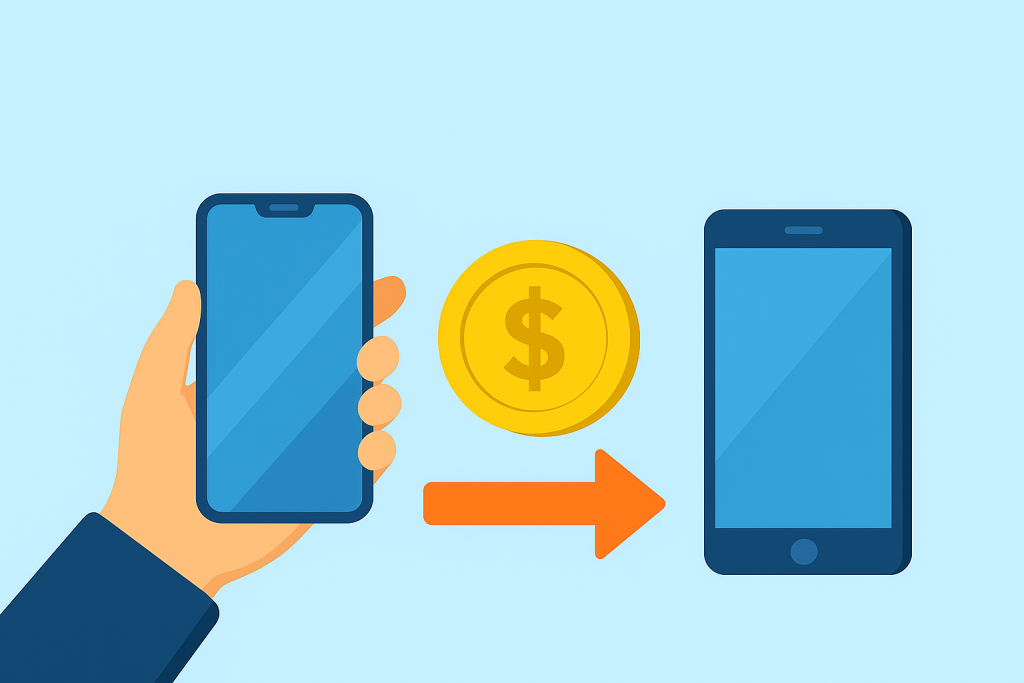
Why Phone Trade-Ins Matter More Than Ever

Why Phone Trade-Ins Matter More Than Ever

Every year, millions of smartphones get replaced as new models hit the market. Yet most of those old devices end up tucked away in drawers, forgotten and depreciating. What many people don’t realize is that your old phone still holds value—both financially and environmentally.

With reliable phone trade-in programs like JNA Mobility’s Trade-In Program, you can easily exchange your used phone for credit or cash that helps offset the cost of a new one. Beyond saving money, this simple step also contributes to reducing electronic waste, a growing environmental issue worldwide.

If you’ve ever wondered how to trade in your phone, how much it’s worth, or whether it’s really worth doing—it’s time to find out why phone trade-ins are one of the smartest choices you can make before upgrading.


The Growing Importance of Recycling and Repurposing Devices

The average smartphone lifecycle has shortened dramatically, with many users upgrading every two to three years. Unfortunately, this cycle also means a rapid rise in electronic waste (e-waste)—discarded devices that end up in landfills instead of being recycled or reused.

Through phone trade-ins, your old device can be refurbished, resold, or responsibly recycled. This helps conserve valuable materials like gold, copper, and lithium, which are used in manufacturing new electronics.

JNA Mobility partners with Phobio, a leading trade-in provider, to ensure your phone recycling process is secure, simple, and sustainable.


How Phone Trade-In Programs Work

Phone trade-in programs are designed to make the process as seamless as possible. Here’s a breakdown of how it typically works when you trade in your device through a reliable provider like JNA Mobility.

1. Check Your Device’s Value

The first step is to assess the condition of your phone. Factors such as model, storage size, cosmetic condition, and functionality will influence its trade-in value. You can usually get an instant estimate online through a trade-in portal.

2. Submit and Ship Your Device

Once you’ve received your estimate, follow the instructions to send your phone. JNA Mobility’s trade-in partner provides clear steps for securely packaging and shipping your device—often with prepaid labels included.

3. Get Paid or Receive Credit

After inspection, your phone’s final value is confirmed, and you’ll receive cash or credit that can be applied to your next device purchase. It’s a simple way to make upgrading more affordable while supporting sustainable recycling.


Financial Benefits of Trading In Your Old Phone

Get Instant Value Toward Your Next Upgrade

When you trade in an old device, you’re turning something unused into purchasing power. Many customers apply their trade-in credits toward new phones, tablets, or accessories at JNA Mobility’s online store.

Even if your device has some wear, it can still hold value. For example, an older iPhone, Samsung Galaxy, or Google Pixel model could earn you anywhere from a few dozen to several hundred dollars, depending on its condition.

Avoid Depreciation

Like cars, phones lose value over time. The longer you wait to trade yours in, the less you’ll receive. Trading in early ensures you get the maximum resale value before newer models dominate the market.

No Hassle Reselling

Selling a phone independently can be time-consuming and risky. Trade-in programs eliminate the uncertainty of negotiating prices, finding buyers, or worrying about data privacy. You simply ship your phone, confirm its condition, and receive secure payment.


Environmental Benefits: Doing Good While Upgrading Smart

Reducing E-Waste

Each year, millions of phones end up in landfills—many still containing materials that can be reused. By trading in your phone, you help reduce this waste stream and support the circular economy, where products are refurbished, reused, or responsibly recycled.

Recovering Valuable Materials

Smartphones contain valuable metals and rare earth elements. Recycling these components through certified programs helps reduce the need for new mining and conserves natural resources.

Sustainable Partnerships

By partnering with trusted trade-in platforms like Phobio, JNA Mobility ensures that every traded device is either repurposed or processed through certified recycling channels, meeting strict environmental standards.


Where to Trade In Your Phone: Trusted Options

1. Retailers and Wireless Carriers

Major retailers and carriers—including JNA Mobility—make it easy to trade in your old device either online or in-store. With JNA Mobility’s network, you can find deals on phones, plans, and accessories all in one place, with your trade-in value applied instantly.

2. Online Platforms

If you prefer to handle your trade-in digitally, JNA Mobility’s partnership with Phobio allows you to complete the entire process online. Simply enter your device details, get an instant quote, and ship your phone using the provided label.

3. Alternative Resale Options

Some users prefer to sell directly through peer-to-peer platforms. However, these come with more effort and risk. Trade-in programs are safer, faster, and guarantee data privacy—something peer resales can’t always promise.


Tips to Maximize Your Phone’s Trade-In Value

Before you hand over your old phone, take a few key steps to make sure you’re getting top dollar for it.

1. Clean and Prepare Your Device

Give your phone a gentle cleaning, remove your case, and take out any SIM or SD cards. Presentation can influence how your device is evaluated.

2. Back Up and Reset

Always back up your data to the cloud, then perform a factory reset to erase personal information. This step ensures your privacy and speeds up the evaluation process.

3. Check Market Prices

It’s smart to research trade-in offers from multiple programs. Compare prices from JNA Mobility, major carriers, and online resellers to confirm you’re getting a fair deal.

4. Include Original Accessories (If Available)

While not always required, sending your charger or original box can sometimes improve your offer.

5. Trade In Early

Trade in your old phone soon after upgrading—values decline quickly as new models release.


Factors That Affect Trade-In Value

Several factors influence how much your old phone is worth:

  • Brand and Model: Newer flagship models hold more value than older or budget versions.
  • Condition: Phones with minimal scratches and no cracks get higher offers.
  • Storage Size: Larger storage capacities often increase value.
  • Market Demand: Popular brands and models trade at higher prices.
  • Carrier Compatibility: Unlocked devices usually earn better trade-in rates.

Understanding these variables can help you make informed decisions about when and how to trade in.


The Future of Phone Trade-Ins: A Sustainable Tech Revolution

Rising Demand for Green Tech

As consumers grow more environmentally conscious, trade-in programs are becoming a major part of the sustainable tech movement. Many manufacturers now design products with recyclability in mind, extending the life cycle of electronic components.

Innovations in Circular Design

Emerging trends like modular smartphones and biodegradable materials could reshape the trade-in process entirely—allowing easier component replacement and recycling.

JNA Mobility’s Commitment to Sustainability

At JNA Mobility, we’re more than just a retailer—we’re part of a forward-thinking ecosystem that values sustainability and innovation. Our trade-in partnerships ensure that every device we process contributes to a cleaner, smarter, and more connected future.

Explore our full range of phones, plans, and accessories to see how easy it is to upgrade sustainably.


Conclusion: Trade Smart, Upgrade Better

Trading in your old phone isn’t just about getting money—it’s about making smarter, more responsible choices for both your wallet and the planet.

By choosing JNA Mobility’s trusted trade-in program, you’re turning old tech into opportunity while helping reduce waste and promote sustainability. Whether you’re upgrading to a new model, switching carriers, or simply decluttering, there’s no better time to unlock your phone’s hidden value.

Visit JNA Mobility’s Trade-In Page today to see what your device is worth—and start your next upgrade the smart way.

Why Phone Trade-Ins Matter More Than Ever Read More »

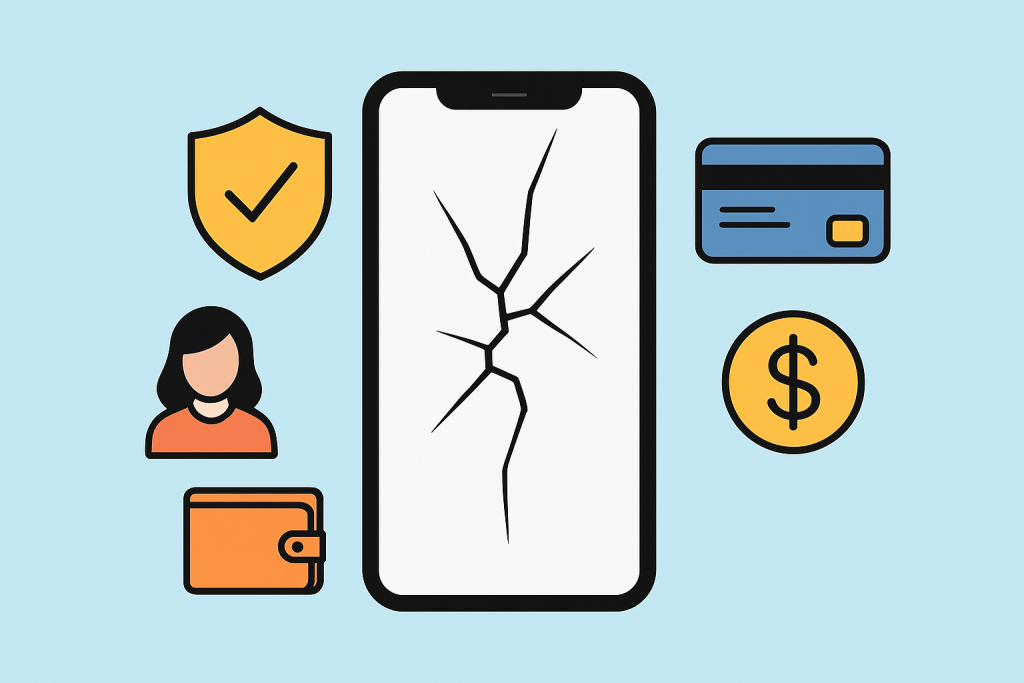
When You Should Skip Phone Insurance

When You Should Skip Phone Insurance (and When You Shouldn’t)

Buying a new smartphone today feels like making a small investment. And when you’re spending that much, the idea of phone insurance naturally comes up — a safety net against theft, loss, or damage. But here’s the truth: phone insurance isn’t always worth the cost. In some cases, it can quietly drain your wallet without giving much back.

This guide breaks down five situations where skipping phone insurance makes more sense — and when it’s actually smart to keep it. Whether you’re on a budget or protecting a premium device, this article helps you decide what’s really best for your phone and your finances.


What Exactly Is Phone Insurance?

Phone insurance is a paid protection plan designed to cover repair or replacement costs if your device is lost, stolen, or damaged. It sounds reassuring — until you add up those monthly premiums and realize they could exceed the phone’s actual value over time.

Before signing up, take a step back and consider whether mobile phone insurance coverage truly benefits you. You can also explore how phone insurance works and whether it’s right for you for a deeper breakdown of what’s typically included.


1. When You Own an Older or Low-Cost Phone

If your phone cost under $300, insurance is rarely worth it. The math just doesn’t work in your favor.

Here’s why:

  • The deductible alone might match or exceed the phone’s resale value.
  • After a year of monthly payments, you could have bought a replacement outright.

Instead of paying for coverage, consider setting aside a small “tech emergency fund.” Over time, that cash reserve can easily cover minor mishaps or a replacement phone — without ongoing fees.

You can also check out our practical guide on budget-friendly phone insurance options if you still want some form of low-cost protection.


2. When You’re Already Covered Elsewhere

You might already have protection through other policies or perks you didn’t even know about.

Check for existing coverage in:

  • Your credit card’s purchase protection plan
  • Homeowners or renters insurance (sometimes includes electronics)
  • Extended warranties or carrier protection bundles

Paying for a separate plan when you already have overlapping coverage doesn’t make sense. Instead, review what’s already available to you — and compare it with what phone insurers actually offer. For more context, take a look at why phone insurance is important and when it’s truly worth it.


3. When You Rarely Damage or Lose Phones

If you’re careful with your devices and can’t remember the last time you broke a screen, insurance may not be a great fit.

You can likely skip it if:

  • You always use a durable case and screen protector.
  • You’ve never lost or severely damaged a device.
  • You typically upgrade your phone every couple of years.

Paying for insurance is like buying peace of mind — but if you rarely need it, that peace can get pretty expensive.

You might instead want to invest in a reliable phone case and accessories that reduce the chances of damage in the first place.


4. When You Use a Prepaid Plan or Buy Phones Outright

People on prepaid plans often purchase phones upfront. These devices are usually more affordable and not tied to long-term contracts, which makes insurance less essential.

Why coverage doesn’t always add up:

  • You’ve already paid off your phone, so there’s no financing risk.
  • Replacement costs are manageable compared to premium flagships.
  • Some prepaid carriers already offer limited protection for minor issues.

If you still want protection for prepaid or budget phones, explore top phone insurance plans that help you save money for a comparison of coverage types.


5. When the Fine Print Is Loaded with Exclusions

Insurance agreements can look solid — until you dive into the details. Many policies include limitations that make it hard to actually file a claim.

Watch out for:

  • High deductibles that rival the repair cost
  • Limited claim counts per year
  • Lengthy waiting periods before coverage begins
  • Exclusions that leave out lost or stolen devices

If the terms seem complicated or restrictive, that’s a red flag. Insurance should make things easier, not harder. Before committing, review our breakdown of how phone insurance coverage really works to understand what’s typically covered — and what’s not.


When Phone Insurance Is Worth It

While there are plenty of reasons to skip insurance, it can still be a smart move in certain situations.

You might want coverage if:

  • You own a flagship phone worth over $1,000
  • You’ve had a history of losing or damaging phones
  • You’re paying for the device on a long-term installment plan
  • You rely heavily on your phone for work and can’t afford downtime

In these cases, the convenience of quick replacements and peace of mind can justify the cost. You can compare your options in our expert guide to the best phone insurance plans for every budget.


How to Decide If You Really Need It

Before committing, ask yourself a few practical questions:

  1. What’s the real cost over two years? Add up premiums, deductibles, and hidden fees.
  2. Could you afford to replace your phone today without insurance?
  3. Do you already have another form of coverage?
  4. How careful are you, really, with your devices?

If your answers lean toward “no,” you can likely skip the plan and save that money for future upgrades or repairs.

To learn more about comparing insurance plans and alternatives, read our complete guide on why phone insurance is important.

When You Should Skip Phone Insurance (and When You Shouldn’t) Read More »

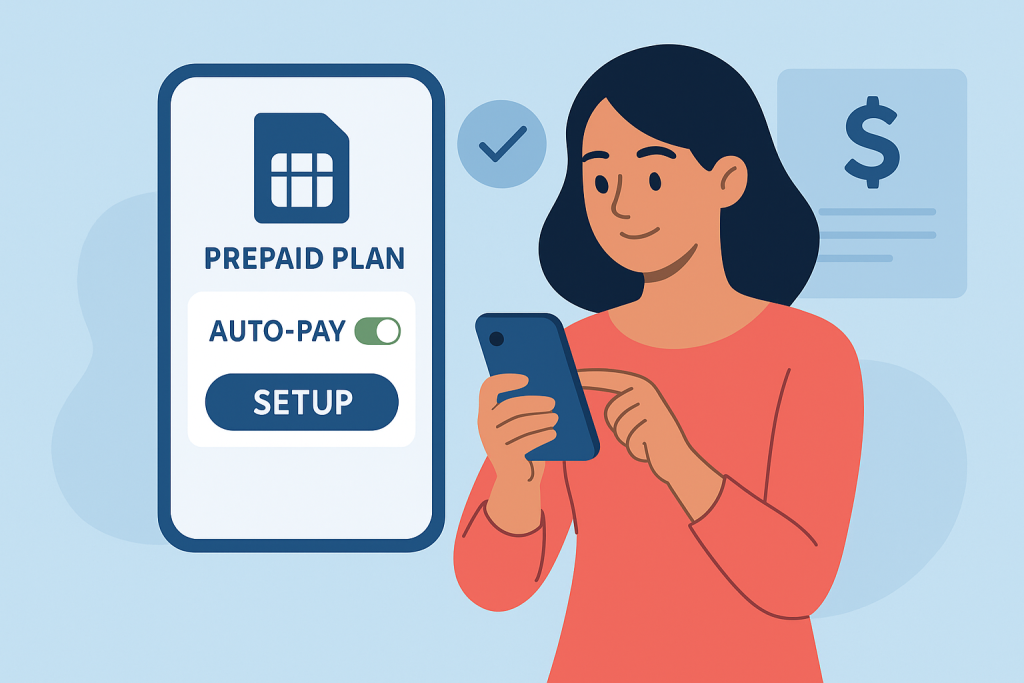
auto-pay

How to Set Up Auto-Pay for Your Prepaid Service (and Why It’s Totally Worth It)

Managing a prepaid phone plan should be simple — but if you’ve ever lost service because you forgot to top up, you know how frustrating that can be. That’s where auto-pay for prepaid service changes the game. It’s an easy way to stay connected without having to manually renew your plan every month.

Whether you’re on a major carrier or exploring flexible prepaid options, setting up auto-pay keeps your plan active automatically — so you never miss a text, call, or data connection again. This guide breaks down everything you need to know: how auto-pay works, how to set it up, why it’s beneficial, and how JNA Mobility makes prepaid management effortless.


Why Auto-Pay Is a Smart Move for Prepaid Users

Unlike postpaid plans that bill you after you use the service, prepaid phone plans require you to pay upfront. Once your balance runs out or your billing period ends, your service stops — unless you manually top up. That gives you control, but it can also be a hassle.

With auto-pay, your prepaid provider automatically deducts your payment on your renewal date, ensuring continuous service. It’s a “set it and forget it” system that eliminates missed payments and unexpected cutoffs.

Auto-pay benefits include:

  • No interruptions — stay connected 24/7.
  • No missed due dates — automatic renewals handle it for you.
  • Auto-pay discounts — many carriers offer monthly savings for enrolled users.
  • Stress-free convenience — ideal for busy schedules or multiple lines.

For people using prepaid phones for business, travel, or family plans, auto-pay is more than a feature — it’s a safeguard for peace of mind.


How Auto-Pay for Prepaid Service Works

Think of auto-pay as a subscription renewal. You provide your payment details once, and your carrier automatically charges you each month (or billing cycle) to renew your plan.

Here’s how the process typically works:

  1. Choose your prepaid plan. Whether it’s data-only, unlimited talk and text, or a combination, pick what fits your needs.
  2. Enable auto-pay. Most carriers have a one-click option in your online account or mobile app.
  3. Select your payment method. Use a debit card, credit card, or PayPal account.
  4. Automatic renewal. Your plan refills automatically on your due date.
  5. Notifications. You’ll receive reminders before and after each charge for transparency.

Some carriers even allow you to modify the frequency, spending limit, or pause auto-pay whenever needed — adding flexibility to the convenience.


Step-by-Step Guide: How to Set Up Auto-Pay for Prepaid Plans

Setting up auto-pay is quick. While the exact process varies depending on your carrier, the steps below apply to most prepaid services.

Step 1: Log in to Your Account

Visit your prepaid carrier’s website or open their mobile app. If you don’t have an account yet, register using your prepaid number and account PIN.
You can find setup help on related guide like how to switch from postpaid to prepaid service .

Step 2: Access the Payments Section

Look for “Billing,” “Payments,” or “Auto-Pay” in your account dashboard. Most providers feature an auto-refill or automatic payment section specifically for this.

Step 3: Add or Confirm Your Payment Method

You’ll need to save your preferred payment option — most accept major debit and credit cards, while some support PayPal or direct bank payments.

Step 4: Activate Auto-Pay

Toggle on the “Enroll in Auto-Pay” setting. Review your plan details and renewal frequency before confirming. You can usually turn it off anytime from the same page.

Step 5: Save Your Settings and Watch for Confirmation

After activating, your carrier will send a text or email confirming that auto-pay is active. Some also send reminders before each scheduled charge.

Step 6: Keep Payment Info Updated

If you change your card or bank, remember to update it immediately to avoid failed renewals or service interruptions.


Here’s how major prepaid carriers in the U.S. manage their auto-pay features:

Verizon Prepaid

Enable auto-pay in the My Verizon app or online dashboard. Verizon often offers $5 monthly discounts per line for customers who use debit or bank payments with auto-pay.

AT&T Prepaid

Sign in to your myAT&T Prepaid account and activate auto-pay under “Payments.” Users typically get plan discounts when enrolled in both auto-pay and paperless billing.

T-Mobile Prepaid

Through the T-Mobile app, you can activate or modify auto-pay anytime. T-Mobile frequently rewards enrolled users with data rollover and bonus savings.

Cricket Wireless

Auto-pay is available through the Cricket app or online account. You’ll receive renewal alerts and confirmation messages after every successful charge.

Mint Mobile

Under “Manage Plan” in the Mint Mobile app, simply toggle “Auto Renew” to keep your prepaid plan active automatically.

These examples prove one thing: no matter your provider, auto-pay setup takes minutes and saves hours of frustration later.


Top Reasons to Use Auto-Pay for Prepaid Phones

1. Consistent Connectivity

Missed payments can interrupt your service at the worst possible time — during a work call, travel day, or family emergency. Auto-pay guarantees ongoing access.

2. Save with Discounts

Many providers encourage auto-pay by offering monthly discounts or bonus perks. Over a year, those savings can cover part of your next phone upgrade.

3. Stress-Free Budgeting

Auto-pay helps manage predictable monthly costs — no surprise charges or missed payments.

4. Perfect for Families

Managing several prepaid lines? Auto-pay consolidates renewals so everyone stays connected under one easy setup.

5. Eco-Friendly and Paperless

Digital billing and automated renewals reduce paperwork and waste, supporting an eco-friendly lifestyle.

You can also learn about how to find prepaid plans with unlimited data if you’re optimizing your setup for convenience and cost-efficiency.


Potential Drawbacks to Watch Out For

Auto-pay is great — but staying in control matters. Here are a few things to monitor:

  • Keep your card info current. Expired cards can trigger failed renewals.
  • Watch your account balance. Make sure funds are available before your billing date.
  • Check for plan updates. Carriers occasionally adjust pricing or data limits.
  • Review transaction alerts. Never ignore renewal confirmation emails or texts.

As long as you stay aware, auto-pay remains one of the safest, most convenient ways to manage prepaid service.


When You Might Skip Auto-Pay

Auto-pay isn’t mandatory. You might prefer manual refills if you:

  • Regularly switch between different prepaid carriers
  • Use short-term SIMs for travel or temporary work
  • Prefer paying with cash or prepaid cards
  • Want tighter control over exact renewal dates

Still, for most users, auto-pay provides a near-perfect balance of convenience and control — especially when offered by a reliable carrier.


Switching Providers While Using Auto-Pay

If you’re planning to move to a different prepaid carrier, disable auto-pay first. Here’s how to do it smoothly:

  1. Log into your account and turn off auto-pay.
  2. Confirm deactivation via text or email.
  3. Port your number or activate your new SIM card.
  4. Set up auto-pay again with your new carrier.

This ensures you won’t get double-billed or accidentally renew with your old provider.


Experience Seamless Auto-Pay with JNA Mobility

If you’re looking for a prepaid provider that takes convenience and reliability seriously, JNA Mobility is the name to trust. As one of the most dependable prepaid providers in the U.S., JNA Mobility simplifies everything from activation to payment.

Here’s why users choose JNA Mobility for their prepaid plans:

  • Easy Auto-Pay Setup: Activate automatic payments in just a few clicks.
  • Reliable Nationwide Coverage: Stay connected anywhere in the U.S.
  • Flexible Plan Options: Find prepaid packages that fit every budget and lifestyle.
  • Transparent Pricing: No hidden fees, no credit checks, and no surprises.
  • User-Friendly Account Dashboard: Manage payments, data, and refills all in one place.

Whether you’re managing one line or a family plan, JNA Mobility offers prepaid phone plans that grow with you — and auto-pay keeps it all running smoothly.

Looking to simplify your prepaid experience? Explore more about JNA Mobility’s prepaid phone services and discover why thousands of users trust them for affordable, dependable wireless coverage.

enter image description here

Final Thoughts

Setting up auto-pay for prepaid service is one of the simplest ways to take control of your mobile experience. It eliminates missed payments, saves you money with discounts, and keeps your line active 24/7.

If you want a hassle-free setup and reliable coverage, JNA Mobility delivers both. Combine flexibility, affordability, and convenience with automated renewals — and enjoy your prepaid service the way it’s meant to be: uninterrupted.

How to Set Up Auto-Pay for Your Prepaid Service (and Why It’s Totally Worth It) Read More »

why-college-students-love-prepaid-plans

Why College Students Love Prepaid Plans: Smart, Flexible, and Budget-Friendly

For college students, every dollar counts. Between tuition, books, meals, and housing, managing money wisely is essential. That’s why more and more students are turning to prepaid phone plans — an affordable, flexible way to stay connected without breaking the bank.

A prepaid plan gives you freedom, flexibility, and predictable costs, which fits perfectly with student life. Whether you’re managing limited finances or avoiding surprise bills, prepaid plans give you exactly what you pay for—nothing more, nothing less.

But beyond the basics, there’s a growing reason students are upgrading their prepaid experience through providers like JNA Mobility — one of the few that combines affordability with nationwide 5G coverage and multi-line discounts that make every line cheaper.


Understanding Prepaid Plans: A Quick Refresher

A prepaid phone plan is simple — you pay upfront for a set amount of data, talk, and text. Once that balance runs out, you can renew, change, or pause whenever you want.

Unlike postpaid contracts, prepaid plans don’t require credit checks or long-term commitments. You have total control over your phone expenses, making them a great fit for students on variable budgets.

Most prepaid plans use the same major networks (Verizon, AT&T, or T-Mobile) through MVNOs (Mobile Virtual Network Operators). That means you get the same coverage as traditional carriers, but often for half the price.

If you’re curious about how prepaid compares to other mobile options, explore our in-depth guide to prepaid vs postpaid plans to see which model saves you the most.


Why Prepaid Plans Make Sense for College Students

1. Budget Control Without the Stress

College budgets are tight — some months you have extra income from part-time work, others you’re stretching every dollar. Prepaid plans make budgeting simple because you pay a flat, upfront cost for the month.

No overage charges. No hidden fees. No surprise bills.

If you run out of data, you can easily upgrade or renew when you’re ready. Some carriers even offer data rollover, letting you carry unused data into the next month — ideal for fluctuating usage patterns throughout the semester.


2. No Credit Checks or Long-Term Contracts

Many students don’t have established credit, and that’s perfectly fine with prepaid. Unlike postpaid plans that require a credit check and binding contract, prepaid options are instant, flexible, and commitment-free.

Sign up, activate your SIM, and you’re good to go — no paperwork, no deposits, no penalties for canceling.

For international students, prepaid plans are even more convenient. You can buy a U.S. prepaid SIM the day you arrive, activate it instantly, and start using your phone without needing local credit history or documentation.


3. Flexible Data Options for Every Lifestyle

Whether you’re mostly on Wi-Fi or streaming lectures and music non-stop, prepaid plans let you choose exactly how much data you need.

Students who primarily use campus Wi-Fi might only need 5–10 GB per month. But for heavy users — those watching Netflix, FaceTiming, or gaming — unlimited plans offer the freedom to use your phone as much as you want.

You can switch plans anytime, scaling up or down as your data needs change. No cancellation fees. No waiting periods. Just flexibility on your terms.


4. Easy to Manage, Refill, and Save

Prepaid carriers are designed for convenience. Most let you manage your plan online or through mobile apps. You can top up manually, schedule auto-pay renewals, or even add funds through prepaid refill cards.

Many providers, including JNA Mobility, offer extra savings when you enable auto-pay or add multiple lines.

With JNA Mobility, the concept is simple: the more lines you add, the more you save. Their plan pricing automatically adjusts for each additional line — a great deal for roommates, siblings, or couples looking to cut costs together.

Plus, JNA Mobility runs on nationwide 5G coverage, offering premium network performance at a fraction of what big carriers charge. You’ll enjoy fast connectivity and reliable service, with speeds only reducing after 20GB per line — still more than enough for most college users.

If you’re serious about saving money while staying connected, JNA Mobility’s prepaid 5G plans are among the best options for students who want quality and affordability in one.


5. Ideal for Students Studying Abroad or Traveling

Planning a semester abroad? Prepaid plans are perfect for global students. Many carriers offer international roaming add-ons or travel-friendly SIMs that let you stay connected overseas without expensive roaming charges.

Alternatively, you can purchase a local prepaid SIM at your destination and activate it in minutes — avoiding steep international rates.

Prepaid flexibility means you can pause your U.S. plan while abroad and reactivate it once you return, saving you even more during travel seasons.


6. Better Privacy and Data Security

Privacy matters — especially for young adults managing finances online. Prepaid plans require minimal personal information to activate, making them ideal for privacy-conscious users.

You pay upfront, there’s no linked credit account, and missed payments don’t affect your credit score. It’s a straightforward setup that keeps your personal data secure while giving you total financial control.


How to Choose the Right Prepaid Plan for College

Picking the perfect plan can be confusing with so many carriers out there. Here’s a quick checklist to simplify the process.

1. Check Campus Coverage

Find out which networks perform best where you’ll spend most of your time — dorms, classrooms, and off-campus housing. Many prepaid carriers (including JNA Mobility) use major 5G networks for nationwide coverage, ensuring consistent service anywhere you go.

2. Match Data to Your Usage

If you’re online all day for classes and social media, look for high-data or unlimited options. If you mostly use Wi-Fi, choose a smaller plan and save.

3. Look for Group or Multi-Line Savings

Multi-line discounts are one of the easiest ways to cut your phone bill. JNA Mobility makes it effortless—every additional line brings the per-line price down, so you and your friends or roommates can all benefit.

4. Compare Extra Features

Perks like hotspot access, free streaming, or international calling credits can add real value. Always compare these details before committing to a plan.

For a detailed breakdown, check our upcoming guide to the best prepaid phone plans for students, where we’ll compare top providers, coverage, and perks side-by-side.


While JNA Mobility stands out for its price-to-performance ratio, several other prepaid options are also popular among students:

  • Mint Mobile: Known for multi-month savings and flexible data tiers.
  • Visible: Unlimited data on Verizon’s 5G network with no hidden fees.
  • Cricket Wireless: Family-friendly plans with strong nationwide coverage.
  • Boost Mobile: Great short-term plans and competitive add-ons.
  • AT&T Prepaid: Trusted reliability with optional data rollover.

Each has its own strengths, but few match JNA Mobility’s combination of affordability, 5G access, and scalable savings.


Building Smart Financial Habits Early

Beyond saving money, using a prepaid plan teaches valuable lessons in budget management and financial discipline. You’ll learn to track your spending, evaluate your data usage, and make informed financial decisions — habits that carry into post-college life.

It’s also a great way to build independence without the risk of overspending or racking up credit-related penalties.

And once you graduate, you’ll have the flexibility to move up to a business or postpaid plan if needed, without ever feeling locked in.


Final Thoughts: Freedom, Flexibility, and Real Savings

For college students, prepaid plans represent more than just lower bills — they represent freedom. Freedom from contracts, credit checks, and surprise fees. Freedom to switch, pause, or upgrade anytime.

If you’re ready to simplify your mobile life and save money, explore JNA Mobility’s prepaid 5G plans today. With competitive pricing, nationwide 5G coverage, and multi-line discounts, it’s one of the most student-friendly options available.

Stay connected, stay in control, and keep more money where it belongs — in your pocket.

Why College Students Love Prepaid Plans: Smart, Flexible, and Budget-Friendly Read More »

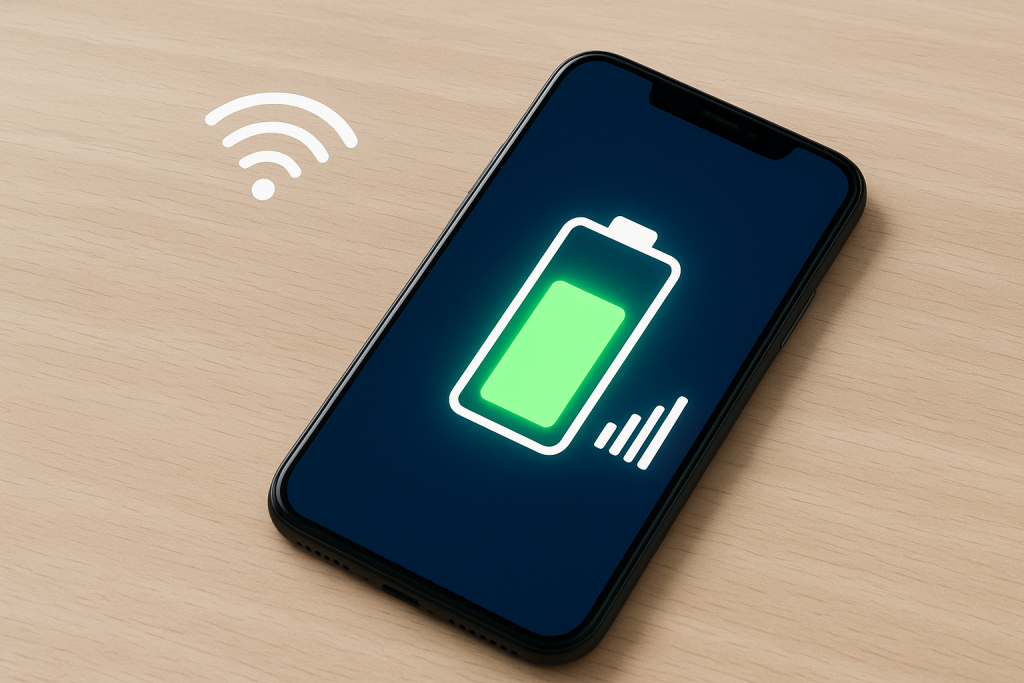
Maximize Battery Life Without Losing Connectivity

Maximize Battery Life Without Losing Connectivity

Your smartphone’s battery powers everything—from calls and messages to entertainment and work tasks. But while most people focus on the hardware side (like screen brightness or charging habits), few realize that your mobile plan settings can play a major role in battery performance.

At JNA Mobility, a trusted prepaid and postpaid mobile plan provider, we’ve seen how optimizing your plan and network settings can extend your battery life significantly. Whether you’re streaming, traveling, or just trying to make your phone last the entire day, understanding how your mobile plan interacts with your device is the key to better performance.

Let’s explore how adjusting your mobile plan settings can keep your phone powered longer—without compromising your connectivity or convenience.


Why Mobile Plan Settings Affect Battery Life

Your phone’s connection to the network—whether it’s 5G, 4G LTE, or Wi-Fi—directly impacts battery drain. When your device constantly searches for a stronger signal or maintains high-speed data for tasks you’re not using, it consumes more power.

By fine-tuning how your mobile plan handles data, roaming, and connectivity, you can reduce background activity, minimize signal strain, and help your battery last hours longer each day.


1. Adjust Your Network Mode to Match Your Usage

Many smartphones automatically connect to the fastest available network—often 5G. While that’s great for speed, 5G networks can be power-hungry, especially in areas where coverage fluctuates. When your device frequently switches between 5G and 4G, it burns extra energy.

What You Can Do

  • If you’re not downloading large files or streaming video, switch to 4G LTE for standard browsing and messaging.
  • On most phones, you can change this under Settings → Mobile Network → Preferred Network Type.
  • Use Auto Mode only if you live in a strong 5G area. Otherwise, manually select LTE to stabilize performance and reduce drain.

This small tweak can make a big difference—especially when your battery is struggling near the end of the day.


2. Turn Off Data Roaming When It’s Not Needed

If your mobile plan includes roaming, your phone constantly searches for compatible partner networks when you’re outside your carrier’s normal area. This continuous scanning consumes energy, even if you’re not actively using your phone.

Pro Tip:

  • Disable data roaming unless you’re traveling.
  • When abroad, consider purchasing a local SIM or an eSIM plan through JNA Mobility for better coverage and less battery stress.
  • You’ll not only save battery power but also avoid unnecessary roaming fees.

3. Use Wi-Fi Calling for Efficiency and Clearer Connections

If your plan supports Wi-Fi Calling, enabling it can drastically reduce battery usage in low-signal areas. Phones expend more power trying to maintain a weak signal, but with Wi-Fi calling, your device uses a stable Wi-Fi network instead of the cell tower.

Benefits:

  • Reduced battery drain in weak signal zones.
  • Clearer voice calls with fewer dropped connections.
  • No extra data usage when connected to a Wi-Fi network.

To activate this, go to Settings → Mobile Network → Wi-Fi Calling and toggle it on.


4. Manage Background Data Access for Apps

Apps running quietly in the background can consume both data and battery. Many mobile plans allow you to manage which apps are permitted to use background data.

How to Optimize:

  • Head to Settings → Data Usage → App Data Access.
  • Turn off background data for non-essential apps such as games, shopping apps, or social media.
  • Keep necessary services—like messaging or email—active.

This not only conserves energy but also reduces unnecessary mobile data usage, helping you make the most of your plan.


5. Enable Data Saver Mode

Many smartphones include a built-in Data Saver feature that limits background processes and syncs. Fewer background tasks mean fewer active data connections—resulting in extended battery life.

Advantages:

  • Stops automatic loading of heavy media content (videos, high-res images).
  • Reduces the frequency of app server checks.
  • Works well with unlimited or limited data plans from JNA Mobility.

To enable:

  • Android: Settings → Network & Internet → Data Saver.
  • iPhone: Settings → Cellular → Cellular Data Options → Low Data Mode.

6. Optimize Your Hotspot Usage

Using your phone as a mobile hotspot is convenient, but it’s one of the fastest ways to drain your battery. When tethering, your device is simultaneously maintaining a data connection and a Wi-Fi signal for connected devices.

Smart Usage Tips:

  • Activate hotspot only when needed.
  • Limit the number of connected devices.
  • Plug your phone in while tethering for long sessions.
  • Consider using a dedicated hotspot plan from JNA Mobility for frequent use—this offloads the power burden from your main device.

7. Disable Always-On Location Services

Some mobile plans integrate with location-based tools for emergency alerts or family safety tracking. While these are useful, they continuously use GPS, which can cut your battery life by hours.

Recommendation:

  • Change permissions to “While Using the App” instead of “Always.”
  • Disable tracking apps or features when not needed.
  • Review app permissions under Settings → Privacy → Location Services.

This ensures your location is available when you need it—without draining power all day long.


8. Schedule Automatic Network Switching

Modern devices and advanced mobile plans include smart network switching that intelligently toggles between Wi-Fi and cellular data. While this helps maintain performance, scheduling or manually managing it can save additional battery life.

How to Use It:

  • Use Wi-Fi during office hours or while at home.
  • Turn on mobile data only when traveling or working outdoors.
  • Set automation routines using tools like Android’s Digital Wellbeing or Apple’s Shortcuts to manage connectivity automatically.

This balance helps your device stay efficient without losing essential functionality.


9. Combine Low Power Mode with Mobile Plan Tweaks

When you enable Low Power Mode on your phone, it already limits background processes, screen brightness, and mail fetch rates. Combining this with mobile plan adjustments—like switching from 5G to LTE or disabling background data—can provide even better results.

When to Activate:

  • Before long commutes, travel, or events where charging options are limited.
  • When your phone dips below 30%.
  • During extended calls or video sessions to prevent battery strain.

Together, these settings can easily add two to three extra hours of usable time.


10. Use Plan Features That Prioritize Efficiency

Not all mobile plans are created equal. Some modern plans, like those offered by JNA Mobility, are designed for energy-efficient connectivity by optimizing network switching, Wi-Fi calling, and background data sync.

Look for Plans That Offer:

  • Flexible data settings (control your speed or connection type).
  • eSIM support for seamless switching between networks.
  • Roaming control options built into the plan dashboard.

These features don’t just save data—they help your phone work smarter, not harder.


Bonus Tips for Everyday Battery Care

While mobile plan settings are a big part of energy management, here are a few daily habits that complement them perfectly:

  • Keep your screen brightness below 70%.
  • Turn off Bluetooth and mobile data when not in use.
  • Avoid letting your phone fully discharge—charge between 20–80%.
  • Keep your device software updated; new updates often include battery optimizations.
  • If your phone battery is old, consider a replacement to restore full performance.

Final Thoughts: Smart Plans, Smarter Power Management

Battery life isn’t just about hardware—it’s also about how your device communicates with networks, apps, and background services.

By understanding and customizing your mobile plan settings, you can take control of your phone’s power consumption. The right adjustments help you stay connected, productive, and stress-free throughout the day.

At JNA Mobility, we don’t just provide affordable and flexible mobile plans—we empower customers to get the most out of their devices. Small tweaks to your network and data preferences can be the difference between reaching for your charger at noon or sailing through an entire day with battery to spare.

Maximize Battery Life Without Losing Connectivity Read More »

New Phone Plan: Tips for a Smooth Switch

New Phone Plan: Tips for a Smooth Switch

Switching to a new phone plan can feel overwhelming at first—especially when you’re faced with dozens of carriers, pricing tiers, and hidden terms that seem designed to confuse you. But the truth is, changing your plan doesn’t have to be a nightmare. Whether you’re aiming to cut costs, boost coverage, or simply get features that make more sense for your lifestyle, a well-planned switch can bring long-term benefits.

If you take the time to understand your needs and explore your options, switching can actually be one of the smartest financial and tech moves you’ll make this year. Let’s dive into how to make the process smooth, avoid the most common pitfalls, and ensure your next plan truly works for you.


Why It Might Be Time to Switch Your Phone Plan

You might not realize it, but the phone plan you’re using right now could be draining your wallet or limiting your flexibility. Here are some of the top reasons users decide to make the switch.

1. You’re Probably Paying Too Much

Many people overpay for mobile plans that don’t match their actual habits. Maybe you’re on an unlimited data plan but only use a few gigabytes each month, or you’re paying for add-ons like hotspot data or streaming perks that you never use. By reassessing your plan, you can align your spending with your real needs.

If your goal is to save, it’s worth looking into some of the most affordable phone plans for budget-conscious users. These options are ideal for people who want solid coverage without the inflated price tag.

2. Coverage Problems Are Costing You

Dropped calls, laggy video chats, or dead spots in your neighborhood—sound familiar? Not all carriers are equal when it comes to coverage. Some providers have stronger signal strength and data speeds depending on your region. If your current carrier isn’t reliable where you live, it’s time to explore a provider that offers better consistency.

A strong, stable network can make all the difference in how you work, stream, and stay connected.

3. You Want Features That Fit Your Lifestyle

Modern phone plans go far beyond calls and texts. Some focus on streaming benefits, others on international travel or family sharing. Switching to a new provider gives you a chance to get the features that actually matter to you—whether that’s unlimited data, international calling, or prepaid flexibility.

The right plan should enhance your everyday experience, not complicate it.


Evaluate Your Current Plan Before You Switch

Before rushing to sign up for something new, take a good look at what you have now. Understanding your current plan is the first step toward making a smart change.

1. Know Your Usage Patterns

Review your monthly data, text, and call history. Most carriers provide usage summaries online or through their mobile apps. Ask yourself: are you consistently going over your data limit, or are you paying for way more than you use?

Once you know your actual habits, it’s easier to find a plan that fits you perfectly—neither too much nor too little.

2. Identify What’s Not Working

If you’re frustrated by unexpected charges, poor signal strength, or features you don’t use, write those down. These are your “pain points.” Maybe your carrier’s customer service isn’t great, or perhaps you’re tired of surprise price increases.

Knowing these issues will help you avoid repeating them with your next provider.

3. Research Better-Fitting Options

When you know what’s missing from your current plan, start researching alternatives. For people who don’t need unlimited data, there are great options available. Check out some of the top cell phone plans for light users to see which ones fit your habits and budget.


Prepaid vs. Postpaid: Which One Is Right for You?

Choosing between prepaid and postpaid can be confusing if you’re not sure how they differ. Here’s a breakdown to help you decide.

1. Prepaid Plans Offer Flexibility and Control

Prepaid phone plans are ideal for people who want freedom from long-term contracts. You pay upfront for what you use—no credit checks, no overage fees, and no surprise bills. This makes them a great choice for students, freelancers, or anyone who wants to stick to a predictable monthly budget.

If you’re curious whether a prepaid option fits your lifestyle, take a look at this guide explaining the pros and cons of prepaid phone plans. It breaks down exactly when prepaid makes sense—and when it might not.

2. Postpaid Plans Offer Premium Perks

On the other hand, postpaid plans are often packed with extra benefits. You can finance new devices, enjoy loyalty rewards, and get access to unlimited data or bundled streaming subscriptions. These are great for heavy users or families who rely on multiple lines and prefer a consistent billing setup.

The key is deciding what matters more to you: flexibility and simplicity, or premium features and convenience.


Tips for Switching to a New Phone Plan

Switching plans is easier than it used to be, but there are still a few details to get right. Here’s how to make the process smooth from start to finish.

1. Compare Plans Thoroughly

Don’t just look at the monthly price. Compare total value—coverage, features, hidden costs, and customer service. Use reliable resources to get a clear overview of what’s out there. You can browse through the latest phone plans available on JNA Mobility to find current deals across different carriers and plan types.

2. Always Read the Fine Print

Some deals sound amazing upfront but hide sneaky fees in the details. Watch for activation fees, upgrade fees, and early termination penalties. A plan that looks cheap could end up costing more than you expect over time.

3. Check Network Coverage in Your Area

Even the best plan is useless if your connection drops constantly. Before committing, check each carrier’s coverage map or ask people in your area which provider works best. Strong coverage ensures you get the speed and reliability you’re paying for.


How to Make the Switch Step-by-Step

Once you’ve found your new provider, here’s the right way to make the transition without hassle or downtime.

1. Check Your Contract Terms

If your current plan is under contract, you might face an early termination fee. Depending on your situation, it might make sense to wait until your contract ends—or find out if your new carrier offers to cover the fee as a sign-up incentive.

2. Make Sure Your Phone Works with the New Carrier

If your phone is locked to your old carrier, contact them to request an unlock before switching. Also, check compatibility with your new provider’s network bands. If your device isn’t compatible, it might be time for an upgrade.

3. Keep Your Number

Most carriers now let you transfer your existing phone number easily. This process, called “porting,” typically only takes a few hours. You’ll need your current account number and PIN from your old carrier to start the process.

4. Activate Your New Plan

Once your number is ported, insert the new SIM card (or eSIM), activate your plan, and test your service. Make sure calls, texts, and data all work before canceling your old plan.


Common Mistakes to Avoid When Switching

Even savvy users can trip up during the switch. Here are some common mistakes—and how to avoid them.

1. Underestimating Data Needs

Choosing a plan that’s too small for your lifestyle can lead to costly overages. If you stream videos, play games, or work on the go, make sure you have enough data cushion each month.

2. Skipping Research

Don’t rush the process. Comparing carriers, reading reviews, and checking real-world performance can help you avoid frustration later. Taking an extra hour to research now can save you hundreds over the next year.

3. Forgetting to Cancel Old Plans

It’s easy to forget, but make sure your old carrier officially cancels your plan once your number is ported. Otherwise, you could end up paying for two plans at once.


Other Factors to Consider Before You Commit

Beyond price and coverage, here are a few more things worth thinking about:

  • Customer Support: Some smaller carriers offer much better support than big-name brands.
  • Bundled Perks: Plans that include streaming services or cloud storage can add hidden value.
  • International Use: If you travel often, look for a carrier with affordable roaming or global SIM options.
  • Device Financing: If you plan to upgrade your phone soon, consider a postpaid plan that includes 0% installment options.

Final Thoughts

Switching to a new phone plan isn’t as complicated as it sounds—especially when you go in prepared. By analyzing your current usage, identifying what you really need, and comparing your options carefully, you can land a plan that saves money, offers better coverage, and gives you the flexibility you’ve been missing.

Your phone is one of your most-used tools every day, so your plan should work for you—not against you. If you’re ready to explore smarter, more affordable options, check out the best phone plans from JNA Mobility. You’ll find plans designed for every type of user—from light data users to families that rely on unlimited everything.

It’s time to switch smarter and make your mobile plan truly fit your life.

New Phone Plan: Tips for a Smooth Switch Read More »

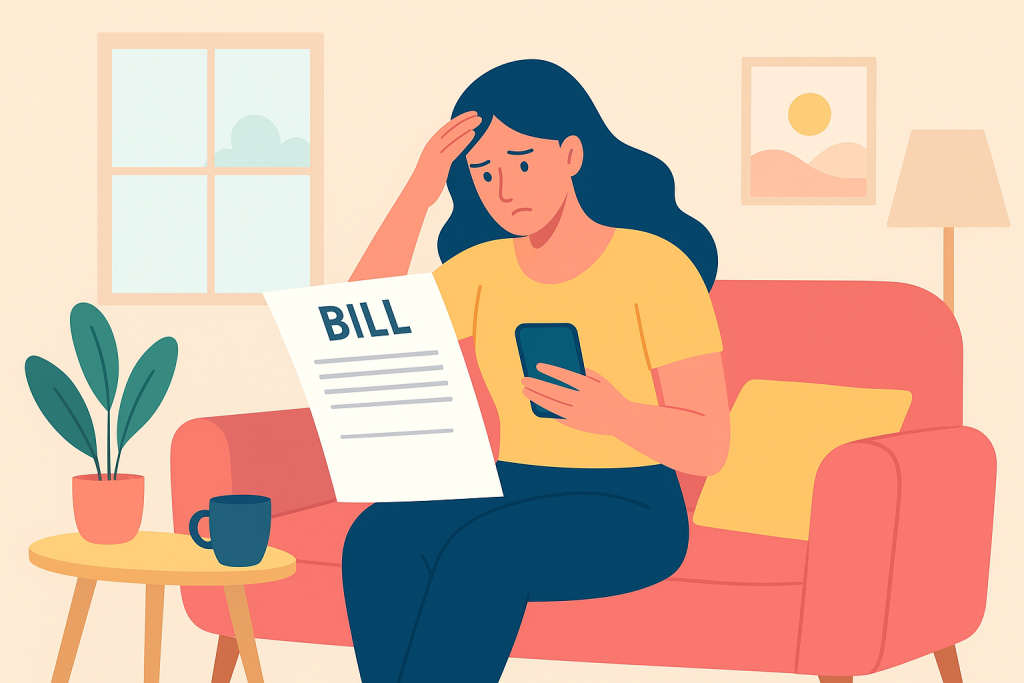
How to Spot and Avoid Hidden Charges on Your Phone Bill - Data Ovarage

How to Spot and Avoid Hidden Charges on Your Phone Bill

Ever checked your phone bill and thought, “Wait… why is this so high?”
Yeah, you’re not the only one.

Carrier overcharges are sneaky — and they happen more often than most people realize. Maybe it’s just a few extra bucks here and there, but over time? That’s real money leaving your pocket for no good reason.

The good news is, you can absolutely catch and stop these overcharges before they add up. Let’s talk about how.


What Exactly Are Carrier Overcharges?

In simple terms, an overcharge happens when your carrier bills you for something you didn’t actually use or agree to.

It could be “extra” data you never burned through, random admin fees you’ve never heard of, or just outdated billing setups that don’t match how people use their phones today.

The truth is, phone bills are made to be confusing — and that confusion works in the carrier’s favor.


Signs Your Carrier Might Be Overcharging You

Keep an eye out for these red flags:

  • Your data usage suddenly spikes, but you swear you didn’t stream anything major.
  • You get charged for calls or texts even though your plan says “unlimited.”
  • You spot vague add-ons like “administrative fee” or “regulatory recovery” with zero explanation.

If any of these sound familiar, your carrier might be quietly taking more than they should.


Data Usage: The Usual Suspect

A ton of overcharges come from misunderstood data use.
You might think you’re on Wi-Fi, but your phone could’ve switched to mobile data without you noticing — especially during app updates or long video calls.

Understanding the difference between Wi-Fi and cellular data can save you from unexpected bills.


Thinking About Switching? It Might Be Worth It

Sometimes, the best way to stop paying extra is to switch to a carrier that’s upfront about what you’re actually paying for.

Carriers know most customers won’t leave because switching sounds like a hassle — but honestly, it’s way easier than it used to be.

If your current provider keeps sneaking in fees, it might be time for an upgrade — and a better deal.


Outdated Text Charges: Time to Move On

If your carrier is still charging you for individual SMS or MMS messages… yeah, that’s outdated.

Modern networks now support RCS (Rich Communication Services) — a smarter, richer version of texting that’s usually free and built into most smartphones.


Hidden Fees: The Sneaky Stuff

You’d be surprised how many fees on your bill aren’t real taxes or government charges.
Carriers love to throw in fancy-sounding labels like:

  • “Administrative cost”
  • “Regulatory recovery fee”
  • “Convenience charge”

Spoiler: these are made-up fees designed to boost their profits. You can question them — and in some cases, get them removed.


How to Audit Your Phone Bill Like a Pro

Want to make sure you’re not being taken advantage of?
Here’s a simple routine that works:

  1. Go line by line through your bill.
  2. Match every charge to what’s listed in your plan.
  3. Flag anything that doesn’t make sense — and ask your carrier directly.

You’re not being difficult. You’re just protecting your money.


Easy Ways to Avoid Overcharges

A few small habits can save you from future headaches:

  • Track your data using your phone’s settings.
  • Use Wi-Fi whenever possible, especially for streaming.
  • Set data alerts so you know before you hit your limit.

These little things go a long way.


Compare Plans Regularly (Yes, Really)

Your phone plan might’ve been great last year — but things change fast.
Carriers update prices, features, and promos all the time. It’s worth comparing plans every few months to make sure you’re still getting the best deal.

Compare Plans


Don’t Be Afraid to Negotiate

If you catch overcharges, pick up the phone and call your carrier.
Tell them what you found and mention competitor offers. More often than not, they’ll try to match it to keep your business.

Carriers know replacing you costs more than giving you a discount — use that to your advantage.


Use Apps and Tools to Stay in Control

Take advantage of tech that works for you.
There are tons of apps (and built-in features) that track your data and alert you to unusual usage. These tools can catch weird spikes before they turn into unexpected fees.


When It’s Time to Move On

If you’ve tried everything and your carrier still overcharges you? Walk away.
Look for a provider like JNA Mobility — where you get transparent pricing, flexible plans, and zero surprise charges. You deserve a phone bill that makes sense.


Long-Term Protection Tips

Here’s a quick checklist for staying overcharge-free:

  • Review your bill every month (set a calendar reminder).
  • Keep an eye out for new fees or plan changes.
  • Stay updated on your plan’s features — and what you’re actually paying for.

Complacency is what overcharges feed on. Stay alert and you’ll stay in control.


Final Thoughts

Carrier overcharges are annoying, but they’re not unbeatable.
Once you know what to look for and start paying attention to your bill, you’ll spot the nonsense a mile away.

How to Spot and Avoid Hidden Charges on Your Phone Bill Read More »