How to Set Up Auto-Pay for Your Prepaid Service (and Why It’s Totally Worth It)
Managing a prepaid phone plan should be simple — but if you’ve ever lost service because you forgot to top up, you know how frustrating that can be. That’s where auto-pay for prepaid service changes the game. It’s an easy way to stay connected without having to manually renew your plan every month.
Whether you’re on a major carrier or exploring flexible prepaid options, setting up auto-pay keeps your plan active automatically — so you never miss a text, call, or data connection again. This guide breaks down everything you need to know: how auto-pay works, how to set it up, why it’s beneficial, and how JNA Mobility makes prepaid management effortless.
Why Auto-Pay Is a Smart Move for Prepaid Users
Unlike postpaid plans that bill you after you use the service, prepaid phone plans require you to pay upfront. Once your balance runs out or your billing period ends, your service stops — unless you manually top up. That gives you control, but it can also be a hassle.
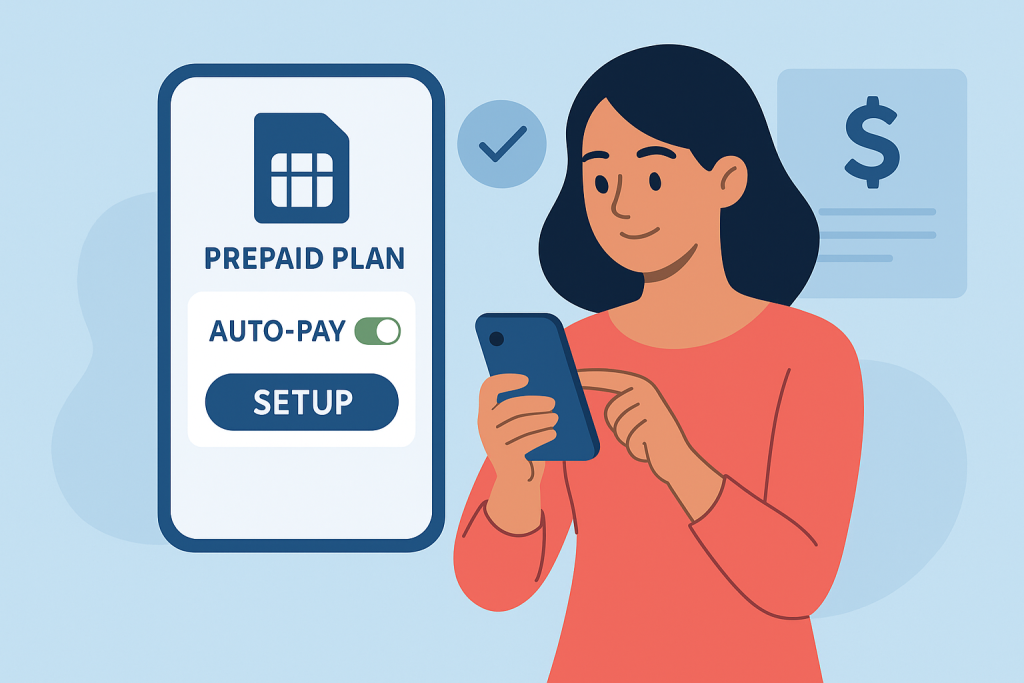
With auto-pay, your prepaid provider automatically deducts your payment on your renewal date, ensuring continuous service. It’s a “set it and forget it” system that eliminates missed payments and unexpected cutoffs.
Auto-pay benefits include:
- No interruptions — stay connected 24/7.
- No missed due dates — automatic renewals handle it for you.
- Auto-pay discounts — many carriers offer monthly savings for enrolled users.
- Stress-free convenience — ideal for busy schedules or multiple lines.
For people using prepaid phones for business, travel, or family plans, auto-pay is more than a feature — it’s a safeguard for peace of mind.
How Auto-Pay for Prepaid Service Works
Think of auto-pay as a subscription renewal. You provide your payment details once, and your carrier automatically charges you each month (or billing cycle) to renew your plan.
Here’s how the process typically works:
- Choose your prepaid plan. Whether it’s data-only, unlimited talk and text, or a combination, pick what fits your needs.
- Enable auto-pay. Most carriers have a one-click option in your online account or mobile app.
- Select your payment method. Use a debit card, credit card, or PayPal account.
- Automatic renewal. Your plan refills automatically on your due date.
- Notifications. You’ll receive reminders before and after each charge for transparency.
Some carriers even allow you to modify the frequency, spending limit, or pause auto-pay whenever needed — adding flexibility to the convenience.
Step-by-Step Guide: How to Set Up Auto-Pay for Prepaid Plans
Setting up auto-pay is quick. While the exact process varies depending on your carrier, the steps below apply to most prepaid services.
Step 1: Log in to Your Account
Visit your prepaid carrier’s website or open their mobile app. If you don’t have an account yet, register using your prepaid number and account PIN.
You can find setup help on related guide like how to switch from postpaid to prepaid service .
Step 2: Access the Payments Section
Look for “Billing,” “Payments,” or “Auto-Pay” in your account dashboard. Most providers feature an auto-refill or automatic payment section specifically for this.
Step 3: Add or Confirm Your Payment Method
You’ll need to save your preferred payment option — most accept major debit and credit cards, while some support PayPal or direct bank payments.
Step 4: Activate Auto-Pay
Toggle on the “Enroll in Auto-Pay” setting. Review your plan details and renewal frequency before confirming. You can usually turn it off anytime from the same page.
Step 5: Save Your Settings and Watch for Confirmation
After activating, your carrier will send a text or email confirming that auto-pay is active. Some also send reminders before each scheduled charge.
Step 6: Keep Payment Info Updated
If you change your card or bank, remember to update it immediately to avoid failed renewals or service interruptions.
Auto-Pay Setup Examples from Popular U.S. Carriers
Here’s how major prepaid carriers in the U.S. manage their auto-pay features:
Verizon Prepaid
Enable auto-pay in the My Verizon app or online dashboard. Verizon often offers $5 monthly discounts per line for customers who use debit or bank payments with auto-pay.
AT&T Prepaid
Sign in to your myAT&T Prepaid account and activate auto-pay under “Payments.” Users typically get plan discounts when enrolled in both auto-pay and paperless billing.
T-Mobile Prepaid
Through the T-Mobile app, you can activate or modify auto-pay anytime. T-Mobile frequently rewards enrolled users with data rollover and bonus savings.
Cricket Wireless
Auto-pay is available through the Cricket app or online account. You’ll receive renewal alerts and confirmation messages after every successful charge.
Mint Mobile
Under “Manage Plan” in the Mint Mobile app, simply toggle “Auto Renew” to keep your prepaid plan active automatically.
These examples prove one thing: no matter your provider, auto-pay setup takes minutes and saves hours of frustration later.
Top Reasons to Use Auto-Pay for Prepaid Phones
1. Consistent Connectivity
Missed payments can interrupt your service at the worst possible time — during a work call, travel day, or family emergency. Auto-pay guarantees ongoing access.
2. Save with Discounts
Many providers encourage auto-pay by offering monthly discounts or bonus perks. Over a year, those savings can cover part of your next phone upgrade.
3. Stress-Free Budgeting
Auto-pay helps manage predictable monthly costs — no surprise charges or missed payments.
4. Perfect for Families
Managing several prepaid lines? Auto-pay consolidates renewals so everyone stays connected under one easy setup.
5. Eco-Friendly and Paperless
Digital billing and automated renewals reduce paperwork and waste, supporting an eco-friendly lifestyle.
You can also learn about how to find prepaid plans with unlimited data if you’re optimizing your setup for convenience and cost-efficiency.
Potential Drawbacks to Watch Out For
Auto-pay is great — but staying in control matters. Here are a few things to monitor:
- Keep your card info current. Expired cards can trigger failed renewals.
- Watch your account balance. Make sure funds are available before your billing date.
- Check for plan updates. Carriers occasionally adjust pricing or data limits.
- Review transaction alerts. Never ignore renewal confirmation emails or texts.
As long as you stay aware, auto-pay remains one of the safest, most convenient ways to manage prepaid service.
When You Might Skip Auto-Pay
Auto-pay isn’t mandatory. You might prefer manual refills if you:
- Regularly switch between different prepaid carriers
- Use short-term SIMs for travel or temporary work
- Prefer paying with cash or prepaid cards
- Want tighter control over exact renewal dates
Still, for most users, auto-pay provides a near-perfect balance of convenience and control — especially when offered by a reliable carrier.
Switching Providers While Using Auto-Pay
If you’re planning to move to a different prepaid carrier, disable auto-pay first. Here’s how to do it smoothly:
- Log into your account and turn off auto-pay.
- Confirm deactivation via text or email.
- Port your number or activate your new SIM card.
- Set up auto-pay again with your new carrier.
This ensures you won’t get double-billed or accidentally renew with your old provider.
Experience Seamless Auto-Pay with JNA Mobility
If you’re looking for a prepaid provider that takes convenience and reliability seriously, JNA Mobility is the name to trust. As one of the most dependable prepaid providers in the U.S., JNA Mobility simplifies everything from activation to payment.
Here’s why users choose JNA Mobility for their prepaid plans:
- Easy Auto-Pay Setup: Activate automatic payments in just a few clicks.
- Reliable Nationwide Coverage: Stay connected anywhere in the U.S.
- Flexible Plan Options: Find prepaid packages that fit every budget and lifestyle.
- Transparent Pricing: No hidden fees, no credit checks, and no surprises.
- User-Friendly Account Dashboard: Manage payments, data, and refills all in one place.
Whether you’re managing one line or a family plan, JNA Mobility offers prepaid phone plans that grow with you — and auto-pay keeps it all running smoothly.
Looking to simplify your prepaid experience? Explore more about JNA Mobility’s prepaid phone services and discover why thousands of users trust them for affordable, dependable wireless coverage.

Final Thoughts
Setting up auto-pay for prepaid service is one of the simplest ways to take control of your mobile experience. It eliminates missed payments, saves you money with discounts, and keeps your line active 24/7.
If you want a hassle-free setup and reliable coverage, JNA Mobility delivers both. Combine flexibility, affordability, and convenience with automated renewals — and enjoy your prepaid service the way it’s meant to be: uninterrupted.
How to Set Up Auto-Pay for Your Prepaid Service (and Why It’s Totally Worth It) Read More »