JNA Mobility

Network coverage

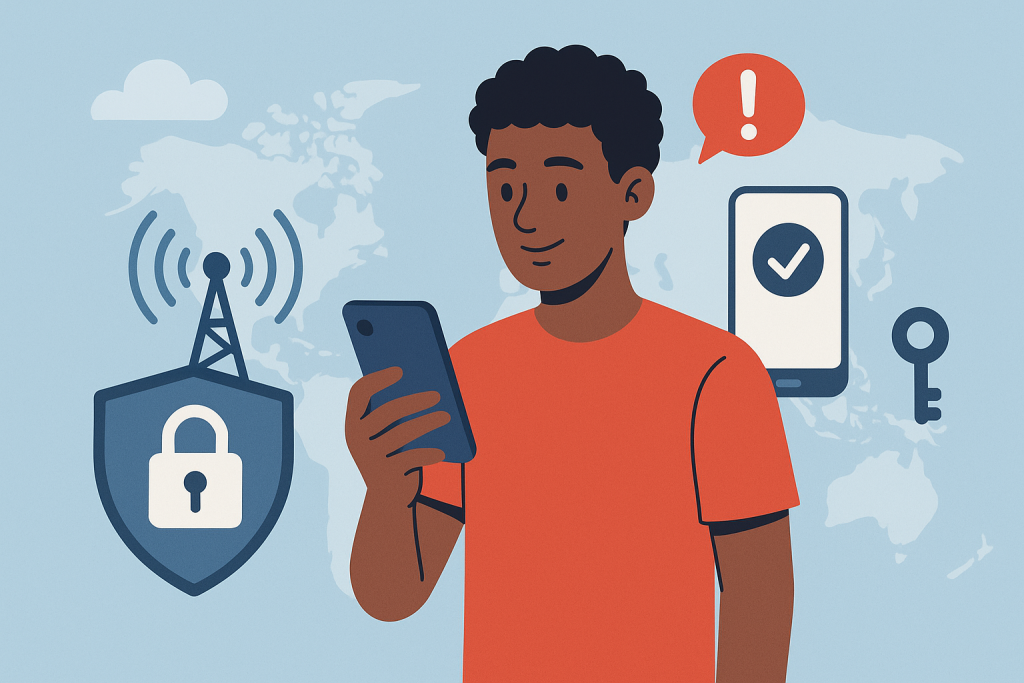
What You Need to Know About Staying Safe on 5G Phones

What You Need to Know About Staying Safe on 5G Phones

As 5G continues to roll out worldwide, smartphones are becoming faster, more responsive, and capable of powering the next wave of connected experiences. But with that leap in performance comes a bigger responsibility: keeping your data secure. Faster networks mean more devices, more data exchange, and unfortunately, more opportunities for cybercriminals.

If you’re using a 5G phone or thinking about upgrading, understanding the new security landscape is essential. This updated guide breaks down how 5G works, the real security challenges you should be aware of, and the best practices to keep your information protected. You’ll also find actionable insights and helpful links to related resources across the JNA Mobility website to make smarter decisions about your device and your plan.


What Exactly Is 5G and Why Does It Matter?

5G is the fifth generation of wireless mobile technology, designed to be dramatically faster and more efficient than its predecessors. It delivers:

  • Higher data speeds
  • Lower latency
  • Support for more connected devices
  • Better performance in crowded areas
  • Enhanced reliability for high-demand applications

These features make 5G a critical foundation for innovations like smart homes, advanced mobile gaming, telemedicine, autonomous vehicles, and the growing Internet of Things (IoT).

If you’re exploring options for upgrading your device, JNA Mobility offers a curated selection of reliable 5G phones within its phone shop to help you find one that fits your needs and budget.


Why 5G Security Matters More Than Ever

The speed and complexity that make 5G powerful also expand the attack surface for cybercriminals. With more devices connecting to the network—smartphones, sensors, appliances, wearables, and more—each interaction becomes a potential vulnerability if not properly secured.

Here’s why security in the 5G era is more critical:

  • More connected endpoints mean more potential access points for attackers.
  • Network virtualization introduces new layers that must be secured.
  • High-speed data transfers increase the urgency for real-time threat detection.
  • IoT expansion creates opportunities for hackers to target weaker, less protected devices.

Understanding these risks helps you stay one step ahead.


The Most Common Security Threats in the 5G Era

Below are the threats that smartphone users encounter most frequently today—many of which become more aggressive in a high-speed, always-connected environment.

Phishing Attacks

Attackers often imitate trusted websites, apps, or messages to steal personal information. With 5G enabling faster communication, phishing attempts can spread faster and appear more convincing.

Malware and Spyware

Malicious software can enter your device through rogue apps, unsafe downloads, or compromised links. Once installed, malware can monitor your activity, steal passwords, or damage your system.

Man-in-the-Middle (MitM) Attacks

These occur when a hacker intercepts data between your device and the network. On insecure networks—especially public Wi-Fi—your information can be exposed.

IoT Device Vulnerabilities

A single weak smart device connected to your network can serve as a bridge for hackers to access your phone and other data.


How to Protect Your Data on 5G Phones

You don’t need to be a security expert to protect your information. These practical strategies drastically reduce your risk and should be part of your routine mobile habits.


1. Use Strong Passwords and Biometric Authentication

Avoid simple, predictable passwords. Instead:

  • Use long combinations of letters, numbers, and symbols
  • Do not reuse passwords
  • Consider using a password manager
  • Enable biometrics like fingerprint or facial recognition

These add essential layers of protection against unauthorized access.


2. Keep Your Device Updated

Security patches are included in regular software updates for your phone and apps. Outdated software is one of the easiest ways hackers gain access.

  • Turn on automatic updates
  • Routinely check for app updates
  • Remove apps you no longer use

3. Avoid Public Wi-Fi or Use a VPN

Public Wi-Fi networks are easy targets for cybercriminals. If you must connect to one:

  • Use a VPN to encrypt your data
  • Avoid logging in to sensitive accounts
  • Do not access banking or financial apps

4. Turn On Two-Factor Authentication (2FA)

2FA adds a second verification step, usually via SMS, authenticator apps, or biometric checks. Even if someone steals your password, they still can’t get in.


5. Download Apps Only From Trusted Sources

The safest place to install apps is through:

  • Google Play Store
  • Apple App Store

Be suspicious of apps that request permissions unrelated to their function. For example, a calculator app shouldn’t need access to your contacts or camera.


How Telecom Providers Strengthen 5G Security

Service providers play a major role in securing 5G networks. The right provider will invest in modern security protocols and infrastructure designed to protect consumers from evolving threats.

JNA Mobility, for example, integrates advanced safeguards and consistent monitoring across its network to ensure a safe experience for all subscribers. You can explore their secure, flexible 5G plans to see which package fits your communication needs.


How JNA Mobility Prioritizes User Security

JNA Mobility actively strengthens and updates its systems to keep up with modern threats. Their commitment includes:

  • Real-time monitoring
  • Upgraded encryption standards
  • Network-wide security audits
  • Proactive updates to protect customers

When choosing a provider, selecting one with this level of attention to security makes a measurable difference in your safety and peace of mind.


5G + AI: A New Phase of Security and Communication

Artificial intelligence is rapidly transforming digital security. AI tools can:

  • Detect anomalies in real time
  • Identify unusual device behavior
  • Prevent attacks before they escalate
  • Automate threat responses

If you want clarity on how this partnership works, read more in JNA Mobility’s feature on 5G and AI transforming communication.


Why User Awareness Matters

Even the most secure network can’t protect you if you’re unknowingly clicking harmful links or ignoring security alerts. Cybersecurity is a shared responsibility, and your daily habits play a major role.

Here’s what you should stay informed about:

  • New phishing trends
  • Mobile security best practices
  • Device update schedules
  • App permission settings
  • Scam alerts from your telecom provider

Security will continue evolving alongside 5G technology. We can expect improvements in:

  • Stronger encryption systems designed for ultra-fast networks
  • More secure IoT frameworks to protect smart devices
  • AI-driven threat prediction instead of simple detection
  • Network slicing security, ensuring isolated, protected data channels
  • Decentralized authentication for faster and more secure identity management

As the ecosystem matures, both telecom providers and smartphone users will benefit from more robust protections.


Conclusion

5G technology is opening doors to innovation, speed, and next-level connectivity—but it also introduces new challenges that demand awareness and smarter habits. By understanding the risks and applying strong security practices, you can enjoy the advantages of 5G without putting your personal information at risk.

Whether you’re upgrading your device, choosing a plan, or exploring how 5G fits into your daily life, staying proactive is the best way to protect your digital world.

What You Need to Know About Staying Safe on 5G Phones Read More »

how signal bars work

Do More Signal Bars Mean Better Service? Here’s the Real Answer

Ever wondered why your phone shows four bars but your YouTube video still won’t load? You’re not alone. Most of us assume that more bars automatically mean better service—but that’s not always true.

The reality is: signal bars can be misleading. In this guide, we’ll explain what those bars really represent, why they differ across phones, and what actually affects your call and data quality.


What Signal Bars Really Mean

Signal bars are designed to show the strength of your connection to the nearest cell tower, but here’s the catch—there’s no universal standard for how they’re measured.

Every manufacturer (Apple, Samsung, Google, etc.) and carrier (AT&T, Verizon, T-Mobile, etc.) use their own internal algorithms to determine how many bars appear.

That means five bars on your phone might not represent the same signal quality as five bars on someone else’s device—even on the same network.


Signal Strength vs. Signal Quality: What’s the Difference?

Two main measurements determine your actual experience:

  • RSRP (Reference Signal Received Power): Measures how strong the signal is from the tower.
  • SINR (Signal-to-Interference-plus-Noise Ratio): Measures how clean or interference-free that signal is.

Think of RSRP as the volume of the signal and SINR as the clarity. You can have loud but distorted sound—just like you can have strong signal strength but poor quality due to congestion, interference, or noise.

That’s why you can have “full bars” yet still deal with dropped calls, lag, or slow internet.

👉 Learn more about how different network types affect coverage.


Why Bars Differ Across Phones and Carriers

Each phone model and carrier interprets signal readings differently. For example:

  • Apple devices might show fewer bars for the same signal compared to a Samsung phone.
  • Some carriers calibrate bars more optimistically to make users feel they have better coverage.

So, comparing two phones side by side doesn’t necessarily tell you which one has “better signal.” It only shows how each interprets the network conditions.


Where Signal Bars Fall Short

Signal bars don’t tell you everything that impacts your service quality. Here’s what they don’t measure:

  • Network congestion: How many users are connected to the same tower.
  • Data speed: Strong signal doesn’t always mean fast internet.
  • Network type: Whether you’re on 5G, 4G LTE, or 3G makes a bigger difference than bars.

If you’re curious about regional differences, explore the top U.S. states with the best and worst mobile coverage.


How Network Technology Impacts Your Signal

The leap from 3G to 5G isn’t just about speed—it’s about efficiency.

Modern technologies like LTE-Advanced and 5G NR use smarter spectrum management, which allows more users to connect at higher speeds even with fewer bars.

That’s why you might notice better streaming performance on a 5G network with three bars than on a 4G connection showing full bars.

Learn more about how network technologies impact coverage.


Other Factors That Affect Your Signal

Your phone’s connection is influenced by several physical and environmental factors:

  • Building materials (metal and concrete weaken signal)
  • Distance from the nearest tower
  • Geography and terrain (mountains, valleys, and tall buildings)
  • Weather conditions (heavy rain or snow can scatter signals)
  • Your phone’s antenna quality

See a full breakdown of factors that affect mobile network coverage.


City vs. Rural: Does Location Matter?

Absolutely.

Urban areas usually have denser tower placement, providing more consistent service. In contrast, rural regions often have fewer towers, creating weak spots or “dead zones.”

Check out the latest data on the best mobile coverage in major U.S. cities.


Tips to Improve Your Mobile Signal

If you’re struggling with weak or unreliable service, try these quick fixes:

  1. Move near a window or step outside – walls can block signals.
  2. Use Wi-Fi calling when indoors.
  3. Restart your phone to reconnect to a better tower.
  4. Consider a signal booster if you live in a low-signal area.
  5. Check coverage maps before switching carriers.

The Bottom Line: More Bars ≠ Better Service

So next time your phone shows full bars but your video still buffers, remember—your phone isn’t lying, but it’s not telling the full story either.

Signal bars only show part of the picture. Real performance depends on:

  • The network type (5G vs. LTE)
  • Location and environment
  • Tower congestion
  • Device quality

Bars might bring peace of mind—but true reliability depends on the network behind them.

Do More Signal Bars Mean Better Service? Here’s the Real Answer Read More »

What Really Affects Network Coverage

Why Your Phone Signal Isn’t Always Perfect — and What Really Affects Network Coverage

Let’s be honest — few things are more frustrating than watching your signal drop right when you need it most. Whether you’re trying to finish a work call, stream your favorite show, or send an important message, good network coverage has become something we all depend on.

And yet, despite the expansion of 5G and massive investments in infrastructure, we still encounter spots with weak or no signal. Why does that happen?

It turns out that network coverage is influenced by far more than just the number of towers around you. Geography, building materials, weather, and even user demand all play a part.

Let’s break down what really affects your mobile signal — and what can be done to improve it.


The Lay of the Land: How Geography Affects Your Signal

One of the biggest factors influencing network performance is geography. If you live on flat land, your phone signal likely stays strong and consistent. But in areas with mountains, hills, or deep valleys, things get tricky. These natural barriers can block or weaken radio waves, which causes signal drops or dead zones.

Forests and large bodies of water can also interfere with transmission. Trees absorb signals, while water can reflect them, which is why certain rural or coastal areas struggle with reception.

Urban and rural areas face very different challenges too. Cities typically enjoy better coverage because providers have more towers packed into a small space. In contrast, rural regions tend to have fewer towers, spaced far apart — making it harder to maintain strong coverage everywhere.

If you’re living or traveling in a rural area, it helps to explore reliable mobile plans designed for nationwide coverage. The right plan can make a big difference in how well your device stays connected when you’re off the beaten path.


What’s Behind the Signal: Infrastructure and Technology

Your phone doesn’t magically connect to the internet — it relies on a complex network of cell towers, antennas, and fiber connections. How that infrastructure is built and maintained directly affects your experience.

Cell Tower Density

The closer you are to a cell tower, the stronger your signal. But if towers are spread too far apart, you’ll experience weak spots. That’s why large cities usually have excellent coverage — there are simply more towers serving smaller areas.

Network Technology: 2G to 5G

Each generation of network technology has brought major improvements.

  • 2G and 3G were great for calls and texts.
  • 4G made streaming and browsing faster.
  • 5G, now rolling out nationwide, offers dramatically faster speeds, lower latency, and the ability to connect more devices at once.

However, 5G signals travel shorter distances and have trouble penetrating walls, meaning more small towers (or “cells”) are needed to cover the same area. Learn more about how these technologies work in our detailed guide on how network coverage really works.

Fiber Optic Backhaul

Even with plenty of towers, good coverage depends on the connection between those towers and the wider network — known as the backhaul. Fiber optics provide the fastest and most reliable backhaul, ensuring your calls stay clear and your data flows smoothly.


Environmental Factors: Weather, Buildings, and More

Network coverage doesn’t exist in a vacuum — the environment around you plays a huge role.

Weather Conditions

Heavy rain, snow, and fog can interfere with signal transmission. Water droplets in the air absorb and scatter radio waves, particularly at higher frequencies used by modern networks. That’s why your signal sometimes dips during storms or harsh weather conditions.

Building Materials

Modern buildings are another common culprit. Thick concrete walls, metal structures, and even energy-efficient windows can all block or weaken signals. You may have great coverage outdoors, but once you step inside, the connection drops. That’s why many large facilities, like airports or shopping centers, use indoor antennas and distributed systems to boost signal strength inside.

Vegetation

Trees and dense foliage absorb radio waves, reducing signal strength. It might sound surprising, but even seasonal changes can make a difference — your reception can drop slightly in summer when trees are full of leaves.


Technical Details That Matter

Frequency Bands

Think of mobile networks like lanes on a highway.

  • Low-frequency bands travel farther and can pass through obstacles easily, making them great for wide coverage.
  • Mid-frequency bands offer a good balance between range and data speed.
  • High-frequency bands deliver lightning-fast 5G speeds but cover shorter distances.

Providers use a mix of these frequencies to balance coverage and performance.

Signal Interference

Your phone’s signal might be strong, but interference can still cause problems. Wi-Fi routers, nearby electronic devices, and even other cell towers can interfere with signals. Providers use advanced algorithms to minimize this, but it’s an ongoing challenge — especially in crowded urban environments.


User Behavior and Demand

Coverage isn’t only about infrastructure — it’s also about how people use the network.

During peak hours, such as evenings or big live events, thousands of people might be streaming, gaming, or scrolling at once. The result? Network congestion. Even the strongest networks slow down when usage spikes.

Streaming in HD, using video conferencing apps, and online gaming all require large amounts of bandwidth. In high-demand areas, that can cause momentary drops in performance.

If you’re constantly on the go — driving, commuting, or traveling — your device has to switch between towers frequently. Each handoff between towers can momentarily weaken the connection, especially in areas with uneven tower spacing.


The Role of Regulation and Spectrum

Telecom networks operate under strict government regulation. Spectrum — the radio frequencies used to carry signals — is licensed and allocated by government agencies. The amount of spectrum available to each carrier determines how many users it can support and how far its coverage reaches.

Licensing costs, local zoning laws, and international coordination all shape how and where networks can operate. It’s a complex system that ensures your device can connect seamlessly whether you’re in your hometown or abroad.


How Providers Improve Coverage

Network providers are constantly working to improve coverage and reliability.

Small Cells and DAS

Small cells and distributed antenna systems (DAS) are mini base stations designed to enhance coverage in high-demand or hard-to-reach areas. They’re often installed in stadiums, campuses, and large indoor venues to fill coverage gaps and boost capacity.

Smart Network Planning

Using data and artificial intelligence, providers can analyze usage patterns to determine where new towers or upgrades are needed most. This helps ensure strong, consistent service for both urban and rural customers.

Advanced Antenna Technology

Modern antennas use technologies like MIMO (multiple-input multiple-output) and beamforming to send signals more efficiently and directly to devices. This improves both speed and reliability, even in crowded areas.


The Impact and Future of 5G

5G is transforming mobile networks worldwide. It brings faster speeds, lower latency, and the ability to handle more connected devices than ever before. For users, this means smoother video calls, faster downloads, and more reliable service — even in crowded places.

However, 5G also faces unique challenges. High-frequency signals don’t travel as far and have difficulty passing through walls or obstacles. To make 5G widely available, carriers must build more small towers and improve backhaul infrastructure.

Despite these hurdles, the future of 5G looks bright. As networks expand and technology matures, coverage will continue to improve, making dropped calls and buffering videos a thing of the past.


Final Thoughts

Network coverage isn’t just about cell towers — it’s the result of geography, weather, technology, and even human behavior working together. While some factors are beyond our control, providers are investing heavily in smarter infrastructure, advanced antenna systems, and broader 5G rollouts to deliver stronger and more consistent service.

So, the next time your phone shows one bar of signal, remember — there’s a complex system working behind the scenes to keep you connected. And with rapid advances in network technology, that connection is only going to get faster, smarter, and more reliable.

Why Your Phone Signal Isn’t Always Perfect — and What Really Affects Network Coverage Read More »

Struggling With Bad Signal

Struggling With Bad Signal? Here’s What’s Really Going On

Few things are as frustrating as a dropped call during an important conversation or painfully slow mobile data when you urgently need information. You might ask yourself:


Is it my phone? The provider? My location?

The truth is, coverage issues can stem from several factors — and diagnosing the root cause is the first step toward a better connection.

In this guide, we’ll explore the real reasons behind dropped calls and slow data, how to diagnose coverage problems accurately, and practical ways to improve your signal. Whether you’re struggling with buffering videos, lagging apps, or weak reception indoors, this guide will help you regain control of your mobile experience.


Understanding Mobile Coverage: It’s More Than Just Signal Bars

It’s easy to assume that having four or five bars means your connection is strong, but that’s not always the case. Mobile signal bars are only a rough indicator and don’t tell the full story about your network quality.

Signal Strength vs. Signal Quality

  • Signal Strength measures how strong the connection is between your device and the nearest cell tower.
  • Signal Quality measures how clean and interference-free that signal is.

You can have high signal strength but still suffer from poor signal quality — which leads to dropped calls, distorted audio, and sluggish data speeds. Both need to be good for reliable performance.


Common Causes of Dropped Calls and Slow Data

Several factors can affect your mobile connection. Some are environmental, while others are related to your device or network provider.

1. Physical Obstructions

Objects like buildings, trees, mountains, and even thick concrete walls inside your home can weaken or block signals. Urban areas often face signal reflection (where signals bounce off structures), while rural areas can have large coverage gaps due to fewer towers.

2. Distance from the Nearest Cell Tower

The farther you are from a cell tower, the weaker your connection will be. This is a common issue in suburban and rural communities where tower density is lower.

3. Network Congestion

During peak hours or crowded events — concerts, sports games, or rush-hour commutes — thousands of users may be connected to the same tower, leading to network congestion. This overloads the system and slows down data speeds for everyone in the area.

4. Interference from Electronic Devices

Other electronics, such as Wi-Fi routers, baby monitors, microwaves, and cordless phones, can interfere with your mobile signal, especially indoors.

📱 Learn more about what factors affect network coverage and how your environment can influence your mobile performance.


How to Diagnose Your Mobile Coverage Problems

Before assuming it’s your provider’s fault, take time to troubleshoot the issue. You can often identify whether it’s caused by your location, device, or network.

1. Use Network Coverage Maps

A reliable coverage map shows whether your provider offers strong service in your area.
These maps display signal strength, data coverage, and 5G availability based on location.

📍 Here’s how to check and compare mobile network coverage maps to see if your carrier performs well in your area.

If your map shows strong coverage but your phone doesn’t, the issue may be your device or building materials blocking the signal.

2. Test in Different Locations

Move around your home, yard, or neighborhood. If the signal improves when you step outside or move closer to a window, indoor obstructions are likely the cause. Try rearranging your Wi-Fi router or using Wi-Fi calling indoors to improve reliability.

3. Check Your Device and SIM Card

Sometimes the problem isn’t your provider — it’s your phone.

  • Test your SIM card in another phone.
  • Check for system or carrier updates.
  • Replace an old or damaged SIM card.

Old software or hardware can cause compatibility issues with newer network technologies like 5G or VoLTE (Voice over LTE).


Quick Fixes to Boost Your Mobile Signal

1. Toggle Airplane Mode

Turn Airplane Mode on for about 10 seconds, then off again. This forces your device to reconnect to the nearest and strongest tower — often resolving temporary drops.

2. Restart Your Phone

It sounds simple, but restarting your phone clears temporary cache and reconnects your device to the network, solving many short-term issues.

3. Update Carrier Settings

Mobile carriers regularly push updates to improve connectivity and optimize 5G performance.
To check for updates:

  • iPhone: Settings → General → About (wait for carrier update prompt)
  • Android: Settings → About Phone → System Updates

Applying these updates can instantly improve performance.


Advanced Solutions for Persistent Coverage Issues

If you’ve tried all the basic fixes and still experience issues, here are long-term solutions to consider.

Install a Signal Booster

A signal booster (or repeater) captures the outdoor signal and amplifies it inside your home.
It’s ideal for areas with low reception due to distance or building materials. Make sure to buy one approved by your carrier for optimal results.

Use Wi-Fi Calling

If your cellular network is weak but you have strong Wi-Fi, enable Wi-Fi calling in your settings. This lets you make and receive calls over your internet connection instead of the cell network.

Consider Switching Carriers

Sometimes, the simplest fix is switching to a provider with better coverage in your area. Check reviews, coverage maps, and user feedback before making the change.

You can also explore nationwide 5G plans that adapt to your data needs.

📶 View Plans to see which mobile service best fits your lifestyle — whether you prefer flexible “By the Gig” options or unlimited data.


Keep Connected With Nationwide 5G Coverage

Today’s 5G networks offer faster speeds, lower latency, and improved reliability — but coverage still varies by location. Checking availability before you move or switch providers ensures you get the best possible experience.

If you stream often, work remotely, or travel frequently, choosing a plan that supports 5G coverage and strong roaming performance can make a huge difference in your daily connectivity.


Why Diagnosing Coverage Matters

Understanding the real cause of your coverage problems helps you choose the right fix — saving you time, money, and frustration.

  • If it’s your device, updates or repairs may solve it.
  • If it’s your location, boosters or Wi-Fi calling can help.
  • If it’s your carrier, switching to a better provider is worth considering.

By taking control of your connectivity, you can ensure fewer dropped calls, faster data, and a smoother mobile experience.


Conclusion: Take Charge of Your Mobile Connection

Dropped calls and sluggish data aren’t just inconveniences — they can interrupt business calls, affect online learning, or cause unnecessary stress. But most coverage problems are solvable once you know where to look.

Start by checking your coverage map, testing your signal in different areas, and keeping your phone updated. For persistent issues, explore boosters, Wi-Fi calling, or switching to a more reliable carrier.

Remember — a better connection starts with understanding your network.

Struggling With Bad Signal? Here’s What’s Really Going On Read More »

How to Use Your Phone as a Secure Hotspot

How to Use Your Phone as a Secure Hotspot

Imagine you’re traveling or working remotely, and there’s no reliable Wi-Fi network available. Your phone’s hotspot can save the day — allowing you to connect your laptop or tablet to the internet through your mobile data.

But before you turn it on, it’s important to understand one thing: not all hotspots are secure. Without proper setup, you could be sharing more than just your internet connection — you could be exposing your personal information.

This guide will walk you through how to use your phone as a secure hotspot, protect your data, and make the most of your mobile connection safely.

What Is a Mobile Hotspot?

A mobile hotspot allows your smartphone to share its mobile data connection with other devices, like laptops, tablets, or other phones. Essentially, your phone acts as a small, portable Wi-Fi router.

When enabled, other devices can connect to it just like they would connect to any other Wi-Fi network — by selecting the hotspot name (SSID) and entering a password.

There are three main types of mobile hotspots:

  • Wi-Fi tethering: The most common type; your phone broadcasts a Wi-Fi signal that nearby devices can join.
  • USB tethering: Connects your phone directly to a laptop with a cable — faster and more secure.
  • Bluetooth tethering: Uses Bluetooth for a slower but energy-efficient connection.

Each option allows you to share your mobile data, but Wi-Fi tethering is the most widely used — and the one that requires the most attention to security.

Why Security Matters When Using a Hotspot

When you enable your phone’s hotspot, you’re effectively opening a small gateway into your device. If it’s not properly secured, hackers or unauthorized users can connect to it — potentially stealing your data or consuming your mobile data allowance.

Some of the most common risks include:

  • Unauthorized access: If your hotspot isn’t password-protected, anyone nearby can connect.
  • Data theft: Attackers on the same network can monitor traffic, intercepting sensitive data.
  • Malware attacks: Devices connected to your hotspot could transmit malware or compromise your phone.

That’s why securing your hotspot isn’t optional — it’s essential.

How to Set Up a Secure Hotspot on Your Phone

Creating a secure hotspot is quick and easy, but you’ll want to double-check your settings before sharing your connection.

Setting Up on Android

  1. Open Settings → Network & Internet → Hotspot & Tethering.
  2. Tap Wi-Fi Hotspot and toggle it on.
  3. Set a network name (SSID) that’s not personally identifiable.
  4. Choose WPA2 or WPA3 encryption — never select “None.”
  5. Create a strong password with at least 12 characters, combining letters, numbers, and symbols.
  6. Turn on Auto Turn-Off Hotspot (if available) when no devices are connected.

Setting Up on iPhone

  1. Go to Settings → Cellular → Personal Hotspot.
  2. Toggle Allow Others to Join to ON.
  3. Ensure Wi-Fi Password is set and strong.
  4. Don’t share your hotspot via AirDrop or unsecured QR codes.
  5. Disable the hotspot when not in use.

Best Practices for Hotspot Security

Even with encryption and passwords, there are extra steps you can take to ensure complete protection.

Turn Off Hotspot When Not in Use

Leaving your hotspot on all the time invites unnecessary risk. Always disable it when you’re done.

Change Passwords Regularly

Rotate your hotspot password every few months, especially if you’ve shared it with others.

Use a VPN for Added Security

A VPN (Virtual Private Network) encrypts your data, protecting your browsing activity from snooping — even when you’re using your own hotspot.

Limit Connected Devices

Only allow devices you trust to connect. Some phones let you specify a maximum number of connections or whitelist devices by MAC address.

Monitor Data Usage

Check your mobile data regularly to ensure no one else is consuming your plan. Unusual spikes may indicate unauthorized access.

Hotspot Alternatives and When to Use Them

While your phone’s hotspot is convenient, it’s not always the best solution for heavy or long-term use. Here are some alternatives:

  • Portable Wi-Fi routers: These devices have dedicated SIM cards and stronger antennas, ideal for travelers or small teams.
  • USB tethering: This provides faster and more stable connections for single-device use while reducing wireless risks.
  • Public Wi-Fi (with caution): Only use it when absolutely necessary and always pair it with a VPN.

Whenever possible, using your own mobile data is safer than connecting to a public or shared network. Mobile data connections are encrypted by your carrier and far less vulnerable to interception.

Frequently Asked Questions

Can anyone connect to my hotspot without permission?
No, not if you’ve set a strong password and enabled WPA2 or WPA3 encryption. Always monitor connected devices.

Does using a hotspot drain my battery?
Yes, hotspots consume significant power. Keep your phone plugged in when sharing data for extended periods.

Is it safe to use my phone as a hotspot for work?
Yes, as long as your connection is encrypted, password-protected, and preferably paired with a VPN.

How much data does a hotspot use?
That depends on your activity. Streaming, video calls, and large file downloads can quickly consume mobile data, so track usage closely.

Conclusion

Using your phone as a hotspot is one of the easiest ways to stay connected wherever you go. However, it’s also a responsibility — one that requires awareness and proper security settings.

By encrypting your hotspot, setting strong passwords, and using mobile data responsibly, you can stay connected without compromising your privacy.

For consistent, safe, and affordable connectivity, consider a reliable prepaid mobile data plan. With flexible options and no long-term contracts, prepaid services give you control, convenience, and peace of mind while keeping your devices secure.

Your Wireless. Your Plans.

Make the most of your mobile service, no matter where you are.

How to Use Your Phone as a Secure Hotspot Read More »

Person holding a smartphone with full signal bars, symbolizing strong cell network coverage.

How to Compare Cell Network Coverage and Find the Best Provider for You

Choosing a cell service provider isn’t just about finding the best deal or the flashiest phone. The real deciding factor is something far more important — network coverage. After all, what’s the point of an unlimited data plan if your phone can’t connect half the time?

Whether you’re in a city full of skyscrapers or a quiet rural town, strong and reliable coverage can make or break your mobile experience. In this guide, we’ll walk you through everything you need to know about comparing network coverage, understanding the differences between providers, and finding a service that actually works where you need it most.

What Exactly Is Network Coverage?

Network coverage is the ability of a cell service provider to maintain a stable connection wherever you are. It determines whether your calls go through clearly, your texts send instantly, and your internet stays fast and reliable.

Coverage depends on several key factors:

  • Your location: Remote or mountainous areas often struggle with weak signals.
  • Infrastructure: The number and placement of cell towers matter — more towers generally mean better service.
  • Obstacles and weather: Buildings, trees, and even bad weather can interfere with signal strength.

In short, network coverage is the backbone of your mobile experience. Without it, even the most advanced smartphone becomes frustratingly limited.

How Cellular Networks Have Evolved

Cell networks have transformed drastically over the years. From the slow and simple 2G networks of the early 2000s to today’s blazing-fast 5G, each generation has changed the way we connect.

Here’s a quick rundown:

  • 2G: Introduced digital voice and basic texting.
  • 3G: Brought mobile internet to our phones.
  • 4G LTE: Made streaming, social media, and mobile gaming practical.
  • 5G: The newest standard, offering lightning-fast speeds, improved reliability, and reduced lag.

5G is the biggest leap yet. Providers like JNA Mobility are using it to close coverage gaps, especially in areas where older networks struggled. If you’re looking for future-proof service, 5G availability should definitely be on your radar.

Who Are the Major Players?

The cell service market is dominated by a few big names that cover most of the U.S. Each one claims “nationwide coverage,” but the reality is that performance still varies depending on your location.

Some networks excel in urban centers but struggle in rural zones, while others shine in wide-open areas but fall short indoors. That’s why it’s important to check real data and user reviews instead of just relying on ads.

A good starting point is to explore local coverage and see how providers in your region actually perform — because “nationwide” doesn’t always mean “everywhere.”

How to Compare Network Coverage (the Smart Way)

Comparing coverage between providers can seem confusing, but it doesn’t have to be. Here’s how to make it easier:

  1. Check Coverage Maps: Every major carrier offers an online coverage map showing where their service is available.
  2. Use Third-Party Tools: Independent apps like OpenSignal, RootMetrics, and Ookla’s Speedtest provide unbiased, crowd-sourced performance data.
  3. Read Local Reviews: Ask people in your neighborhood which network works best — word of mouth is often more accurate than a glossy map.
  4. Test It Yourself: Many providers offer trial SIMs or prepaid options, letting you test real coverage before you commit.

This hands-on approach gives you a true picture of how each provider performs where you live, work, and travel.


What to Consider When Comparing Providers

Not all coverage is created equal. When comparing providers, look beyond the signal bars on your phone and pay attention to:

  • Urban vs. Rural Performance: City areas often have excellent service thanks to dense tower networks, but rural coverage can vary greatly.
  • Network Speed: Reliable, fast data is essential if you stream, work remotely, or game on your phone.
  • Congestion: In busy areas, too many users on the same network can slow things down.
  • Reliability: Some providers handle bad weather or network strain better than others.

The “best” provider for you depends on where you spend most of your time and what you use your phone for.

Urban Coverage: Strong but Not Perfect

In most major cities, all leading providers boast excellent coverage — but that doesn’t mean they’re equal. High-rise buildings, dense traffic, and large crowds can still affect performance.

You might find that one provider performs perfectly in downtown Miami but drops off in the suburbs. Checking local reviews and third-party data will give you a more accurate view of each network’s true reach.

Rural Coverage: A Growing Focus

Rural areas have historically struggled with weaker cell signals, but that’s starting to change. Providers are now investing in new towers, satellite connectivity, and low-band 5G technology to reach previously underserved communities.

If you live outside a major city, look for carriers that prioritize rural coverage and support technologies that help signals travel farther. Some networks, including JNA Mobility’s 5G service, are specifically designed to deliver stronger, more reliable coverage in hard-to-reach areas.


The 5G Revolution and Its Impact

The introduction of 5G isn’t just about faster downloads — it’s about better overall connectivity. The new generation offers:

  • Higher speeds for seamless streaming and video calls.
  • Lower latency for smoother gaming and smart device performance.
  • Wider reach, especially in previously weak zones.

With JNA Mobility’s 5G network, users are seeing more consistent coverage in both city centers and suburban neighborhoods. 5G is quickly becoming the new standard for connectivity, and it’s a major factor when comparing providers in 2024 and beyond.

The Future of Mobile Coverage

The race to improve coverage isn’t slowing down. Providers are continually upgrading towers, using smarter antennas, and even exploring satellite-based connectivity to eliminate dead zones.

Keeping an eye on these updates helps you stay ahead of the curve. Choosing a provider that invests in infrastructure ensures your connection remains reliable as technology continues to evolve.

Tools to Help You Decide

You don’t need to guess which provider is best — plenty of tools can help:

  • Coverage maps: Quickly compare service areas from different carriers.
  • Speed test apps: Measure signal strength and data speed in your neighborhood.
  • User reports: Check online forums and apps that share real-world performance data.

For a deeper understanding of how 5G is shaping coverage nationwide, read Understanding the Nationwide Rollout of 5G. It’s a great resource for seeing how coverage is expanding across the U.S.

Thinking About Switching Providers?

If your current provider just isn’t cutting it, switching has never been easier. Most carriers now allow you to keep your number, transfer data, and move your account with minimal downtime.

Before switching, make sure you:

  1. Check for contract or device lock-ins.
  2. Compare coverage in your area.
  3. Test the new provider’s SIM or eSIM before canceling your old one.

Networks like JNA Mobility’s make switching straightforward and worthwhile — offering excellent coverage, strong 5G performance, and transparent plans.

Why Coverage Matters for Your Data Plan

Coverage doesn’t just affect call quality — it also impacts how much value you get from your data plan. Better networks can deliver faster speeds, fewer slowdowns, and more efficient data usage, meaning you get more out of your monthly plan.

When comparing plans, focus not just on price but on where and how you’ll actually be using your data. A cheaper plan won’t save you much if your connection keeps dropping.


Final Thoughts

At the end of the day, choosing the right cell service provider comes down to one simple thing — consistent, reliable coverage. Understanding how networks work, checking real-world performance, and comparing your local options will help you make a decision that fits your lifestyle.

If you’re ready to experience dependable, future-ready service, JNA Mobility’s network is a solid option — combining powerful 5G coverage with a commitment to reliability across both urban and rural areas.

Wherever life takes you, strong network coverage keeps you connected.

How to Compare Cell Network Coverage and Find the Best Provider for You Read More »

What Is Wi-Fi Calling

What Is Wi-Fi Calling? Benefits, Drawbacks, and How It Improves Your Phone Calls

Staying connected isn’t just convenient anymore — it’s essential. Whether you’re working remotely, calling family abroad, or chatting from a spot with poor reception, being able to talk without interruptions matters. That’s where Wi-Fi calling comes in.

Wi-Fi calling allows you to make and receive calls using an internet connection instead of relying solely on cellular networks. It’s simple, reliable, and built right into your smartphone — no apps or special numbers required. Let’s explore how it works, why it’s useful, and what you should know before turning it on.


What Is Wi-Fi Calling?

Wi-Fi calling is a built-in smartphone feature that routes your calls and texts through a Wi-Fi network instead of a cell tower. It’s especially useful if you live in an area with weak cellular coverage but strong internet access.

The best part? You don’t need to open another app or change your phone number. It uses your existing dialer and contact list, so you can call and text like normal — only smarter.


How Wi-Fi Calling Works

Here’s what happens behind the scenes:

  1. You place a call using your phone’s dialer.
  2. Your device detects an available Wi-Fi connection and uses Voice over Internet Protocol (VoIP) to transmit the call.
  3. The call is routed through your carrier’s servers and connected to the recipient’s network.
  4. The person you’re calling answers just like any other phone call.

The entire process happens automatically. If you leave your Wi-Fi area, your phone can even switch back to the cellular network mid-call (depending on your carrier), keeping the connection alive.


Benefits of Wi-Fi Calling

1. Clearer Call Quality

One of the biggest perks of Wi-Fi calling is improved clarity. A solid Wi-Fi connection can deliver crystal-clear voice quality, even when your cell signal is weak.

No more choppy conversations or dropped calls in basements, concrete buildings, or rural homes. With Wi-Fi calling, you can rely on your internet instead of searching for signal bars.

If you already use a dependable internet service with consistent speeds, Wi-Fi calling can make your calls sound as if you’re standing right next to the person you’re talking to.


2. Reduced Costs for Long-Distance Calls

If you frequently call friends or family abroad, Wi-Fi calling can save you serious money. Because calls are routed over the internet, they typically don’t count toward your phone plan’s minutes or international charges.

When traveling, simply connect to a Wi-Fi network — in your hotel, café, or airport — and call home without worrying about roaming fees. It’s one of the easiest ways to stay connected no matter where you go.


3. Expanded Coverage in Low-Signal Areas

Wi-Fi calling extends your reach far beyond the limits of cell towers. You can make and receive calls anywhere you have internet access — even in places where cell service doesn’t exist.

That includes rural communities, underground offices, and metal buildings that block signals. And if you live in an area with weak service, pairing Wi-Fi calling with reliable connectivity solutions like cell signal boosters or mobile data setups can make a big difference.


4. Seamless, App-Free Experience

Unlike apps such as Skype or Zoom, Wi-Fi calling is built into your phone. You don’t need a new account, and the person you’re calling doesn’t have to install anything either.

Everything — from your contact list to your call history — stays the same. It’s just like a regular call, but smarter and more flexible.


Drawbacks of Wi-Fi Calling

While Wi-Fi calling is incredibly useful, it’s not perfect. Here are a few things to keep in mind.

1. Dependent on Wi-Fi Strength

Your call quality depends on your Wi-Fi network. A weak or congested connection can cause echoes, delays, or even dropped calls.

For the best experience, use a strong router and connect to a 5GHz Wi-Fi band whenever possible. This frequency offers faster speeds and fewer interruptions compared to 2.4GHz.


2. Slightly Higher Battery Usage

Phones may use more power during Wi-Fi calls, especially if the Wi-Fi signal fluctuates. To avoid rapid battery drain, keep your device charged or enable low-power mode during long calls.


3. Not Always Available Everywhere

Some older phones and certain regions don’t support Wi-Fi calling yet. Check your device’s settings to see if your carrier supports it.

You can usually find the option under:

  • iPhone: Settings → Phone → Wi-Fi Calling
  • Android: Settings → Network & Internet → Wi-Fi Calling

Should You Keep Wi-Fi Calling On or Off?

That depends on your situation.

  • Keep it on if you live or work in a place with poor cellular coverage but reliable Wi-Fi.
  • Turn it off if your Wi-Fi network is inconsistent or prone to disconnecting — unstable networks can make calls drop unexpectedly.

Fortunately, switching it on or off only takes a few taps, so you can easily adjust it to your environment.


Does Wi-Fi Calling Affect Regular Calls?

Not negatively. In fact, it works alongside your cellular network. Your phone automatically picks the stronger connection for each call.

If you walk out of Wi-Fi range during a conversation, many phones can transition seamlessly back to cellular without disconnecting — a feature called Wi-Fi to cellular handoff.


The Real Purpose of Wi-Fi Calling

The goal of Wi-Fi calling is simple: to keep you connected no matter where you are. It fills in the gaps left by cell towers, helps avoid high fees, and ensures your calls are clearer and more reliable.

For remote workers, travelers, and families who rely on communication every day, it’s a small feature that makes a big difference.


How to Enable Wi-Fi Calling

On iPhone

  1. Open Settings.
  2. Tap Phone.
  3. Select Wi-Fi Calling.
  4. Turn on Wi-Fi Calling on This iPhone.
  5. Confirm if prompted.

On Android

  1. Open Settings.
  2. Tap Connections or Network & Internet.
  3. Select Wi-Fi Calling.
  4. Toggle it on and grant any permissions requested.

Once enabled, your phone will automatically use Wi-Fi whenever it’s available.


Tips for Getting the Most Out of Wi-Fi Calling

To make sure your calls stay clear and reliable, try these quick tips:

  • Use a strong connection. A good router can make all the difference.
  • Connect to 5GHz networks. They’re faster and less crowded than 2.4GHz.
  • Update your phone regularly. Software updates often include call quality improvements.
  • Avoid heavy internet use while on calls. Streaming or gaming can affect your call’s stability.
  • Combine with coverage solutions. You can improve your phone’s reception by pairing Wi-Fi calling with other reliable tools.

Final Thoughts

Wi-Fi calling might not be the flashiest feature on your phone, but it’s one of the most useful. It bridges the gap between weak cell signals and strong connections, ensuring you never miss an important conversation.

It delivers clearer calls, saves money on international charges, and gives you more freedom to communicate wherever life takes you — at home, at work, or on the go.

The best part? You already have everything you need. Just turn it on, connect to Wi-Fi, and enjoy the clarity and convenience of calling without boundaries.

What Is Wi-Fi Calling? Benefits, Drawbacks, and How It Improves Your Phone Calls Read More »

Mobility Plans for Urban Living

Mobile Plans for Urban Living

Mobile plans for urban living have become essential in today’s fast-paced world. Picture this: you wake up in a bustling city, relying on your phone not just for calls, but for commuting, finding the best routes, booking rides, or even unlocking an e-scooter. With cities growing denser, having the right mobile plan ensures you can stay connected and navigate with ease.

Whether you’re commuting to work, exploring local culture, or coordinating your daily errands, a mobile-first lifestyle keeps everything at your fingertips. In this post, we’ll explore how modern mobile plans are designed to power the urban lifestyle — from connectivity and ride-booking apps to public transport access and last-mile convenience.


Why Mobile Plans Matter in Urban Living

City life comes with unique challenges: congested streets, limited parking, and the constant demand for real-time updates. Mobile plans tailored for urban living provide the flexibility and speed to meet these needs.

A strong mobile plan means:

  • Fast, reliable data to access ride-sharing, maps, and transport apps.
  • Seamless app integrations for booking and payments.
  • Affordable, bundled packages that fit busy urban lifestyles.

Ready to compare flexible options? Explore our affordable mobile plans and find one built for your lifestyle.


Shared Rides Powered by Mobile Apps

Ride-sharing has completely changed how we move through cities. Thanks to mobile-first integrations, it’s easier than ever to book and pay for shared rides directly from your phone.

How Mobile-Connected Shared Rides Work

  • Multiple passengers share one vehicle, cutting costs.
  • Ride apps optimize routes for efficiency.
  • Many mobile plans now integrate with ride-sharing services, making booking effortless.

Instead of owning a car, urban residents can rely on their mobile devices + shared rides to save money and reduce stress.


Mobile Partnerships with Public Transportation

Public transport remains the backbone of urban travel. Now, mobile plans often include perks like discounted fares or integrated apps that let you check schedules, buy tickets, and get real-time updates.

Key Benefits

  • Discounted or bundled fares.
  • Push notifications for delays or route changes.
  • Seamless transfers between buses, trains, and ride-shares.

See how our network integration makes commuting smoother with mobile-friendly tools.


Last-Mile Convenience: Mobile-First Solutions

That “last mile” — from a bus stop to your final destination — is where mobile-powered solutions shine.

Options include:

  1. E-Scooters & Bikes: Book via apps in seconds.
  2. Microtransit Services: Request on-demand shuttles straight from your phone.
  3. Pedestrian Routes: Mobile maps highlight safe, walkable paths.

Want to see how last-mile tools fit your lifestyle? Check out our city-friendly plans.


How Technology Shapes Mobile Plans

Modern mobile solutions go far beyond calls and data — they integrate with smart city initiatives and apps to keep you moving.

  • Mobile Apps: Book rides, pay bills, and track transport in one place.
  • Data Insights: Tailored recommendations based on your travel habits.
  • Smart City Sync: Better traffic flow, less congestion, faster commutes.

Learn why JNA Mobility is the leading choice for tech-driven mobile plans.


Better Service, Better Experience

Mobile providers know that in a 24/7 city, support is everything. The best urban mobile plans emphasize customer service:

  • 24/7 assistance for billing, app issues, or ride-booking queries.
  • User-friendly apps that put everything in one place.
  • Feedback systems to keep improving your experience.

Find the Best Mobile Plan for Your Urban Lifestyle

In conclusion, mobile plans are no longer just about calls and texts — they’re the foundation of connected, flexible city living. From shared rides and transport integration to last-mile solutions and real-time updates, the right mobile plan transforms how you move and live.

Don’t wait to upgrade your urban experience. Discover your ideal mobile plan today

Mobile Plans for Urban Living Read More »

Unlock Phone

Unlocked Phones: Complete International Travel Guide

Traveling abroad is exciting, but it often comes with one important question: Will my phone work in a foreign country? The last thing anyone wants is to arrive somewhere unfamiliar only to realize they have no access to maps, messaging apps, or emergency contacts.

The good news is that unlocked phones solve this problem. But how exactly do they work, and what do you need to know before relying on one overseas? In this post, we’ll cover everything you need to know about using unlocked phones internationally, the benefits they offer, and how they complement your phone plans, insurance, and service providers like Tracfone.


What Is an Unlocked Phone?

An unlocked phone is a mobile device that isn’t restricted to a single carrier. Unlike locked phones, which only work on the network of the company that sold them—like AT&T, Verizon, or T-Mobile—an unlocked phone can accept SIM cards from virtually any carrier worldwide.

Think of it as a “travel-ready” phone. Instead of paying expensive international roaming fees with your home carrier, you can simply buy a local SIM card in the country you’re visiting. Pop it into your unlocked phone, and you’re instantly connected.

This flexibility makes unlocked phones ideal for frequent travelers, students studying abroad, remote workers, or anyone who wants to stay connected while avoiding huge international bills.


Why Travelers Prefer Unlocked Phones

1. Flexibility on the Go

One of the biggest advantages of an unlocked phone is the freedom to choose your network. You’re not locked into a single carrier, so you can switch to a local provider in the country you’re visiting.

For example, imagine landing in Italy. You could purchase a local prepaid SIM with data for the duration of your trip, allowing you to call, text, and use GPS without worrying about expensive roaming fees. Once you leave, you can simply remove the SIM and return to your home network.

This flexibility is especially valuable for longer trips or multi-country journeys, where staying connected without Wi-Fi is essential.

2. Significant Cost Savings

Using an unlocked phone with a local SIM card can save you a substantial amount of money. International roaming fees from U.S. carriers can be shockingly high, sometimes exceeding $10 per day just to access data. Over a week or month-long trip, this adds up fast.

Local SIM cards, by contrast, offer competitive rates for data, calls, and texts. In some countries, you can even find tourist-specific SIM packages with unlimited data for a set number of days, making travel much more affordable.

3. No Long-Term Contracts

Unlocked phones allow you to select the plan that works best for your situation. You can choose prepaid options for short trips, monthly plans for longer stays, or even pay-as-you-go options to control your budget.

Since you’re not tied to a long-term contract, you have complete control over your mobile service while traveling. This is particularly useful for digital nomads, students, or anyone who frequently changes locations.

4. Wide Compatibility

Most unlocked phones today are compatible with networks across the globe. From Europe and Asia to Africa and South America, your device can connect to local networks in most countries.

This global compatibility ensures that you can travel with confidence, knowing your phone will work nearly everywhere. You don’t have to worry about buying a new device or being limited to certain countries.


How Unlocked Phones Work With Insurance, Plans, and Providers

Phone Insurance: Added Security

Traveling always carries some risk—phones can get lost, stolen, or damaged. Having phone insurance provides peace of mind, and when combined with an unlocked phone, it ensures you stay connected even in unexpected situations.

If your phone is covered, you can replace a SIM card, repair damage, or even get a temporary replacement without losing access to your contacts or important apps.

Learn more about phone insurance here.

Compatible With Multiple Phone Plans

Unlocked phones aren’t limited to a single type of plan. They work with prepaid, postpaid, and pay-as-you-go plans, giving you flexibility depending on your travel needs.

For example:

  • A short vacation might call for a prepaid SIM card with limited data.
  • A longer stay could benefit from a monthly plan with unlimited data.
  • Multi-country trips might involve buying local SIMs in each country for maximum cost efficiency.

This versatility is one of the main reasons unlocked phones are preferred by international travelers.

Affordable Providers Like Tracfone

Providers such as Tracfone make it even easier to stay connected internationally. They offer SIM cards and plans that are compatible with unlocked phones, providing affordable options without sacrificing service.

Tracfone and similar providers also allow you to use your existing device with international plans, helping you save money compared to expensive roaming or buying a new phone abroad.


Tips for Using Your Unlocked Phone Abroad

  1. Check Network Compatibility Before You Travel – Make sure your phone supports the frequency bands used in the country you’re visiting. Most modern unlocked phones do, but it’s worth confirming.
  2. Research Local SIM Options – Look into local carriers and prepaid tourist SIMs before arriving. Some airports even sell SIM cards at kiosks for convenience.
  3. Back Up Your Data – Before swapping SIM cards, ensure your contacts and important data are backed up to the cloud.
  4. Keep Your Home SIM Card Safe – Store it securely so you can easily switch back when you return home.
  5. Monitor Your Usage – Even local SIM cards have limits. Keep an eye on your data and call usage to avoid unexpected charges.

Final Thoughts

Unlocked phones offer a combination of flexibility, affordability, and convenience that makes them ideal for international travel. With the ability to switch SIM cards, avoid expensive roaming fees, and use local plans, travelers can stay connected anywhere in the world without stress.

Before your next trip:

  • Confirm your phone is unlocked.
  • Research local SIM card options.
  • Consider how your phone insurance and plan fit your needs.

With these steps, you’ll enjoy seamless communication, avoid surprise costs, and have the freedom to explore the world confidently.

Bottom line: Travel smart, save money, and stay connected—an unlocked phone is your best travel companion.

Unlocked Phones: Complete International Travel Guide Read More »

6G on the Horizon: What Comes After 5G? - JNA Mobility

6G on the Horizon: What Comes After 5G?

The rollout of 5G is still transforming industries, from lightning-fast streaming to powering the Internet of Things (IoT). But as technology never stands still, researchers and telecom leaders are already looking ahead to 6G networks. While 5G continues to expand globally, the next step in next-gen wireless is being developed with promises of even faster speeds, lower latency, and more intelligent connectivity. The future of mobile connectivity is about more than faster downloads—it’s about creating a hyper-connected, seamless digital world.

What is 6G?

Simply put, 6G is the sixth generation of wireless technology, expected to succeed 5G in the early 2030s. While still in the research and testing phase, experts predict that 6G will offer data speeds up to 100 times faster than 5G, with ultra-low latency approaching real-time communication.

But 6G is not just about speed. It’s about merging the digital, physical, and biological worlds. Think holographic communications, real-time AI processing, and an internet where devices interact intelligently without human input.

Key Features of 6G Networks

The future of mobile connectivity through 6G will be defined by several groundbreaking features:

  1. Terahertz Frequencies
    Unlike 5G, which relies on millimeter waves, 6G is expected to tap into terahertz (THz) spectrum, enabling faster, higher-capacity transmissions.
  2. AI-Driven Networks
    6G networks will integrate artificial intelligence for predictive data optimization, self-healing capabilities, and seamless handoffs between networks.
  3. Holographic and XR Communications
    With ultra-low latency, extended reality (XR) and holographic meetings could become part of everyday communication.
  4. Massive IoT Expansion
    While 5G is making IoT mainstream, 6G could connect trillions of devices simultaneously, from autonomous vehicles to smart cities.
  5. Sustainability and Energy Efficiency
    Future standards are focusing on making 6G more environmentally friendly, reducing energy consumption across devices and networks.

6G and the Future of Mobile Connectivity

The rise of 6G will redefine how we live and work. Imagine remote surgery with zero lag, fully autonomous traffic systems, and immersive education where students experience history through augmented reality in real time. For businesses, 6G means unprecedented opportunities in automation, logistics, and global collaboration.

More importantly, 6G will push the boundaries of next-gen wireless beyond personal devices. It will power smart environments, intelligent healthcare, and even digital twins—virtual replicas of physical systems used for monitoring and problem-solving.

Challenges on the Path to 6G

While the excitement around 6G is undeniable, there are challenges ahead:

  • Infrastructure Demands – 6G will require new antenna technologies, satellites, and fiber backbone upgrades.
  • Global Standards – Countries and telecom giants must agree on spectrum allocation and universal protocols.
  • Cost and Accessibility – Cutting-edge connectivity risks leaving some communities behind unless affordable solutions are developed.
  • Security Concerns – As with each new generation, cybersecurity will need to evolve to protect sensitive data and critical systems.

When Can We Expect 6G?

Most experts anticipate the first commercial 6G networks to roll out between 2030 and 2035. Until then, 5G will continue to evolve with upgrades like standalone 5G and edge computing, bridging the gap between current and future connectivity. Early trials and research partnerships are already underway in countries like South Korea, Japan, China, the U.S., and parts of Europe.

Preparing for the Next-Gen Wireless Era

While 5G is still revolutionizing how we connect, 6G networks are already on the horizon, shaping the future of mobile connectivity. With terahertz speeds, AI-driven intelligence, and a seamless blend of physical and digital worlds, 6G promises to change everything from business to daily life.

The journey to next-gen wireless won’t happen overnight, but it’s clear that 6G is the next giant leap in our digital future. Staying informed now means being prepared to embrace the transformation when it arrives.

6G on the Horizon: What Comes After 5G? Read More »