JNA Mobility

admin

Share Mobile Data Across Your Devices

How to Share Mobile Data Across Your Devices Without Overspending

These days, most of us use more than one device to stay connected. You might stream music on your phone, join a video call on your tablet, or scroll through social media on your laptop — often all in the same day. But paying for separate data plans for each device? That adds up fast.

That’s where data sharing comes in. It lets you use one pool of mobile data across all your gadgets — so you can stay online anytime, anywhere, without juggling multiple subscriptions or running up your bill.

In this guide, we’ll walk you through how data sharing works, how to set it up, and the best ways to make the most out of your phone plan.


What Exactly Is Data Sharing?

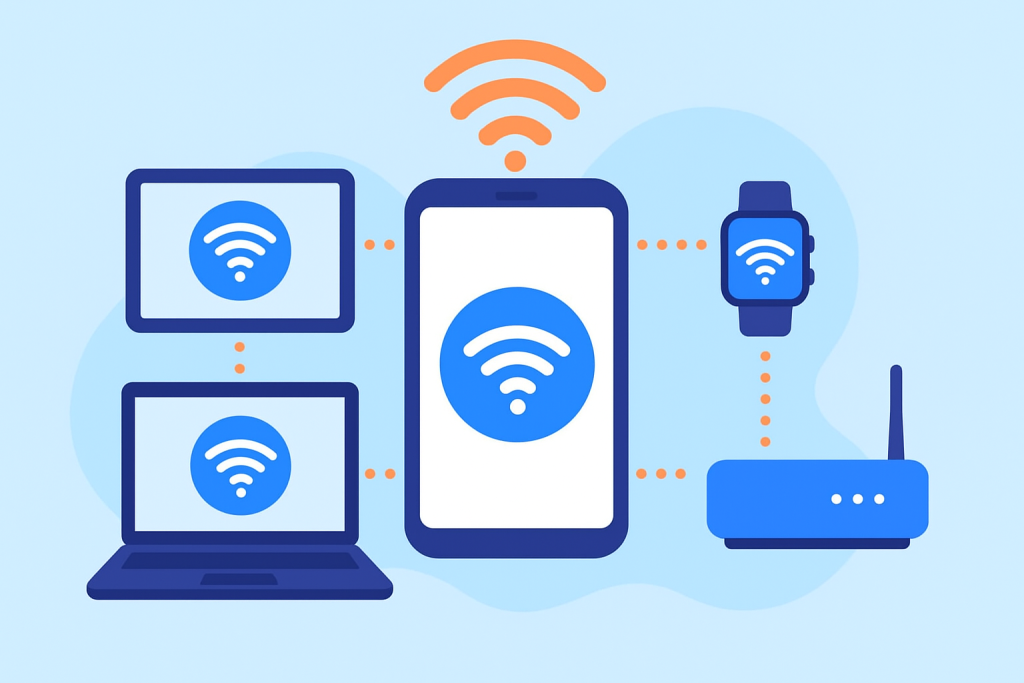
Think of data sharing as having one big bucket of mobile data that all your devices can dip into. Instead of paying for separate data plans, you share a single plan between your phone, tablet, smartwatch, or even your laptop.

For example, if you have a shared plan with 50GB of data, every connected device draws from that same allowance. So, you could stream a movie on your tablet while your phone handles GPS navigation — all under one account.

It’s an ideal setup if:

  • You own multiple devices.
  • You share data with family members.
  • You want to simplify billing and avoid extra subscriptions.

Why Sharing Data Just Makes Sense

A shared data plan is more than a convenience — it’s a smart way to save money and simplify your digital life. Here’s why so many people are switching to them.

1. It Saves You Money

Instead of paying for three or four separate plans, a shared plan lets you bundle everything into one. This can make a noticeable difference on your monthly bill. If you’re looking for something practical, check out some affordable phone plans for budget-conscious consumers — many of them include shared data options that won’t stretch your wallet.

2. It’s Easier to Manage

No more logging into multiple accounts or keeping track of several due dates. With a shared data plan, you get one bill, one data pool, and one dashboard to monitor usage. Most providers make it easy to track everything from an app.

3. You Can Move Between Devices Seamlessly

Shared plans give you the freedom to switch between your gadgets without worrying about separate limits. Watch a video on your tablet, send emails on your laptop, and take calls on your phone — all with one data plan.

4. Perfect for Families

If everyone in your household uses a device or two, shared plans are a no-brainer. Parents can even set limits for each device, making sure no one burns through all the data in a weekend of YouTube marathons.


How to Choose the Right Shared Data Plan

Before signing up, take a little time to compare your options. Not every plan works the same way, and a bit of research can save you from headaches later. Here’s what to look for:

1. Data Allowance

Choose a plan that matches your household’s habits. If you’re heavy on streaming and online gaming, you’ll want something with a generous — or unlimited — data cap. If you mostly browse or use social media, a smaller plan could be enough.

2. Number of Devices

Providers set a limit on how many devices you can add. Some allow only 5, while others go up to 10 or more. Check the limit before committing.

3. Tethering and Hotspot Features

Some shared data plans also include mobile hotspot access — which lets you connect your laptop or other Wi-Fi devices through your phone’s data. For extra protection, it’s worth exploring plans that come with comprehensive insurance options, so you’re covered if anything happens to your device.

4. Coverage and Speed

No one wants to deal with dropped calls or laggy internet. Make sure your provider has strong coverage and fast speeds in your area before you sign up.

5. Cost Comparison

Do a quick math check: compare the cost of individual data plans for each device versus one shared plan. Most of the time, shared plans come out cheaper — especially if you’re connecting several gadgets.


How to Set Up Data Sharing (Step-by-Step)

The setup process might sound technical, but it’s actually straightforward. Most carriers walk you through it online or in their app. Here’s the general process:

Step 1: Pick the Right Plan

Choose a mobile plan that supports multiple devices or data sharing. You can explore available plans here to find one that fits your needs.

Step 2: Add Your Devices

Once you’ve signed up, log into your carrier account. From there, you can add your tablet, smartwatch, or other devices. Depending on the provider, you might need extra SIM cards or eSIM activation codes.

Step 3: Enable Your Mobile Hotspot

On most smartphones, turning on your hotspot is as easy as flipping a switch. Once it’s active, other devices can connect to your phone’s data using the password you set.

Step 4: Keep an Eye on Usage

Download your provider’s app and check your usage regularly. You’ll be able to see which devices are using the most data and whether you’re close to hitting your limit.


Benefits of Using a Shared Data Plan

There’s a lot to love about shared data plans once you get them set up:

  • You save money by paying for one plan instead of several.
  • You simplify billing — one account, one payment.
  • You stay flexible across devices without worrying about data caps.
  • You have control over who uses what, thanks to built-in usage tracking.
  • You can adjust anytime — add or remove devices as your needs change.

Whether you’re a solo user with a few devices or a family sharing one pool of data, the convenience is hard to beat.


How to Make the Most of Your Shared Data

Even with a shared plan, being mindful about data usage keeps things running smoothly. Try these practical tips:

1. Track Data Use by Device

Most carrier apps show you which device is using the most data. If you notice one gadget hogging the bandwidth, you can adjust its settings or limit background data.

2. Set Data Caps

You can often assign a specific data limit per device to keep things fair. That way, one person can’t use up everyone’s data halfway through the month.

3. Use Wi-Fi Whenever Possible

Connecting to Wi-Fi at home, work, or coffee shops saves your mobile data for when you actually need it.

4. Schedule App Updates for Wi-Fi

Turn off automatic app updates on cellular data. Set them to update only when you’re on Wi-Fi to avoid unnecessary data use.

5. Reassess Your Plan Regularly

Your needs can change — maybe you added a new device or started streaming more. Review your plan every few months. If it’s no longer a good fit, you can compare updated phone plans and switch to something better.


Common Mistakes People Make with Shared Data

Data sharing is simple, but a few common mistakes can lead to frustration or surprise charges. Keep these in mind:

  • Not checking compatibility: Make sure all your devices can connect to the shared plan or use mobile hotspots.
  • Exceeding your data limit: Keep tabs on your total usage — overage fees can add up quickly.
  • Ignoring network coverage: A good plan won’t help much if your provider’s signal is weak where you live.
  • Adding too many devices: Stay within the carrier’s allowed number of connected gadgets.

A few minutes of planning can save you a lot of trouble later.


Shared Data Plans for Families and Small Teams

If you manage several devices — like in a family household or small business — shared plans are especially practical.

For families, parents can monitor everyone’s usage, set limits, and even pause data for specific devices (helpful during homework time).

For small teams, a shared plan makes budgeting easier. Everyone draws from the same data pool, and you only have one invoice to manage — perfect for startups or remote teams on the go.


Is a Shared Data Plan Right for You?

A shared plan is worth considering if you:

  • Use multiple devices regularly.
  • Want to simplify your monthly bills.
  • Have family members who all need mobile data.
  • Travel frequently and rely on hotspots.

If you mainly use one smartphone and don’t have a tablet or laptop to connect, a single-user plan might be all you need. But for anyone juggling multiple gadgets, shared data plans offer better value, flexibility, and control.


Final Thoughts

Sharing data across devices just makes life easier. You stay connected wherever you go, manage fewer bills, and avoid paying for separate plans. Whether you’re streaming, working remotely, or traveling, a shared plan gives you flexibility without extra costs.

When you’re ready to explore your options, check out affordable phone plans for budget-conscious users or plans with comprehensive insurance coverage. With the right setup, you can keep all your devices online — and keep your budget in check.


How to Share Mobile Data Across Your Devices Without Overspending Read More »

how signal bars work

Do More Signal Bars Mean Better Service? Here’s the Real Answer

Ever wondered why your phone shows four bars but your YouTube video still won’t load? You’re not alone. Most of us assume that more bars automatically mean better service—but that’s not always true.

The reality is: signal bars can be misleading. In this guide, we’ll explain what those bars really represent, why they differ across phones, and what actually affects your call and data quality.


What Signal Bars Really Mean

Signal bars are designed to show the strength of your connection to the nearest cell tower, but here’s the catch—there’s no universal standard for how they’re measured.

Every manufacturer (Apple, Samsung, Google, etc.) and carrier (AT&T, Verizon, T-Mobile, etc.) use their own internal algorithms to determine how many bars appear.

That means five bars on your phone might not represent the same signal quality as five bars on someone else’s device—even on the same network.


Signal Strength vs. Signal Quality: What’s the Difference?

Two main measurements determine your actual experience:

  • RSRP (Reference Signal Received Power): Measures how strong the signal is from the tower.
  • SINR (Signal-to-Interference-plus-Noise Ratio): Measures how clean or interference-free that signal is.

Think of RSRP as the volume of the signal and SINR as the clarity. You can have loud but distorted sound—just like you can have strong signal strength but poor quality due to congestion, interference, or noise.

That’s why you can have “full bars” yet still deal with dropped calls, lag, or slow internet.

👉 Learn more about how different network types affect coverage.


Why Bars Differ Across Phones and Carriers

Each phone model and carrier interprets signal readings differently. For example:

  • Apple devices might show fewer bars for the same signal compared to a Samsung phone.
  • Some carriers calibrate bars more optimistically to make users feel they have better coverage.

So, comparing two phones side by side doesn’t necessarily tell you which one has “better signal.” It only shows how each interprets the network conditions.


Where Signal Bars Fall Short

Signal bars don’t tell you everything that impacts your service quality. Here’s what they don’t measure:

  • Network congestion: How many users are connected to the same tower.
  • Data speed: Strong signal doesn’t always mean fast internet.
  • Network type: Whether you’re on 5G, 4G LTE, or 3G makes a bigger difference than bars.

If you’re curious about regional differences, explore the top U.S. states with the best and worst mobile coverage.


How Network Technology Impacts Your Signal

The leap from 3G to 5G isn’t just about speed—it’s about efficiency.

Modern technologies like LTE-Advanced and 5G NR use smarter spectrum management, which allows more users to connect at higher speeds even with fewer bars.

That’s why you might notice better streaming performance on a 5G network with three bars than on a 4G connection showing full bars.

Learn more about how network technologies impact coverage.


Other Factors That Affect Your Signal

Your phone’s connection is influenced by several physical and environmental factors:

  • Building materials (metal and concrete weaken signal)
  • Distance from the nearest tower
  • Geography and terrain (mountains, valleys, and tall buildings)
  • Weather conditions (heavy rain or snow can scatter signals)
  • Your phone’s antenna quality

See a full breakdown of factors that affect mobile network coverage.


City vs. Rural: Does Location Matter?

Absolutely.

Urban areas usually have denser tower placement, providing more consistent service. In contrast, rural regions often have fewer towers, creating weak spots or “dead zones.”

Check out the latest data on the best mobile coverage in major U.S. cities.


Tips to Improve Your Mobile Signal

If you’re struggling with weak or unreliable service, try these quick fixes:

  1. Move near a window or step outside – walls can block signals.
  2. Use Wi-Fi calling when indoors.
  3. Restart your phone to reconnect to a better tower.
  4. Consider a signal booster if you live in a low-signal area.
  5. Check coverage maps before switching carriers.

The Bottom Line: More Bars ≠ Better Service

So next time your phone shows full bars but your video still buffers, remember—your phone isn’t lying, but it’s not telling the full story either.

Signal bars only show part of the picture. Real performance depends on:

  • The network type (5G vs. LTE)
  • Location and environment
  • Tower congestion
  • Device quality

Bars might bring peace of mind—but true reliability depends on the network behind them.

Do More Signal Bars Mean Better Service? Here’s the Real Answer Read More »

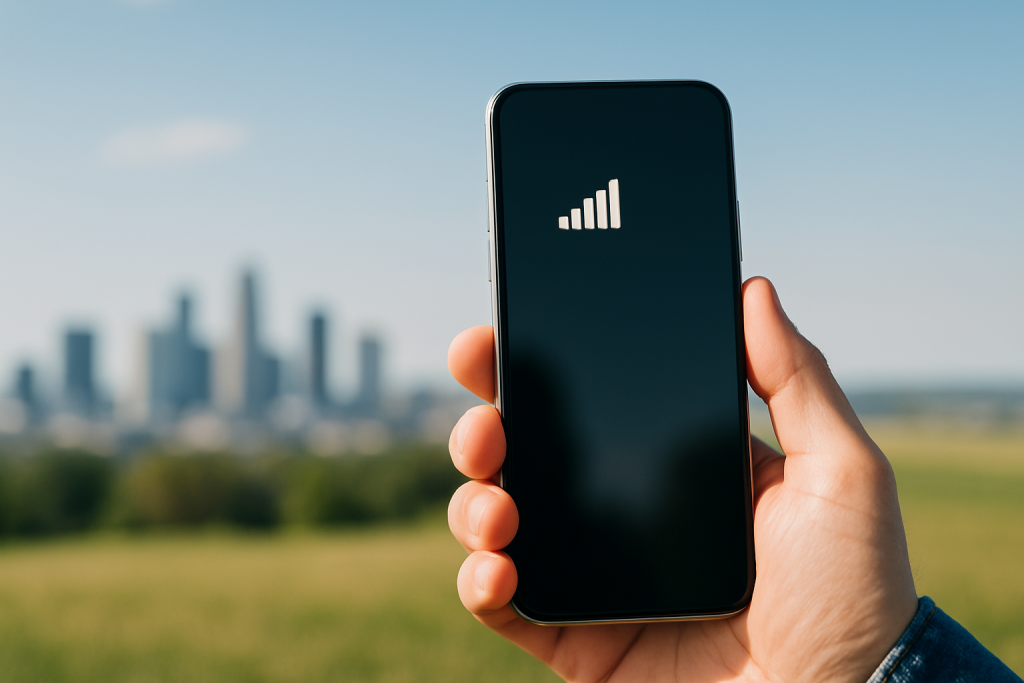
Person holding a smartphone with full signal bars, symbolizing strong cell network coverage.

How to Compare Cell Network Coverage and Find the Best Provider for You

Choosing a cell service provider isn’t just about finding the best deal or the flashiest phone. The real deciding factor is something far more important — network coverage. After all, what’s the point of an unlimited data plan if your phone can’t connect half the time?

Whether you’re in a city full of skyscrapers or a quiet rural town, strong and reliable coverage can make or break your mobile experience. In this guide, we’ll walk you through everything you need to know about comparing network coverage, understanding the differences between providers, and finding a service that actually works where you need it most.

What Exactly Is Network Coverage?

Network coverage is the ability of a cell service provider to maintain a stable connection wherever you are. It determines whether your calls go through clearly, your texts send instantly, and your internet stays fast and reliable.

Coverage depends on several key factors:

  • Your location: Remote or mountainous areas often struggle with weak signals.
  • Infrastructure: The number and placement of cell towers matter — more towers generally mean better service.
  • Obstacles and weather: Buildings, trees, and even bad weather can interfere with signal strength.

In short, network coverage is the backbone of your mobile experience. Without it, even the most advanced smartphone becomes frustratingly limited.

How Cellular Networks Have Evolved

Cell networks have transformed drastically over the years. From the slow and simple 2G networks of the early 2000s to today’s blazing-fast 5G, each generation has changed the way we connect.

Here’s a quick rundown:

  • 2G: Introduced digital voice and basic texting.
  • 3G: Brought mobile internet to our phones.
  • 4G LTE: Made streaming, social media, and mobile gaming practical.
  • 5G: The newest standard, offering lightning-fast speeds, improved reliability, and reduced lag.

5G is the biggest leap yet. Providers like JNA Mobility are using it to close coverage gaps, especially in areas where older networks struggled. If you’re looking for future-proof service, 5G availability should definitely be on your radar.

Who Are the Major Players?

The cell service market is dominated by a few big names that cover most of the U.S. Each one claims “nationwide coverage,” but the reality is that performance still varies depending on your location.

Some networks excel in urban centers but struggle in rural zones, while others shine in wide-open areas but fall short indoors. That’s why it’s important to check real data and user reviews instead of just relying on ads.

A good starting point is to explore local coverage and see how providers in your region actually perform — because “nationwide” doesn’t always mean “everywhere.”

How to Compare Network Coverage (the Smart Way)

Comparing coverage between providers can seem confusing, but it doesn’t have to be. Here’s how to make it easier:

  1. Check Coverage Maps: Every major carrier offers an online coverage map showing where their service is available.
  2. Use Third-Party Tools: Independent apps like OpenSignal, RootMetrics, and Ookla’s Speedtest provide unbiased, crowd-sourced performance data.
  3. Read Local Reviews: Ask people in your neighborhood which network works best — word of mouth is often more accurate than a glossy map.
  4. Test It Yourself: Many providers offer trial SIMs or prepaid options, letting you test real coverage before you commit.

This hands-on approach gives you a true picture of how each provider performs where you live, work, and travel.


What to Consider When Comparing Providers

Not all coverage is created equal. When comparing providers, look beyond the signal bars on your phone and pay attention to:

  • Urban vs. Rural Performance: City areas often have excellent service thanks to dense tower networks, but rural coverage can vary greatly.
  • Network Speed: Reliable, fast data is essential if you stream, work remotely, or game on your phone.
  • Congestion: In busy areas, too many users on the same network can slow things down.
  • Reliability: Some providers handle bad weather or network strain better than others.

The “best” provider for you depends on where you spend most of your time and what you use your phone for.

Urban Coverage: Strong but Not Perfect

In most major cities, all leading providers boast excellent coverage — but that doesn’t mean they’re equal. High-rise buildings, dense traffic, and large crowds can still affect performance.

You might find that one provider performs perfectly in downtown Miami but drops off in the suburbs. Checking local reviews and third-party data will give you a more accurate view of each network’s true reach.

Rural Coverage: A Growing Focus

Rural areas have historically struggled with weaker cell signals, but that’s starting to change. Providers are now investing in new towers, satellite connectivity, and low-band 5G technology to reach previously underserved communities.

If you live outside a major city, look for carriers that prioritize rural coverage and support technologies that help signals travel farther. Some networks, including JNA Mobility’s 5G service, are specifically designed to deliver stronger, more reliable coverage in hard-to-reach areas.


The 5G Revolution and Its Impact

The introduction of 5G isn’t just about faster downloads — it’s about better overall connectivity. The new generation offers:

  • Higher speeds for seamless streaming and video calls.
  • Lower latency for smoother gaming and smart device performance.
  • Wider reach, especially in previously weak zones.

With JNA Mobility’s 5G network, users are seeing more consistent coverage in both city centers and suburban neighborhoods. 5G is quickly becoming the new standard for connectivity, and it’s a major factor when comparing providers in 2024 and beyond.

The Future of Mobile Coverage

The race to improve coverage isn’t slowing down. Providers are continually upgrading towers, using smarter antennas, and even exploring satellite-based connectivity to eliminate dead zones.

Keeping an eye on these updates helps you stay ahead of the curve. Choosing a provider that invests in infrastructure ensures your connection remains reliable as technology continues to evolve.

Tools to Help You Decide

You don’t need to guess which provider is best — plenty of tools can help:

  • Coverage maps: Quickly compare service areas from different carriers.
  • Speed test apps: Measure signal strength and data speed in your neighborhood.
  • User reports: Check online forums and apps that share real-world performance data.

For a deeper understanding of how 5G is shaping coverage nationwide, read Understanding the Nationwide Rollout of 5G. It’s a great resource for seeing how coverage is expanding across the U.S.

Thinking About Switching Providers?

If your current provider just isn’t cutting it, switching has never been easier. Most carriers now allow you to keep your number, transfer data, and move your account with minimal downtime.

Before switching, make sure you:

  1. Check for contract or device lock-ins.
  2. Compare coverage in your area.
  3. Test the new provider’s SIM or eSIM before canceling your old one.

Networks like JNA Mobility’s make switching straightforward and worthwhile — offering excellent coverage, strong 5G performance, and transparent plans.

Why Coverage Matters for Your Data Plan

Coverage doesn’t just affect call quality — it also impacts how much value you get from your data plan. Better networks can deliver faster speeds, fewer slowdowns, and more efficient data usage, meaning you get more out of your monthly plan.

When comparing plans, focus not just on price but on where and how you’ll actually be using your data. A cheaper plan won’t save you much if your connection keeps dropping.


Final Thoughts

At the end of the day, choosing the right cell service provider comes down to one simple thing — consistent, reliable coverage. Understanding how networks work, checking real-world performance, and comparing your local options will help you make a decision that fits your lifestyle.

If you’re ready to experience dependable, future-ready service, JNA Mobility’s network is a solid option — combining powerful 5G coverage with a commitment to reliability across both urban and rural areas.

Wherever life takes you, strong network coverage keeps you connected.

How to Compare Cell Network Coverage and Find the Best Provider for You Read More »

What Is Wi-Fi Calling

What Is Wi-Fi Calling? Benefits, Drawbacks, and How It Improves Your Phone Calls

Staying connected isn’t just convenient anymore — it’s essential. Whether you’re working remotely, calling family abroad, or chatting from a spot with poor reception, being able to talk without interruptions matters. That’s where Wi-Fi calling comes in.

Wi-Fi calling allows you to make and receive calls using an internet connection instead of relying solely on cellular networks. It’s simple, reliable, and built right into your smartphone — no apps or special numbers required. Let’s explore how it works, why it’s useful, and what you should know before turning it on.


What Is Wi-Fi Calling?

Wi-Fi calling is a built-in smartphone feature that routes your calls and texts through a Wi-Fi network instead of a cell tower. It’s especially useful if you live in an area with weak cellular coverage but strong internet access.

The best part? You don’t need to open another app or change your phone number. It uses your existing dialer and contact list, so you can call and text like normal — only smarter.


How Wi-Fi Calling Works

Here’s what happens behind the scenes:

  1. You place a call using your phone’s dialer.
  2. Your device detects an available Wi-Fi connection and uses Voice over Internet Protocol (VoIP) to transmit the call.
  3. The call is routed through your carrier’s servers and connected to the recipient’s network.
  4. The person you’re calling answers just like any other phone call.

The entire process happens automatically. If you leave your Wi-Fi area, your phone can even switch back to the cellular network mid-call (depending on your carrier), keeping the connection alive.


Benefits of Wi-Fi Calling

1. Clearer Call Quality

One of the biggest perks of Wi-Fi calling is improved clarity. A solid Wi-Fi connection can deliver crystal-clear voice quality, even when your cell signal is weak.

No more choppy conversations or dropped calls in basements, concrete buildings, or rural homes. With Wi-Fi calling, you can rely on your internet instead of searching for signal bars.

If you already use a dependable internet service with consistent speeds, Wi-Fi calling can make your calls sound as if you’re standing right next to the person you’re talking to.


2. Reduced Costs for Long-Distance Calls

If you frequently call friends or family abroad, Wi-Fi calling can save you serious money. Because calls are routed over the internet, they typically don’t count toward your phone plan’s minutes or international charges.

When traveling, simply connect to a Wi-Fi network — in your hotel, café, or airport — and call home without worrying about roaming fees. It’s one of the easiest ways to stay connected no matter where you go.


3. Expanded Coverage in Low-Signal Areas

Wi-Fi calling extends your reach far beyond the limits of cell towers. You can make and receive calls anywhere you have internet access — even in places where cell service doesn’t exist.

That includes rural communities, underground offices, and metal buildings that block signals. And if you live in an area with weak service, pairing Wi-Fi calling with reliable connectivity solutions like cell signal boosters or mobile data setups can make a big difference.


4. Seamless, App-Free Experience

Unlike apps such as Skype or Zoom, Wi-Fi calling is built into your phone. You don’t need a new account, and the person you’re calling doesn’t have to install anything either.

Everything — from your contact list to your call history — stays the same. It’s just like a regular call, but smarter and more flexible.


Drawbacks of Wi-Fi Calling

While Wi-Fi calling is incredibly useful, it’s not perfect. Here are a few things to keep in mind.

1. Dependent on Wi-Fi Strength

Your call quality depends on your Wi-Fi network. A weak or congested connection can cause echoes, delays, or even dropped calls.

For the best experience, use a strong router and connect to a 5GHz Wi-Fi band whenever possible. This frequency offers faster speeds and fewer interruptions compared to 2.4GHz.


2. Slightly Higher Battery Usage

Phones may use more power during Wi-Fi calls, especially if the Wi-Fi signal fluctuates. To avoid rapid battery drain, keep your device charged or enable low-power mode during long calls.


3. Not Always Available Everywhere

Some older phones and certain regions don’t support Wi-Fi calling yet. Check your device’s settings to see if your carrier supports it.

You can usually find the option under:

  • iPhone: Settings → Phone → Wi-Fi Calling
  • Android: Settings → Network & Internet → Wi-Fi Calling

Should You Keep Wi-Fi Calling On or Off?

That depends on your situation.

  • Keep it on if you live or work in a place with poor cellular coverage but reliable Wi-Fi.
  • Turn it off if your Wi-Fi network is inconsistent or prone to disconnecting — unstable networks can make calls drop unexpectedly.

Fortunately, switching it on or off only takes a few taps, so you can easily adjust it to your environment.


Does Wi-Fi Calling Affect Regular Calls?

Not negatively. In fact, it works alongside your cellular network. Your phone automatically picks the stronger connection for each call.

If you walk out of Wi-Fi range during a conversation, many phones can transition seamlessly back to cellular without disconnecting — a feature called Wi-Fi to cellular handoff.


The Real Purpose of Wi-Fi Calling

The goal of Wi-Fi calling is simple: to keep you connected no matter where you are. It fills in the gaps left by cell towers, helps avoid high fees, and ensures your calls are clearer and more reliable.

For remote workers, travelers, and families who rely on communication every day, it’s a small feature that makes a big difference.


How to Enable Wi-Fi Calling

On iPhone

  1. Open Settings.
  2. Tap Phone.
  3. Select Wi-Fi Calling.
  4. Turn on Wi-Fi Calling on This iPhone.
  5. Confirm if prompted.

On Android

  1. Open Settings.
  2. Tap Connections or Network & Internet.
  3. Select Wi-Fi Calling.
  4. Toggle it on and grant any permissions requested.

Once enabled, your phone will automatically use Wi-Fi whenever it’s available.


Tips for Getting the Most Out of Wi-Fi Calling

To make sure your calls stay clear and reliable, try these quick tips:

  • Use a strong connection. A good router can make all the difference.
  • Connect to 5GHz networks. They’re faster and less crowded than 2.4GHz.
  • Update your phone regularly. Software updates often include call quality improvements.
  • Avoid heavy internet use while on calls. Streaming or gaming can affect your call’s stability.
  • Combine with coverage solutions. You can improve your phone’s reception by pairing Wi-Fi calling with other reliable tools.

Final Thoughts

Wi-Fi calling might not be the flashiest feature on your phone, but it’s one of the most useful. It bridges the gap between weak cell signals and strong connections, ensuring you never miss an important conversation.

It delivers clearer calls, saves money on international charges, and gives you more freedom to communicate wherever life takes you — at home, at work, or on the go.

The best part? You already have everything you need. Just turn it on, connect to Wi-Fi, and enjoy the clarity and convenience of calling without boundaries.

What Is Wi-Fi Calling? Benefits, Drawbacks, and How It Improves Your Phone Calls Read More »

Why Phone Insurance Matters: Real Reasons It’s Worth Having

Why Phone Insurance Matters: Real Reasons It’s Worth Having

Be honest — how many times have you dropped your phone and held your breath while picking it up, hoping the screen wasn’t shattered? Or maybe you’ve had that heart-stopping moment when your phone slips out of your pocket in a cab or at a café.

We’ve all been there. And since our phones hold so much of our daily lives — messages, photos, passwords, even our wallets — losing or damaging one can throw everything off.

That’s exactly why phone insurance exists. It’s not just about replacing a cracked screen or getting a new phone; it’s about peace of mind. It’s about knowing that if life happens (and it always does), you’ll be covered.

Let’s take a closer look at why phone insurance is a smart move — not just for your phone, but for your sanity too.


1. It Has Your Back If Your Phone Gets Lost or Stolen

Losing your phone — or worse, having it stolen — can feel like losing a part of your life. And unfortunately, it’s a lot more common than most people realize.

A recent study found that millions of smartphones are lost or stolen every year. That’s not surprising when you think about how often we take our phones everywhere — to the gym, coffee shop, office, and even on vacation.

Here’s the good news: if your phone ever goes missing, insurance can cover the replacement. Most policies will give you a new or refurbished phone of the same model once you file a claim (and a police report if it’s stolen). Some even ship replacements overnight, so you’re not left disconnected for days.

That kind of convenience is priceless when your phone is your lifeline for work, communication, and everything in between.


2. Accidents Happen — and Phone Insurance Gets That

Even the most careful person drops their phone now and then. Maybe it slips off the counter, or your toddler decides it’s a toy. Or perhaps you accidentally spill water on it while watching Netflix in bed.

Whatever the scenario, accidental damage is one of the top reasons people use their insurance. A cracked screen or waterlogged phone can cost hundreds of dollars to repair if you’re paying out of pocket.

Insurance helps cover things like:

  • Cracked or shattered screens
  • Water or liquid damage
  • Accidental drops or dents

Most plans come with low deductibles, often around $30 for a screen repair or $100 for other types of damage — much cheaper than buying a brand-new device.

In short, insurance takes a “don’t panic” situation and turns it into a “we’ve got this” moment.


3. Quick Repairs and Easy Replacements

One of the most underrated perks of having phone insurance is how simple the process is when something goes wrong.

If your phone is damaged, most providers have a network of authorized repair shops — or they’ll ship you a replacement right away. You won’t have to wait weeks or deal with confusing service centers.

And if your phone can’t be repaired, you’ll get a replacement device of the same model (or something similar). Some plans even allow multiple claims per year, which is a huge relief for people who tend to have bad luck with electronics.

The bottom line: phone insurance saves you from the frustration of dealing with repairs or replacements on your own. It’s like having a tech safety net.


4. It Covers More Than Just Your Phone

A lot of people don’t realize that phone insurance doesn’t just protect the device itself — it can also cover accessories and extra costs.

If your headphones, charger, or protective case are lost or damaged along with your phone, many plans will reimburse you. Some even help with cancellation fees or balances you might still owe on your device.

That’s a big deal when you consider how expensive accessories have become. Losing a phone is bad enough; having to replace everything that goes with it makes it worse. Phone insurance softens that blow.


5. The Real Value: Peace of Mind

If there’s one thing phone insurance truly gives you, it’s peace of mind.

Think about it — your phone probably contains your photos, contacts, banking apps, and even your digital ID. Losing or breaking it isn’t just inconvenient; it can feel overwhelming.

With insurance, you don’t have to stress about how you’ll replace your phone or how much it’ll cost. You can focus on the things that actually matter — because you know you’re covered.

And let’s be honest, it’s nice not to feel that pit in your stomach every time your phone slips out of your pocket.

Pro Tip: A small monthly insurance fee can save you hundreds (and a whole lot of frustration) when accidents happen.

If you’re curious about other protection options, you might like this article about the benefits of Fortress Insurance for smartphone owners.


6. You’re Covered — Even When You Travel

Whether you’re taking a short trip or traveling abroad, your phone goes with you everywhere. And that means it’s exposed to all kinds of risks — theft, drops, spills, or just plain bad luck.

The great thing about most phone insurance plans is that they cover your device globally. So if you’re exploring new cities, hiking in another country, or just relaxing by the beach, your phone is still protected.

That’s especially important when you’re far from home and can’t easily access a repair shop or replacement store. With global coverage, your insurance provider can arrange a replacement or reimbursement, no matter where you are.

Traveling is already full of surprises — losing your phone doesn’t have to be one of them.


7. It’s Surprisingly Affordable

Here’s something a lot of people don’t realize: phone insurance is actually really affordable.

Depending on your carrier and phone model, plans typically range from $10 to $15 per month. That’s less than a couple of coffees — and way less than the $800–$1,200 it would cost to replace a high-end smartphone outright.

Even if you only use your insurance once, you’ll likely save more than you paid in premiums. Plus, you’ll never have to hesitate when life happens — like when your phone meets the pavement or your kid decides it belongs in the bathtub.

You can learn more about how coverage works and what’s included in this helpful breakdown of different phone insurance plans.


8. You Can File Multiple Claims

Here’s another bonus: most policies allow you to make more than one claim per year.

So if you break your screen in the spring and lose your phone in the fall, you’re still covered. Each claim is treated separately, which means you don’t lose your protection after a single accident.

That’s a huge benefit for people who live busy, on-the-go lifestyles — or who just happen to have a streak of bad luck with electronics.


Final Thoughts: A Little Protection Goes a Long Way

Phones have become extensions of our lives. They hold our memories, help us work, and keep us connected to the people we love. So when something happens to them, it can feel like everything’s gone wrong.

That’s why phone insurance isn’t just about saving money — it’s about saving yourself the stress. It gives you freedom to live your life without constantly worrying about what might happen to your phone.

A cracked screen or lost phone shouldn’t ruin your week. With insurance, it doesn’t have to.

Life happens — accidents, spills, and misplaced phones included. Phone insurance makes sure those moments are just a small inconvenience, not a financial disaster.

So next time you upgrade your phone, don’t skip the coverage. You’ll thank yourself later.

Why Phone Insurance Matters: Real Reasons It’s Worth Having Read More »

Frustrated with Weak Cell Signal? Here’s How to Fix It for Good

Frustrated with Weak Cell Signal? Here’s How to Fix It for Good

We’ve all been there—you’re on an important call, navigating with GPS, or streaming your favorite show, and suddenly… the dreaded “No Service” or a single bar appears. Weak cell phone signals are more than just inconvenient; they can disrupt work, delay travel, and cause frustration when you need reliable connectivity the most.

The truth is, cell signal strength can be affected by a variety of factors—everything from your location and building materials to network congestion and even the weather. While you can’t control every variable, there are plenty of practical steps you can take to improve your reception.

In this guide, we’ll walk through some of the most effective (and easy) ways to strengthen your signal. By the end, you’ll know not only why your service may be weak, but also how to take action so your phone stays connected when you need it most.


Why Your Cell Signal Matters

Having a strong signal isn’t just about convenience. It ensures:

  • Reliable communication: Clearer calls with fewer drops.
  • Faster data speeds: Smooth browsing, streaming, and video calls.
  • Accurate navigation: GPS apps work best when your phone has a strong connection.
  • Battery efficiency: Phones use more power searching for weak signals, draining your battery faster.

In short, boosting your signal means better performance, longer battery life, and less stress.


1. Check Your Carrier’s Coverage Map

Before you troubleshoot, start with the basics: does your carrier even provide strong coverage in your area? Most major providers publish detailed cellular network coverage maps that show expected service strength by location.

Here’s what to do:

  • Enter your address on your carrier’s coverage page.
  • Zoom into the street-level view to see predicted service in your neighborhood.
  • Compare coverage with other major carriers.

If your carrier’s map shows consistently weak coverage around your home or office, that may explain your issues. In some cases, switching to another carrier with stronger local service could be the easiest fix.

Even if you don’t plan to switch, knowing whether the problem lies with your carrier’s infrastructure or your phone setup helps you decide your next move.


2. Move Closer to a Window

This one sounds simple, but it works surprisingly often. Walls, floors, and ceilings—especially those made of concrete, brick, or steel—can block cellular signals. Windows, however, allow signals to pass through more easily.

If you notice poor reception, step closer to a window or position yourself near an opening where the line of sight to a cell tower is clearer. Even moving just a few feet can improve your bars and call quality.

Pro tip: Experiment with different windows in your home or office. Sometimes one side of a building offers significantly better reception depending on the tower location.


3. Change Locations Indoors

If moving near a window doesn’t help, try changing rooms or floors altogether. Signal strength can vary dramatically within the same building.

  • Higher floors usually have better reception since there are fewer barriers between your phone and the tower.
  • Avoid basements, which are notorious for poor reception.
  • Test multiple rooms and make note of “sweet spots” where your phone consistently shows stronger bars.

This is one of the easiest no-cost fixes—sometimes moving a few steps in the right direction is all it takes.


4. Watch Out for Signal-Blocking Objects

Everyday objects can interfere with your signal. Large metal appliances, mirrors, filing cabinets, and even your own phone case can weaken reception.

  • Keep your phone away from refrigerators, radiators, and microwaves.
  • Avoid covering your phone’s antenna (often at the top or bottom edge) with your hand during calls.
  • If you use a bulky or metal phone case, try removing it to see if that improves performance.

A quick test is to place your phone on a table away from clutter and appliances. You might notice your signal improves just by reducing interference.


5. Toggle Airplane Mode

Sometimes your phone just needs a “refresh.” By briefly enabling and disabling airplane mode, you force it to disconnect from the current tower and search for a stronger one nearby.

Here’s how:

  1. Turn on Airplane Mode in your settings.
  2. Wait about 30 seconds.
  3. Turn it back off.

This takes less than a minute and can often give your device a stronger, more stable connection.


6. Restart Your Phone

Similar to toggling airplane mode, restarting your device resets its connection to the network. Phones that have been on for days (or weeks) without rebooting may not always be connected to the optimal tower.

When you restart, your phone will:

  • Drop its current connection.
  • Scan for the nearest and strongest tower.
  • Re-establish a fresh link.

Make it a habit to restart your phone periodically—not just when the signal drops—to keep your connection running smoothly.


7. Keep Your Apps and Software Updated

You might not think of app updates as a way to improve signal strength, but outdated software can impact performance. Updates often include bug fixes and optimizations that help your phone communicate more efficiently with the network.

Check for:

  • Operating system updates in your phone’s settings.
  • App updates in your app store under “Pending Updates.”

Keeping everything current ensures you’re running on the latest code designed for stability and connectivity.


8. Try a Signal Booster

If you live in an area with weak reception, a signal booster could be your best investment. These devices capture the existing signal from outside, amplify it, and rebroadcast it indoors.

There are two main types:

  • Indoor boosters – Cover a single room or small space.
  • Outdoor boosters – More powerful, designed to improve coverage for an entire home or office.

A signal booster doesn’t create a signal—it only strengthens what’s already available. So if you have at least one bar of service, it can make a huge difference.

For best results, choose a booster compatible with your carrier’s frequency bands and consider professional installation to ensure optimal antenna placement.


9. Contact Your Carrier

If all else fails, don’t hesitate to reach out to your carrier’s support team. Sometimes, the issue isn’t your phone—it’s the network itself.

Your provider can:

  • Check for outages or maintenance in your area.
  • Walk you through troubleshooting steps like resetting network settings.
  • Suggest device-specific fixes for your phone model.

In some cases, carriers even provide free signal boosters for customers struggling with coverage in certain areas. Before spending money on your own equipment, ask your provider if they offer this perk.

For example, if you’re exploring better service options, compare different cell phone plans to see if your provider has tailored solutions for your usage.


Final Thoughts: Take Control of Your Signal

Weak cell service doesn’t have to be your “new normal.” By checking your carrier’s coverage, experimenting with locations, removing obstructions, refreshing your connection, and considering tools like boosters, you can significantly improve your reception.

At the end of the day, your phone is your lifeline—to work, to loved ones, and to the world. Making sure it stays connected is worth the effort.

Frustrated with Weak Cell Signal? Here’s How to Fix It for Good Read More »

Affordable Mobility Plans: Finding the Right Fit

Affordable Mobile Plans: Best Budget Options

We understand that affordable mobile plans are essential for staying connected in today’s fast-paced world. Whether you’re a student keeping in touch with friends, a professional managing work on the go, or a parent coordinating your family’s schedules, having a reliable and budget-friendly plan can make all the difference.

With so many options available, it’s easy to feel overwhelmed by technical jargon and endless plan details. But finding the right plan doesn’t have to be stressful. Imagine a mobile plan that perfectly matches your needs and budget—letting you browse, stream, and stay in touch without worrying about hidden fees or dropped calls.

That’s why JNA Mobility offers a wide range of affordable mobile plans designed to fit every lifestyle.


Understanding Affordable Mobile Plans

Mobile plans generally fall into three categories—prepaid, postpaid, and family plans. Each offers unique advantages:

  • Prepaid plans let you pay upfront and avoid contracts.
  • Postpaid plans often include more features like unlimited data.
  • Family plans allow you to share lines at discounted rates.

Our selection of prepaid and family-friendly mobile plans gives you the flexibility to choose what works best.


Identifying Your Usage Needs

The right plan depends on your habits. Heavy streamers and social media users may need larger data allowances, while light users who mostly call or text can save with simpler packages.

Many of our unlimited talk and text options are perfect for those who prioritize communication over data.


Comparing Providers

Not every provider offers the same coverage, pricing, or customer service. What sets JNA Mobility apart is our commitment to transparency, reliable service, and customer-first support.


Coverage and Network Quality

Strong network quality is as important as affordability. Dropped calls and slow connections can quickly ruin your experience. Our customers often rely on our nationwide coverage for consistent, reliable service.


Seasonal Discounts and Promotions

You don’t have to wait long for savings—our team regularly updates seasonal prepaid SIM promotions so you can switch or upgrade at the best possible rate.


Understanding Contract Terms

Nobody likes hidden fees. That’s why our contract terms are clear and simple. Before signing up, always review cancellation policies to avoid surprises.


Power of 5G Technology

If speed is your priority, our 5G mobile plans offer lightning-fast data and smooth streaming for gamers, streamers, and professionals.


Family Plans for Extra Savings

Families can save big by combining multiple lines. Our shared family plans are built for households that want more value without sacrificing quality.


Getting More Value with JNA Mobility

Price is only one part of the equation. Exceptional support and service matter, too. That’s why our focus on customer service sets us apart from the competition.


Device Discounts with Plans

When you sign up for a new plan, you can also enjoy discounts on the latest smartphones and tablets, making it easier to stay connected with the right device.


Tips for Getting the Best Deals

Here are some ways to stretch your budget:

  • Research and compare plans before signing up.
  • Look for bundles that combine mobile, internet, and home phone.
  • Don’t hesitate to negotiate if you’ve found a better deal.

Our blog on how to save on 5G phones has more insights for savvy shoppers.


Choosing the Right Affordable Mobile Plan

At JNA Mobility, we make it simple to find the right balance of affordability, reliability, and customer support. Whether you’re searching for prepaid flexibility, family savings, or high-speed 5G, you’ll find the perfect fit among our affordable mobile plans.

Affordable Mobile Plans: Best Budget Options Read More »

device trade ins

Maximizing Value with Device Trade-Ins & Sustainability

Meta Description: Learn how device trade-in programs help you save money, upgrade to the latest tech, and reduce electronic waste. Discover how they work, where to trade in, and tips to maximize value.


The Rise of Device Trade-In Programs

Technology is evolving faster than ever. Smartphones, tablets, laptops, and gaming consoles are constantly being upgraded with new features. For many consumers, upgrading has become a yearly ritual. But that raises the big question: what happens to the old devices?

This is where device trade-in programs come in. These programs give consumers a way to exchange their old devices for cash, store credit, or discounts on new models—helping them upgrade affordably while reducing e-waste.


Key Benefits of Trading In Devices

Device trade-in programs create value for consumers, businesses, and the environment:

  • 💰 Financial Rewards: Offsets the cost of buying new devices.
  • 🌍 Eco-Friendly: Extends device lifecycles and reduces electronic waste.
  • ⚡ Access to New Tech: Makes upgrading to the latest models more affordable.

With trade-ins, you don’t just get rid of your old tech—you turn it into savings while helping the planet.


How Device Trade-In Programs Work

The process is simple but may vary depending on the platform. Here’s how it typically works:

  1. Check Eligibility: The device should be fully owned, not reported lost/stolen, and preferably in working condition.
  2. Appraisal: The trade-in value is determined by the device’s brand, age, condition, and market demand.
  3. Offer & Credit: Once approved, you’ll receive payment—either cash, store credit, or a discount on a new device.

Pro tip: Trade-in values tend to drop once new models launch, so timing matters!


Where to Trade In Your Devices

Many companies now offer trade-in programs:

  • Retailers: Best Buy, Amazon, Walmart
  • Manufacturers: Apple, Samsung, Google
  • Third-Party Platforms: Gazelle, Decluttr, and specialized trade-in partners like Phobio

Each option comes with different payout methods, so comparing offers can help maximize your return.


Tips to Maximize Trade-In Value

Want top dollar for your device? Here’s how:

  • Keep It in Good Shape: Use protective cases, avoid damage, and keep original accessories if possible.
  • Update Software: A working, updated device is often worth more.
  • Time Your Trade-In: Trade-in before or just after new model launches to get higher value.
  • Compare Offers: Don’t settle for the first deal—check multiple platforms.

Environmental Benefits of Trade-In Programs

Electronic waste is a growing global issue. By trading in devices, you:

  • Reduce landfill waste and pollution
  • Conserve raw materials like rare earth metals
  • Support recycling programs that responsibly handle old tech

Every trade-in extends the lifecycle of technology, which means fewer devices end up as toxic waste.


Challenges and Considerations

While trade-in programs are convenient, keep these points in mind:

  • Terms Vary: Some platforms may only accept newer devices.
  • Lower Value for Older Models: Devices with heavy wear or outdated software may have minimal trade-in worth.
  • Data Security: Always wipe personal data before sending in your device.

Future of Device Trade-Ins

As consumer demand for sustainable solutions grows, trade-in programs are expected to expand. Expect to see:

  • More incentives like higher trade-in bonuses during new product launches.
  • Flexible options like instant credit or buyback guarantees.
  • Integration with recycling efforts to strengthen the circular economy.

Final Thoughts

Device trade-in programs offer a win-win solution: consumers save money, manufacturers gain loyal customers, and the planet benefits from reduced e-waste.

Whether you’re upgrading your smartphone or replacing an old laptop, trading in your device ensures you get value back while doing your part for sustainability.

👉 Ready to upgrade? Check out this trade-in program and turn your old tech into instant rewards today.


Maximizing Value with Device Trade-Ins & Sustainability Read More »

Finding the Ideal Data Plan to Match Your Daily Habits

Best Data Options for Your Lifestyle

Data has become a vital commodity, essential for staying connected, accessing information, and enjoying various online services. However, with the multitude of data options available, choosing the right plan for your lifestyle can be a daunting task.

Understanding Your Data Needs

Before diving into the world of data plans, it’s essential to understand your usage habits and requirements. Take some time to assess how much data you typically consume on a monthly basis and what activities you use it for. Are you a heavy video streamer, a casual browser, or somewhere in between? Identifying your priorities and preferences will help guide your decision-making process.

Types of Data Plans

Data plans come in various forms, each offering different features and benefits. Two primary distinctions to consider are prepaid vs. postpaid plans and unlimited vs. capped data plans. Prepaid plans offer flexibility and control over usage, while postpaid plans provide convenience with monthly billing cycles. Unlimited plans may be appealing for heavy users, but capped plans can offer cost savings for those with moderate usage.

Your Wireless. Your Plans.

Make the most of your mobile service, no matter where you are.

Factors to Consider

When evaluating data options, several factors should influence your decision. Consider the cost-effectiveness of each plan, including monthly fees and additional charges for exceeding data limits. Assess network coverage and reliability, especially if you frequently travel or live in rural areas. Also, pay attention to data speed and throttling policies, as these can impact your overall experience.

Tailoring Data Options to Specific Lifestyles

Different lifestyles require different data solutions. For data-heavy users who stream videos or play online games regularly, an unlimited plan with high-speed data may be the best choice. Occasional users, on the other hand, may find prepaid plans with a low monthly allotment more suitable. Travelers and commuters may benefit from plans with generous roaming allowances and access to secure Wi-Fi hotspots.

Special Considerations for Families and Businesses

Families and businesses have unique data needs that require special considerations. Shared data plans allow multiple users to share a single pool of data, reducing costs and simplifying billing. Businesses may require additional features such as priority customer support and dedicated account management to ensure smooth operations.

Evaluating Additional Features and Benefits

In addition to basic data allowances, many plans offer additional features and benefits that can enhance your overall experience. Look for plans with generous roaming policies if you travel frequently or data rollover options that allow you to carry over unused data from month to month. Consider the quality of customer service and support offered by each provider, as prompt assistance can be invaluable when troubleshooting issues.

Making an Informed Decision

Choosing the right data plan for your lifestyle requires careful consideration of all available options. Take the time to weigh the pros and cons of each plan, keeping your usage habits and budget in mind. Don’t hesitate to negotiate with service providers to secure the best possible deal, as many are willing to offer discounts or incentives to attract new customers.

Conclusion

In conclusion, navigating the data dilemma requires a thoughtful approach and a clear understanding of your usage habits and priorities. By assessing your needs, considering different plan options, and evaluating additional features, you can determine the best data options for your unique lifestyle.

Best Data Options for Your Lifestyle Read More »

postpaid plans

Postpaid Plans: 3 Reasons It’s Worth Paying More

Postpaid plans, also known as contract plan, is a type of mobile phone service plan in which customers pay for their service at the end of each billing cycle. This differs from a prepaid plan, where customers pay for service in advance. 

With a postpaid plan, customers are billed after using the mobile services, allowing them to pay in monthly installments. The bill details the services used during the previous month such as voice minutes, text messages (SMS), and mobile data. Postpaid plans require a credit check and contract commitment for 1-2 years typically. Customers are charged activation fees, but are often eligible for free or discounted phones when signing up.

The major benefits of postpaid phone plans are the ability to pay monthly, access to newer phone models, and unlimited data options. However, postpaid plans also come with a greater financial commitment, credit requirements, and contract obligations. Prepaid options provide more flexibility and control over spending.

Pros of Postpaid Plans

Postpaid plans offer several advantages over prepaid plans that make them worth considering:

No credit checks – Most postpaid plans do not require a credit check. As long as you pay your bill on time each month, you can qualify for postpaid service regardless of your credit history. This makes it easy to get approved.

Unlimited data – Many postpaid plans offer unlimited talk, text, and data. This allows you to use as much data as you want without worrying about overage fees. For heavy data users, unlimited data can provide significant value.

Nationwide coverage – Postpaid carriers like Verizon, AT&T, T-Mobile and Sprint provide coverage across the entire United States. You’ll have cell phone access in rural and metropolitan areas. Prepaid providers often have more limited coverage.

Premium phone options – Postpaid plans allow you to finance expensive flagship smartphones and pay for them over time through your bill. This makes premium phones more affordable. Prepaid services typically require you to buy phones at full price up front.

Bundle with other services – Some postpaid carriers let you bundle your wireless plan with other services like home internet or cable TV for discounted rates. Bundles can offer savings and convenience.

The biggest perks of postpaid plans are no credit checks, unlimited high-speed data on a national network, financing for costly devices, and bundled service discounts. If these benefits are important to you, postpaid plans may be worth their typically higher monthly rates.

Cons of Postpaid Plans

Postpaid plans come with some notable drawbacks that are worth considering before signing up. These include:

Higher monthly fees – Postpaid plans typically have higher monthly service fees compared to prepaid options. The monthly bill will include not just a charge for talk, text, and data, but also additional fees like taxes, surcharges, and regulatory costs. These fees can add $5-15 per month on top of the base rate plan.

Long-term contracts – Most postpaid plans require agreeing to a 12, 24, or even 30 month service contract. This means you’ll be locked in paying the monthly fee for the duration of the contract term. Failure to complete the contract results in early termination fees.

Early termination fees – If you want to cancel service before your contract term is up, you’ll face hefty early termination fees typically starting at $150-350 per line. This penalty makes it expensive to switch carriers or plans mid-contract.

Billing and overage charges – Postpaid billing can be complex with prorated service charges, taxes and fees, device installment plans, and overage charges for exceeding talk, text or data limits. Overage fees are typically $15 per GB which adds up quickly.

Roaming fees – Postpaid plans often charge extra roaming fees when you use your phone outside your carrier’s regular coverage area, both internationally and domestically. These roaming rates can be extremely high.

Overall the main downsides of postpaid plans are the higher monthly costs, long-term commitments, and add-on fees that can nickel and dime you. Understanding these cons allows you to make an informed decision when choosing a wireless plan.

Prepaid vs. Postpaid 

Choosing between prepaid and postpaid plans comes down to weighing the pros and cons of each. Here are the key differences:

Prepaid Pros & Cons

Prepaid Pros

  • – No contracts, cancel anytime
  • – Pay only for service used
  • – Pay for service upfront
  • – No surprise overages or extra fees
  • – Great for light or budget users 

Prepaid Cons

  • – Must plan for refills when balance runs out
  • – May pay for unused balance each month
  • – Limited to lower-end phones
  • – Can’t finance pricier phones
  • – No access to fast 5G networks on some plans

Usage & Billing Differences

The main differences come down to usage and billing. With prepaid, you pay upfront before using any service. This allows better control over spending but requires planning ahead. With postpaid, you’re billed after the fact based on your actual monthly usage. This offers more convenience but less predictable costs.

Choosing prepaid or postpaid depends on your budget, usage needs, and desire for advanced features like 5G access. Prepaid suits lighter users on a tight budget. Postpaid works better for heavy data users who want the latest devices and network extras.

The Postpaid cell phone plans tend to work best for certain types of customers

Heavy data users – Postpaid plans typically come with unlimited data or very high data allowances. For those who stream a lot of video, download large files, or use data-intensive apps, a postpaid unlimited data plan prevents slow downs or overage charges.

Those wanting premium devices – The latest high-end smartphones like the iPhone and Samsung Galaxy models usually require postpaid service. Device financing plans that spread out the cost of the phone over 24 or 30 months are also mostly limited to postpaid accounts.

Large families – For families with 3-5 lines or more, postpaid plans can offer shared data buckets and multi-line discounts that help maximize value. Individual prepaid accounts would be more expensive for multiple lines.

Businesses – Companies that provide employees with work phones appreciate the centralized billing, account management, and service benefits that come with postpaid business accounts. Larger pools of shared data, international roaming, and enterprise features are accessible.

Customers with good credit – Since postpaid plans require a credit check, only those with strong credit scores may qualify. Prepaid options are better for those with bad credit or no credit history. Postpaid also allows financing phones over time rather than paying full retail upfront.

In summary, postpaid cell phone service caters to power users who need unlimited data, businesses that want enterprise-grade solutions, and anyone who values account perks and premium device selection over low prices and simplicity. Prepaid can make more sense for light data users with simple needs.

Cost Comparison 

When looking at the costs of postpaid vs. prepaid plans, postpaid plans generally come out to be more expensive over time. Here’s a breakdown of the average monthly costs:

  • – The average monthly cost of a postpaid plan is $80-100 depending on data amounts and features. Most postpaid plans start at $65/month but once you add taxes and fees it’s usually $80-100
  • – Prepaid plans average $35-50 per month depending on data amounts. The advertised monthly rate is what you pay with no extra taxes/fees.
  • Over a 2 year period: 
  • – Postpaid plans will cost $1920-$2400 total when you calculate the monthly charges times 24 months.
  • – Prepaid plans cost $840-$1200 over 2 years. 
  • When you look at cost per GB of data:
  • – On postpaid you usually pay $10-12 per GB of data depending on the plan. Carriers charge overage fees if you exceed your data amount.
  • – With prepaid you get 2-5GB of data for $30-50. The per GB cost is $6-10 per GB which is lower than postpaid. You don’t pay overages, your data just gets throttled when you hit the limit.

So prepaid plans end up being 40-50% cheaper than postpaid when looking at average monthly costs and total 2 year costs. The data costs per GB are also lower with prepaid. However, postpaid has advantages like higher priority data and hotspot usage which can make it worthwhile for some users.

Major Carriers 

The four major wireless carriers in the United States are AT&T, Verizon, T-Mobile and Sprint. Here’s an overview of their postpaid plan options, coverage maps and customer satisfaction ratings:

AT&T

AT&T offers postpaid plans like Unlimited Starter, Unlimited Extra and Unlimited Elite. All plans include unlimited talk, text and data. The differences are in video streaming quality, mobile hotspot data and access to 5G data speeds. AT&T postpaid plans range from $65/month for an individual line to $85/month for Unlimited Elite. Family plans cost extra per additional line.

AT&T has extensive coverage with particularly strong LTE networks. Their coverage map shows excellent service across most of the continental US. AT&T tends to rate lower on customer satisfaction with common complaints about billing errors and slow data speeds.

Verizon

Verizon postpaid options include Start Unlimited, Play More Unlimited, Do More Unlimited and Get More Unlimited. Plans start at $70/month for one line and go up to $90/month for the premium unlimited plan. Verizon offers discounts for multiple lines on the same account.  

Verizon is known for having the most extensive network coverage in the US. Their coverage map shows strong 4G LTE signals covering rural and urban areas nationwide. Verizon frequently tops rankings for network quality and customer satisfaction.

T-Mobile 

T-Mobile’s postpaid plans are Essentials, Magenta and Magenta Max. Pricing ranges from $60/month to $85/month for one line. Discounts apply for multiple lines. All plans have unlimited talk, text and data. Magenta Max includes highest priority data speeds.

T-Mobile has greatly expanded their coverage in recent years. Their 5G and LTE maps show solid coverage across most of the country. T-Mobile scores well on customer satisfaction surveys thanks to unlimited data plans and perks like Netflix.

Sprint

Sprint postpaid options include Unlimited Basic, Unlimited Plus and Unlimited Premium. Pricing is $60/month to $80/month for one line. Family plans and military discounts are available. Sprint Unlimited Premium includes 100GB of high-speed mobile hotspot data.

Sprint’s coverage map shows strong LTE signals in metropolitan areas but gaps in rural regions. Sprint has struggled with customer satisfaction due to complaints about slow data speeds in some areas. The T-Mobile/Sprint merger aims to improve Sprint’s network reach.

Alternatives to Traditional Plans  

Traditional postpaid plans from major carriers like Verizon, AT&T and T-Mobile aren’t the only options available. Here are some popular alternatives to consider:

MVNOs

Mobile Virtual Network Operators (MVNOs) like Boost, Metro and Cricket leverage the major carrier networks and offer lower cost prepaid plans. The drawback is data speeds may be slower during high network usage times. MVNOs are a good option for light to moderate data users who want to save money.

Some top MVNOs include:

Boost Mobile – Uses T-Mobile’s network and has plans starting at $10/month. Video streaming is limited to DVD quality.

Metro by T-Mobile – Owned by T-Mobile with monthly plans starting at $30. Data speeds may be slower than direct T-Mobile customers during congestion.

Cricket Wireless – Owned by AT&T with a $30/month base plan. Video streaming is limited to SD quality.

Family Plans

Most major carriers offer discounted family plans that allow sharing a pool of data. This can be cost effective for families with multiple lines. Drawbacks are that it locks you into one carrier.

Unlimited Data Plans

With unlimited data plans from Verizon, AT&T and T-Mobile there are no data caps. This is appealing for heavy data users, but comes at a premium cost. The major carriers now all offer unlimited plan options.

Tips for Saving on Postpaid Plan

Buy unlocked phones: One way to save money on postpaid plans is to purchase an unlocked phone directly from the manufacturer or retailer instead of financing a phone through your carrier. Unlocked phones allow you to easily switch carriers at any time without being locked into a contract.

Use loyalty discounts: Many carriers offer discounts for long-time customers. Be sure to ask about any loyalty programs or retention offers that could lower your monthly bill. Signing up for auto-pay and paperless billing can also score discounts.

Avoid financing phones: Financing your phone through your carrier spreads out the cost but ultimately increases the total amount you’ll pay over time due to interest. Buying unlocked and saving upfront is a better deal.  

Compare plans frequently: The carrier market is competitive. Regularly compare your current plan to new customer offers and switch carriers if you find a better deal. Being an active customer and frequently evaluating your options can save substantially.

Conclusions

When weighing the pros and cons of postpaid cell phone plans, it’s clear there are valid reasons for choosing either option. Postpaid plans tend to provide more premium features like higher data limits, international roaming, mobile hotspot, and streaming services. However, they also come with higher monthly bills, potential overage charges, credit checks, and contracts.  

Prepaid plans offer more affordability, flexibility, and control over spending. But data speeds may be slower and there are fewer plan perks.

For heavy data users who value extra features and network priority, postpaid plans may be worth their higher price. But prepaid is likely the better choice for light users, budget-focused customers, or those with poor credit.

Here are some key recommendations for different users:

  • – Heavy streamers and travelers: Postpaid for unlimited data, hotspot, and international roaming 
  • – Credit-challenged customers: Prepaid to avoid credit checks and deposits
  • – Data-conscious users: Prepaid for ability to control overage costs
  • – Rural residents: Research carriers’ coverage before choosing
  • – Families: Postpaid for bundled group plans and premium features
  • – Teens/college students: Prepaid for spending control and lower costs

In the end, evaluate your data usage, budget, credit, and other needs. While postpaid offers more perks, prepaid provides savings and flexibility. Carefully weighing the trade-offs can help choose the best cell phone plan.

Postpaid Plans: 3 Reasons It’s Worth Paying More Read More »