JNA Mobility

Phone plans

How to Choose the Perfect JNA Mobility Prepaid Plan for Your Lifestyle

How to Choose the Perfect JNA Mobility Prepaid Plan for Your Lifestyle

Everyone uses their devices differently. Whether you’re streaming Netflix, scrolling TikTok, sending photos of the grandkids, or just staying connected with friends and family, your mobile plan should fit your lifestyle—not the other way around. That’s where JNA Mobility comes in. With flexible prepaid plans, nationwide 5G coverage, and a variety of devices to choose from, you can get exactly what you need without paying for what you don’t.

Here’s a complete guide to picking the perfect JNA Mobility prepaid plan.


1. Understand Your Usage Habits

Before selecting a plan, it’s important to know how you use your phone. Ask yourself:

  • Do I stream videos frequently?
  • Do I browse social media a lot?
  • Do I mostly make calls and send texts?
  • Do I need high-speed internet for work or school?

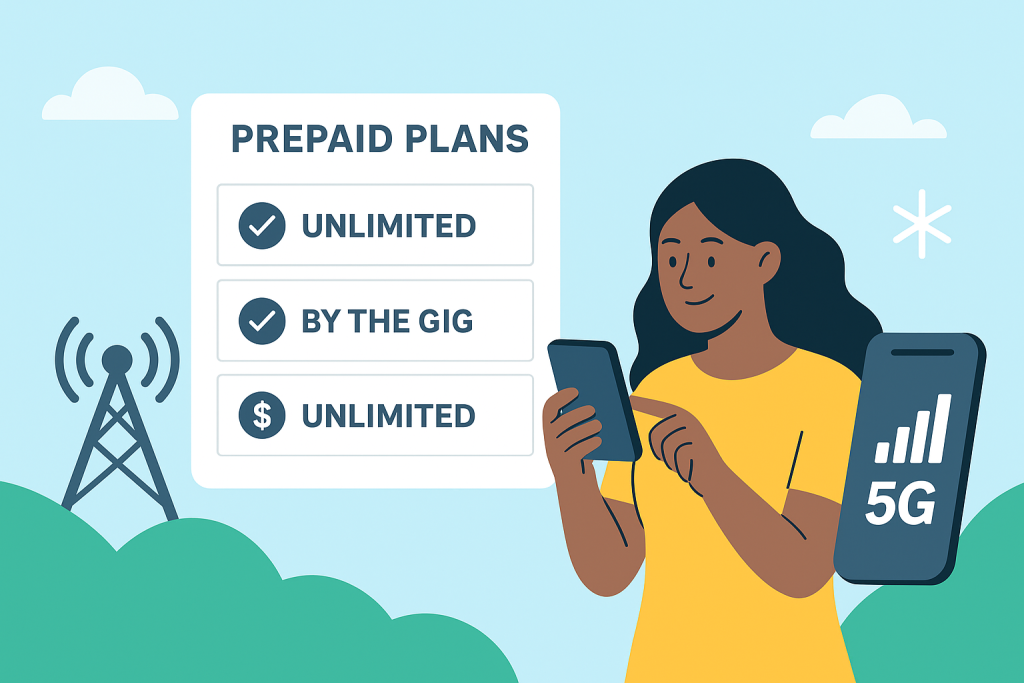
At JNA Mobility, you have the option to choose between “By the Gig” and unlimited data plans, so you only pay for what you actually use.


2. Explore JNA Mobility Plans

Here’s a quick breakdown of the plans JNA Mobility offers:

  • Unlimited+6 – $30/mo: Includes unlimited talk & text plus 1GB high-speed data. Perfect for light internet users who mostly call, text, or occasionally browse.
  • Unlimited+10 – $40/mo: Includes unlimited talk & text plus 10GB high-speed data. Great for moderate internet users who stream or use social media regularly.
  • Unlimited ULTRA – $50/mo: Includes unlimited talk & text plus 20GB high-speed data. Ideal for heavy users who stream, game, and browse constantly.

All plans also include phone insurance and roadside assistance, giving you peace of mind without added costs.


3. Consider Nationwide 5G Coverage

One of the biggest advantages of JNA Mobility is its ultrafast, reliable nationwide network. No matter where you are, you can enjoy smooth streaming, fast browsing, and clear calls. Plus, with access to a million secure hotspots, you can stay connected even when you’re out and about.


4. Choose the Right Device

Your plan is only as good as your device. At JNA Mobility, you can choose from a variety of phones to match your plan and budget. Popular options include:

  • iPhone XR (64GB & 128GB)
  • iPad Mini with Liquid Retina Display and ultrafast 5G

Don’t have a phone yet? No problem—explore our phone shop to find the perfect device to pair with your plan.


5. Enjoy Flexibility and Control

Life changes, and so can your plan. JNA Mobility makes it easy to upgrade or change your plan anytime, giving you complete control over your mobile service. Want to switch from a 10GB plan to unlimited? Done. Need fewer gigabytes this month? Adjust in minutes.


6. Extra Perks to Consider

  • Phone Insurance: Protects your device against accidental damage.
  • Roadside Assistance: Peace of mind when you’re on the go.
  • No Hidden Fees: Pay only for what you need, when you need it.

Final Thoughts

Choosing a prepaid plan doesn’t have to be confusing. By understanding your usage habits, exploring available plans, and pairing them with the right device, you can create a mobile experience that’s completely tailored to you.

With JNA Mobility, it’s simple: your wireless, your plan. Stay connected, stay flexible, and never pay for more than you need.

View Plans | Explore Phones

How to Choose the Perfect JNA Mobility Prepaid Plan for Your Lifestyle Read More »

Wi-Fi Calling vs Cellular Data

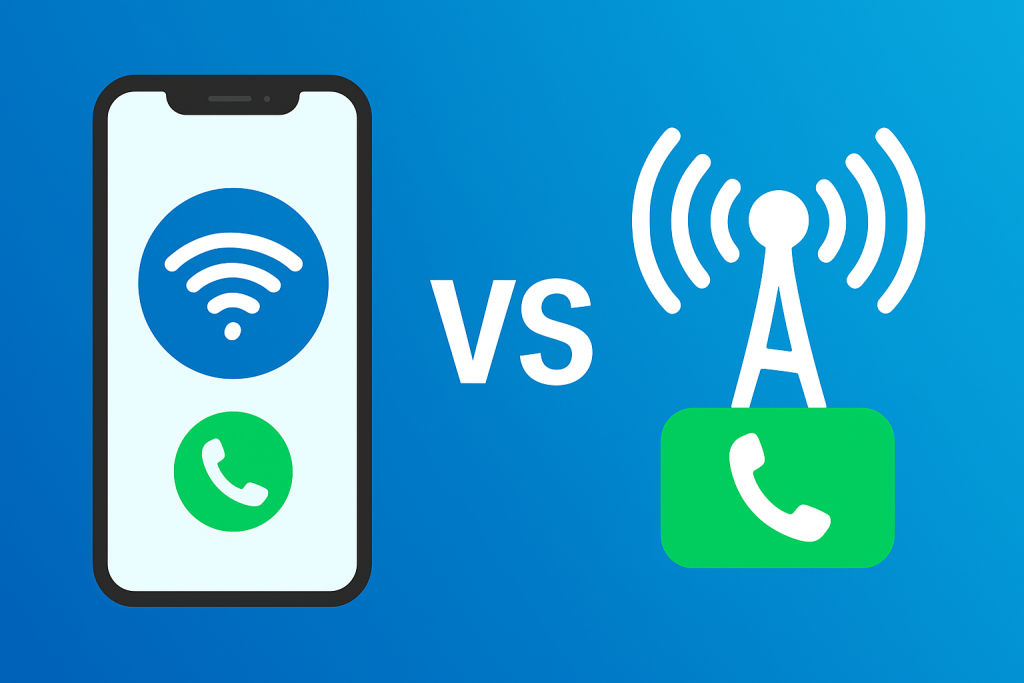
Wi-Fi Calling vs Cellular Data: Which Is Better for Call Quality, Coverage, and Cost?

Staying connected is more essential than ever—whether you’re working remotely, traveling abroad, or simply catching up with loved ones. One question many smartphone users face is: should you rely on Wi-Fi calling or cellular data for your everyday communication?

Both options have their perks. Wi-Fi calling uses an internet connection to make and receive calls, while cellular data calling (like VoLTE) or 5G calling uses your mobile network. Choosing between them isn’t just about saving data or avoiding dropped calls—it’s about finding the right balance between cost, convenience, and reliability.

In this guide, we’ll help you understand how each works, the pros and cons, and how to choose what fits your lifestyle.


What Is Wi-Fi Calling?

Wi-Fi calling allows your phone to make and receive calls using a wireless internet connection instead of a traditional cellular signal. It’s supported by most carriers and smartphones, and it’s especially useful in places where your mobile network is weak.

Benefits of Wi-Fi Calling

  • Better indoor coverage: Perfect for homes, offices, or buildings where cellular reception struggles.
  • Lower international costs: Great for travelers—make calls through Wi-Fi and avoid high roaming fees.
  • No extra apps needed: You can call and text using your regular number and contacts—just like a normal call.

Limitations of Wi-Fi Calling

The main downside is dependence on your Wi-Fi connection. If your internet is slow, overloaded, or drops frequently, your call quality will suffer. You might experience lag, echo, or dropped calls.

For this reason, Wi-Fi calling works best on fast and stable connections, ideally with at least 5 Mbps upload speed.

To make the most of your Wi-Fi experience, check out our guide on tips for protecting your data and privacy on your smartphone.


What Is Cellular Data Calling?

When you make a call using your carrier’s data network, it’s usually powered by Voice over LTE (VoLTE) or Voice over 5G (VoNR) technology. This means your voice travels over the same data network used for browsing and streaming—no need to switch to older 3G or 2G voice channels.

If you want to learn how these newer networks outperform older standards, read our comparison on GSM vs. CDMA: Which mobile network is right for you?

Advantages of Cellular Data Calling

  • Reliable coverage outdoors: Perfect for commuters or field workers who move between areas with strong 4G or 5G networks.
  • High-definition call quality: Voice over data often sounds clearer than traditional calling.
  • Freedom from Wi-Fi: You’re not limited by routers or hotspots—ideal for people constantly on the go.

Downsides of Cellular Data Calling

Using your data plan for calls can eat into your monthly allowance. If you don’t have an unlimited plan, frequent calls may increase your bill. In rural or low-signal areas, call quality may also drop.

To manage your usage effectively, you can apply these 5 tips for maximizing your data usage on Spectrum Mobile.


Wi-Fi Calling vs Cellular Data: Which Is Better?

The best choice depends on your environment and communication habits. Here’s how to decide:

For International Travelers

Wi-Fi calling wins hands down. It helps you avoid roaming charges and lets you stay connected anywhere with Wi-Fi—whether that’s your hotel, café, or coworking space. It’s also perfect for business calls when abroad.
If you travel often, check out our tips for seamless international travel to ensure stress-free connectivity overseas.

For Remote Workers and Home Offices

If you work from home or indoors most of the time, Wi-Fi calling offers a stable and affordable option. However, having a backup mobile plan ensures you stay connected during Wi-Fi outages.
Explore the best mobile plans for your connectivity needs to find a plan that fits your setup.

For Frequent Commuters or Outdoor Professionals

Cellular data calling is the better choice. Strong 4G and 5G network coverage means fewer disruptions while driving, traveling, or working outdoors. It’s more consistent when you’re moving between Wi-Fi zones.

For Rural or Low-Internet Areas

If your area has poor broadband coverage, a cellular data connection will likely perform better. Carriers continue expanding nationwide 5G coverage, making this option more reliable than rural Wi-Fi.


How to Maximize Call Quality on Any Network

Regardless of which option you use, optimizing your settings and habits can make a huge difference in call clarity and reliability.

1. Enable Both Wi-Fi Calling and VoLTE

Most smartphones let you enable both under “Network Settings.” This ensures your phone automatically switches between Wi-Fi and cellular when one becomes unstable. You can learn more about this technology in our article on embracing Voice over LTE technology.

2. Test Wi-Fi Calling at Home

Make a few test calls to see if your home Wi-Fi delivers stable audio. If you experience lags, consider upgrading your router or placing it in a more open location.

3. Use Airplane Mode + Wi-Fi Abroad

When traveling internationally, turn on airplane mode and manually enable Wi-Fi. This prevents accidental roaming charges while still allowing Wi-Fi calling.

4. Monitor Data Usage

Use your carrier’s mobile app to keep an eye on how much data your calls consume. This is especially important if you’re not on an unlimited plan.

5. Keep Your Device Updated

Software updates often include network optimizations and bug fixes that improve call quality. Always stay current with the latest version of your OS.


Tips for the Best Wi-Fi or Cellular Call Experience

Even with the right settings, small tweaks can further enhance your call quality:

  • Close bandwidth-heavy apps: Streaming or downloading files while calling can cause lag.
  • Use noise-canceling earbuds or headsets: Improve clarity and block out background noise.
  • Check your router placement: Keep it away from thick walls or metal objects that block signal.
  • Run speed tests regularly: Apps like Speedtest can help you ensure your connection is call-ready.
  • Review your carrier’s coverage map: Knowing your weak zones helps you prepare alternative connections.

If you’re concerned about network consistency, read about the factors affecting network reliability.


Choosing the Right Option for You

The Wi-Fi calling vs cellular data debate isn’t about which is better overall—it’s about when and where each works best.

  • Choose Wi-Fi calling if you spend most of your time indoors, travel internationally, or want to cut roaming costs.
  • Stick with cellular data calling if you’re often on the move, rely on consistent outdoor coverage, or have an unlimited plan.

In reality, the best setup uses both options together. By enabling Wi-Fi calling and VoLTE simultaneously, your phone automatically switches to the strongest connection available—keeping your calls smooth and uninterrupted wherever you are.


Final Thoughts

In today’s hyper-connected world, communication flexibility matters. Understanding how Wi-Fi calling and cellular data complement each other helps you stay connected more efficiently—without overpaying or dealing with poor reception.

By combining both technologies and fine-tuning your phone’s network settings, you can enjoy seamless call quality, whether you’re at home, on the road, or across the globe.

Wi-Fi Calling vs Cellular Data: Which Is Better for Call Quality, Coverage, and Cost? Read More »

Share Mobile Data Across Your Devices

How to Share Mobile Data Across Your Devices Without Overspending

These days, most of us use more than one device to stay connected. You might stream music on your phone, join a video call on your tablet, or scroll through social media on your laptop — often all in the same day. But paying for separate data plans for each device? That adds up fast.

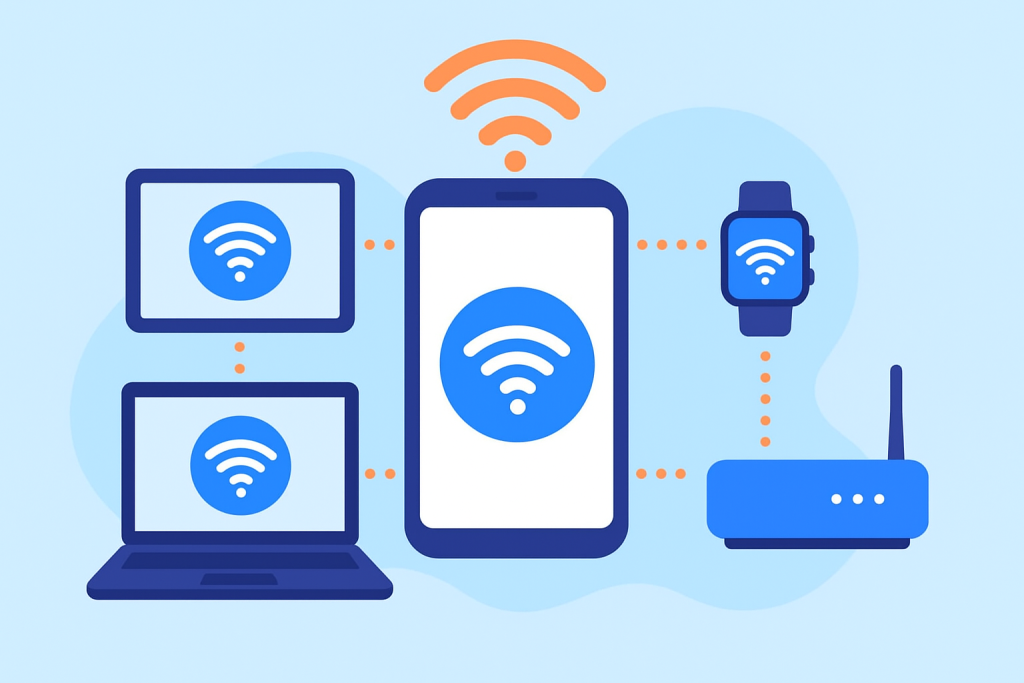
That’s where data sharing comes in. It lets you use one pool of mobile data across all your gadgets — so you can stay online anytime, anywhere, without juggling multiple subscriptions or running up your bill.

In this guide, we’ll walk you through how data sharing works, how to set it up, and the best ways to make the most out of your phone plan.


What Exactly Is Data Sharing?

Think of data sharing as having one big bucket of mobile data that all your devices can dip into. Instead of paying for separate data plans, you share a single plan between your phone, tablet, smartwatch, or even your laptop.

For example, if you have a shared plan with 50GB of data, every connected device draws from that same allowance. So, you could stream a movie on your tablet while your phone handles GPS navigation — all under one account.

It’s an ideal setup if:

  • You own multiple devices.
  • You share data with family members.
  • You want to simplify billing and avoid extra subscriptions.

Why Sharing Data Just Makes Sense

A shared data plan is more than a convenience — it’s a smart way to save money and simplify your digital life. Here’s why so many people are switching to them.

1. It Saves You Money

Instead of paying for three or four separate plans, a shared plan lets you bundle everything into one. This can make a noticeable difference on your monthly bill. If you’re looking for something practical, check out some affordable phone plans for budget-conscious consumers — many of them include shared data options that won’t stretch your wallet.

2. It’s Easier to Manage

No more logging into multiple accounts or keeping track of several due dates. With a shared data plan, you get one bill, one data pool, and one dashboard to monitor usage. Most providers make it easy to track everything from an app.

3. You Can Move Between Devices Seamlessly

Shared plans give you the freedom to switch between your gadgets without worrying about separate limits. Watch a video on your tablet, send emails on your laptop, and take calls on your phone — all with one data plan.

4. Perfect for Families

If everyone in your household uses a device or two, shared plans are a no-brainer. Parents can even set limits for each device, making sure no one burns through all the data in a weekend of YouTube marathons.


How to Choose the Right Shared Data Plan

Before signing up, take a little time to compare your options. Not every plan works the same way, and a bit of research can save you from headaches later. Here’s what to look for:

1. Data Allowance

Choose a plan that matches your household’s habits. If you’re heavy on streaming and online gaming, you’ll want something with a generous — or unlimited — data cap. If you mostly browse or use social media, a smaller plan could be enough.

2. Number of Devices

Providers set a limit on how many devices you can add. Some allow only 5, while others go up to 10 or more. Check the limit before committing.

3. Tethering and Hotspot Features

Some shared data plans also include mobile hotspot access — which lets you connect your laptop or other Wi-Fi devices through your phone’s data. For extra protection, it’s worth exploring plans that come with comprehensive insurance options, so you’re covered if anything happens to your device.

4. Coverage and Speed

No one wants to deal with dropped calls or laggy internet. Make sure your provider has strong coverage and fast speeds in your area before you sign up.

5. Cost Comparison

Do a quick math check: compare the cost of individual data plans for each device versus one shared plan. Most of the time, shared plans come out cheaper — especially if you’re connecting several gadgets.


How to Set Up Data Sharing (Step-by-Step)

The setup process might sound technical, but it’s actually straightforward. Most carriers walk you through it online or in their app. Here’s the general process:

Step 1: Pick the Right Plan

Choose a mobile plan that supports multiple devices or data sharing. You can explore available plans here to find one that fits your needs.

Step 2: Add Your Devices

Once you’ve signed up, log into your carrier account. From there, you can add your tablet, smartwatch, or other devices. Depending on the provider, you might need extra SIM cards or eSIM activation codes.

Step 3: Enable Your Mobile Hotspot

On most smartphones, turning on your hotspot is as easy as flipping a switch. Once it’s active, other devices can connect to your phone’s data using the password you set.

Step 4: Keep an Eye on Usage

Download your provider’s app and check your usage regularly. You’ll be able to see which devices are using the most data and whether you’re close to hitting your limit.


Benefits of Using a Shared Data Plan

There’s a lot to love about shared data plans once you get them set up:

  • You save money by paying for one plan instead of several.
  • You simplify billing — one account, one payment.
  • You stay flexible across devices without worrying about data caps.
  • You have control over who uses what, thanks to built-in usage tracking.
  • You can adjust anytime — add or remove devices as your needs change.

Whether you’re a solo user with a few devices or a family sharing one pool of data, the convenience is hard to beat.


How to Make the Most of Your Shared Data

Even with a shared plan, being mindful about data usage keeps things running smoothly. Try these practical tips:

1. Track Data Use by Device

Most carrier apps show you which device is using the most data. If you notice one gadget hogging the bandwidth, you can adjust its settings or limit background data.

2. Set Data Caps

You can often assign a specific data limit per device to keep things fair. That way, one person can’t use up everyone’s data halfway through the month.

3. Use Wi-Fi Whenever Possible

Connecting to Wi-Fi at home, work, or coffee shops saves your mobile data for when you actually need it.

4. Schedule App Updates for Wi-Fi

Turn off automatic app updates on cellular data. Set them to update only when you’re on Wi-Fi to avoid unnecessary data use.

5. Reassess Your Plan Regularly

Your needs can change — maybe you added a new device or started streaming more. Review your plan every few months. If it’s no longer a good fit, you can compare updated phone plans and switch to something better.


Common Mistakes People Make with Shared Data

Data sharing is simple, but a few common mistakes can lead to frustration or surprise charges. Keep these in mind:

  • Not checking compatibility: Make sure all your devices can connect to the shared plan or use mobile hotspots.
  • Exceeding your data limit: Keep tabs on your total usage — overage fees can add up quickly.
  • Ignoring network coverage: A good plan won’t help much if your provider’s signal is weak where you live.
  • Adding too many devices: Stay within the carrier’s allowed number of connected gadgets.

A few minutes of planning can save you a lot of trouble later.


Shared Data Plans for Families and Small Teams

If you manage several devices — like in a family household or small business — shared plans are especially practical.

For families, parents can monitor everyone’s usage, set limits, and even pause data for specific devices (helpful during homework time).

For small teams, a shared plan makes budgeting easier. Everyone draws from the same data pool, and you only have one invoice to manage — perfect for startups or remote teams on the go.


Is a Shared Data Plan Right for You?

A shared plan is worth considering if you:

  • Use multiple devices regularly.
  • Want to simplify your monthly bills.
  • Have family members who all need mobile data.
  • Travel frequently and rely on hotspots.

If you mainly use one smartphone and don’t have a tablet or laptop to connect, a single-user plan might be all you need. But for anyone juggling multiple gadgets, shared data plans offer better value, flexibility, and control.


Final Thoughts

Sharing data across devices just makes life easier. You stay connected wherever you go, manage fewer bills, and avoid paying for separate plans. Whether you’re streaming, working remotely, or traveling, a shared plan gives you flexibility without extra costs.

When you’re ready to explore your options, check out affordable phone plans for budget-conscious users or plans with comprehensive insurance coverage. With the right setup, you can keep all your devices online — and keep your budget in check.


How to Share Mobile Data Across Your Devices Without Overspending Read More »

Maximize Battery Life Without Losing Connectivity

Maximize Battery Life Without Losing Connectivity

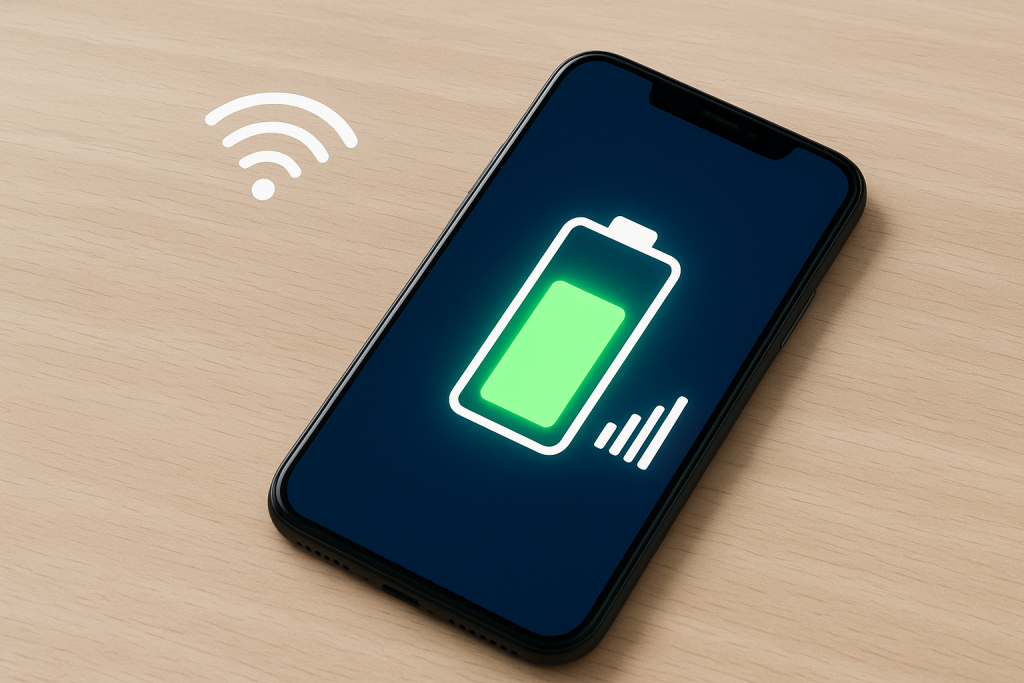
Your smartphone’s battery powers everything—from calls and messages to entertainment and work tasks. But while most people focus on the hardware side (like screen brightness or charging habits), few realize that your mobile plan settings can play a major role in battery performance.

At JNA Mobility, a trusted prepaid and postpaid mobile plan provider, we’ve seen how optimizing your plan and network settings can extend your battery life significantly. Whether you’re streaming, traveling, or just trying to make your phone last the entire day, understanding how your mobile plan interacts with your device is the key to better performance.

Let’s explore how adjusting your mobile plan settings can keep your phone powered longer—without compromising your connectivity or convenience.


Why Mobile Plan Settings Affect Battery Life

Your phone’s connection to the network—whether it’s 5G, 4G LTE, or Wi-Fi—directly impacts battery drain. When your device constantly searches for a stronger signal or maintains high-speed data for tasks you’re not using, it consumes more power.

By fine-tuning how your mobile plan handles data, roaming, and connectivity, you can reduce background activity, minimize signal strain, and help your battery last hours longer each day.


1. Adjust Your Network Mode to Match Your Usage

Many smartphones automatically connect to the fastest available network—often 5G. While that’s great for speed, 5G networks can be power-hungry, especially in areas where coverage fluctuates. When your device frequently switches between 5G and 4G, it burns extra energy.

What You Can Do

  • If you’re not downloading large files or streaming video, switch to 4G LTE for standard browsing and messaging.
  • On most phones, you can change this under Settings → Mobile Network → Preferred Network Type.
  • Use Auto Mode only if you live in a strong 5G area. Otherwise, manually select LTE to stabilize performance and reduce drain.

This small tweak can make a big difference—especially when your battery is struggling near the end of the day.


2. Turn Off Data Roaming When It’s Not Needed

If your mobile plan includes roaming, your phone constantly searches for compatible partner networks when you’re outside your carrier’s normal area. This continuous scanning consumes energy, even if you’re not actively using your phone.

Pro Tip:

  • Disable data roaming unless you’re traveling.
  • When abroad, consider purchasing a local SIM or an eSIM plan through JNA Mobility for better coverage and less battery stress.
  • You’ll not only save battery power but also avoid unnecessary roaming fees.

3. Use Wi-Fi Calling for Efficiency and Clearer Connections

If your plan supports Wi-Fi Calling, enabling it can drastically reduce battery usage in low-signal areas. Phones expend more power trying to maintain a weak signal, but with Wi-Fi calling, your device uses a stable Wi-Fi network instead of the cell tower.

Benefits:

  • Reduced battery drain in weak signal zones.
  • Clearer voice calls with fewer dropped connections.
  • No extra data usage when connected to a Wi-Fi network.

To activate this, go to Settings → Mobile Network → Wi-Fi Calling and toggle it on.


4. Manage Background Data Access for Apps

Apps running quietly in the background can consume both data and battery. Many mobile plans allow you to manage which apps are permitted to use background data.

How to Optimize:

  • Head to Settings → Data Usage → App Data Access.
  • Turn off background data for non-essential apps such as games, shopping apps, or social media.
  • Keep necessary services—like messaging or email—active.

This not only conserves energy but also reduces unnecessary mobile data usage, helping you make the most of your plan.


5. Enable Data Saver Mode

Many smartphones include a built-in Data Saver feature that limits background processes and syncs. Fewer background tasks mean fewer active data connections—resulting in extended battery life.

Advantages:

  • Stops automatic loading of heavy media content (videos, high-res images).
  • Reduces the frequency of app server checks.
  • Works well with unlimited or limited data plans from JNA Mobility.

To enable:

  • Android: Settings → Network & Internet → Data Saver.
  • iPhone: Settings → Cellular → Cellular Data Options → Low Data Mode.

6. Optimize Your Hotspot Usage

Using your phone as a mobile hotspot is convenient, but it’s one of the fastest ways to drain your battery. When tethering, your device is simultaneously maintaining a data connection and a Wi-Fi signal for connected devices.

Smart Usage Tips:

  • Activate hotspot only when needed.
  • Limit the number of connected devices.
  • Plug your phone in while tethering for long sessions.
  • Consider using a dedicated hotspot plan from JNA Mobility for frequent use—this offloads the power burden from your main device.

7. Disable Always-On Location Services

Some mobile plans integrate with location-based tools for emergency alerts or family safety tracking. While these are useful, they continuously use GPS, which can cut your battery life by hours.

Recommendation:

  • Change permissions to “While Using the App” instead of “Always.”
  • Disable tracking apps or features when not needed.
  • Review app permissions under Settings → Privacy → Location Services.

This ensures your location is available when you need it—without draining power all day long.


8. Schedule Automatic Network Switching

Modern devices and advanced mobile plans include smart network switching that intelligently toggles between Wi-Fi and cellular data. While this helps maintain performance, scheduling or manually managing it can save additional battery life.

How to Use It:

  • Use Wi-Fi during office hours or while at home.
  • Turn on mobile data only when traveling or working outdoors.
  • Set automation routines using tools like Android’s Digital Wellbeing or Apple’s Shortcuts to manage connectivity automatically.

This balance helps your device stay efficient without losing essential functionality.


9. Combine Low Power Mode with Mobile Plan Tweaks

When you enable Low Power Mode on your phone, it already limits background processes, screen brightness, and mail fetch rates. Combining this with mobile plan adjustments—like switching from 5G to LTE or disabling background data—can provide even better results.

When to Activate:

  • Before long commutes, travel, or events where charging options are limited.
  • When your phone dips below 30%.
  • During extended calls or video sessions to prevent battery strain.

Together, these settings can easily add two to three extra hours of usable time.


10. Use Plan Features That Prioritize Efficiency

Not all mobile plans are created equal. Some modern plans, like those offered by JNA Mobility, are designed for energy-efficient connectivity by optimizing network switching, Wi-Fi calling, and background data sync.

Look for Plans That Offer:

  • Flexible data settings (control your speed or connection type).
  • eSIM support for seamless switching between networks.
  • Roaming control options built into the plan dashboard.

These features don’t just save data—they help your phone work smarter, not harder.


Bonus Tips for Everyday Battery Care

While mobile plan settings are a big part of energy management, here are a few daily habits that complement them perfectly:

  • Keep your screen brightness below 70%.
  • Turn off Bluetooth and mobile data when not in use.
  • Avoid letting your phone fully discharge—charge between 20–80%.
  • Keep your device software updated; new updates often include battery optimizations.
  • If your phone battery is old, consider a replacement to restore full performance.

Final Thoughts: Smart Plans, Smarter Power Management

Battery life isn’t just about hardware—it’s also about how your device communicates with networks, apps, and background services.

By understanding and customizing your mobile plan settings, you can take control of your phone’s power consumption. The right adjustments help you stay connected, productive, and stress-free throughout the day.

At JNA Mobility, we don’t just provide affordable and flexible mobile plans—we empower customers to get the most out of their devices. Small tweaks to your network and data preferences can be the difference between reaching for your charger at noon or sailing through an entire day with battery to spare.

Maximize Battery Life Without Losing Connectivity Read More »

New Phone Plan: Tips for a Smooth Switch

New Phone Plan: Tips for a Smooth Switch

Switching to a new phone plan can feel overwhelming at first—especially when you’re faced with dozens of carriers, pricing tiers, and hidden terms that seem designed to confuse you. But the truth is, changing your plan doesn’t have to be a nightmare. Whether you’re aiming to cut costs, boost coverage, or simply get features that make more sense for your lifestyle, a well-planned switch can bring long-term benefits.

If you take the time to understand your needs and explore your options, switching can actually be one of the smartest financial and tech moves you’ll make this year. Let’s dive into how to make the process smooth, avoid the most common pitfalls, and ensure your next plan truly works for you.


Why It Might Be Time to Switch Your Phone Plan

You might not realize it, but the phone plan you’re using right now could be draining your wallet or limiting your flexibility. Here are some of the top reasons users decide to make the switch.

1. You’re Probably Paying Too Much

Many people overpay for mobile plans that don’t match their actual habits. Maybe you’re on an unlimited data plan but only use a few gigabytes each month, or you’re paying for add-ons like hotspot data or streaming perks that you never use. By reassessing your plan, you can align your spending with your real needs.

If your goal is to save, it’s worth looking into some of the most affordable phone plans for budget-conscious users. These options are ideal for people who want solid coverage without the inflated price tag.

2. Coverage Problems Are Costing You

Dropped calls, laggy video chats, or dead spots in your neighborhood—sound familiar? Not all carriers are equal when it comes to coverage. Some providers have stronger signal strength and data speeds depending on your region. If your current carrier isn’t reliable where you live, it’s time to explore a provider that offers better consistency.

A strong, stable network can make all the difference in how you work, stream, and stay connected.

3. You Want Features That Fit Your Lifestyle

Modern phone plans go far beyond calls and texts. Some focus on streaming benefits, others on international travel or family sharing. Switching to a new provider gives you a chance to get the features that actually matter to you—whether that’s unlimited data, international calling, or prepaid flexibility.

The right plan should enhance your everyday experience, not complicate it.


Evaluate Your Current Plan Before You Switch

Before rushing to sign up for something new, take a good look at what you have now. Understanding your current plan is the first step toward making a smart change.

1. Know Your Usage Patterns

Review your monthly data, text, and call history. Most carriers provide usage summaries online or through their mobile apps. Ask yourself: are you consistently going over your data limit, or are you paying for way more than you use?

Once you know your actual habits, it’s easier to find a plan that fits you perfectly—neither too much nor too little.

2. Identify What’s Not Working

If you’re frustrated by unexpected charges, poor signal strength, or features you don’t use, write those down. These are your “pain points.” Maybe your carrier’s customer service isn’t great, or perhaps you’re tired of surprise price increases.

Knowing these issues will help you avoid repeating them with your next provider.

3. Research Better-Fitting Options

When you know what’s missing from your current plan, start researching alternatives. For people who don’t need unlimited data, there are great options available. Check out some of the top cell phone plans for light users to see which ones fit your habits and budget.


Prepaid vs. Postpaid: Which One Is Right for You?

Choosing between prepaid and postpaid can be confusing if you’re not sure how they differ. Here’s a breakdown to help you decide.

1. Prepaid Plans Offer Flexibility and Control

Prepaid phone plans are ideal for people who want freedom from long-term contracts. You pay upfront for what you use—no credit checks, no overage fees, and no surprise bills. This makes them a great choice for students, freelancers, or anyone who wants to stick to a predictable monthly budget.

If you’re curious whether a prepaid option fits your lifestyle, take a look at this guide explaining the pros and cons of prepaid phone plans. It breaks down exactly when prepaid makes sense—and when it might not.

2. Postpaid Plans Offer Premium Perks

On the other hand, postpaid plans are often packed with extra benefits. You can finance new devices, enjoy loyalty rewards, and get access to unlimited data or bundled streaming subscriptions. These are great for heavy users or families who rely on multiple lines and prefer a consistent billing setup.

The key is deciding what matters more to you: flexibility and simplicity, or premium features and convenience.


Tips for Switching to a New Phone Plan

Switching plans is easier than it used to be, but there are still a few details to get right. Here’s how to make the process smooth from start to finish.

1. Compare Plans Thoroughly

Don’t just look at the monthly price. Compare total value—coverage, features, hidden costs, and customer service. Use reliable resources to get a clear overview of what’s out there. You can browse through the latest phone plans available on JNA Mobility to find current deals across different carriers and plan types.

2. Always Read the Fine Print

Some deals sound amazing upfront but hide sneaky fees in the details. Watch for activation fees, upgrade fees, and early termination penalties. A plan that looks cheap could end up costing more than you expect over time.

3. Check Network Coverage in Your Area

Even the best plan is useless if your connection drops constantly. Before committing, check each carrier’s coverage map or ask people in your area which provider works best. Strong coverage ensures you get the speed and reliability you’re paying for.


How to Make the Switch Step-by-Step

Once you’ve found your new provider, here’s the right way to make the transition without hassle or downtime.

1. Check Your Contract Terms

If your current plan is under contract, you might face an early termination fee. Depending on your situation, it might make sense to wait until your contract ends—or find out if your new carrier offers to cover the fee as a sign-up incentive.

2. Make Sure Your Phone Works with the New Carrier

If your phone is locked to your old carrier, contact them to request an unlock before switching. Also, check compatibility with your new provider’s network bands. If your device isn’t compatible, it might be time for an upgrade.

3. Keep Your Number

Most carriers now let you transfer your existing phone number easily. This process, called “porting,” typically only takes a few hours. You’ll need your current account number and PIN from your old carrier to start the process.

4. Activate Your New Plan

Once your number is ported, insert the new SIM card (or eSIM), activate your plan, and test your service. Make sure calls, texts, and data all work before canceling your old plan.


Common Mistakes to Avoid When Switching

Even savvy users can trip up during the switch. Here are some common mistakes—and how to avoid them.

1. Underestimating Data Needs

Choosing a plan that’s too small for your lifestyle can lead to costly overages. If you stream videos, play games, or work on the go, make sure you have enough data cushion each month.

2. Skipping Research

Don’t rush the process. Comparing carriers, reading reviews, and checking real-world performance can help you avoid frustration later. Taking an extra hour to research now can save you hundreds over the next year.

3. Forgetting to Cancel Old Plans

It’s easy to forget, but make sure your old carrier officially cancels your plan once your number is ported. Otherwise, you could end up paying for two plans at once.


Other Factors to Consider Before You Commit

Beyond price and coverage, here are a few more things worth thinking about:

  • Customer Support: Some smaller carriers offer much better support than big-name brands.
  • Bundled Perks: Plans that include streaming services or cloud storage can add hidden value.
  • International Use: If you travel often, look for a carrier with affordable roaming or global SIM options.
  • Device Financing: If you plan to upgrade your phone soon, consider a postpaid plan that includes 0% installment options.

Final Thoughts

Switching to a new phone plan isn’t as complicated as it sounds—especially when you go in prepared. By analyzing your current usage, identifying what you really need, and comparing your options carefully, you can land a plan that saves money, offers better coverage, and gives you the flexibility you’ve been missing.

Your phone is one of your most-used tools every day, so your plan should work for you—not against you. If you’re ready to explore smarter, more affordable options, check out the best phone plans from JNA Mobility. You’ll find plans designed for every type of user—from light data users to families that rely on unlimited everything.

It’s time to switch smarter and make your mobile plan truly fit your life.

New Phone Plan: Tips for a Smooth Switch Read More »

How Streaming Affects Your Phone Plan?

How Streaming Affects Your Phone Plan?

Streaming video on your smartphone has become part of everyday life. From binge-watching Netflix series to catching up on YouTube tutorials, entertainment is now available anytime, anywhere. But while mobile streaming offers unmatched convenience, it also has a hidden cost—your data plan. Exceeding your data limit can lead to extra charges or slower speeds, making it crucial to understand how streaming affects your phone plan. This guide walks you through everything you need to know to stream smartly and avoid surprise fees.


Why Mobile Streaming Is Booming

Mobile streaming isn’t just a trend—it’s reshaping how we consume media. The combination of faster networks like 4G and 5G, bigger and sharper smartphone screens, and the popularity of on-demand content has made streaming the go-to choice for millions of users. Unlike traditional TV or desktop streaming, mobile streaming allows you to watch shows while commuting, traveling, or even waiting in line.

Key trends driving this growth include:

  • Massive increase in mobile data traffic: Video streaming now represents a significant share of mobile internet usage worldwide.
  • Longer and more frequent streaming sessions: People spend hours daily on apps like Netflix, Hulu, and YouTube, often in short bursts throughout the day.
  • Offline downloads for flexibility: Many apps now allow you to download content via Wi-Fi, so you can watch anywhere without consuming mobile data.
  • 5G adoption: With mobile networks moving to 5G, high-quality video streaming is smoother and faster, but it also uses more data.

Understanding these trends helps users make better choices about their streaming habits and phone plans.


Streaming Data Usage: How Much Is Too Much?

Different streaming platforms and video qualities consume vastly different amounts of data. Knowing how much data your favorite apps use is essential for managing your phone plan.

PlatformSD (480p)HD (720p)Full HD (1080p)4K UHD
Netflix~0.7 GB/hr~3 GB/hr~7 GB/hr~15 GB/hr
YouTube~0.3 GB/hr~1 GB/hr~2 GB/hr~9 GB/hr
Disney+~1 GB/hr~3 GB/hr~8 GB/hrN/A
Hulu~1 GB/hr~3 GB/hr~6 GB/hrN/A

Even a few hours of high-definition streaming can consume more than your entire monthly allowance on a standard 5–10 GB plan. By understanding the data usage of each platform, you can better plan your streaming and avoid overage charges.


How Streaming Affects Your Phone Plan

Streaming isn’t just about entertainment—it directly impacts your phone plan usage. Many users underestimate how quickly high-quality video eats through data allowances.

  • Limited plans: A 5 GB plan can vanish after just an hour of HD video, triggering costly overage fees.
  • Unlimited plans: Many “unlimited” plans throttle speeds after 20–50 GB of usage, which can downgrade video quality during peak hours.
  • Family/shared plans: Data sharing sounds economical, but heavy streaming across multiple devices can quickly deplete the pool.

By understanding these effects, you can choose the right plan and adopt streaming habits that prevent throttled speeds or unexpected charges.


Tips to Reduce Mobile Data Usage

Being smart about streaming can save you money and frustration. Here’s how:

  1. Lower video quality: Streaming in SD or 720p uses a fraction of the data compared to Full HD or 4K.
  2. Download over Wi-Fi: Apps like Netflix, Hulu, Disney+, and YouTube let you download shows or movies to watch offline, reducing mobile data usage.
  3. Use Wi-Fi whenever possible: Streaming, updating apps, and downloading content on Wi-Fi preserves your mobile data.
  4. Track usage: Carrier apps and third-party tools show real-time data consumption, helping you avoid surprises.
  5. Limit background data: Some apps continue using data even when idle—restrict this in your phone settings.

Small adjustments like these can dramatically reduce how much data streaming consumes.


Choosing the Right Phone Plan

Selecting a plan that matches your streaming habits is key:

  • Unlimited plans: Perfect for heavy streamers, but confirm if throttling applies after a certain threshold.
  • Shared/family plans: Pooling data can save money, but ensure there’s enough for everyone.
  • Prepaid plans: Flexible and budget-friendly, but check if the data allowance supports your streaming habits.
  • Premium add-ons: Some carriers let you stream in HD without throttling for an additional fee.

Knowing your streaming habits and matching them to your plan ensures you get the best value without sacrificing video quality.

Streaming on Public Wi-Fi Safely

Public Wi-Fi is a great way to save mobile data, but it can expose your device to security risks. Safe practices include:

  • Avoid logging into sensitive accounts like banking while on public networks.
  • Use a VPN to encrypt your connection.
  • Only connect to verified networks and turn off auto-connect.
  • Disable sharing functions on your device to prevent access by others.

Data-Saving Apps

Certain apps can help you stream while conserving mobile data:

  • YouTube Go: Preview and download videos for offline viewing.
  • Netflix, Disney+, Hulu: Download content over Wi-Fi to avoid using your phone plan data.
  • Data monitoring apps: GlassWire, My Data Manager, and similar tools provide insights into your usage.

Using these tools ensures that you can enjoy streaming without constantly worrying about your data allowance.


Conclusion

Mobile streaming offers convenience and entertainment, but it can quickly deplete your phone plan data. By understanding how much data your favorite platforms use, choosing the right plan, monitoring usage, and leveraging Wi-Fi or offline downloads, you can enjoy content anywhere without overage fees or throttled speeds.

Streaming smartly isn’t just about saving data—it’s about enjoying your favorite shows without stress. With these strategies, you can balance entertainment and data usage effectively.

How Streaming Affects Your Phone Plan? Read More »

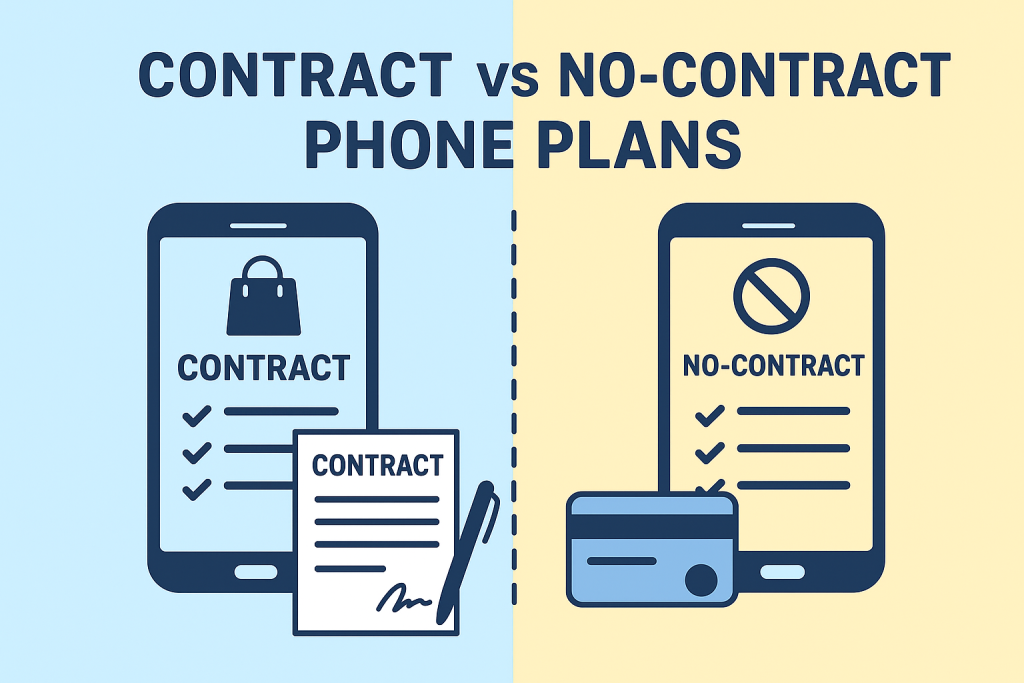
Contract vs. No-Contract Phone Plans

Contract vs. No-Contract Phone Plans: Which One Is Right for You?

Finding the perfect phone plan can be tricky — especially with so many options competing for your attention. One of the biggest choices most people face is whether to sign a contract phone plan or go for the no-contract (prepaid) route.

Both options have their advantages, depending on your budget, lifestyle, and how often you like upgrading your phone. Let’s explore what sets them apart and how to decide which plan makes the most sense for you.


Why the Choice Matters

Your smartphone is more than just a gadget — it’s how you work, connect, and unwind. With that in mind, the right mobile plan should fit your needs, not complicate them.

The rise of 5G networks and the growing competition between carriers have made it easier to find better deals, but it’s also made the decision more confusing. That’s why understanding the difference between contract and no-contract plans can help you save money and avoid unwanted commitments.

If you’re still exploring your options, check out all the available mobile phone plans here to see what’s out there.


What Exactly Is a Contract Phone Plan?

A contract plan is a traditional mobile agreement where you commit to a carrier for a set period — usually 12 to 24 months. In return, you may receive benefits like:

  • A discounted or financed smartphone
  • Bundled features (such as streaming subscriptions or hotspot data)
  • Predictable monthly payments

The tradeoff? You’ll often face penalties or early termination fees if you decide to cancel before the contract ends. Still, many people prefer the consistency and convenience these plans offer.


The Appeal of No-Contract Plans

If flexibility is your priority, no-contract (prepaid) plans might be your best bet. You pay upfront for your talk, text, and data — and once your cycle ends, you can renew, switch, or cancel anytime without fees.

The main perks include:

  • Total freedom to change carriers whenever you want
  • No credit checks or long-term commitments
  • Typically lower monthly costs for moderate or light users

Curious which type fits your lifestyle better? Take a look at prepaid vs. postpaid plans and which one is right for you for a deeper comparison.


Breaking Down the Costs

Price is usually the deciding factor when choosing a mobile plan.

  • Contract Plans: Often have higher monthly rates but include phone financing. Perfect if you want the latest iPhone or Samsung device without paying the full price upfront.
  • No-Contract Plans: Usually cheaper per month, but you’ll need to bring your own phone or buy one outright. Great for anyone who wants to stay budget-friendly.

If you only use your phone occasionally, you might save a lot by checking out the cheapest cell phone plans for light users — these no-contract plans can seriously cut down your monthly expenses.


How 5G Affects the Decision

With 5G networks now widely available, speed and data priority play a big role in choosing a plan.

Most contract plans offer premium access to 5G speeds and higher data caps, while prepaid plans may throttle speeds once you hit your data limit. That doesn’t mean prepaid isn’t worth it — it just depends on how much data you actually use.

To see how 5G is reshaping the way we connect, check out how new phone plans are changing connectivity.


Who Should Go for a Contract Plan

A contract plan is ideal for you if:

  • You want the latest flagship smartphone without paying the full cost upfront
  • You rely on unlimited data and consistent performance
  • You like the extras — like streaming bundles, hotspot data, or device insurance

Who Should Choose a No-Contract Plan

No-contract plans are best suited for people who:

  • Prefer flexibility over long-term commitment
  • Already own an unlocked phone
  • Want to test different carriers before settling on one

A Third Option: The Hybrid Plan

Carriers are beginning to offer hybrid plans, which blend the flexibility of prepaid with the perks of contracts. These month-to-month postpaid options often include device financing without locking you into a long-term deal.

This approach appeals to users who want affordable pricing without sacrificing quality — especially young professionals and families who value control over their budget.


Tips for Choosing the Right Plan

  1. Know your usage habits – Check how much data, talk, and text you use monthly.
  2. Consider your upgrade cycle – If you change phones often, contracts might make sense.
  3. Review coverage – Always look at coverage maps; a cheap plan isn’t worth it if your signal is weak.
  4. Check for hidden charges – Watch for cancellation fees or data throttling limits.

Final Thoughts

At the end of the day, there’s no single “best” choice between contract and no-contract phone plans — it all depends on your priorities.

If you value consistency, perks, and device upgrades, a contract plan will likely suit you. But if freedom, savings, and flexibility matter more, a no-contract plan is the smarter move.

Want to compare both options side by side? Start exploring the latest mobile phone plans available today and find the one that fits your needs perfectly.

Contract vs. No-Contract Phone Plans: Which One Is Right for You? Read More »

What Is Wi-Fi Calling

What Is Wi-Fi Calling? Benefits, Drawbacks, and How It Improves Your Phone Calls

Staying connected isn’t just convenient anymore — it’s essential. Whether you’re working remotely, calling family abroad, or chatting from a spot with poor reception, being able to talk without interruptions matters. That’s where Wi-Fi calling comes in.

Wi-Fi calling allows you to make and receive calls using an internet connection instead of relying solely on cellular networks. It’s simple, reliable, and built right into your smartphone — no apps or special numbers required. Let’s explore how it works, why it’s useful, and what you should know before turning it on.


What Is Wi-Fi Calling?

Wi-Fi calling is a built-in smartphone feature that routes your calls and texts through a Wi-Fi network instead of a cell tower. It’s especially useful if you live in an area with weak cellular coverage but strong internet access.

The best part? You don’t need to open another app or change your phone number. It uses your existing dialer and contact list, so you can call and text like normal — only smarter.


How Wi-Fi Calling Works

Here’s what happens behind the scenes:

  1. You place a call using your phone’s dialer.
  2. Your device detects an available Wi-Fi connection and uses Voice over Internet Protocol (VoIP) to transmit the call.
  3. The call is routed through your carrier’s servers and connected to the recipient’s network.
  4. The person you’re calling answers just like any other phone call.

The entire process happens automatically. If you leave your Wi-Fi area, your phone can even switch back to the cellular network mid-call (depending on your carrier), keeping the connection alive.


Benefits of Wi-Fi Calling

1. Clearer Call Quality

One of the biggest perks of Wi-Fi calling is improved clarity. A solid Wi-Fi connection can deliver crystal-clear voice quality, even when your cell signal is weak.

No more choppy conversations or dropped calls in basements, concrete buildings, or rural homes. With Wi-Fi calling, you can rely on your internet instead of searching for signal bars.

If you already use a dependable internet service with consistent speeds, Wi-Fi calling can make your calls sound as if you’re standing right next to the person you’re talking to.


2. Reduced Costs for Long-Distance Calls

If you frequently call friends or family abroad, Wi-Fi calling can save you serious money. Because calls are routed over the internet, they typically don’t count toward your phone plan’s minutes or international charges.

When traveling, simply connect to a Wi-Fi network — in your hotel, café, or airport — and call home without worrying about roaming fees. It’s one of the easiest ways to stay connected no matter where you go.


3. Expanded Coverage in Low-Signal Areas

Wi-Fi calling extends your reach far beyond the limits of cell towers. You can make and receive calls anywhere you have internet access — even in places where cell service doesn’t exist.

That includes rural communities, underground offices, and metal buildings that block signals. And if you live in an area with weak service, pairing Wi-Fi calling with reliable connectivity solutions like cell signal boosters or mobile data setups can make a big difference.


4. Seamless, App-Free Experience

Unlike apps such as Skype or Zoom, Wi-Fi calling is built into your phone. You don’t need a new account, and the person you’re calling doesn’t have to install anything either.

Everything — from your contact list to your call history — stays the same. It’s just like a regular call, but smarter and more flexible.


Drawbacks of Wi-Fi Calling

While Wi-Fi calling is incredibly useful, it’s not perfect. Here are a few things to keep in mind.

1. Dependent on Wi-Fi Strength

Your call quality depends on your Wi-Fi network. A weak or congested connection can cause echoes, delays, or even dropped calls.

For the best experience, use a strong router and connect to a 5GHz Wi-Fi band whenever possible. This frequency offers faster speeds and fewer interruptions compared to 2.4GHz.


2. Slightly Higher Battery Usage

Phones may use more power during Wi-Fi calls, especially if the Wi-Fi signal fluctuates. To avoid rapid battery drain, keep your device charged or enable low-power mode during long calls.


3. Not Always Available Everywhere

Some older phones and certain regions don’t support Wi-Fi calling yet. Check your device’s settings to see if your carrier supports it.

You can usually find the option under:

  • iPhone: Settings → Phone → Wi-Fi Calling
  • Android: Settings → Network & Internet → Wi-Fi Calling

Should You Keep Wi-Fi Calling On or Off?

That depends on your situation.

  • Keep it on if you live or work in a place with poor cellular coverage but reliable Wi-Fi.
  • Turn it off if your Wi-Fi network is inconsistent or prone to disconnecting — unstable networks can make calls drop unexpectedly.

Fortunately, switching it on or off only takes a few taps, so you can easily adjust it to your environment.


Does Wi-Fi Calling Affect Regular Calls?

Not negatively. In fact, it works alongside your cellular network. Your phone automatically picks the stronger connection for each call.

If you walk out of Wi-Fi range during a conversation, many phones can transition seamlessly back to cellular without disconnecting — a feature called Wi-Fi to cellular handoff.


The Real Purpose of Wi-Fi Calling

The goal of Wi-Fi calling is simple: to keep you connected no matter where you are. It fills in the gaps left by cell towers, helps avoid high fees, and ensures your calls are clearer and more reliable.

For remote workers, travelers, and families who rely on communication every day, it’s a small feature that makes a big difference.


How to Enable Wi-Fi Calling

On iPhone

  1. Open Settings.
  2. Tap Phone.
  3. Select Wi-Fi Calling.
  4. Turn on Wi-Fi Calling on This iPhone.
  5. Confirm if prompted.

On Android

  1. Open Settings.
  2. Tap Connections or Network & Internet.
  3. Select Wi-Fi Calling.
  4. Toggle it on and grant any permissions requested.

Once enabled, your phone will automatically use Wi-Fi whenever it’s available.


Tips for Getting the Most Out of Wi-Fi Calling

To make sure your calls stay clear and reliable, try these quick tips:

  • Use a strong connection. A good router can make all the difference.
  • Connect to 5GHz networks. They’re faster and less crowded than 2.4GHz.
  • Update your phone regularly. Software updates often include call quality improvements.
  • Avoid heavy internet use while on calls. Streaming or gaming can affect your call’s stability.
  • Combine with coverage solutions. You can improve your phone’s reception by pairing Wi-Fi calling with other reliable tools.

Final Thoughts

Wi-Fi calling might not be the flashiest feature on your phone, but it’s one of the most useful. It bridges the gap between weak cell signals and strong connections, ensuring you never miss an important conversation.

It delivers clearer calls, saves money on international charges, and gives you more freedom to communicate wherever life takes you — at home, at work, or on the go.

The best part? You already have everything you need. Just turn it on, connect to Wi-Fi, and enjoy the clarity and convenience of calling without boundaries.

What Is Wi-Fi Calling? Benefits, Drawbacks, and How It Improves Your Phone Calls Read More »

Frustrated with Weak Cell Signal? Here’s How to Fix It for Good

Frustrated with Weak Cell Signal? Here’s How to Fix It for Good

We’ve all been there—you’re on an important call, navigating with GPS, or streaming your favorite show, and suddenly… the dreaded “No Service” or a single bar appears. Weak cell phone signals are more than just inconvenient; they can disrupt work, delay travel, and cause frustration when you need reliable connectivity the most.

The truth is, cell signal strength can be affected by a variety of factors—everything from your location and building materials to network congestion and even the weather. While you can’t control every variable, there are plenty of practical steps you can take to improve your reception.

In this guide, we’ll walk through some of the most effective (and easy) ways to strengthen your signal. By the end, you’ll know not only why your service may be weak, but also how to take action so your phone stays connected when you need it most.


Why Your Cell Signal Matters

Having a strong signal isn’t just about convenience. It ensures:

  • Reliable communication: Clearer calls with fewer drops.
  • Faster data speeds: Smooth browsing, streaming, and video calls.
  • Accurate navigation: GPS apps work best when your phone has a strong connection.
  • Battery efficiency: Phones use more power searching for weak signals, draining your battery faster.

In short, boosting your signal means better performance, longer battery life, and less stress.


1. Check Your Carrier’s Coverage Map

Before you troubleshoot, start with the basics: does your carrier even provide strong coverage in your area? Most major providers publish detailed cellular network coverage maps that show expected service strength by location.

Here’s what to do:

  • Enter your address on your carrier’s coverage page.
  • Zoom into the street-level view to see predicted service in your neighborhood.
  • Compare coverage with other major carriers.

If your carrier’s map shows consistently weak coverage around your home or office, that may explain your issues. In some cases, switching to another carrier with stronger local service could be the easiest fix.

Even if you don’t plan to switch, knowing whether the problem lies with your carrier’s infrastructure or your phone setup helps you decide your next move.


2. Move Closer to a Window

This one sounds simple, but it works surprisingly often. Walls, floors, and ceilings—especially those made of concrete, brick, or steel—can block cellular signals. Windows, however, allow signals to pass through more easily.

If you notice poor reception, step closer to a window or position yourself near an opening where the line of sight to a cell tower is clearer. Even moving just a few feet can improve your bars and call quality.

Pro tip: Experiment with different windows in your home or office. Sometimes one side of a building offers significantly better reception depending on the tower location.


3. Change Locations Indoors

If moving near a window doesn’t help, try changing rooms or floors altogether. Signal strength can vary dramatically within the same building.

  • Higher floors usually have better reception since there are fewer barriers between your phone and the tower.
  • Avoid basements, which are notorious for poor reception.
  • Test multiple rooms and make note of “sweet spots” where your phone consistently shows stronger bars.

This is one of the easiest no-cost fixes—sometimes moving a few steps in the right direction is all it takes.


4. Watch Out for Signal-Blocking Objects

Everyday objects can interfere with your signal. Large metal appliances, mirrors, filing cabinets, and even your own phone case can weaken reception.

  • Keep your phone away from refrigerators, radiators, and microwaves.
  • Avoid covering your phone’s antenna (often at the top or bottom edge) with your hand during calls.
  • If you use a bulky or metal phone case, try removing it to see if that improves performance.

A quick test is to place your phone on a table away from clutter and appliances. You might notice your signal improves just by reducing interference.


5. Toggle Airplane Mode

Sometimes your phone just needs a “refresh.” By briefly enabling and disabling airplane mode, you force it to disconnect from the current tower and search for a stronger one nearby.

Here’s how:

  1. Turn on Airplane Mode in your settings.
  2. Wait about 30 seconds.
  3. Turn it back off.

This takes less than a minute and can often give your device a stronger, more stable connection.


6. Restart Your Phone

Similar to toggling airplane mode, restarting your device resets its connection to the network. Phones that have been on for days (or weeks) without rebooting may not always be connected to the optimal tower.

When you restart, your phone will:

  • Drop its current connection.
  • Scan for the nearest and strongest tower.
  • Re-establish a fresh link.

Make it a habit to restart your phone periodically—not just when the signal drops—to keep your connection running smoothly.


7. Keep Your Apps and Software Updated

You might not think of app updates as a way to improve signal strength, but outdated software can impact performance. Updates often include bug fixes and optimizations that help your phone communicate more efficiently with the network.

Check for:

  • Operating system updates in your phone’s settings.
  • App updates in your app store under “Pending Updates.”

Keeping everything current ensures you’re running on the latest code designed for stability and connectivity.


8. Try a Signal Booster

If you live in an area with weak reception, a signal booster could be your best investment. These devices capture the existing signal from outside, amplify it, and rebroadcast it indoors.

There are two main types:

  • Indoor boosters – Cover a single room or small space.
  • Outdoor boosters – More powerful, designed to improve coverage for an entire home or office.

A signal booster doesn’t create a signal—it only strengthens what’s already available. So if you have at least one bar of service, it can make a huge difference.

For best results, choose a booster compatible with your carrier’s frequency bands and consider professional installation to ensure optimal antenna placement.


9. Contact Your Carrier

If all else fails, don’t hesitate to reach out to your carrier’s support team. Sometimes, the issue isn’t your phone—it’s the network itself.

Your provider can:

  • Check for outages or maintenance in your area.
  • Walk you through troubleshooting steps like resetting network settings.
  • Suggest device-specific fixes for your phone model.

In some cases, carriers even provide free signal boosters for customers struggling with coverage in certain areas. Before spending money on your own equipment, ask your provider if they offer this perk.

For example, if you’re exploring better service options, compare different cell phone plans to see if your provider has tailored solutions for your usage.


Final Thoughts: Take Control of Your Signal

Weak cell service doesn’t have to be your “new normal.” By checking your carrier’s coverage, experimenting with locations, removing obstructions, refreshing your connection, and considering tools like boosters, you can significantly improve your reception.

At the end of the day, your phone is your lifeline—to work, to loved ones, and to the world. Making sure it stays connected is worth the effort.

Frustrated with Weak Cell Signal? Here’s How to Fix It for Good Read More »

device trade ins

Maximizing Value with Device Trade-Ins & Sustainability

Meta Description: Learn how device trade-in programs help you save money, upgrade to the latest tech, and reduce electronic waste. Discover how they work, where to trade in, and tips to maximize value.


The Rise of Device Trade-In Programs

Technology is evolving faster than ever. Smartphones, tablets, laptops, and gaming consoles are constantly being upgraded with new features. For many consumers, upgrading has become a yearly ritual. But that raises the big question: what happens to the old devices?

This is where device trade-in programs come in. These programs give consumers a way to exchange their old devices for cash, store credit, or discounts on new models—helping them upgrade affordably while reducing e-waste.


Key Benefits of Trading In Devices

Device trade-in programs create value for consumers, businesses, and the environment:

  • 💰 Financial Rewards: Offsets the cost of buying new devices.
  • 🌍 Eco-Friendly: Extends device lifecycles and reduces electronic waste.
  • ⚡ Access to New Tech: Makes upgrading to the latest models more affordable.

With trade-ins, you don’t just get rid of your old tech—you turn it into savings while helping the planet.


How Device Trade-In Programs Work

The process is simple but may vary depending on the platform. Here’s how it typically works:

  1. Check Eligibility: The device should be fully owned, not reported lost/stolen, and preferably in working condition.
  2. Appraisal: The trade-in value is determined by the device’s brand, age, condition, and market demand.
  3. Offer & Credit: Once approved, you’ll receive payment—either cash, store credit, or a discount on a new device.

Pro tip: Trade-in values tend to drop once new models launch, so timing matters!


Where to Trade In Your Devices

Many companies now offer trade-in programs:

  • Retailers: Best Buy, Amazon, Walmart
  • Manufacturers: Apple, Samsung, Google
  • Third-Party Platforms: Gazelle, Decluttr, and specialized trade-in partners like Phobio

Each option comes with different payout methods, so comparing offers can help maximize your return.


Tips to Maximize Trade-In Value

Want top dollar for your device? Here’s how:

  • Keep It in Good Shape: Use protective cases, avoid damage, and keep original accessories if possible.
  • Update Software: A working, updated device is often worth more.
  • Time Your Trade-In: Trade-in before or just after new model launches to get higher value.
  • Compare Offers: Don’t settle for the first deal—check multiple platforms.

Environmental Benefits of Trade-In Programs

Electronic waste is a growing global issue. By trading in devices, you:

  • Reduce landfill waste and pollution
  • Conserve raw materials like rare earth metals
  • Support recycling programs that responsibly handle old tech

Every trade-in extends the lifecycle of technology, which means fewer devices end up as toxic waste.


Challenges and Considerations

While trade-in programs are convenient, keep these points in mind:

  • Terms Vary: Some platforms may only accept newer devices.
  • Lower Value for Older Models: Devices with heavy wear or outdated software may have minimal trade-in worth.
  • Data Security: Always wipe personal data before sending in your device.

Future of Device Trade-Ins

As consumer demand for sustainable solutions grows, trade-in programs are expected to expand. Expect to see:

  • More incentives like higher trade-in bonuses during new product launches.
  • Flexible options like instant credit or buyback guarantees.
  • Integration with recycling efforts to strengthen the circular economy.

Final Thoughts

Device trade-in programs offer a win-win solution: consumers save money, manufacturers gain loyal customers, and the planet benefits from reduced e-waste.

Whether you’re upgrading your smartphone or replacing an old laptop, trading in your device ensures you get value back while doing your part for sustainability.

👉 Ready to upgrade? Check out this trade-in program and turn your old tech into instant rewards today.


Maximizing Value with Device Trade-Ins & Sustainability Read More »