JNA Mobility

myrene b

How Streaming Affects Your Phone Plan?

How Streaming Affects Your Phone Plan?

Streaming video on your smartphone has become part of everyday life. From binge-watching Netflix series to catching up on YouTube tutorials, entertainment is now available anytime, anywhere. But while mobile streaming offers unmatched convenience, it also has a hidden cost—your data plan. Exceeding your data limit can lead to extra charges or slower speeds, making it crucial to understand how streaming affects your phone plan. This guide walks you through everything you need to know to stream smartly and avoid surprise fees.


Why Mobile Streaming Is Booming

Mobile streaming isn’t just a trend—it’s reshaping how we consume media. The combination of faster networks like 4G and 5G, bigger and sharper smartphone screens, and the popularity of on-demand content has made streaming the go-to choice for millions of users. Unlike traditional TV or desktop streaming, mobile streaming allows you to watch shows while commuting, traveling, or even waiting in line.

Key trends driving this growth include:

  • Massive increase in mobile data traffic: Video streaming now represents a significant share of mobile internet usage worldwide.
  • Longer and more frequent streaming sessions: People spend hours daily on apps like Netflix, Hulu, and YouTube, often in short bursts throughout the day.
  • Offline downloads for flexibility: Many apps now allow you to download content via Wi-Fi, so you can watch anywhere without consuming mobile data.
  • 5G adoption: With mobile networks moving to 5G, high-quality video streaming is smoother and faster, but it also uses more data.

Understanding these trends helps users make better choices about their streaming habits and phone plans.


Streaming Data Usage: How Much Is Too Much?

Different streaming platforms and video qualities consume vastly different amounts of data. Knowing how much data your favorite apps use is essential for managing your phone plan.

PlatformSD (480p)HD (720p)Full HD (1080p)4K UHD
Netflix~0.7 GB/hr~3 GB/hr~7 GB/hr~15 GB/hr
YouTube~0.3 GB/hr~1 GB/hr~2 GB/hr~9 GB/hr
Disney+~1 GB/hr~3 GB/hr~8 GB/hrN/A
Hulu~1 GB/hr~3 GB/hr~6 GB/hrN/A

Even a few hours of high-definition streaming can consume more than your entire monthly allowance on a standard 5–10 GB plan. By understanding the data usage of each platform, you can better plan your streaming and avoid overage charges.


How Streaming Affects Your Phone Plan

Streaming isn’t just about entertainment—it directly impacts your phone plan usage. Many users underestimate how quickly high-quality video eats through data allowances.

  • Limited plans: A 5 GB plan can vanish after just an hour of HD video, triggering costly overage fees.
  • Unlimited plans: Many “unlimited” plans throttle speeds after 20–50 GB of usage, which can downgrade video quality during peak hours.
  • Family/shared plans: Data sharing sounds economical, but heavy streaming across multiple devices can quickly deplete the pool.

By understanding these effects, you can choose the right plan and adopt streaming habits that prevent throttled speeds or unexpected charges.


Tips to Reduce Mobile Data Usage

Being smart about streaming can save you money and frustration. Here’s how:

  1. Lower video quality: Streaming in SD or 720p uses a fraction of the data compared to Full HD or 4K.
  2. Download over Wi-Fi: Apps like Netflix, Hulu, Disney+, and YouTube let you download shows or movies to watch offline, reducing mobile data usage.
  3. Use Wi-Fi whenever possible: Streaming, updating apps, and downloading content on Wi-Fi preserves your mobile data.
  4. Track usage: Carrier apps and third-party tools show real-time data consumption, helping you avoid surprises.
  5. Limit background data: Some apps continue using data even when idle—restrict this in your phone settings.

Small adjustments like these can dramatically reduce how much data streaming consumes.


Choosing the Right Phone Plan

Selecting a plan that matches your streaming habits is key:

  • Unlimited plans: Perfect for heavy streamers, but confirm if throttling applies after a certain threshold.
  • Shared/family plans: Pooling data can save money, but ensure there’s enough for everyone.
  • Prepaid plans: Flexible and budget-friendly, but check if the data allowance supports your streaming habits.
  • Premium add-ons: Some carriers let you stream in HD without throttling for an additional fee.

Knowing your streaming habits and matching them to your plan ensures you get the best value without sacrificing video quality.

Streaming on Public Wi-Fi Safely

Public Wi-Fi is a great way to save mobile data, but it can expose your device to security risks. Safe practices include:

  • Avoid logging into sensitive accounts like banking while on public networks.
  • Use a VPN to encrypt your connection.
  • Only connect to verified networks and turn off auto-connect.
  • Disable sharing functions on your device to prevent access by others.

Data-Saving Apps

Certain apps can help you stream while conserving mobile data:

  • YouTube Go: Preview and download videos for offline viewing.
  • Netflix, Disney+, Hulu: Download content over Wi-Fi to avoid using your phone plan data.
  • Data monitoring apps: GlassWire, My Data Manager, and similar tools provide insights into your usage.

Using these tools ensures that you can enjoy streaming without constantly worrying about your data allowance.


Conclusion

Mobile streaming offers convenience and entertainment, but it can quickly deplete your phone plan data. By understanding how much data your favorite platforms use, choosing the right plan, monitoring usage, and leveraging Wi-Fi or offline downloads, you can enjoy content anywhere without overage fees or throttled speeds.

Streaming smartly isn’t just about saving data—it’s about enjoying your favorite shows without stress. With these strategies, you can balance entertainment and data usage effectively.

How Streaming Affects Your Phone Plan? Read More »

The Best Mobile Security Apps for Android and iPhone

The Best Mobile Security Apps for Android and iPhone

Our smartphones hold everything — personal messages, photos, financial data, and even work files. With so much at stake, protecting them should be as routine as locking your front door. Mobile security apps have become essential for both Android and iPhone users, offering advanced protection against malware, phishing, identity theft, and data breaches.

If you’ve ever wondered which apps actually keep your phone safe — and which ones are worth paying for — this guide breaks it all down for you.


Why You Need a Mobile Security App (Even on iPhone)

Many people assume that iPhones are “immune” to security threats because of Apple’s closed ecosystem. While it’s true that iOS is less vulnerable to traditional viruses, it’s not invincible. Phishing attacks, unsafe Wi-Fi networks, data tracking, and identity theft are still major risks for iPhone users. Security apps for iOS focus on preventing data leaks, blocking malicious websites, and protecting your identity online.

On the other hand, Android devices face a broader range of threats. Since Android allows app installations from outside the Play Store, it’s more susceptible to malware, spyware, and fake apps. Even legitimate apps can sometimes request excessive permissions that expose sensitive data. A good mobile security app for Android provides real-time protection, monitors downloads, and blocks dangerous links before you even click them.

Simply put, whether you’re on Android or iPhone, a mobile security app acts as your digital bodyguard — defending against the invisible threats that can compromise your privacy and finances.


What Makes a Great Mobile Security App?

Before we dive into specific recommendations, it’s important to understand what separates the best apps from the rest. Here are the features that really matter:

  1. Real-Time Malware Protection – Constant scanning for malicious code or suspicious files before they harm your phone.
  2. Web and Phishing Protection – Blocks fake websites and warning pop-ups before you enter sensitive information.
  3. App and Permission Scanning – Checks apps for risky permissions, excessive data collection, or background activity.
  4. Wi-Fi Security Tools – Scans networks to ensure you’re not connecting to compromised or fake access points.
  5. Anti-Theft Capabilities – Helps locate, lock, or wipe your phone remotely if it’s lost or stolen.
  6. Identity and Breach Monitoring – Alerts you if your personal data appears in known breaches or leaks.
  7. Performance Optimization – Keeps your phone running fast without draining your battery.
  8. VPN Integration – Adds an extra layer of online privacy when browsing or using public Wi-Fi.

A top-tier security app strikes the right balance — strong protection without slowing down your device.


The Best Mobile Security Apps for Android

1. Bitdefender Mobile Security

Bitdefender is one of the most trusted names in cybersecurity. Its Android app offers real-time protection, anti-phishing filters, account privacy checks, and a built-in VPN for encrypted browsing. It’s incredibly lightweight, meaning it runs quietly in the background without draining battery life.

One standout feature is Autopilot, which analyzes your phone’s security posture and suggests improvements — like enabling encryption or updating outdated settings. Bitdefender also includes anti-theft tools that let you remotely locate or wipe your device if needed.

2. Norton Mobile Security (or Norton 360)

Norton offers one of the most comprehensive Android security suites. It provides malware scanning, Wi-Fi protection, web filtering, and identity theft monitoring. With Norton 360, you also get a VPN, password manager, and dark web monitoring — perfect for anyone who stores personal or financial information on their phone.

Norton’s App Advisor is particularly useful. It scans apps before you download them and warns you about risky permissions, excessive battery usage, or hidden trackers.

3. Avast Mobile Security

Avast offers excellent protection for free, making it a great choice for budget-conscious users. The free version includes malware scanning, Wi-Fi inspection, photo vault, and app lock features. The premium upgrade adds VPN, anti-theft controls, and data breach alerts.

While it occasionally shows ads in the free version, its balance of protection and performance makes it one of the most widely used Android security apps.

4. ESET Mobile Security

ESET focuses on lightweight but powerful protection. It scans new apps for threats, checks for potentially unwanted applications, and blocks phishing links. It also includes anti-theft and security audit tools that check system settings for vulnerabilities.

Its minimalistic interface and low battery impact make it ideal for users who want strong security without clutter.

5. Kaspersky Mobile Security

Kaspersky offers excellent malware protection and anti-phishing tools, along with features like call blocking, anti-theft, and find-my-phone. Its App Lock and Safe Messaging functions protect private information even if someone borrows your phone.

Kaspersky’s app is ideal for users who want dependable security from a brand known for top-tier threat detection accuracy.


The Best Mobile Security Apps for iPhone

While iPhones don’t need traditional virus scanning, several security apps can help strengthen your privacy and protect your personal information from online threats.

1. Norton Mobile Security for iOS

Norton remains a top pick for iPhone users. Its web protection shields you from malicious websites, while Wi-Fi Security ensures you’re not connecting to unsafe networks. It also includes identity theft monitoring and an optional VPN for encrypted browsing.

Norton’s simple design and automatic protection make it ideal for users who want strong, set-and-forget security.

2. McAfee Mobile Security

McAfee’s iOS app provides real-time protection, secure browsing, and Wi-Fi scanning to detect potential risks. Its identity protection feature monitors email addresses for leaks and alerts you if your personal data appears in a data breach.

It also includes media vaults to store private photos securely, plus an anti-theft system that can trigger an alarm or locate your lost iPhone.

3. Avira Mobile Security

Avira offers one of the best free security apps for iPhone. It includes a VPN, call blocker, web protection, and identity safeguard. It also checks whether your email or password has been exposed in known data breaches.

Avira’s minimalist design and lightweight nature make it perfect for users who want privacy protection without a subscription.

4. TotalAV Mobile Security

TotalAV is a cross-platform security app that covers both Android and iOS devices. It provides safe browsing, system cleanup tools, VPN, and anti-phishing filters. Its dashboard is beginner-friendly, and you can manage multiple devices under one account — useful if you switch between phone and tablet often.


How to Choose the Right App for You

The best mobile security app depends on your lifestyle, phone habits, and level of digital exposure. Here’s how to narrow it down:

  • If you want all-around protection: Go with Norton 360 or Bitdefender.
  • If you’re on a budget: Avast or Avira’s free versions are excellent starters.
  • If you value simplicity: ESET and Avira are clean, fast, and low-maintenance.
  • If you manage multiple devices: TotalAV and Norton offer multi-device subscriptions.
  • If privacy is your top priority: Choose one that includes a reliable VPN and identity monitoring, such as Norton or McAfee.

Pro Tips for Better Mobile Security

A security app is powerful, but your habits matter just as much. Here’s how to stay safer every day:

  1. Keep your phone updated. Software updates often patch critical vulnerabilities that hackers exploit.
  2. Avoid third-party app stores. Only download apps from the Play Store or App Store.
  3. Review app permissions. Don’t allow access to your location, microphone, or contacts unless necessary.
  4. Use a password manager. Avoid reusing passwords across accounts.
  5. Enable two-factor authentication (2FA). It adds a second layer of defense against account breaches.
  6. Back up your data regularly. In case of ransomware or device theft, you’ll never lose your files.
  7. Be cautious on public Wi-Fi. Always connect through a VPN when using public networks.

Common Myths About Mobile Security

  • “iPhones don’t get viruses.” While rare, iPhones are still vulnerable to phishing, spyware, and network attacks.
  • “Free antivirus apps are useless.” Some free versions offer great protection but may show ads or limit features.
  • “Antivirus slows down your phone.” Quality apps are optimized to run efficiently with minimal battery impact.
  • “Once installed, you’re fully protected.” Regular updates and safe browsing habits are still essential.

Final Thoughts

Whether you’re using Android or iPhone, mobile security apps have evolved from basic virus scanners into complete digital protection suites. They secure your data, detect online scams, block trackers, and give you peace of mind knowing your private information stays private.

Your smartphone is your gateway to banking, communication, and entertainment — and it deserves the same level of protection as your computer. The right security app can make all the difference between staying safe and falling victim to a cyber threat.

Take a few minutes today to choose one that fits your needs. Once installed, you’ll instantly feel more confident that your digital life — and everything stored in your phone — is protected.

The Best Mobile Security Apps for Android and iPhone Read More »

What Really Affects Network Coverage

Why Your Phone Signal Isn’t Always Perfect — and What Really Affects Network Coverage

Let’s be honest — few things are more frustrating than watching your signal drop right when you need it most. Whether you’re trying to finish a work call, stream your favorite show, or send an important message, good network coverage has become something we all depend on.

And yet, despite the expansion of 5G and massive investments in infrastructure, we still encounter spots with weak or no signal. Why does that happen?

It turns out that network coverage is influenced by far more than just the number of towers around you. Geography, building materials, weather, and even user demand all play a part.

Let’s break down what really affects your mobile signal — and what can be done to improve it.


The Lay of the Land: How Geography Affects Your Signal

One of the biggest factors influencing network performance is geography. If you live on flat land, your phone signal likely stays strong and consistent. But in areas with mountains, hills, or deep valleys, things get tricky. These natural barriers can block or weaken radio waves, which causes signal drops or dead zones.

Forests and large bodies of water can also interfere with transmission. Trees absorb signals, while water can reflect them, which is why certain rural or coastal areas struggle with reception.

Urban and rural areas face very different challenges too. Cities typically enjoy better coverage because providers have more towers packed into a small space. In contrast, rural regions tend to have fewer towers, spaced far apart — making it harder to maintain strong coverage everywhere.

If you’re living or traveling in a rural area, it helps to explore reliable mobile plans designed for nationwide coverage. The right plan can make a big difference in how well your device stays connected when you’re off the beaten path.


What’s Behind the Signal: Infrastructure and Technology

Your phone doesn’t magically connect to the internet — it relies on a complex network of cell towers, antennas, and fiber connections. How that infrastructure is built and maintained directly affects your experience.

Cell Tower Density

The closer you are to a cell tower, the stronger your signal. But if towers are spread too far apart, you’ll experience weak spots. That’s why large cities usually have excellent coverage — there are simply more towers serving smaller areas.

Network Technology: 2G to 5G

Each generation of network technology has brought major improvements.

  • 2G and 3G were great for calls and texts.
  • 4G made streaming and browsing faster.
  • 5G, now rolling out nationwide, offers dramatically faster speeds, lower latency, and the ability to connect more devices at once.

However, 5G signals travel shorter distances and have trouble penetrating walls, meaning more small towers (or “cells”) are needed to cover the same area. Learn more about how these technologies work in our detailed guide on how network coverage really works.

Fiber Optic Backhaul

Even with plenty of towers, good coverage depends on the connection between those towers and the wider network — known as the backhaul. Fiber optics provide the fastest and most reliable backhaul, ensuring your calls stay clear and your data flows smoothly.


Environmental Factors: Weather, Buildings, and More

Network coverage doesn’t exist in a vacuum — the environment around you plays a huge role.

Weather Conditions

Heavy rain, snow, and fog can interfere with signal transmission. Water droplets in the air absorb and scatter radio waves, particularly at higher frequencies used by modern networks. That’s why your signal sometimes dips during storms or harsh weather conditions.

Building Materials

Modern buildings are another common culprit. Thick concrete walls, metal structures, and even energy-efficient windows can all block or weaken signals. You may have great coverage outdoors, but once you step inside, the connection drops. That’s why many large facilities, like airports or shopping centers, use indoor antennas and distributed systems to boost signal strength inside.

Vegetation

Trees and dense foliage absorb radio waves, reducing signal strength. It might sound surprising, but even seasonal changes can make a difference — your reception can drop slightly in summer when trees are full of leaves.


Technical Details That Matter

Frequency Bands

Think of mobile networks like lanes on a highway.

  • Low-frequency bands travel farther and can pass through obstacles easily, making them great for wide coverage.
  • Mid-frequency bands offer a good balance between range and data speed.
  • High-frequency bands deliver lightning-fast 5G speeds but cover shorter distances.

Providers use a mix of these frequencies to balance coverage and performance.

Signal Interference

Your phone’s signal might be strong, but interference can still cause problems. Wi-Fi routers, nearby electronic devices, and even other cell towers can interfere with signals. Providers use advanced algorithms to minimize this, but it’s an ongoing challenge — especially in crowded urban environments.


User Behavior and Demand

Coverage isn’t only about infrastructure — it’s also about how people use the network.

During peak hours, such as evenings or big live events, thousands of people might be streaming, gaming, or scrolling at once. The result? Network congestion. Even the strongest networks slow down when usage spikes.

Streaming in HD, using video conferencing apps, and online gaming all require large amounts of bandwidth. In high-demand areas, that can cause momentary drops in performance.

If you’re constantly on the go — driving, commuting, or traveling — your device has to switch between towers frequently. Each handoff between towers can momentarily weaken the connection, especially in areas with uneven tower spacing.


The Role of Regulation and Spectrum

Telecom networks operate under strict government regulation. Spectrum — the radio frequencies used to carry signals — is licensed and allocated by government agencies. The amount of spectrum available to each carrier determines how many users it can support and how far its coverage reaches.

Licensing costs, local zoning laws, and international coordination all shape how and where networks can operate. It’s a complex system that ensures your device can connect seamlessly whether you’re in your hometown or abroad.


How Providers Improve Coverage

Network providers are constantly working to improve coverage and reliability.

Small Cells and DAS

Small cells and distributed antenna systems (DAS) are mini base stations designed to enhance coverage in high-demand or hard-to-reach areas. They’re often installed in stadiums, campuses, and large indoor venues to fill coverage gaps and boost capacity.

Smart Network Planning

Using data and artificial intelligence, providers can analyze usage patterns to determine where new towers or upgrades are needed most. This helps ensure strong, consistent service for both urban and rural customers.

Advanced Antenna Technology

Modern antennas use technologies like MIMO (multiple-input multiple-output) and beamforming to send signals more efficiently and directly to devices. This improves both speed and reliability, even in crowded areas.


The Impact and Future of 5G

5G is transforming mobile networks worldwide. It brings faster speeds, lower latency, and the ability to handle more connected devices than ever before. For users, this means smoother video calls, faster downloads, and more reliable service — even in crowded places.

However, 5G also faces unique challenges. High-frequency signals don’t travel as far and have difficulty passing through walls or obstacles. To make 5G widely available, carriers must build more small towers and improve backhaul infrastructure.

Despite these hurdles, the future of 5G looks bright. As networks expand and technology matures, coverage will continue to improve, making dropped calls and buffering videos a thing of the past.


Final Thoughts

Network coverage isn’t just about cell towers — it’s the result of geography, weather, technology, and even human behavior working together. While some factors are beyond our control, providers are investing heavily in smarter infrastructure, advanced antenna systems, and broader 5G rollouts to deliver stronger and more consistent service.

So, the next time your phone shows one bar of signal, remember — there’s a complex system working behind the scenes to keep you connected. And with rapid advances in network technology, that connection is only going to get faster, smarter, and more reliable.

Why Your Phone Signal Isn’t Always Perfect — and What Really Affects Network Coverage Read More »

Struggling With Bad Signal

Struggling With Bad Signal? Here’s What’s Really Going On

Few things are as frustrating as a dropped call during an important conversation or painfully slow mobile data when you urgently need information. You might ask yourself:


Is it my phone? The provider? My location?

The truth is, coverage issues can stem from several factors — and diagnosing the root cause is the first step toward a better connection.

In this guide, we’ll explore the real reasons behind dropped calls and slow data, how to diagnose coverage problems accurately, and practical ways to improve your signal. Whether you’re struggling with buffering videos, lagging apps, or weak reception indoors, this guide will help you regain control of your mobile experience.


Understanding Mobile Coverage: It’s More Than Just Signal Bars

It’s easy to assume that having four or five bars means your connection is strong, but that’s not always the case. Mobile signal bars are only a rough indicator and don’t tell the full story about your network quality.

Signal Strength vs. Signal Quality

  • Signal Strength measures how strong the connection is between your device and the nearest cell tower.
  • Signal Quality measures how clean and interference-free that signal is.

You can have high signal strength but still suffer from poor signal quality — which leads to dropped calls, distorted audio, and sluggish data speeds. Both need to be good for reliable performance.


Common Causes of Dropped Calls and Slow Data

Several factors can affect your mobile connection. Some are environmental, while others are related to your device or network provider.

1. Physical Obstructions

Objects like buildings, trees, mountains, and even thick concrete walls inside your home can weaken or block signals. Urban areas often face signal reflection (where signals bounce off structures), while rural areas can have large coverage gaps due to fewer towers.

2. Distance from the Nearest Cell Tower

The farther you are from a cell tower, the weaker your connection will be. This is a common issue in suburban and rural communities where tower density is lower.

3. Network Congestion

During peak hours or crowded events — concerts, sports games, or rush-hour commutes — thousands of users may be connected to the same tower, leading to network congestion. This overloads the system and slows down data speeds for everyone in the area.

4. Interference from Electronic Devices

Other electronics, such as Wi-Fi routers, baby monitors, microwaves, and cordless phones, can interfere with your mobile signal, especially indoors.

📱 Learn more about what factors affect network coverage and how your environment can influence your mobile performance.


How to Diagnose Your Mobile Coverage Problems

Before assuming it’s your provider’s fault, take time to troubleshoot the issue. You can often identify whether it’s caused by your location, device, or network.

1. Use Network Coverage Maps

A reliable coverage map shows whether your provider offers strong service in your area.
These maps display signal strength, data coverage, and 5G availability based on location.

📍 Here’s how to check and compare mobile network coverage maps to see if your carrier performs well in your area.

If your map shows strong coverage but your phone doesn’t, the issue may be your device or building materials blocking the signal.

2. Test in Different Locations

Move around your home, yard, or neighborhood. If the signal improves when you step outside or move closer to a window, indoor obstructions are likely the cause. Try rearranging your Wi-Fi router or using Wi-Fi calling indoors to improve reliability.

3. Check Your Device and SIM Card

Sometimes the problem isn’t your provider — it’s your phone.

  • Test your SIM card in another phone.
  • Check for system or carrier updates.
  • Replace an old or damaged SIM card.

Old software or hardware can cause compatibility issues with newer network technologies like 5G or VoLTE (Voice over LTE).


Quick Fixes to Boost Your Mobile Signal

1. Toggle Airplane Mode

Turn Airplane Mode on for about 10 seconds, then off again. This forces your device to reconnect to the nearest and strongest tower — often resolving temporary drops.

2. Restart Your Phone

It sounds simple, but restarting your phone clears temporary cache and reconnects your device to the network, solving many short-term issues.

3. Update Carrier Settings

Mobile carriers regularly push updates to improve connectivity and optimize 5G performance.
To check for updates:

  • iPhone: Settings → General → About (wait for carrier update prompt)
  • Android: Settings → About Phone → System Updates

Applying these updates can instantly improve performance.


Advanced Solutions for Persistent Coverage Issues

If you’ve tried all the basic fixes and still experience issues, here are long-term solutions to consider.

Install a Signal Booster

A signal booster (or repeater) captures the outdoor signal and amplifies it inside your home.
It’s ideal for areas with low reception due to distance or building materials. Make sure to buy one approved by your carrier for optimal results.

Use Wi-Fi Calling

If your cellular network is weak but you have strong Wi-Fi, enable Wi-Fi calling in your settings. This lets you make and receive calls over your internet connection instead of the cell network.

Consider Switching Carriers

Sometimes, the simplest fix is switching to a provider with better coverage in your area. Check reviews, coverage maps, and user feedback before making the change.

You can also explore nationwide 5G plans that adapt to your data needs.

📶 View Plans to see which mobile service best fits your lifestyle — whether you prefer flexible “By the Gig” options or unlimited data.


Keep Connected With Nationwide 5G Coverage

Today’s 5G networks offer faster speeds, lower latency, and improved reliability — but coverage still varies by location. Checking availability before you move or switch providers ensures you get the best possible experience.

If you stream often, work remotely, or travel frequently, choosing a plan that supports 5G coverage and strong roaming performance can make a huge difference in your daily connectivity.


Why Diagnosing Coverage Matters

Understanding the real cause of your coverage problems helps you choose the right fix — saving you time, money, and frustration.

  • If it’s your device, updates or repairs may solve it.
  • If it’s your location, boosters or Wi-Fi calling can help.
  • If it’s your carrier, switching to a better provider is worth considering.

By taking control of your connectivity, you can ensure fewer dropped calls, faster data, and a smoother mobile experience.


Conclusion: Take Charge of Your Mobile Connection

Dropped calls and sluggish data aren’t just inconveniences — they can interrupt business calls, affect online learning, or cause unnecessary stress. But most coverage problems are solvable once you know where to look.

Start by checking your coverage map, testing your signal in different areas, and keeping your phone updated. For persistent issues, explore boosters, Wi-Fi calling, or switching to a more reliable carrier.

Remember — a better connection starts with understanding your network.

Struggling With Bad Signal? Here’s What’s Really Going On Read More »

phone insurance worth it

Should You Really Get Phone Insurance? Here’s What to Know Before You Pay

Cracked screens, accidental drops, or stolen phones — we’ve all had that heart-stopping moment when our device suddenly fails us. Phones have become an essential part of everyday life, but let’s face it: they’re expensive and easy to damage or lose.

That’s where phone insurance comes in. It promises peace of mind — but is it really worth the cost? Let’s explore what phone insurance actually covers, what it costs, and how you can make sure you’re getting the best protection for your money.


What Does Phone Insurance Actually Cover?

When you buy a new phone, you’re often offered insurance right away. But before you sign up, it’s important to know what’s included — and what’s not.

✅ Common Coverage

  • Screen repair or replacement
    One of the most common claims — if your screen shatters, most insurance plans will cover the repair or replacement.
  • Water or liquid damage
    Dropped your phone in water? Insurance can save you from paying full price for repairs.
  • Theft or loss protection
    If your phone is stolen, you’ll likely get a replacement after paying a deductible.
  • Mechanical breakdowns
    Some plans cover issues like battery or speaker problems once your manufacturer’s warranty expires.

🚫 What’s Not Covered

Most policies exclude everyday wear and tear, minor scratches, or unauthorized repairs. Always check the fine print before signing up — “comprehensive” doesn’t always mean everything is covered.


How Much Does Phone Insurance Cost?

The cost depends on your provider, phone type, and coverage level. On average, insurance from major carriers costs around $8–$18/month, plus a deductible (often $30–$250) per claim.

For example:

  • Verizon: $7–$17/month
  • AT&T: $8.99–$18/month
  • T-Mobile: $7–$15/month

Over time, that can add up — so it’s worth exploring plans that give you better value for your money and extra benefits like cybersecurity and tracking features.


Introducing JNA Mobile + Fortress Phone Insurance

If you’re looking for a plan that goes beyond basic coverage, JNA Mobility’s Phone Insurance powered by Fortress Protection is a smart choice.

When you purchase your JNA Mobility airtime, you automatically receive a Fortress Basic Membership — at no extra cost. This plan covers theft within the USA and includes strong cybersecurity tools to keep your data safe.

Fortress Basic Membership Includes:

  • Theft protection across the USA
  • Contact Backup and Threat Alerts to safeguard your data
  • Locate and Live Tracking in case you misplace your phone
  • Yell! feature to help you find your phone fast
  • Easy activation via the Fortress app

It’s simple to get started — once you buy your JNA Mobility airtime, you’ll receive a unique code by email. Use it to activate your Fortress Basic Membership in just minutes.

Want even more protection?
Upgrade to Fortress Premium or Ultimate inside the app for additional coverage like accidental damage, cracked screens, worldwide theft, and even ID Shield protection.

Protect, secure, and insure your phone today — learn more and activate your Fortress plan here.


The Pros of Having Phone Insurance

  • Peace of mind: You won’t stress over surprise repair bills.
  • Accident protection: Covers everyday mishaps like drops and spills.
  • Theft replacement: You’ll get a replacement device quickly.
  • Cybersecurity support: With Fortress, your data stays protected too.
  • Convenience: Claims are processed quickly, often with same-day responses.

The Cons of Phone Insurance

  • It adds to your monthly cost if you’re paying for separate coverage.
  • Deductibles apply before replacements or repairs.
  • Limited scope — some plans don’t include loss or accidental damage unless you upgrade.
  • Older phones depreciate — making insurance less valuable over time.

If you already get Fortress Basic with your JNA Mobility plan, you’re in a great spot — you’re already saving on coverage most people pay extra for.


Alternatives to Paid Phone Insurance

If you’re not sure about full coverage, here are other ways to protect your device:

  1. Self-insure: Save $10/month for repairs or upgrades.
  2. Credit card coverage: Some cards offer limited phone protection.
  3. Manufacturer programs: AppleCare+ or Samsung Care+ can cover accidental damage.
  4. Local repair shops: Screen repairs often cost less than insurance deductibles.

But if you want true peace of mind plus cybersecurity, it’s hard to beat Fortress + JNA Mobility.


Is Phone Insurance Worth It?

If your phone is essential to your daily life — work, communication, or even business — insurance can be a game-changer. And if you’re a JNA Mobility customer, you’re already one step ahead.

You get built-in theft protection, cybersecurity, and the option to upgrade to premium coverage anytime — all within the Fortress app.

So instead of paying extra for less, why not enjoy complete protection that’s already part of your mobile plan?

Should You Really Get Phone Insurance? Here’s What to Know Before You Pay Read More »

Contract vs. No-Contract Phone Plans

Contract vs. No-Contract Phone Plans: Which One Is Right for You?

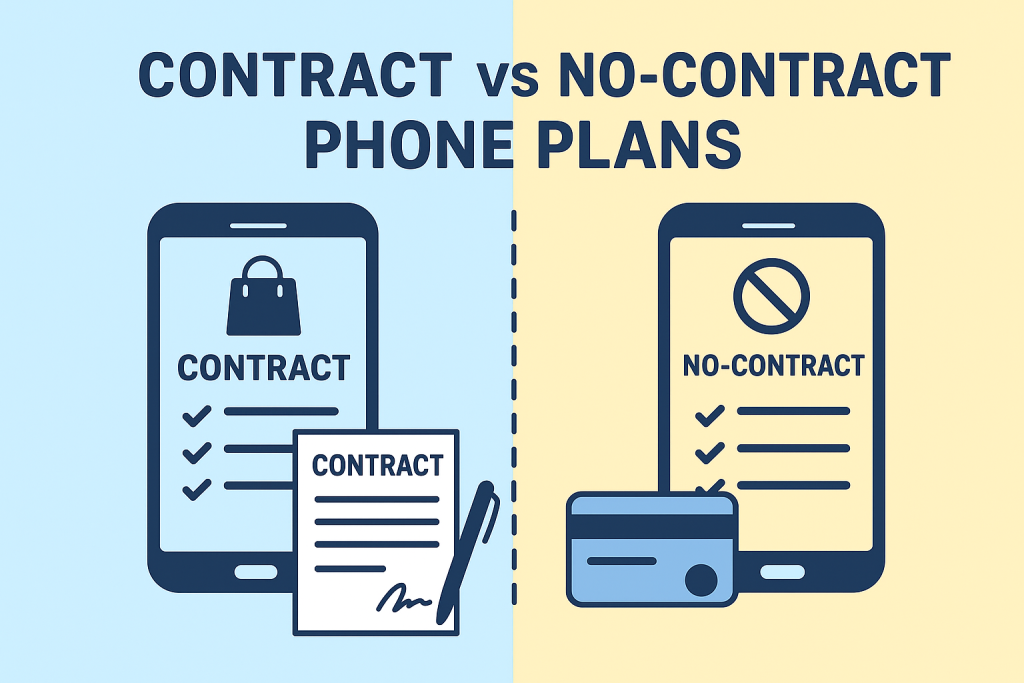
Finding the perfect phone plan can be tricky — especially with so many options competing for your attention. One of the biggest choices most people face is whether to sign a contract phone plan or go for the no-contract (prepaid) route.

Both options have their advantages, depending on your budget, lifestyle, and how often you like upgrading your phone. Let’s explore what sets them apart and how to decide which plan makes the most sense for you.


Why the Choice Matters

Your smartphone is more than just a gadget — it’s how you work, connect, and unwind. With that in mind, the right mobile plan should fit your needs, not complicate them.

The rise of 5G networks and the growing competition between carriers have made it easier to find better deals, but it’s also made the decision more confusing. That’s why understanding the difference between contract and no-contract plans can help you save money and avoid unwanted commitments.

If you’re still exploring your options, check out all the available mobile phone plans here to see what’s out there.


What Exactly Is a Contract Phone Plan?

A contract plan is a traditional mobile agreement where you commit to a carrier for a set period — usually 12 to 24 months. In return, you may receive benefits like:

  • A discounted or financed smartphone
  • Bundled features (such as streaming subscriptions or hotspot data)
  • Predictable monthly payments

The tradeoff? You’ll often face penalties or early termination fees if you decide to cancel before the contract ends. Still, many people prefer the consistency and convenience these plans offer.


The Appeal of No-Contract Plans

If flexibility is your priority, no-contract (prepaid) plans might be your best bet. You pay upfront for your talk, text, and data — and once your cycle ends, you can renew, switch, or cancel anytime without fees.

The main perks include:

  • Total freedom to change carriers whenever you want
  • No credit checks or long-term commitments
  • Typically lower monthly costs for moderate or light users

Curious which type fits your lifestyle better? Take a look at prepaid vs. postpaid plans and which one is right for you for a deeper comparison.


Breaking Down the Costs

Price is usually the deciding factor when choosing a mobile plan.

  • Contract Plans: Often have higher monthly rates but include phone financing. Perfect if you want the latest iPhone or Samsung device without paying the full price upfront.
  • No-Contract Plans: Usually cheaper per month, but you’ll need to bring your own phone or buy one outright. Great for anyone who wants to stay budget-friendly.

If you only use your phone occasionally, you might save a lot by checking out the cheapest cell phone plans for light users — these no-contract plans can seriously cut down your monthly expenses.


How 5G Affects the Decision

With 5G networks now widely available, speed and data priority play a big role in choosing a plan.

Most contract plans offer premium access to 5G speeds and higher data caps, while prepaid plans may throttle speeds once you hit your data limit. That doesn’t mean prepaid isn’t worth it — it just depends on how much data you actually use.

To see how 5G is reshaping the way we connect, check out how new phone plans are changing connectivity.


Who Should Go for a Contract Plan

A contract plan is ideal for you if:

  • You want the latest flagship smartphone without paying the full cost upfront
  • You rely on unlimited data and consistent performance
  • You like the extras — like streaming bundles, hotspot data, or device insurance

Who Should Choose a No-Contract Plan

No-contract plans are best suited for people who:

  • Prefer flexibility over long-term commitment
  • Already own an unlocked phone
  • Want to test different carriers before settling on one

A Third Option: The Hybrid Plan

Carriers are beginning to offer hybrid plans, which blend the flexibility of prepaid with the perks of contracts. These month-to-month postpaid options often include device financing without locking you into a long-term deal.

This approach appeals to users who want affordable pricing without sacrificing quality — especially young professionals and families who value control over their budget.


Tips for Choosing the Right Plan

  1. Know your usage habits – Check how much data, talk, and text you use monthly.
  2. Consider your upgrade cycle – If you change phones often, contracts might make sense.
  3. Review coverage – Always look at coverage maps; a cheap plan isn’t worth it if your signal is weak.
  4. Check for hidden charges – Watch for cancellation fees or data throttling limits.

Final Thoughts

At the end of the day, there’s no single “best” choice between contract and no-contract phone plans — it all depends on your priorities.

If you value consistency, perks, and device upgrades, a contract plan will likely suit you. But if freedom, savings, and flexibility matter more, a no-contract plan is the smarter move.

Want to compare both options side by side? Start exploring the latest mobile phone plans available today and find the one that fits your needs perfectly.

Contract vs. No-Contract Phone Plans: Which One Is Right for You? Read More »

Is It Time to Upgrade Your Smartphone? Here’s How to Know for Sure

Is It Time to Upgrade Your Smartphone? Here’s How to Know for Sure

Smartphones have become our lifelines — from keeping in touch and working remotely to streaming, shopping, and capturing memories. But as technology evolves rapidly, it’s easy to wonder: Is my phone still good enough, or is it time for an upgrade?

If your once-speedy companion now struggles to hold a charge, takes forever to open apps, or can’t handle the latest updates, this guide will help you figure out whether it’s time to move on — and how to do it wisely.


1. Your Battery Barely Lasts Half a Day

Nothing is more frustrating than watching your battery percentage plummet before lunch. Over time, lithium-ion batteries degrade, leading to shorter life spans and slower charging speeds.

If your phone dies even after a full night’s charge or you’re constantly tethered to a power bank, it’s a clear sign your device is past its prime. While some older models allow for battery replacements, most modern smartphones now feature larger batteries, power-efficient chips, and adaptive charging technology that prolong overall lifespan.

An upgrade could save you from daily charging anxiety — and let’s be honest, that peace of mind is priceless.


2. Your Storage Is Always Full

If you find yourself deleting photos, apps, or messages every week just to install updates, it’s time to move on. Older devices often come with limited internal storage (like 32GB or 64GB) and lack expandable memory options.

Newer smartphones not only offer bigger storage capacities (128GB and up), but also integrate smart cloud backup systems that automatically sync your data to Google Drive, iCloud, or OneDrive. That means more space for your photos, videos, and apps — and less time spent juggling files.


3. You’re Missing Out on New Features

Today’s smartphones are smarter than ever. From AI-powered photography and advanced biometric security to foldable displays and satellite connectivity, new features can completely transform how you use your phone.

If you’re still using a model that lacks facial recognition, multiple camera lenses, or fast 5G connectivity, you might be missing out on both convenience and performance.

Still unsure what suits your needs? Take a look at this comparison between flagship and budget smartphones to help narrow your options.


4. You’re Stuck on an Old Operating System

Security is no joke. If your phone no longer receives software or security updates, you’re leaving yourself open to cyber risks, app crashes, and poor performance.

Manufacturers typically support devices for 3–5 years. After that, app compatibility issues arise, and even essential tools like banking apps may stop working. If your device is stuck on an outdated OS, upgrading ensures better security, smoother performance, and access to the latest features.


5. Your Phone Lags… All. The. Time.

If simple tasks like switching between apps or scrolling social media feel like a workout for your phone, the hardware might be holding you back. Outdated processors and limited RAM struggle to keep up with modern apps and updates.

New smartphones come equipped with lightning-fast processors, improved graphics, and better thermal management. The result? Seamless multitasking, faster loading times, and fewer frustrating crashes.


6. You Want to Experience 5G Speeds

5G isn’t just hype — it’s a major leap forward. With faster download speeds, lower latency, and smoother streaming, 5G changes how you work and play.

If your current phone doesn’t support 5G, you’re missing out on next-gen connectivity. Explore the latest Samsung 5G mobile phones to find one that matches your budget and lifestyle.


7. Your Camera No Longer Cuts It

Gone are the days when phone cameras were just for quick snapshots. Modern smartphones come with multiple lenses, AI photo enhancement, and even cinematic video modes.

If your pictures look dull, grainy, or blurry — especially in low light — an upgrade can be a total game-changer. Whether you’re capturing family memories or creating social media content, new camera systems deliver crisp, detailed, and professional-quality results.


8. Trade-In Value Is Still High

Timing your upgrade can make a big difference. Phones lose value quickly as new models launch. If your current device is still in good shape, consider trading it in before depreciation hits hard.

Many carriers and brands now offer excellent trade-in programs for smartphones and tablets that give you instant credit or cash toward a new device.


9. You’re Spending Too Much on Repairs

Cracked screens, broken charging ports, failing cameras — repairs add up fast. If you’ve already spent more than half the price of a new phone on fixes, it’s time to cut your losses.

Modern smartphones are built with durability in mind — featuring stronger glass, water resistance, and extended warranties that protect your investment better than ever before.


10. You’re Simply Ready for a Change

Sometimes, you just want something new. Maybe you’re drawn to a sleeker design, a larger display, or a fresh color. Upgrading your smartphone isn’t just about functionality — it’s also about enjoying the experience of using a modern, responsive device that fits your lifestyle.

When you’re ready, visit our phone shop to explore the latest models and discover your perfect match.


When NOT to Upgrade Your Smartphone

Upgrading isn’t always necessary. Hold off if:

  • Your current phone is under two years old and performs well.
  • You’re locked into a contract with high termination fees.
  • Minor issues can be fixed cheaply (e.g., screen protector, cleaning the charging port).

But if your device feels more like a burden than a tool, it’s time to move on.


Tips for a Smooth Smartphone Upgrade

  • Back up your data: Use cloud storage or external drives before switching.
  • Factory reset your old phone: Protect your personal information before selling or trading it in.
  • Compare specs, not hype: Pick a phone that fits your needs, not just the newest release.
  • Watch for deals: Holidays, product launches, and trade-in offers can save you hundreds.

Final Thoughts

So, is it time to upgrade your smartphone? If you found yourself nodding to several of the signs above, then yes — a new device might be the best investment you can make this year.

From extended battery life and 5G connectivity to pro-grade cameras and better security, upgrading isn’t just about staying trendy — it’s about staying efficient, secure, and connected.

When you’re ready to make the switch, check out the latest smartphones here and trade in your old device for instant credit.


FAQs

1. What’s the average lifespan of a smartphone?
Most smartphones last around 2–3 years before performance and battery degradation become noticeable.

2. Can I still use my old phone after upgrading?
Yes! You can repurpose it as a backup device, music player, smart home controller, or security camera.

3. Should I buy a flagship or budget smartphone?
That depends on your needs. Read our detailed guide on flagship vs. budget smartphones to decide what fits best.

4. Is trading in my old phone worth it?
Absolutely. Trade-in programs can significantly lower your upgrade costs. See top trade-in offers here.

5. What are the best 5G phones right now?
Start by comparing Samsung 5G mobile phones to find a balance of performance, features, and price.


Ready to Upgrade?

Shop the latest smartphones now and step into a faster, smarter mobile experience today!

Is It Time to Upgrade Your Smartphone? Here’s How to Know for Sure Read More »

How to Use Your Phone as a Secure Hotspot

How to Use Your Phone as a Secure Hotspot

Imagine you’re traveling or working remotely, and there’s no reliable Wi-Fi network available. Your phone’s hotspot can save the day — allowing you to connect your laptop or tablet to the internet through your mobile data.

But before you turn it on, it’s important to understand one thing: not all hotspots are secure. Without proper setup, you could be sharing more than just your internet connection — you could be exposing your personal information.

This guide will walk you through how to use your phone as a secure hotspot, protect your data, and make the most of your mobile connection safely.

What Is a Mobile Hotspot?

A mobile hotspot allows your smartphone to share its mobile data connection with other devices, like laptops, tablets, or other phones. Essentially, your phone acts as a small, portable Wi-Fi router.

When enabled, other devices can connect to it just like they would connect to any other Wi-Fi network — by selecting the hotspot name (SSID) and entering a password.

There are three main types of mobile hotspots:

  • Wi-Fi tethering: The most common type; your phone broadcasts a Wi-Fi signal that nearby devices can join.
  • USB tethering: Connects your phone directly to a laptop with a cable — faster and more secure.
  • Bluetooth tethering: Uses Bluetooth for a slower but energy-efficient connection.

Each option allows you to share your mobile data, but Wi-Fi tethering is the most widely used — and the one that requires the most attention to security.

Why Security Matters When Using a Hotspot

When you enable your phone’s hotspot, you’re effectively opening a small gateway into your device. If it’s not properly secured, hackers or unauthorized users can connect to it — potentially stealing your data or consuming your mobile data allowance.

Some of the most common risks include:

  • Unauthorized access: If your hotspot isn’t password-protected, anyone nearby can connect.
  • Data theft: Attackers on the same network can monitor traffic, intercepting sensitive data.
  • Malware attacks: Devices connected to your hotspot could transmit malware or compromise your phone.

That’s why securing your hotspot isn’t optional — it’s essential.

How to Set Up a Secure Hotspot on Your Phone

Creating a secure hotspot is quick and easy, but you’ll want to double-check your settings before sharing your connection.

Setting Up on Android

  1. Open Settings → Network & Internet → Hotspot & Tethering.
  2. Tap Wi-Fi Hotspot and toggle it on.
  3. Set a network name (SSID) that’s not personally identifiable.
  4. Choose WPA2 or WPA3 encryption — never select “None.”
  5. Create a strong password with at least 12 characters, combining letters, numbers, and symbols.
  6. Turn on Auto Turn-Off Hotspot (if available) when no devices are connected.

Setting Up on iPhone

  1. Go to Settings → Cellular → Personal Hotspot.
  2. Toggle Allow Others to Join to ON.
  3. Ensure Wi-Fi Password is set and strong.
  4. Don’t share your hotspot via AirDrop or unsecured QR codes.
  5. Disable the hotspot when not in use.

Best Practices for Hotspot Security

Even with encryption and passwords, there are extra steps you can take to ensure complete protection.

Turn Off Hotspot When Not in Use

Leaving your hotspot on all the time invites unnecessary risk. Always disable it when you’re done.

Change Passwords Regularly

Rotate your hotspot password every few months, especially if you’ve shared it with others.

Use a VPN for Added Security

A VPN (Virtual Private Network) encrypts your data, protecting your browsing activity from snooping — even when you’re using your own hotspot.

Limit Connected Devices

Only allow devices you trust to connect. Some phones let you specify a maximum number of connections or whitelist devices by MAC address.

Monitor Data Usage

Check your mobile data regularly to ensure no one else is consuming your plan. Unusual spikes may indicate unauthorized access.

Hotspot Alternatives and When to Use Them

While your phone’s hotspot is convenient, it’s not always the best solution for heavy or long-term use. Here are some alternatives:

  • Portable Wi-Fi routers: These devices have dedicated SIM cards and stronger antennas, ideal for travelers or small teams.
  • USB tethering: This provides faster and more stable connections for single-device use while reducing wireless risks.
  • Public Wi-Fi (with caution): Only use it when absolutely necessary and always pair it with a VPN.

Whenever possible, using your own mobile data is safer than connecting to a public or shared network. Mobile data connections are encrypted by your carrier and far less vulnerable to interception.

Frequently Asked Questions

Can anyone connect to my hotspot without permission?
No, not if you’ve set a strong password and enabled WPA2 or WPA3 encryption. Always monitor connected devices.

Does using a hotspot drain my battery?
Yes, hotspots consume significant power. Keep your phone plugged in when sharing data for extended periods.

Is it safe to use my phone as a hotspot for work?
Yes, as long as your connection is encrypted, password-protected, and preferably paired with a VPN.

How much data does a hotspot use?
That depends on your activity. Streaming, video calls, and large file downloads can quickly consume mobile data, so track usage closely.

Conclusion

Using your phone as a hotspot is one of the easiest ways to stay connected wherever you go. However, it’s also a responsibility — one that requires awareness and proper security settings.

By encrypting your hotspot, setting strong passwords, and using mobile data responsibly, you can stay connected without compromising your privacy.

For consistent, safe, and affordable connectivity, consider a reliable prepaid mobile data plan. With flexible options and no long-term contracts, prepaid services give you control, convenience, and peace of mind while keeping your devices secure.

Your Wireless. Your Plans.

Make the most of your mobile service, no matter where you are.

How to Use Your Phone as a Secure Hotspot Read More »

How to Protect Your Mobile Privacy

How to Protect Your Mobile Privacy (the Easy Way)

Your smartphone probably knows more about you than some of your closest friends. From your location history and health data to bank logins and late-night shopping searches — it’s all stored in that small device you carry everywhere.

With faster networks, smarter apps, and more connected devices than ever before, mobile privacy has become one of the most important (and overlooked) parts of modern life. But here’s the good news: you don’t have to be a cybersecurity expert to protect yourself.

With a few simple steps — and a mobile plan that values your security — you can enjoy the convenience of modern tech without putting your data at risk.


Why Mobile Privacy Matters More Than Ever

Think about it: nearly every app on your phone collects some kind of personal information. Your mobile carrier tracks your location for network coverage. Your fitness app knows when you go to bed. Even your favorite shopping apps build a profile based on what you browse and buy.

That data isn’t just sitting there — it’s being used, shared, and sometimes even sold. Without proper safeguards, it could:

  • Be used by advertisers to target you with hyper-personalized ads.
  • End up in the wrong hands during a data breach.
  • Make you vulnerable to phishing scams or identity theft.

Protecting your data isn’t about paranoia — it’s about control. The more mindful you are about privacy, the less power hackers, marketers, or unknown third parties have over your digital footprint.


How Mobile Carriers Handle Your Privacy

Mobile carriers are becoming more aware of privacy concerns — and many have started adding built-in tools to help customers protect their data. These can include:

  • Spam and robocall blocking to reduce unwanted interruptions.
  • Two-factor authentication (2FA) to add an extra layer of account security.
  • Data breach alerts so you can act fast if your information is exposed.

However, not all carriers are equal. Some are transparent about how they handle your personal information, while others quietly share data with advertisers. When reviewing options, pay attention to each carrier’s privacy policy and look beyond the marketing language.

If you’re thinking about switching, you might find it helpful to explore how mobile plan costs can include hidden privacy trade-offs — sometimes, a cheaper plan means your data is part of the price.


Practical Ways to Protect Your Mobile Data

Even with a privacy-friendly carrier, protecting your personal data starts with you. Here are a few habits that make a real difference.


1. Check Your Mobile Plan Features

Many people don’t realize that their mobile plan might already include helpful privacy tools — you just have to enable them. Look for:

  • VPN access: Encrypts your internet traffic so no one (not even your carrier) can see what sites you visit.
  • Parental or family controls: Perfect for parents who want to protect younger users’ online habits. You can learn more about smart plan setups in this guide on how family mobile plans can help you save money and stay secure.
  • Privacy dashboards: Available on most devices now, these dashboards show which apps are accessing your camera, location, or contacts.

Taking five minutes to review your mobile plan settings could uncover features that help you keep your data safe automatically.


2. Use Your Phone’s Built-In Privacy Tools

Your phone has more privacy features than you might think. Turn on biometric locks (like fingerprint or facial recognition) and ensure encrypted storage is enabled. That way, even if your device is lost or stolen, your personal data stays protected.

And if you often work remotely, it’s worth checking out the best mobile plans for remote workers — some carriers now offer plans with built-in VPNs and better network protections for mobile professionals.


3. Manage App Permissions Like a Pro

It’s shocking how many apps request unnecessary access to your data. A photo editor doesn’t need your location, and a calculator doesn’t need your microphone.

Every few weeks, go into your phone’s settings and review app permissions. Revoke anything that seems excessive. Limiting what apps can access doesn’t just improve privacy — it can also boost your phone’s battery life and speed.

If you’re often on the move, you might also want to read how to boost your cell phone signal — a strong, secure signal can reduce the need for risky public Wi-Fi connections that expose your data.


4. Stay Updated — Always

We’ve all ignored those “Update available” notifications before, but software updates are your phone’s first line of defense. They patch vulnerabilities that hackers exploit.

Set your phone to update automatically, and don’t forget to update apps as well. Most updates include behind-the-scenes privacy and security improvements you won’t want to miss.


5G and Next-Gen Networks

5G is changing how we connect — and while it offers faster speeds and lower latency, it also introduces new privacy considerations.

On one hand, 5G networks use stronger encryption and deliver updates more efficiently, which improves security. On the other hand, the explosion of connected devices — from smartwatches to home assistants — creates more potential entry points for hackers.

Artificial intelligence (AI) is starting to play a bigger role in protecting user data. AI-powered tools can monitor network behavior, detect suspicious activity in real time, and block threats before they reach you.

If you’re curious about what’s next, check out emerging SIM plan trends shaping the future of mobile privacy. The next generation of SIM technology will make it even easier to manage your privacy across multiple devices.


Choosing a Privacy-Focused Mobile Plan

When comparing plans, most people focus on price, data, and coverage. But if privacy matters to you, dig a little deeper. Ask questions like:

  • Does the carrier sell customer data to advertisers?
  • Are privacy tools like spam blocking and 2FA included by default?
  • Does it support secure 5G protocols and frequent updates?
  • Is there customer support for handling security or identity issues?

If you’re unsure where to start, consider reading the advantages of using mobile virtual network operators (MVNOs) — these smaller carriers often offer more affordable, flexible, and privacy-conscious options.

And don’t forget to look into phone insurance benefits. In the event of loss or theft, it’s not just about replacing your device — it’s about preventing your personal data from falling into the wrong hands.


Bonus Tip: Make the Most of Wi-Fi Calling

Wi-Fi calling is a game-changer when your cellular connection is weak. It routes calls and texts through Wi-Fi networks instead of cell towers. But what most people don’t realize is that Wi-Fi calling can also enhance security, especially when combined with a trusted VPN. It ensures your communications are encrypted even in areas with poor mobile coverage.

If you travel frequently or work from multiple locations, enabling Wi-Fi calling is a must for both performance and privacy.


Balancing Convenience and Privacy

Let’s be honest — we all love the convenience our phones bring. Instant navigation, video calls, streaming, shopping — everything is just a tap away. But that convenience shouldn’t come at the cost of your privacy.

You don’t need to live off the grid or turn off your phone to stay safe. Just be intentional:

  • Choose a carrier that values privacy.
  • Use the tools already built into your phone.
  • Review what data you’re sharing — and with whom.

If you want a device that complements this balance, you might find our tablet buying guide helpful. It breaks down performance, connectivity, and privacy features so you can pick the right device for your needs.


Final Thoughts: Stay Connected, Stay Secure

Mobile privacy isn’t just a tech topic — it’s a life skill. The more you understand how your data is collected, stored, and shared, the easier it becomes to take control of it.

At JNA Mobility, we’re committed to helping you stay connected without sacrificing security. Whether you’re choosing a new mobile plan, upgrading your device, or learning how to protect your personal information, your privacy should always come first.

Remember: your data tells your story. Make sure you’re the one in control of how it’s shared.

How to Protect Your Mobile Privacy (the Easy Way) Read More »

Guide to Mobile Plans for Remote Professionals

Guide to Mobile Plans for Remote Professionals

Remote work has transformed how professionals connect, collaborate, and stay productive. Today, remote workers aren’t just logging in from home—they’re getting things done from coffee shops, co-working spaces, airports, and even while traveling internationally.

To keep up with this modern, mobile lifestyle, having the right mobile plan is more important than ever. It’s no longer about call minutes and text limits—it’s about having fast, reliable data, hotspot capabilities, and flexibility that supports a digital-first way of working.

At JNA Mobility, we understand how critical connectivity is for freelancers, digital nomads, and remote employees. That’s why we’ve taken a closer look at what makes a mobile plan ideal for remote professionals and how to choose one that truly fits your work style.


Why Mobile Plans Matter for Remote Work

Connectivity is the foundation of remote work. Every project, video call, and email depends on a reliable internet connection. A dropped call or a lagging video conference can disrupt your workflow—and even affect your professional credibility.

A strong mobile plan ensures that you stay:

  • Connected — for seamless communication with clients and teams.

  • Productive — by having reliable high-speed data anywhere.

  • Flexible — so you can work from anywhere without limits.

When your livelihood depends on your ability to connect, investing in a dependable mobile plan becomes essential to your success.


Data-First Plans for High Usage

Remote professionals use significantly more data than the average person. Between Zoom meetings, file sharing, and cloud-based apps, data consumption adds up quickly. That’s why data-first mobile plans are a must.

However, not all “unlimited” plans are truly unlimited. Many carriers throttle speeds after a specific threshold, causing frustration and slowdowns during crucial work moments.

When comparing plans, remote workers should check for:

  • Clear fair-usage policies to understand when throttling applies.

  • High-speed priority data that lasts throughout your billing cycle.

  • Options to purchase more high-speed data when needed.

If your workday includes streaming, video conferencing, or large file transfers, go for a plan that emphasizes reliable, high-speed data. You can browse our available mobile plans to find options designed for professionals who depend on strong, uninterrupted connections.


Hotspot Flexibility: Your Portable Office

Your phone’s hotspot feature can turn any location into your personal office. Whether you’re at a café, traveling, or in an area without Wi-Fi, hotspot connectivity allows you to work confidently from anywhere.

Hotspot access is vital for:

  • Working securely on the go without relying on public Wi-Fi.

  • Connecting multiple devices, such as laptops and tablets.

  • Staying online during power outages or when home internet fails.

Look for plans that include dedicated hotspot data or add-on hotspot packages, so you don’t burn through your main data allowance. The more hotspot flexibility your plan offers, the more freedom you have to work where and how you want.

For instance, many of the plans offered by JNA Mobility come with hotspot options ideal for professionals who rely on multiple devices.


Coverage That Follows You Everywhere

Coverage can make or break a mobile plan. Even the fastest data speeds mean nothing if your provider doesn’t have strong signal coverage where you live—or where your work takes you.

Before committing to a plan, always check coverage maps and verify that your provider’s network is strong in your key locations.

Here’s what to look for:

  • Strong rural and suburban coverage if you work outside major cities.

  • International roaming and eSIM compatibility for travel flexibility.

  • Carrier partnerships with global networks for seamless global access.

If you’re a digital nomad or frequent traveler, choose a plan that offers consistent coverage domestically and abroad. Reliable connectivity ensures that your workflow remains smooth and professional, wherever you are.


Balancing Cost and Value

Choosing the right mobile plan isn’t just about finding the cheapest option—it’s about finding the right value for your needs.

Many providers bundle additional features that make their plans more attractive to remote workers. These may include:

  • Free or discounted streaming services.

  • Cloud storage and productivity app bundles.

  • Multi-line discounts—ideal for separating work and personal numbers.

  • Month-to-month flexibility for freelancers or those constantly on the move.

A well-balanced plan gives you the features you need without breaking your budget. You can compare JNA Mobility’s mobile plans to find one that fits both your workflow and your wallet.


Security: A Top Priority for Remote Work

When you work remotely, you’re often handling sensitive data—from client information to company files. This makes mobile security an essential consideration when selecting a plan.

Some providers now include features that strengthen mobile security, such as:

  • Built-in VPNs for secure browsing.

  • Spam and phishing call blockers.

  • Malware and data protection tools.

Choosing a plan that includes these features helps you work safely from anywhere—especially when connecting through public Wi-Fi or mobile hotspots. Protecting your digital workspace means protecting your business and reputation.


Plans That Fit Different Remote Work Styles

Every remote worker has a unique routine and different connectivity needs. The best mobile plans are flexible enough to support a variety of lifestyles, including:

  • Digital Nomads: Need global roaming, flexible contracts, and eSIM compatibility for easy switching between countries.

  • Freelancers: Benefit from unlimited or high-data plans to handle regular uploads, communication apps, and content creation.

  • Corporate Remote Employees: Often require enterprise-level security and device management built into their plans.

No matter your work style, you’ll find suitable options among JNA Mobility’s available plans. Each is designed to help professionals stay connected, secure, and efficient from anywhere.


The Future of Mobile Connectivity for Remote Work

Mobile technology continues to evolve—and so do mobile plans. With faster 5G networks, smarter data management, and improved international coverage, staying connected is easier than ever.

For remote workers, the trend is clear: flexibility and reliability are the future of connectivity. Mobile providers are adapting to meet the demands of modern professionals who expect strong performance, transparency, and security in every plan.


Final Thoughts

Your mobile plan isn’t just another subscription—it’s your gateway to productivity, communication, and professional success. Whether you’re working from home, traveling across the country, or running your business abroad, the right mobile plan helps you stay connected to what matters most.

We make it easier to choose a mobile plan that fits your remote work lifestyle. From unlimited data options to flexible international coverage, our plans are designed to keep you online, productive, and empowered—wherever work takes you.

Explore our mobile plans today and find the perfect fit for your remote work needs.

Guide to Mobile Plans for Remote Professionals Read More »