JNA Mobility

phone plans

How Streaming Affects Your Phone Plan?

How Streaming Affects Your Phone Plan?

Streaming video on your smartphone has become part of everyday life. From binge-watching Netflix series to catching up on YouTube tutorials, entertainment is now available anytime, anywhere. But while mobile streaming offers unmatched convenience, it also has a hidden cost—your data plan. Exceeding your data limit can lead to extra charges or slower speeds, making it crucial to understand how streaming affects your phone plan. This guide walks you through everything you need to know to stream smartly and avoid surprise fees.


Why Mobile Streaming Is Booming

Mobile streaming isn’t just a trend—it’s reshaping how we consume media. The combination of faster networks like 4G and 5G, bigger and sharper smartphone screens, and the popularity of on-demand content has made streaming the go-to choice for millions of users. Unlike traditional TV or desktop streaming, mobile streaming allows you to watch shows while commuting, traveling, or even waiting in line.

Key trends driving this growth include:

  • Massive increase in mobile data traffic: Video streaming now represents a significant share of mobile internet usage worldwide.
  • Longer and more frequent streaming sessions: People spend hours daily on apps like Netflix, Hulu, and YouTube, often in short bursts throughout the day.
  • Offline downloads for flexibility: Many apps now allow you to download content via Wi-Fi, so you can watch anywhere without consuming mobile data.
  • 5G adoption: With mobile networks moving to 5G, high-quality video streaming is smoother and faster, but it also uses more data.

Understanding these trends helps users make better choices about their streaming habits and phone plans.


Streaming Data Usage: How Much Is Too Much?

Different streaming platforms and video qualities consume vastly different amounts of data. Knowing how much data your favorite apps use is essential for managing your phone plan.

PlatformSD (480p)HD (720p)Full HD (1080p)4K UHD
Netflix~0.7 GB/hr~3 GB/hr~7 GB/hr~15 GB/hr
YouTube~0.3 GB/hr~1 GB/hr~2 GB/hr~9 GB/hr
Disney+~1 GB/hr~3 GB/hr~8 GB/hrN/A
Hulu~1 GB/hr~3 GB/hr~6 GB/hrN/A

Even a few hours of high-definition streaming can consume more than your entire monthly allowance on a standard 5–10 GB plan. By understanding the data usage of each platform, you can better plan your streaming and avoid overage charges.


How Streaming Affects Your Phone Plan

Streaming isn’t just about entertainment—it directly impacts your phone plan usage. Many users underestimate how quickly high-quality video eats through data allowances.

  • Limited plans: A 5 GB plan can vanish after just an hour of HD video, triggering costly overage fees.
  • Unlimited plans: Many “unlimited” plans throttle speeds after 20–50 GB of usage, which can downgrade video quality during peak hours.
  • Family/shared plans: Data sharing sounds economical, but heavy streaming across multiple devices can quickly deplete the pool.

By understanding these effects, you can choose the right plan and adopt streaming habits that prevent throttled speeds or unexpected charges.


Tips to Reduce Mobile Data Usage

Being smart about streaming can save you money and frustration. Here’s how:

  1. Lower video quality: Streaming in SD or 720p uses a fraction of the data compared to Full HD or 4K.
  2. Download over Wi-Fi: Apps like Netflix, Hulu, Disney+, and YouTube let you download shows or movies to watch offline, reducing mobile data usage.
  3. Use Wi-Fi whenever possible: Streaming, updating apps, and downloading content on Wi-Fi preserves your mobile data.
  4. Track usage: Carrier apps and third-party tools show real-time data consumption, helping you avoid surprises.
  5. Limit background data: Some apps continue using data even when idle—restrict this in your phone settings.

Small adjustments like these can dramatically reduce how much data streaming consumes.


Choosing the Right Phone Plan

Selecting a plan that matches your streaming habits is key:

  • Unlimited plans: Perfect for heavy streamers, but confirm if throttling applies after a certain threshold.
  • Shared/family plans: Pooling data can save money, but ensure there’s enough for everyone.
  • Prepaid plans: Flexible and budget-friendly, but check if the data allowance supports your streaming habits.
  • Premium add-ons: Some carriers let you stream in HD without throttling for an additional fee.

Knowing your streaming habits and matching them to your plan ensures you get the best value without sacrificing video quality.

Streaming on Public Wi-Fi Safely

Public Wi-Fi is a great way to save mobile data, but it can expose your device to security risks. Safe practices include:

  • Avoid logging into sensitive accounts like banking while on public networks.
  • Use a VPN to encrypt your connection.
  • Only connect to verified networks and turn off auto-connect.
  • Disable sharing functions on your device to prevent access by others.

Data-Saving Apps

Certain apps can help you stream while conserving mobile data:

  • YouTube Go: Preview and download videos for offline viewing.
  • Netflix, Disney+, Hulu: Download content over Wi-Fi to avoid using your phone plan data.
  • Data monitoring apps: GlassWire, My Data Manager, and similar tools provide insights into your usage.

Using these tools ensures that you can enjoy streaming without constantly worrying about your data allowance.


Conclusion

Mobile streaming offers convenience and entertainment, but it can quickly deplete your phone plan data. By understanding how much data your favorite platforms use, choosing the right plan, monitoring usage, and leveraging Wi-Fi or offline downloads, you can enjoy content anywhere without overage fees or throttled speeds.

Streaming smartly isn’t just about saving data—it’s about enjoying your favorite shows without stress. With these strategies, you can balance entertainment and data usage effectively.

How Streaming Affects Your Phone Plan? Read More »

phone insurance worth it

Should You Really Get Phone Insurance? Here’s What to Know Before You Pay

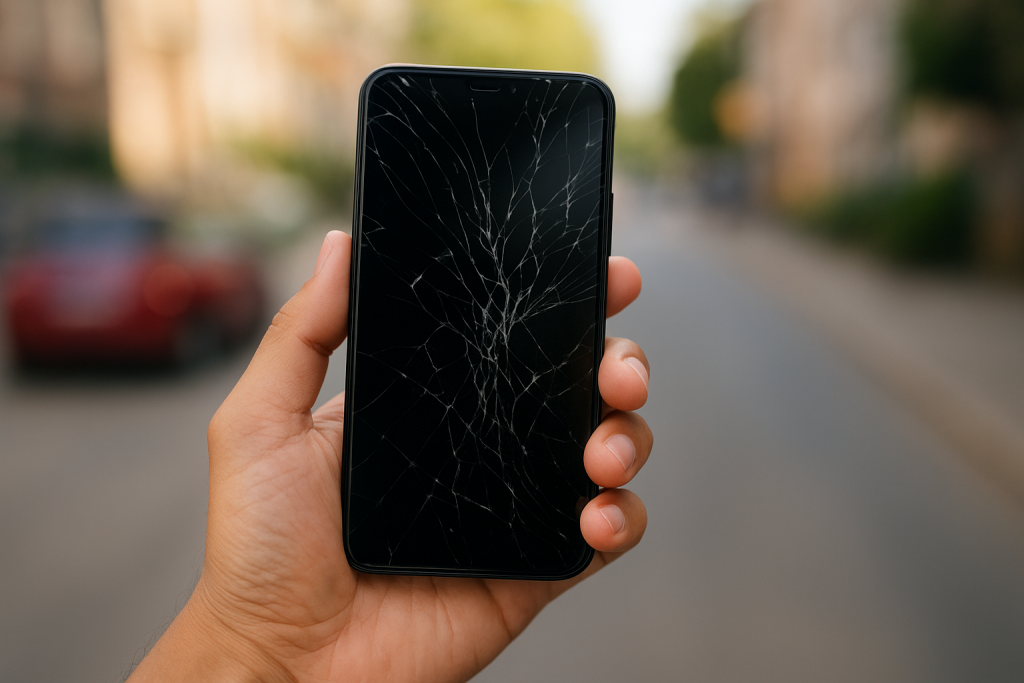
Cracked screens, accidental drops, or stolen phones — we’ve all had that heart-stopping moment when our device suddenly fails us. Phones have become an essential part of everyday life, but let’s face it: they’re expensive and easy to damage or lose.

That’s where phone insurance comes in. It promises peace of mind — but is it really worth the cost? Let’s explore what phone insurance actually covers, what it costs, and how you can make sure you’re getting the best protection for your money.


What Does Phone Insurance Actually Cover?

When you buy a new phone, you’re often offered insurance right away. But before you sign up, it’s important to know what’s included — and what’s not.

✅ Common Coverage

  • Screen repair or replacement
    One of the most common claims — if your screen shatters, most insurance plans will cover the repair or replacement.
  • Water or liquid damage
    Dropped your phone in water? Insurance can save you from paying full price for repairs.
  • Theft or loss protection
    If your phone is stolen, you’ll likely get a replacement after paying a deductible.
  • Mechanical breakdowns
    Some plans cover issues like battery or speaker problems once your manufacturer’s warranty expires.

🚫 What’s Not Covered

Most policies exclude everyday wear and tear, minor scratches, or unauthorized repairs. Always check the fine print before signing up — “comprehensive” doesn’t always mean everything is covered.


How Much Does Phone Insurance Cost?

The cost depends on your provider, phone type, and coverage level. On average, insurance from major carriers costs around $8–$18/month, plus a deductible (often $30–$250) per claim.

For example:

  • Verizon: $7–$17/month
  • AT&T: $8.99–$18/month
  • T-Mobile: $7–$15/month

Over time, that can add up — so it’s worth exploring plans that give you better value for your money and extra benefits like cybersecurity and tracking features.


Introducing JNA Mobile + Fortress Phone Insurance

If you’re looking for a plan that goes beyond basic coverage, JNA Mobility’s Phone Insurance powered by Fortress Protection is a smart choice.

When you purchase your JNA Mobility airtime, you automatically receive a Fortress Basic Membership — at no extra cost. This plan covers theft within the USA and includes strong cybersecurity tools to keep your data safe.

Fortress Basic Membership Includes:

  • Theft protection across the USA
  • Contact Backup and Threat Alerts to safeguard your data
  • Locate and Live Tracking in case you misplace your phone
  • Yell! feature to help you find your phone fast
  • Easy activation via the Fortress app

It’s simple to get started — once you buy your JNA Mobility airtime, you’ll receive a unique code by email. Use it to activate your Fortress Basic Membership in just minutes.

Want even more protection?
Upgrade to Fortress Premium or Ultimate inside the app for additional coverage like accidental damage, cracked screens, worldwide theft, and even ID Shield protection.

Protect, secure, and insure your phone today — learn more and activate your Fortress plan here.


The Pros of Having Phone Insurance

  • Peace of mind: You won’t stress over surprise repair bills.
  • Accident protection: Covers everyday mishaps like drops and spills.
  • Theft replacement: You’ll get a replacement device quickly.
  • Cybersecurity support: With Fortress, your data stays protected too.
  • Convenience: Claims are processed quickly, often with same-day responses.

The Cons of Phone Insurance

  • It adds to your monthly cost if you’re paying for separate coverage.
  • Deductibles apply before replacements or repairs.
  • Limited scope — some plans don’t include loss or accidental damage unless you upgrade.
  • Older phones depreciate — making insurance less valuable over time.

If you already get Fortress Basic with your JNA Mobility plan, you’re in a great spot — you’re already saving on coverage most people pay extra for.


Alternatives to Paid Phone Insurance

If you’re not sure about full coverage, here are other ways to protect your device:

  1. Self-insure: Save $10/month for repairs or upgrades.
  2. Credit card coverage: Some cards offer limited phone protection.
  3. Manufacturer programs: AppleCare+ or Samsung Care+ can cover accidental damage.
  4. Local repair shops: Screen repairs often cost less than insurance deductibles.

But if you want true peace of mind plus cybersecurity, it’s hard to beat Fortress + JNA Mobility.


Is Phone Insurance Worth It?

If your phone is essential to your daily life — work, communication, or even business — insurance can be a game-changer. And if you’re a JNA Mobility customer, you’re already one step ahead.

You get built-in theft protection, cybersecurity, and the option to upgrade to premium coverage anytime — all within the Fortress app.

So instead of paying extra for less, why not enjoy complete protection that’s already part of your mobile plan?

Should You Really Get Phone Insurance? Here’s What to Know Before You Pay Read More »

Frustrated with Weak Cell Signal? Here’s How to Fix It for Good

Frustrated with Weak Cell Signal? Here’s How to Fix It for Good

We’ve all been there—you’re on an important call, navigating with GPS, or streaming your favorite show, and suddenly… the dreaded “No Service” or a single bar appears. Weak cell phone signals are more than just inconvenient; they can disrupt work, delay travel, and cause frustration when you need reliable connectivity the most.

The truth is, cell signal strength can be affected by a variety of factors—everything from your location and building materials to network congestion and even the weather. While you can’t control every variable, there are plenty of practical steps you can take to improve your reception.

In this guide, we’ll walk through some of the most effective (and easy) ways to strengthen your signal. By the end, you’ll know not only why your service may be weak, but also how to take action so your phone stays connected when you need it most.


Why Your Cell Signal Matters

Having a strong signal isn’t just about convenience. It ensures:

  • Reliable communication: Clearer calls with fewer drops.
  • Faster data speeds: Smooth browsing, streaming, and video calls.
  • Accurate navigation: GPS apps work best when your phone has a strong connection.
  • Battery efficiency: Phones use more power searching for weak signals, draining your battery faster.

In short, boosting your signal means better performance, longer battery life, and less stress.


1. Check Your Carrier’s Coverage Map

Before you troubleshoot, start with the basics: does your carrier even provide strong coverage in your area? Most major providers publish detailed cellular network coverage maps that show expected service strength by location.

Here’s what to do:

  • Enter your address on your carrier’s coverage page.
  • Zoom into the street-level view to see predicted service in your neighborhood.
  • Compare coverage with other major carriers.

If your carrier’s map shows consistently weak coverage around your home or office, that may explain your issues. In some cases, switching to another carrier with stronger local service could be the easiest fix.

Even if you don’t plan to switch, knowing whether the problem lies with your carrier’s infrastructure or your phone setup helps you decide your next move.


2. Move Closer to a Window

This one sounds simple, but it works surprisingly often. Walls, floors, and ceilings—especially those made of concrete, brick, or steel—can block cellular signals. Windows, however, allow signals to pass through more easily.

If you notice poor reception, step closer to a window or position yourself near an opening where the line of sight to a cell tower is clearer. Even moving just a few feet can improve your bars and call quality.

Pro tip: Experiment with different windows in your home or office. Sometimes one side of a building offers significantly better reception depending on the tower location.


3. Change Locations Indoors

If moving near a window doesn’t help, try changing rooms or floors altogether. Signal strength can vary dramatically within the same building.

  • Higher floors usually have better reception since there are fewer barriers between your phone and the tower.
  • Avoid basements, which are notorious for poor reception.
  • Test multiple rooms and make note of “sweet spots” where your phone consistently shows stronger bars.

This is one of the easiest no-cost fixes—sometimes moving a few steps in the right direction is all it takes.


4. Watch Out for Signal-Blocking Objects

Everyday objects can interfere with your signal. Large metal appliances, mirrors, filing cabinets, and even your own phone case can weaken reception.

  • Keep your phone away from refrigerators, radiators, and microwaves.
  • Avoid covering your phone’s antenna (often at the top or bottom edge) with your hand during calls.
  • If you use a bulky or metal phone case, try removing it to see if that improves performance.

A quick test is to place your phone on a table away from clutter and appliances. You might notice your signal improves just by reducing interference.


5. Toggle Airplane Mode

Sometimes your phone just needs a “refresh.” By briefly enabling and disabling airplane mode, you force it to disconnect from the current tower and search for a stronger one nearby.

Here’s how:

  1. Turn on Airplane Mode in your settings.
  2. Wait about 30 seconds.
  3. Turn it back off.

This takes less than a minute and can often give your device a stronger, more stable connection.


6. Restart Your Phone

Similar to toggling airplane mode, restarting your device resets its connection to the network. Phones that have been on for days (or weeks) without rebooting may not always be connected to the optimal tower.

When you restart, your phone will:

  • Drop its current connection.
  • Scan for the nearest and strongest tower.
  • Re-establish a fresh link.

Make it a habit to restart your phone periodically—not just when the signal drops—to keep your connection running smoothly.


7. Keep Your Apps and Software Updated

You might not think of app updates as a way to improve signal strength, but outdated software can impact performance. Updates often include bug fixes and optimizations that help your phone communicate more efficiently with the network.

Check for:

  • Operating system updates in your phone’s settings.
  • App updates in your app store under “Pending Updates.”

Keeping everything current ensures you’re running on the latest code designed for stability and connectivity.


8. Try a Signal Booster

If you live in an area with weak reception, a signal booster could be your best investment. These devices capture the existing signal from outside, amplify it, and rebroadcast it indoors.

There are two main types:

  • Indoor boosters – Cover a single room or small space.
  • Outdoor boosters – More powerful, designed to improve coverage for an entire home or office.

A signal booster doesn’t create a signal—it only strengthens what’s already available. So if you have at least one bar of service, it can make a huge difference.

For best results, choose a booster compatible with your carrier’s frequency bands and consider professional installation to ensure optimal antenna placement.


9. Contact Your Carrier

If all else fails, don’t hesitate to reach out to your carrier’s support team. Sometimes, the issue isn’t your phone—it’s the network itself.

Your provider can:

  • Check for outages or maintenance in your area.
  • Walk you through troubleshooting steps like resetting network settings.
  • Suggest device-specific fixes for your phone model.

In some cases, carriers even provide free signal boosters for customers struggling with coverage in certain areas. Before spending money on your own equipment, ask your provider if they offer this perk.

For example, if you’re exploring better service options, compare different cell phone plans to see if your provider has tailored solutions for your usage.


Final Thoughts: Take Control of Your Signal

Weak cell service doesn’t have to be your “new normal.” By checking your carrier’s coverage, experimenting with locations, removing obstructions, refreshing your connection, and considering tools like boosters, you can significantly improve your reception.

At the end of the day, your phone is your lifeline—to work, to loved ones, and to the world. Making sure it stays connected is worth the effort.

Frustrated with Weak Cell Signal? Here’s How to Fix It for Good Read More »

Phone Bill Reduction

Phone Bill Reduction Tips That Really Work

Anyone who owns a smartphone knows that phone bills can get expensive quickly. With data overage charges, financing for new devices, and extra features like hotspot access, it’s easy for your wireless phone bill to creep up well over $100 per month. 

While staying connected is important, there are ways to reduce your phone expenses without totally sacrificing call quality, data speeds, or features. With a few tricks, you can slim down that monthly bill while still enjoying a modern, connected device.

Read on for 5 tips that can lower your phone bill dramatically while maintaining a high quality experience. With some creative adjustments, you can stay connected on a budget.

Review Your Data Usage

The first step to lowering your phone bill is to review your monthly data usage. Most carriers provide tools to track your data consumption through your online account or mobile app. Spend some time analyzing your past bills to see when and how you use data throughout an average month. 

Look for any obvious areas where you may be able to cut back. For example, are you streaming high definition videos when standard definition would suffice? Are apps set to refresh more often than necessary? Identifying where you can scale back high bandwidth activities can help avoid costly overage charges.  

Consider setting data limits or disabling background data for certain apps. You may also want to switch off cellular data when connected to WiFi. Being more mindful about when you use data vs WiFi can help optimize your usage.

Monitoring your data on an ongoing basis provides visibility into your consumption patterns so you can make adjustments as needed. With some diligence, you can determine where cutbacks make sense without sacrificing quality.

Downgrade Your Plan

When reviewing your cell phone bill, take a close look at your current plan. Do you really need unlimited data or can you get by with a smaller data allowance? Are you still paying for extra lines that you no longer need? Carriers often provide discounts for bundling plans and the more lines you have, the higher your bill will be. 

Consider downgrading to a cheaper plan with fewer included devices, lower data limits, or dropping extra features you don’t really need. For example, switch to a prepaid plan which allows you to pay upfront each month rather than being locked into a long contract. Prepaid plans tend to be cheaper with no activation fees. You can also save money by changing from an unlimited data plan to one with a set data cap per month. Identify an amount that works for your usage needs.

Don’t be afraid to call your carrier and negotiate. Tell them you are considering switching to a cheaper provider and see if they can offer you a better rate. They may be willing to move you to a discounted loyalty plan not available to the general public. Review your plan every 6 months or when your contract is up to ensure you are still getting the best value. As your needs change, your cell phone plan should evolve as well.

Use WiFi Calling & Texting

One easy way to cut down on cellular minutes and text messages is to use WiFi calling and WiFi texting features when available. Most modern smartphones have built-in support for WiFi calling and texting, allowing you to route calls and texts over WiFi internet connections rather than cellular networks. 

To enable WiFi calling on an iPhone, go to Settings > Phone > Wi-Fi Calling and toggle it on. You can also enable it by contacting your carrier. For Android phones, go to Settings > Network & Internet > WiFi Calling and turn it on. 

When WiFi calling is enabled, any calls or texts made while connected to a WiFi network will use WiFi rather than cellular minutes. This can lead to substantial savings, especially if you are frequently around WiFi at home or work.

Some third party apps like Google Voice also allow WiFi calling and texting. With the Google Voice app, you can place calls and send texts over WiFi without using cellular networks.

By taking advantage of WiFi calling and texting features, you can easily reduce your reliance on cellular networks and potentially lower your phone bill each month. Just be sure to connect to safe and trusted WiFi networks when using these features.

Negotiate With Your Carrier

Negotiating with your current wireless carrier is one of the most effective ways to lower your monthly phone bill without switching providers. Here are some tips for getting a better deal:

Mention competitors’ offers – Do some research on what other carriers are offering for new customers, including promotional prices. Then call your provider and explain you’re considering switching due to a better deal elsewhere. They’ll often match or beat the competitor’s pricing to keep your business.

Ask about bundling – See if bundling your wireless plan with other services like home internet or TV can lower your overall costs. Most carriers offer discounts for bundling multiple products.

Inquire about loyalty discounts – If you’ve been with the same carrier for a while, ask about any loyalty discounts for long-time customers. Mention how much you’ve paid them over the years to negotiate a break on monthly fees.

Threaten to cancel – Be prepared to follow through, but threatening to switch carriers can sometimes get you special retention offers. However, use this sparingly so it doesn’t lose effectiveness.

Buy your own phone – Carriers often subsidize new phone purchases by charging higher monthly fees. If you buy an unlocked phone upfront, you avoid these extra costs.

The key is demonstrating you’re a valuable customer they don’t want to lose. Polite persistence pays off when trying to get lower rates. Know your usage needs and bottom line, and negotiate firmly but fairly. With some proactive bargaining, you can maintain service quality without overpaying.

Explore Alternative Carriers

If you’re willing to make a bigger change and switch carriers completely, you may be able to find much lower rates on alternative carriers. The major national carriers like AT&T, Verizon, T-Mobile and Sprint tend to charge higher prices, while smaller regional and discount carriers can offer significant savings.

Some alternative carriers to consider include:

Metro by T-Mobile – Metro offers prepaid plans with unlimited talk & text and data options from 2-10GB per month. Plans start at $30/month for 2GB data. Metro uses T-Mobile’s network.

Cricket Wireless – Cricket offers prepaid plans on AT&T’s network with unlimited talk & text and data options from 2-15GB per month. Plans start at $30/month for 2GB data.

Mint Mobile – Mint sells prepaid plans in 3, 6 or 12 month packages. Get unlimited talk & text and data options from 4-12GB per month. Plans start at $15/month for 4GB (on T-Mobile’s network).

Visible – Visible offers unlimited talk, text and data for $40/month on Verizon’s 4G LTE network. Taxes and fees included. Requires joining a Party Pay group.

Boost Mobile – Boost has prepaid plans with unlimited talk & text and data options from 1-35GB per month. Plans start at $10/month for 1GB of data on T-Mobile’s network.

Keep Connected With Nationwide 5G Coverage

Everyone streams, browses, texts differently. Get only what you need by choosing between By the Gig and Unlimited data.

The key pros of switching to an alternative carrier are saving money on your cell phone service and no contracts. The main cons are having less extensive cellular network coverage than major national carriers in rural areas. Be sure to check coverage maps before switching. But if you live in an urban area, an alternative carrier can be a great money saver.

Phone Bill Reduction Tips That Really Work Read More »

sim plans

Why SIM-Only Plans Helps Save High Phone Bills

With the rising cost of living and increasing dependency on mobile devices, finding ways to cut down monthly phone bills is more relevant than ever. Enter SIM-only plans—a flexible, budget-friendly mobile solution that offers great value without sacrificing quality. If you’re tired of being tied to long-term contracts and paying for features you don’t need, switching to a SIM-only mobile plan could be the smartest move you’ll make.

In this guide, we’ll explore how SIM-only plans help reduce high phone bills, what makes them different, and why more users are making the switch.


💡 What is a SIM-Only Plan?

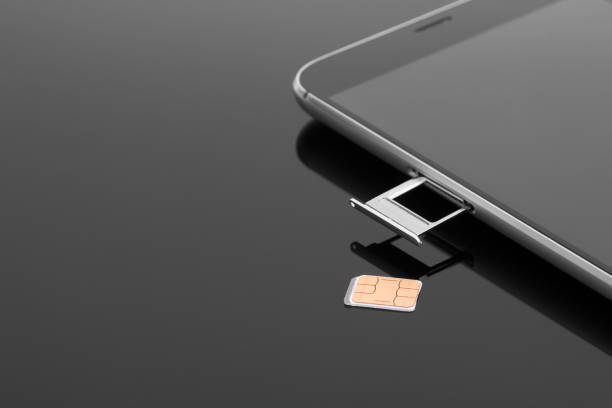
A SIM-only plan gives you mobile service (calls, texts, and data) without bundling it with a phone. You get a SIM card to insert into an unlocked device—no financing or device payment included. These plans are especially attractive to users who already own a smartphone and simply want affordable service.

For a detailed look at how SIM cards work, from start to finish, check out our guide on SIM card activation and deactivation.


💰 Top Reasons SIM-Only Plans Help You Save

1. No Device Payments

Most traditional mobile plans tie you into a 24- or 36-month contract that includes the cost of a new phone—often with interest hidden in the monthly bill. With SIM-only plans, you eliminate this cost completely by using your own device or buying one upfront.

2. Lower Monthly Costs

SIM-only plans tend to offer significantly lower monthly rates compared to postpaid contracts. You’re not paying for a phone, marketing costs, or hidden fees. It’s all about the service.

3. Flexible Commitment

Many SIM-only plans are prepaid or available on a month-to-month basis. That means:

  • No early termination fees
  • No credit checks
  • The ability to switch or cancel at any time

Curious about how prepaid compares with postpaid? Dive into our prepaid vs postpaid SIM card comparison to see which model is right for you.

4. Customizable Data & Features

SIM-only users can choose from a variety of data packages and features that match their usage—no more paying for unlimited data when you only use 3GB a month. This makes data management cost-efficient and predictable.


📱 What About eSIM? A New Layer of Savings

With the rise of eSIM technology, users now have even more ways to manage their mobile experience. eSIMs eliminate the need for physical cards and can be activated remotely—often with added benefits like multi-line management and quicker switching between carriers.

Learn more about this modern alternative in our article on the rise of eSIM and what it means for your mobile plan.


🔄 SIM-Only Plans and the Future of Mobile Use

As technology advances, traditional phone contracts are gradually being replaced by more flexible, user-centric options. SIM-only plans and eSIM technology are part of this transformation, giving users more power, better value, and seamless mobile experiences.

Our insights into future trends in postpaid plans suggest that carriers will continue to adopt flexible pricing models and focus more on customer-driven customization—exactly what SIM-only plans are about.


📊 Quick Comparison: Contract Plan vs SIM-Only Plan

FeatureContract PlanSIM-Only Plan
Device IncludedYesNo
Monthly CostHigher (due to device)Lower
FlexibilityLimited (12-36 months)High (month-to-month)
Early Termination FeesYesNo
CustomizationLimitedHigh

🛒 Who Should Choose a SIM-Only Plan?

You’re a good fit for a SIM-only plan if:

  • You already own a smartphone
  • You want to save money on your phone bill
  • You prefer no long-term commitments
  • You frequently travel or need a temporary mobile plan
  • You want to easily switch carriers or change plans

✅ Conclusion: Simple, Smart, and Budget-Friendly

Switching to a SIM-only plan is one of the easiest ways to reduce your monthly expenses while staying connected. Whether you’re looking to cut high mobile costs, want flexibility without the hassle of contracts, or are simply curious about new mobile tech like eSIMs—SIM-only is the way forward.

Start by choosing the right prepaid or postpaid setup for your needs, activate your SIM, and enjoy budget-conscious connectivity without the strings attached.


📌 Key Takeaways

  • SIM-only plans eliminate device payments, offering lower monthly bills
  • No contracts = more flexibility and fewer hidden fees
  • Easily pair with emerging tech like eSIM
  • A great option for cost-conscious mobile users

Why SIM-Only Plans Helps Save High Phone Bills Read More »

mobile data

Apps That Use the Most Mobile Data (and How to Control Them)

Where Did All My Data Go?

Ever opened your phone bill and thought, “How on earth did I blow through 10GB of data?” You’re not alone. In today’s hyper-connected world, certain apps are notorious for quietly draining your data—sometimes without you even realizing it.

Whether you’re on a shared family plan, using a light-data option, or relying on unlimited prepaid plans, understanding which apps are eating your data and how to control them is crucial.


Why Mobile Data Management Matters

Mobile data is like gas for your phone—it powers everything from browsing to streaming to GPS. But if you’re not watching your usage, you could hit your data cap fast—or worse, rack up overage charges.

Whether you’re on a family mobile plan with shared data or using cheaper phone plans for light users, knowing which apps are draining your gigabytes can save you serious money.


Top Data-Hungry Apps You Need to Watch

Let’s dive into the biggest culprits:

1. YouTube

Video streaming is a data black hole. Watching in HD or 4K can use up to 3–7 GB per hour.

Control Tip: Set video quality to 480p or lower in settings when on mobile data.

2. Instagram

This app autoplays videos, loads stories in the background, and refreshes your feed constantly.

Control Tip: Turn off “Preload videos” in the app’s settings and avoid autoplay.

3. TikTok

Short videos = short attention span = long data bills. TikTok uses ~840MB per hour.

Control Tip: Limit your usage or use TikTok only on Wi-Fi.

4. Facebook

With its endless scroll of videos, ads, and auto-refresh, Facebook is more of a data sponge than a social app.

Control Tip: Disable auto-play for videos and minimize app usage on mobile data.

5. Netflix

Streaming an episode of your favorite show in HD? That’s 1GB per hour, minimum.

Control Tip: Download content while on Wi-Fi for offline viewing.

6. Spotify & Apple Music

Streaming music continuously, especially in high quality, can eat up a surprising amount of data.

Control Tip: Download your playlists on Wi-Fi.

7. Google Maps

Navigation can consume a lot of data—especially if you’re using satellite view or traffic updates.

Control Tip: Download offline maps before you travel.

8. Snapchat

Auto-loading stories, lenses, and Bitmojis all contribute to higher data use.

Control Tip: Disable auto-download of media and limit usage while on mobile.

9. Zoom & Video Calls

These apps are great for remote work, but a single 30-minute video call can cost you 500MB or more.

Control Tip: Switch to audio calls or join meetings via Wi-Fi.

10. Cloud Storage (Google Drive, iCloud, Dropbox)

Automatic syncing and uploading photos and files in the background = sneaky data usage.

Control Tip: Set these apps to sync on Wi-Fi only.


Apps That Use Data Even When You’re Not Using Them

Some apps run in the background and eat up data silently:

  • Email apps auto-checking for new messages
  • Weather apps constantly updating
  • News apps syncing headlines
  • Messaging apps downloading media files

Quick Fix: Go into your phone settings and disable background data usage for these apps.


How to Monitor Your Mobile Data Usage

Here’s how to track your usage on both Android and iPhone:

Android:

  • Go to Settings > Network & Internet > Mobile Network > Data Usage
  • View app-wise data breakdown
  • Restrict background usage for heavy apps

iPhone:

  • Go to Settings > Cellular
  • Scroll to see data usage per app
  • Toggle off cellular data for unnecessary apps

Tips to Save Your Data Without Ditching Your Favorite Apps

  1. Use Wi-Fi whenever possible – Especially at home, work, or coffee shops.
  2. Set data usage alerts – Many phones let you set warnings at certain usage thresholds.
  3. Disable auto-updates – Apps updating in the background can eat a lot of data.
  4. Switch to Lite versions – Apps like Facebook Lite or YouTube Go use far less data.
  5. Manage media settings – Lower resolution for streaming and avoid auto-downloads.

Looking for Better Mobile Plans?

Understanding your app usage is step one. Step two? Picking the right data plan that fits your needs.


Final Thoughts: Balance Is Key

You don’t have to give up TikTok, Netflix, or Google Maps—just learn how to use them smarter. By identifying the most data-hungry apps and adjusting your habits, you can stay connected without blowing your budget.

So whether you’re using a family plan, a budget-friendly light user plan, or unlimited data on a prepaid plan, smart data habits keep you in control.

Apps That Use the Most Mobile Data (and How to Control Them) Read More »

Prepaid Phone Plans

Understanding Prepaid Phone Plans: A Complete Guide

Prepaid phone plans are becoming increasingly popular as budget-friendly and flexible alternatives to traditional contracts. Whether you’re looking for a low-cost option, more control over your spending, or nationwide coverage, prepaid plans offer a hassle-free mobile experience.

In this guide, we’ll explore what prepaid phone plans are, their benefits, how to choose the right one, and what to look for in a reliable mobile network.


1. What is a Prepaid Phone Plan?

A prepaid phone plan allows you to pay upfront for a set amount of data, talk, and text without committing to a long-term contract. Once your balance runs out, you can refill or switch plans based on your needs.

No Credit Checks – Anyone can sign up without worrying about credit scores.
No Contracts – You’re not locked into long-term commitments.
Budget-Friendly – Pay only for what you need each month.

💡 Looking for the best prepaid options? Explore top Prepaid Phone Plans for flexible and affordable choices.


2. Benefits of Prepaid Phone Plans

A. Cost-Effective & No Hidden Fees

✔ Avoid surprise charges or overage fees.
✔ Set your budget and never overpay for unused services.

B. Flexibility to Switch Plans Anytime

✔ Upgrade or downgrade based on your monthly needs.
✔ Easily change providers without cancellation fees.

C. Reliable Nationwide Coverage

✔ Many prepaid plans use the same networks as major carriers, ensuring strong coverage.
✔ Offers great service in both urban and rural areas.

💡 Need reliable coverage? Check out JNA Mobility’s Network to see available coverage options.


3. How to Choose the Best Prepaid Phone Plan

Assess Your Data Needs – Do you stream, browse, or just text and call?
Check Network Coverage – Ensure the carrier provides strong coverage in your area.
Compare Pricing & Features – Look for unlimited plans, hotspot options, and international calling.


4. Who Should Consider a Prepaid Phone Plan?

Students & Budget-Conscious Users – Save money while staying connected.
Frequent Travelers – No roaming charges and the flexibility to switch networks.
Parents Buying Phones for Kids – Control spending and avoid unexpected charges.


Final Thoughts: Is a Prepaid Phone Plan Right for You?

If you want affordable, flexible, and contract-free mobile service, a prepaid phone plan is a smart choice. With nationwide coverage, budget-friendly pricing, and customizable plans, it’s easier than ever to stay connected without breaking the bank.

Understanding Prepaid Phone Plans: A Complete Guide Read More »

5G-Revolution

The 5G Revolution: Why Your Phone Bill Is Changing

The rollout of 5G networks is underway around the world, bringing faster speeds, lower latency, and greater capacity to wireless networks. 5G represents the next generation of mobile broadband networks, building on the evolution from 1G to 4G networks. With peak download speeds up to 20 Gbps, 5G is set to be as much as 100 times faster than 4G LTE networks.

The capabilities of 5G networks allow carriers to create new kinds of data plans for consumers. 5G is spurring the development of new unlimited postpaid plans with large amounts of high-speed data. Carriers are beginning to move away from data caps and overage fees that have been common with 4G plans. The faster speeds and greater capacity of 5G networks enable carriers to offer unlimited high-speed data without congesting the network.

Faster Speeds

5G represents a massive leap in wireless technology, bringing speeds up to 100 times faster than 4G LTE networks. While 4G LTE tops out at around 100 Mbps, 5G networks can achieve speeds of over 10 Gbps. This lightning fast connectivity opens up possibilities that simply weren’t feasible before.

For consumers, 5G enables activities like downloading full length HD movies in seconds instead of minutes. Augmented and virtual reality experiences also become far more practical with 5G’s increased bandwidth and lower latency. Telehealth, smart city infrastructure, industrial automation, and autonomous vehicles become more robust and responsive leveraging 5G connectivity. Even multiplayer cloud gaming can offer console-quality graphics and seamless real-time interactivity powered by 5G networks.

The bottom line is that 5G isn’t just incrementally faster, it’s disruptively faster – enabling next generation use cases across consumer, business, and industrial applications. New 5G networks usher in a new era of connectivity.

Lower Latency

5G networks allow for much lower latency, which refers to the time it takes for devices to communicate with each other on the network. Latency is measured in milliseconds, and on 4G networks the average latency is around 30-70ms. With 5G, latency can be reduced to as low as 1ms.

Lower latency provides several key benefits:

Real-time communication – Lower latency enables applications like video conferencing, online gaming, and live streaming to function seamlessly without lag or buffering. This allows for real-time communication across long distances.

Faster response times – With lower latency, there is less delay between a user action and network response. This allows apps and services to respond faster. For example, web pages and videos will load more instantly.

Advanced applications – Lower latency opens the door for new types of applications involving real-time control and feedback. For example, remote surgery, autonomous vehicles, virtual reality, and drone control can all benefit greatly from single digit millisecond latency provided by 5G.

So in summary, reduced latency is one of the most impactful technical advantages of 5G. It enables a more immediate and responsive mobile experience, allowing people to do more advanced tasks requiring precision timing. This truly sets 5G apart from previous generations.

Greater Capacity

One of the key benefits of 5G is its ability to handle significantly more devices and data compared to previous networks like 4G LTE. Where 4G networks start to get congested and slow down with heavy usage, 5G has the capacity to maintain high speeds even with many connected devices in a concentrated area.

5G uses higher frequency radio waves that can carry more data than lower frequency waves used in older networks. The larger bandwidth enables each cell tower to handle multiple times more concurrent users before becoming overloaded. This greater capacity relieves congestion in crowded areas like stadiums, transit stations, and urban centers where performance would previously suffer.

Network congestion has been a major pain point for smartphone users, causing slow loading speeds and streaming interruptions during peak usage times. The increased bandwidth of 5G networks helps minimize this issue by spreading connections across a wider channel. Even as more users come online and data demands grow exponentially in the 5G era, the networks are designed to handle the increased capacity requirements. This results in faster, smoother service for users even under heavy network load.

The capacity gains with 5G will not only improve the mobile experience as we know it today, but allow for new use cases. From connected cars and smart cities, to AR/VR applications and industrial IoT, the greater bandwidth opens the door to innovations that require reliable, high-speed connectivity at scale. For consumers, it means enjoying their phones and apps without the frustration of congestion slowdowns.

5G Coverage

5G networks are still rapidly rolling out across the United States. Coverage varies widely depending on your location and carrier.

The major metro areas with the most extensive 5G coverage currently include:

Verizon: Cities like Chicago, Houston, Los Angeles, New York City, and Washington DC. Verizon expects to have 5G coverage in over 1,700 cities by the end of 2022.

AT&T: Cities like Austin, Charlotte, Dallas, Houston, Jacksonville, Los Angeles, Nashville, Orlando, San Francisco, and San Jose. AT&T expects to cover over 200 million people with 5G by 2023.

T-Mobile: Cities like Atlanta, Cleveland, Dallas, Las Vegas, Los Angeles, Miami, New York City, Philadelphia, Phoenix, and San Francisco. T-Mobile expects to cover 300 million people with 5G by 2023.

So while 5G is spreading quickly, coverage remains limited mostly to major cities and their surrounding metro areas for now. Rural areas in particular still lack widespread 5G availability. As carriers continue building out their 5G networks over the next few years, coverage will greatly expand to blanket more of the country.

5G Phones

The arrival of 5G networks has led to a new wave of phones capable of connecting to the faster network. Here are some of the top 5G-enabled phones currently on the market:

Samsung Galaxy S21 5G – Samsung’s flagship S21 phone comes in a 5G model. It has a fast Snapdragon 888 processor, dynamic AMOLED display, and triple rear camera.

iPhone 15 and iPhone 15 Pro – The latest iPhones from Apple feature 5G connectivity across all models. All connect to both sub-6GHz and mmWave 5G.

Google Pixel 5 – Google’s Pixel 5 phone runs on the Snapdragon 765G, which features an integrated 5G modem. It offers a 6-inch OLED screen, 8GB RAM, and dual rear cameras.

OnePlus 8T – OnePlus offers its 8T model with 5G support starting at $749. It has a 120Hz fluid display, Snapdragon 865 chip, and 65W fast charging.

LG Wing 5G – The LG Wing has a unique swivel form factor with dual screens. Its Qualcomm Snapdragon 765G chip provides 5G connectivity.

In general, 5G phones tend to cost $100-200 more than 4G LTE models initially. However, prices are beginning to decrease as 5G becomes more mainstream. With carriers and manufacturers aggressively pushing 5G devices, expect more affordable 5G phones to hit the market soon.

Should You Upgrade to 5G Now?

The arrival of 5G networks presents an exciting new option for smartphone users. However, is now the right time to upgrade your phone plan? There are pros and cons to consider.

The Pros of Upgrading

Faster speeds: 5G can deliver peak download speeds up to 20 Gbps, versus 1 Gbps for 4G LTE. This means faster downloads, web browsing, and streaming.

Lower latency: 5G latency can be under 1 millisecond, versus 20-70 ms for 4G. This results in near real-time responsiveness for gaming, AR/VR apps.

New apps & services: 5G could enable new mobile apps and technologies relying on speed and low latency, like smart cities and autonomous vehicles.

Future-proofing: Getting a 5G device and plan now will allow you to take advantage of improving 5G coverage and new use cases as they emerge.

The Cons of Upgrading

Spotty coverage: 5G coverage is still limited to certain neighborhoods in select cities. Rural areas lag behind. Verify coverage in your area first.

Cost: 5G plans currently cost $10-20 more per month than 4G plans. 5G devices also cost $100-300 more upfront.

Minimal improvements for many uses: For basic social media, web browsing, streaming, 4G LTE speeds are often sufficient. 5G benefits are marginal in the near-term.

Battery life impacts: The first generation of 5G phones have reduced battery life due to inefficient 5G modems. This tradeoff will improve over time.

Recommendations

For heavy mobile users that stream lots of HD video and play graphics-intensive games, upgrading to 5G now can provide a meaningfully better experience if you have coverage. But for average users, sticking with 4G LTE is often the smarter near-term choice given the costs and limitations. Evaluate your typical use cases and coverage availability in your area. Over the next 2-3 years as 5G expands, prices decrease, and devices mature, upgrading will make more sense for mainstream consumers.

The Future of 5G

5G networks are just getting started, but the future possibilities are exciting. As 5G coverage expands and new applications emerge, we’ll begin to see major impacts in areas like virtual reality, smart cities, autonomous vehicles, and more.

Emerging 5G Applications

Virtual reality – 5G’s super fast speeds and low latency will help unlock the full potential of VR. Complex VR environments with photorealistic graphics and haptics will become possible on wireless headsets without any delays or motion sickness. This could revolutionize gaming, live events, training simulations, and more.

Smart cities – 5G will allow for advanced connectivity between city infrastructure like traffic signals, public transportation, utility grids, etc. This smart city connectivity could optimize energy use, reduce traffic jams, and improve city services.

Autonomous vehicles – Self-driving cars will rely on a constant 5G connection to navigate roads safely. 5G will provide the speed, reliability and low latency needed for autonomous vehicles to communicate and react in real-time.

What Comes After 5G?

While 5G is still in its early stages, researchers are already looking ahead to 6G. Compared to 5G, 6G aims to deliver:

Even faster speeds – Potentially up to 1 terabyte per second

Lower latency – Down to 10-100 microseconds

Greater capacity

Longer battery life for devices

Higher frequency bands like sub-terahertz and visible light

The first real-world 6G networks aren’t expected until around 2030. The rollout of 5G still has a long way to go, but it’s exciting to imagine how 6G could shape the future even further down the road.

Conclusions

The rollout of 5G networks is bringing much faster speeds, lower latency, and greater capacity to wireless networks. This is enabling carriers to offer new premium unlimited data plans that give you access to the full capabilities of 5G.

While 5G coverage is still limited mainly to major cities and sports stadiums, it is quickly expanding. More affordable 5G smartphones are also becoming available, making it easier for consumers to experience 5G.

Before upgrading your device and plan, consider whether you really need the dramatic speed increases in your everyday use. For many, 4G LTE may still be fast enough. But if you’re an early adopter who wants the latest technology and lives in an area with solid 5G coverage, the performance gains could be worthwhile.

As 5G networks improve and expand over the next few years, these blazing fast speeds will transform how we connect on our phones and beyond. From self-driving cars to smart cities and augmented reality, many emerging technologies stand to benefit from the power of 5G networks. We are just beginning to glimpse 5G’s full potential.

The 5G Revolution: Why Your Phone Bill Is Changing Read More »

Before You Sign That Phone Plan: 8 Hidden Costs You’re Probably Overlooking

Before You Sign That Phone Plan: 8 Hidden Costs You’re Probably Overlooking

Choosing a phone plan can feel exciting — a new plan often means a new phone, faster data speeds, or better coverage. But before you get caught up in the excitement of flashy ads and “unlimited everything” offers, it’s worth taking a closer look at the fine print.

The truth is, many carriers promote their plans as affordable or all-inclusive, yet there are often hidden costs that don’t show up until your first bill arrives. These surprise charges can turn what looked like a great deal into a financial headache.

In this post, we’ll break down the most common hidden costs of phone plans — and what you can do to avoid overpaying.


1. Activation and Setup Fees

Most phone carriers charge a one-time activation or setup fee when you sign up for a new line or switch to a new plan. This might seem small at first glance — maybe $30 or $40 — but when you’re setting up multiple lines or upgrading often, those fees can add up fast.

Some carriers even charge extra if you activate your phone in-store rather than online. Before signing up, always ask:

  • Is there an activation fee?

  • Can it be waived if I order online?

Taking the time to check this small detail could save you money right away.


2. Overage Charges and Data Limits

“Unlimited” doesn’t always mean truly unlimited.

Many carriers promote unlimited data, but if you look closer, you’ll see that data throttling often kicks in after a certain threshold — for example, 20GB or 50GB per month. After that, your speeds may slow to a crawl.

Other plans charge overage fees if you exceed your talk, text, or data limits. These extra costs can appear without warning, especially if your data usage spikes from streaming videos or downloading large files.

Make sure you understand what your carrier means by “unlimited,” and check your plan’s data cap before signing up.

👉 Pro tip: To learn how to maximize your data usage, check out our guide on how to unlock unlimited data on Tracfone.


3. Roaming Charges: The Traveler’s Trap

If you travel frequently — whether across the country or abroad — roaming fees are something to watch closely.

Domestic roaming can occur when you’re outside your carrier’s network area, while international roaming applies when you’re overseas. These charges can be shockingly high, especially for data usage.

Before traveling, ask your provider if your plan includes free or discounted roaming. Some plans include international coverage in over 100 countries, while others charge by the megabyte — which adds up quickly.

If you travel often, look for plans that clearly state “no roaming fees” or “free international coverage.” It might cost a little more upfront, but you’ll avoid those unexpected $100+ bills.


4. Device Fees and Installment Plans

That shiny new smartphone may not be as “included” in your plan as it seems.

Carriers often separate your device cost from your service cost. This means you’re paying for your plan and for your phone — either through a lump sum or a monthly installment.

For example, if your plan costs $60 per month but you’re paying $25 per month for your phone, your real bill is $85.

Before agreeing, always check:

  • Is the device fully paid upfront or financed?

  • What happens if I cancel early?

  • Can I bring my own device to save money?

Sometimes, buying an unlocked phone and choosing a SIM-only plan from JNA Mobility can save you hundreds in the long run.


5. Taxes and Regulatory Fees

One of the most overlooked costs in any phone bill is taxes and government fees. These charges are required by law and can vary significantly depending on your location.

Your bill might include:

  • Federal Universal Service Fund fees

  • 911 service fees

  • Local telecom taxes

  • State and city surcharges

While these aren’t technically “hidden,” they’re rarely included in the advertised price — which means your $50 plan might actually cost $60 or more each month.

When comparing plans, look for carriers that show the estimated total cost including taxes and fees before checkout. Transparency here makes budgeting much easier.


6. Insurance and Protection Plans

Many carriers will offer you an insurance or protection plan at checkout. While these plans can be valuable if your phone is lost, stolen, or damaged, they often come with a monthly fee that adds up over time.

Let’s say you pay $15 a month for device protection — that’s $180 a year. Over a two-year contract, that’s $360 — sometimes more than the cost of replacing the phone yourself.

Before saying yes, consider:

  • Does your credit card or homeowner’s insurance already cover phone damage or loss?

  • Is your device worth protecting for that long?

  • How high is the deductible if you file a claim?

In many cases, skipping the insurance and setting aside a small emergency fund can be the smarter financial move.


7. Upgrade and Early Upgrade Fees

If you’re the type who loves upgrading to the latest iPhone or Samsung Galaxy every year, you might face upgrade fees.

Some carriers charge you to upgrade early or enroll in special “early upgrade” programs. Others may require you to pay off your device balance before switching.

While upgrading often feels exciting, it can also trap you in a cycle of ongoing payments. Instead, consider waiting until your contract ends or choosing a BYOD (Bring Your Own Device) plan to gain more flexibility.


8. Cancellation Fees and Contract Penalties

Last but not least: cancellation fees.

If you decide to cancel your plan before your contract is over, most carriers will hit you with a termination fee. This can range from a flat amount to the remaining balance of your phone’s installment plan.

Before committing, read the fine print on:

  • Early termination fees

  • Device payoff requirements

  • Whether your plan is month-to-month or contract-based

If you anticipate switching carriers soon, choose a no-contract phone plan. They offer more freedom and fewer penalties — perfect for those who value flexibility.


Final Thoughts: Choose Smart, Stay Informed

Finding the right phone plan isn’t just about the advertised price — it’s about understanding the real total cost.

Before signing up, take the time to:

  1. Review every fee and clause in the plan details.

  2. Ask your carrier to provide a full price breakdown.

  3. Compare plans side-by-side — including activation, taxes, and overage fees.

Being informed now will prevent financial surprises later.

At JNA Mobility, we believe in transparency and helping customers make the best choice for their budget and lifestyle. Whether you’re looking for an affordable prepaid plan, unlimited data, or a flexible business phone solution, we’ve got you covered.

Explore our latest phone plans and deals today and find the plan that truly fits your needs — without the hidden costs.

Before You Sign That Phone Plan: 8 Hidden Costs You’re Probably Overlooking Read More »

T-Mobile Prepaid Plan

Unleash Freedom: Exploring T-Mobile Prepaid Plans for Budget-Savvy Users

Having access to affordable mobile plans is essential for staying connected without breaking the bank. T-Mobile Prepaid Plan offers cost-effective solution for budget-savvy users, providing flexibility, reliability, and savings. In this guide, we’ll explore the benefits, features, and options of T-Mobile Prepaid Plans, empowering users to unleash freedom and stay connected.

Benefits of T-Mobile Prepaid Plans

T-Mobile Prepaid Plans offer several key benefits for budget-conscious users. One of the most significant advantages is cost-effectiveness. With prepaid plans, users can avoid long-term contracts and pay only the services they need, helping them save money in the long run. Additionally, T-Mobile Prepaid Plans offer flexibility, allowing users to change their plan or cancel at any time without penalties.

Features of T-Mobile Prepaid Plans

T-Mobile Prepaid Plans come with a variety of features designed to meet the needs of different users. These include generous data allowances and high-speed internet access, ensuring that users can browse, stream, and stay connected without interruption. Additionally, T-Mobile Prepaid Plans offer international calling and texting options, allowing users to stay in touch with friends and family around the world.

Plan Options for Budget-Savvy Users

T-Mobile offers a range of prepaid plan options to suit different budgets and usage patterns. For budget-savvy users looking to save money, basic plans with limited data allowances may be sufficient. However, for those who require more data or unlimited access, T-Mobile also offers unlimited plans with higher data speeds and additional features.

Activating T-Mobile Prepaid Plans

Activating T-Mobile Prepaid Plans is quick and easy. Furthermore, users can activate their plan online through the T-Mobile website or mobile app, or they can visit a T-Mobile store for in-person assistance. With a variety of activation options available, users can choose the method that best suits their needs and preferences.

Tips for Maximizing T-Mobile Prepaid Plans

To make the most of their T-Mobile Prepaid Plan, users should monitor their data usage and take advantage of included features. By monitoring data usage & avoiding excessive use of data-intensive applications, users can avoid unexpected charges and make data allowance last longer. Additionally, users should familiarize themselves with the international calling and texting options included with their plan to stay connected globally.

Comparison with Competitors

Compared to competitors, T-Mobile’s prepaid plans shine with competitive pricing, ample data, and dependable coverage. Their focus on affordability and flexibility makes them the go-to for budget-conscious users seeking reliable mobile service.

Customer Reviews and Experiences

Customer reviews of T-Mobile Prepaid Plans are overwhelmingly positive, with budget-savvy users praising the cost-effectiveness and reliability of the service. T-Mobile stands out among prepaid carriers for its affordable and flexible plans, catering perfectly to budget-conscious users seeking reliable service without overspending.

Conclusion

T-Mobile Prepaid Plans offer a comprehensive solution for budget-savvy users seeking affordable mobile service without compromising on quality or reliability. T-Mobile Prepaid Plans offer flexibility, ample data, and dependable coverage, empowering users to stay connected their way, hassle-free.

Unleash Freedom: Exploring T-Mobile Prepaid Plans for Budget-Savvy Users Read More »