JNA Mobility

Uncategorized

mobile bill

10 Hacks to Lower Your Mobile Bill Without Sacrificing Service

Is your mobile bill eating up a chunk of your budget every month? You’re not alone. The good news is that you can lower your mobile bill without sacrificing the quality of your service. With a few smart strategies, you can keep more money in your pocket while still enjoying all the perks of your mobile plan. Let’s dive into 10 effective hacks to help you save money on your phone bill.

Why Reducing Your Mobile Bill Matters

Mobile bills can quickly add up, especially with data-heavy apps, streaming services, and constant connectivity. Cutting down your mobile expenses doesn’t mean you have to compromise on service. By optimizing your plan and making a few adjustments, you can significantly reduce costs and free up extra cash for other essentials.

Hack #1: Review Your Current Plan

Assess Your Data and Call Usage

Start by examining your current mobile plan. Are you paying for data or minutes you’re not using? Many people are on plans that exceed their actual needs. By reviewing your monthly usage, you can adjust your plan to better match your consumption.

Consider Downgrading to a Cheaper Plan

If you find that you’re not using all the data or minutes you’re paying for, consider switching to a cheaper plan. This simple change can save you a significant amount each month.

Hack #2: Take Advantage of Wi-Fi Calling and Texting

Wi-Fi calling and texting allow you to make calls and send messages over a Wi-Fi network instead of using your carrier’s data. This can help reduce your usage, especially if you’re often in places with strong Wi-Fi connections like home or work.

Hack #3: Negotiate a Better Rate with Your Carrier

Believe it or not, you can often negotiate better rates with your mobile carrier. Carriers are keen to keep their customers, and they may offer discounts if you ask. Check out this guide on how to negotiate better rates with your mobile carrier for tips on getting the best deal.

Tips for Successful Negotiations

  • Do Your Research: Know what other carriers are offering.
  • Be Polite but Firm: A friendly approach can go a long way.
  • Highlight Your Loyalty: Long-term customers often get better deals.

Hack #4: Switch to a Family or Shared Plan

If you’re not already on a family or shared plan, now might be the time to consider it. Group plans can significantly reduce your monthly bill by sharing the cost among multiple users. It’s a great way to save if you have family members or friends willing to join in.

Hack #5: Use Data-Saving Apps and Features

Modern smartphones come with features designed to save data. Here are a few tips:

  • Enable Data Saver Mode: This limits background data usage.
  • Use Lite Apps: Many popular apps like Facebook and YouTube have “Lite” versions that consume less data.

Hack #6: Take Advantage of Promotions and Discounts

Keep an eye out for seasonal promotions and loyalty discounts. Carriers often have limited-time offers that can save you money. Also, ask your provider about any available discounts for students, veterans, or senior citizens.

Hack #7: Consider Switching to a Prepaid Plan

If you’re tired of paying hefty bills every month, a prepaid plan could be your solution. Prepaid plans allow you to pay upfront, giving you better control over your mobile spending. If you’re unsure about making the switch, learn more about the differences between postpaid and prepaid plans.

Hack #8: Optimize Your Mobile Data Usage

Data usage is one of the biggest culprits behind high phone bills. Here are some ways to reduce your data consumption:

  • Download Content on Wi-Fi: Save videos, music, and podcasts while connected to Wi-Fi.
  • Limit Streaming Quality: Streaming in HD consumes more data. Switch to SD to save on your data plan.

Hack #9: Embrace Wi-Fi Hotspots and Public Networks

Take advantage of free Wi-Fi hotspots whenever you can. Many coffee shops, libraries, and public spaces offer free Wi-Fi, which can help reduce your mobile data usage.

Hack #10: Stay Updated on Industry Trends

The mobile industry is constantly evolving. Staying informed on the latest trends can help you save money in the long run. For instance, the 5G revolution is changing how carriers structure their plans, which could impact your bill.

Conclusion

Reducing your mobile bill doesn’t have to be a daunting task. By following these 10 hacks, you can lower your expenses without compromising on service. From reviewing your plan to embracing Wi-Fi hotspots, these strategies can help you save more every month.

10 Hacks to Lower Your Mobile Bill Without Sacrificing Service Read More »

high data caps

How to Find the Best Internet Plans with High Data Caps

In today’s digital world, having a reliable internet connection is more important than ever. Whether you’re streaming your favorite shows, gaming online, or working from home, you need an internet plan that can keep up with your data demands. But with so many options out there, how do you find the best internet plans with high data caps? In this guide, we’ll walk you through everything you need to know to make the right choice.

Understanding Data Caps and Internet Plans

Before diving into the best plans, it’s crucial to understand what data caps are. A data cap is a limit set by your internet provider on how much data you can use each month. If you exceed this limit, you may face additional charges, slower speeds, or even a temporary suspension of your service.

There are two main types of data plans:

  • Limited Data Plans: These have a set data cap. Once you reach this limit, your internet speed may slow down or you may incur extra charges.
  • Unlimited Data Plans: As the name suggests, these plans do not have data restrictions, making them ideal for heavy users.

Why High Data Caps Matter

High data caps are essential if you:

  • Stream HD videos: Watching shows and movies in high definition consumes a lot of data.
  • Play online games: Gaming can use up several GBs of data, especially with frequent updates.
  • Work remotely: Video conferencing, cloud storage, and file sharing require substantial data.

If you have multiple devices connected at home, a plan with a high data cap ensures smooth browsing, streaming, and downloading without interruptions.

Top Features to Look for in Internet Plans with High Data Caps

When choosing an internet plan, focus on the following features:

  1. Speed and Reliability: Opt for plans that offer high-speed internet, especially if you’re a heavy user. Look for providers that guarantee minimal downtime.
  2. Pricing and Contracts: Compare pricing across different providers and consider whether you’re comfortable with long-term contracts.
  3. Additional Perks: Some plans come with free routers, installation discounts, or streaming service subscriptions, which can add value.

Finding the Best Internet Plans for Hotspots

If you’re constantly on the go or rely on mobile hotspots, you need a plan with a substantial data cap. When looking for mobile data plans with high caps, prioritize options that cater to heavy hotspot usage. For insights, check out these top features to look for in a mobile data plan for hotspots.

The Pros and Cons of Wi-Fi vs. Mobile Data

You may wonder whether it’s better to stick with Wi-Fi or rely on mobile data. Generally, Wi-Fi is more cost-effective and offers higher speeds for home use, while mobile data is more flexible but can be pricier. If you’re deciding between the two, consider why many users find that Wi-Fi beats mobile data in most scenarios.

Exploring High-Speed Unlimited Data Plans

Unlimited data plans are a lifesaver for those who never want to worry about hitting a data cap. These plans are perfect for households with multiple users, heavy streamers, or gamers. If you’re looking for the best options, explore these top high-speed unlimited data plans available today.

Tips for Choosing the Right Internet Plan

Not all internet plans are created equal, so it’s essential to assess your needs before choosing one. Here are some tips:

  • Assess Your Data Needs: If you stream videos frequently or work from home, go for plans with higher data caps or unlimited data.
  • Check Data Speeds: For activities like gaming or video conferencing, opt for higher speeds to avoid buffering.
  • Compare Providers: Use comparison tools to find the best deals and customer reviews.

How to Compare Internet Providers for High Data Cap Plans

Finding the best internet plan involves comparing various providers. Look for customer reviews, plan details, and pricing to make an informed decision. Also, consider any bundled service options that can save you money in the long run.

Bundling Services for Better Deals

Many internet providers offer bundled services that include TV, internet, and phone. Bundling these services can often save you money while providing higher data caps. Be sure to explore these options if you’re looking to maximize value.

The Future of Internet Plans with High Data Caps

With the rise of 5G technology, internet plans are evolving to offer even higher speeds and data caps. This shift is great news for users who require heavy data usage for streaming, gaming, or remote work.

Conclusion

Choosing the right internet plan with high data caps doesn’t have to be complicated. By understanding your needs and comparing the best options available, you can find a plan that fits your lifestyle and budget. Remember, the key is to prioritize features that align with your internet usage to get the most value out of your plan.

How to Find the Best Internet Plans with High Data Caps Read More »

poor network coverage

The Impact of Poor Network Coverage on Data Consumption

In an age where staying connected is essential, poor network coverage can be a frustrating barrier to effective mobile usage. But did you know that inadequate network coverage not only affects connectivity but can also increase your data consumption? This issue can be especially concerning for users on limited data plans. In this post, we’ll explore how network coverage impacts data usage and discuss some tips for managing data in areas with poor signal strength.

Why Does Poor Network Coverage Lead to Higher Data Consumption?

When your device is in an area with poor network coverage, it may struggle to maintain a stable connection. This instability can lead to several issues, including:

  1. Automatic Reconnection Attempts: When signal strength is low, your device will constantly attempt to reconnect to the network. These repeated attempts use small amounts of data each time, leading to cumulative consumption over time.
  2. Higher Energy Use in Background Apps: Poor signal quality can make background apps work harder to stay connected. Apps like email, messaging, and social media that refresh frequently may consume more data in a weak network area as they attempt to maintain consistent updates.
  3. Data-Rich Activities Suffer: Certain data-heavy activities, like streaming or video calling, require stable connections to function effectively. With a poor network, your device may increase data use as it tries to compensate for lower speeds and frequent interruptions, creating a cycle of increased consumption.

To explore how different networks handle data in areas with poor coverage, take a look at our detailed comparison of network coverage across cell service providers.

The Role of Cell Towers in Network Quality

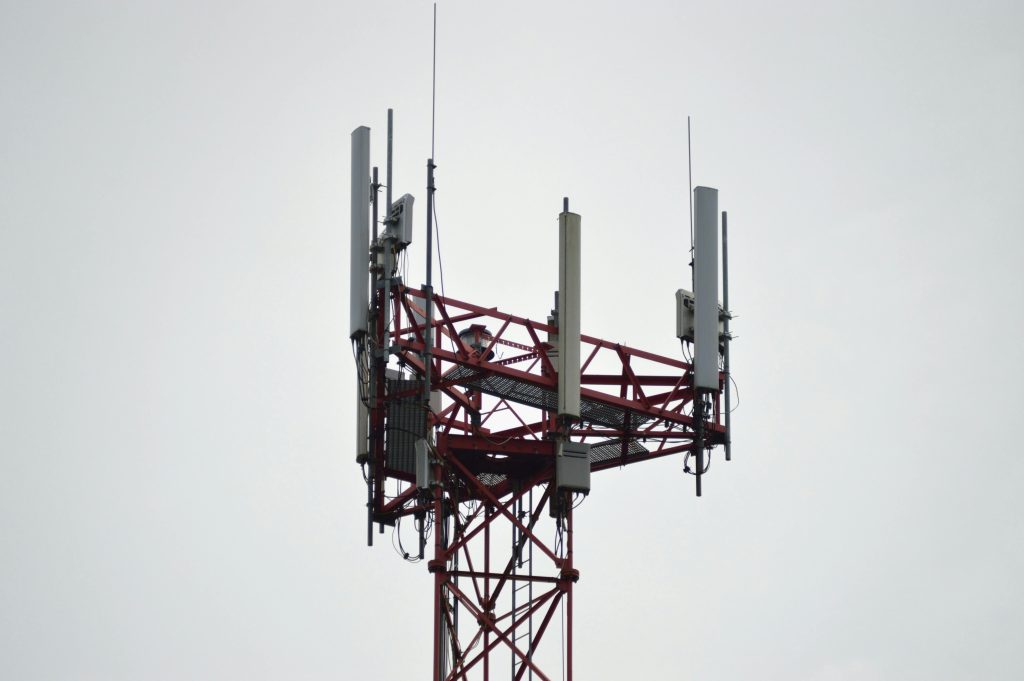
Cell towers are essential to a network’s coverage quality. The farther you are from a cell tower, the more likely you are to experience weak signals, which can directly impact data consumption.

In densely populated areas, cell towers are more common, resulting in generally stronger signals and lower data consumption rates. In contrast, rural or remote areas often have fewer towers, leading to weak signals and higher data consumption as your device works harder to maintain a connection. To learn more about how these towers work, check out our resource on the role of cell towers in network coverage quality.

Data-Heavy Scenarios Affected by Poor Network Coverage

Certain situations lead to increased data usage when network coverage is weak. Here are some common activities where this issue is most noticeable:

1. Video Streaming and Calls

Streaming video on platforms like YouTube, Netflix, or even during a video call, is one of the most data-intensive activities. In areas with poor signal, your device may continuously buffer and reload the video, ultimately consuming more data than usual. Opting for a lower resolution when streaming can be an effective way to save data in such situations.

2. Social Media Browsing and Background Updates

Social media apps frequently run in the background to keep you updated on the latest posts, messages, and notifications. When network coverage is poor, these apps may struggle to update, leading to multiple reconnection attempts that increase data use.

3. GPS and Map Services

Navigation apps like Google Maps rely on strong, consistent data connections. In areas with low coverage, maps may take longer to load and constantly refresh, leading to higher data consumption. Having offline maps downloaded can help save data while still providing access to essential navigation.

For those frequently on the move or exploring rural areas, choosing a plan with broad network coverage can help minimize these issues. Visit our overview of different cell service plans to find options tailored to your needs.

Tips for Reducing Data Consumption in Low Coverage Areas

Even with poor network coverage, there are ways to manage your data use effectively. Here are a few tips:

Limit Background Data Usage

Many apps use data in the background, even when you’re not actively using them. Adjust your device settings to restrict background data usage for apps you don’t need to refresh constantly. This can be particularly useful for social media and email applications, which tend to consume data regularly.

Opt for Offline Features

When possible, use offline features offered by apps. Many streaming services allow you to download content for offline viewing, and navigation apps often let you download maps for specific areas. These offline options prevent your device from consuming extra data due to reconnection attempts in low-coverage areas.

Switch to Wi-Fi When Available

Connecting to a reliable Wi-Fi network is one of the simplest ways to save data. Whether at home, work, or a local cafe, Wi-Fi can offer more consistent coverage than cellular networks, especially in areas where cell towers may be sparse.

Use a Data Monitor

Data-monitoring apps can track your usage and alert you when you’re reaching your limits. These tools are particularly helpful if you’re managing a limited data plan or have multiple devices connected to one account. Monitoring your usage can help you identify patterns and adjust behaviors accordingly.

Adjust Streaming Quality

Most streaming services let you adjust the quality of videos or audio. Choosing a lower quality setting, especially when you’re in an area with weak coverage, can save data and make streaming smoother.

Exploring Network Options to Improve Data Efficiency

Different providers offer different levels of coverage depending on the area. If poor coverage is a frequent issue, it may be worth exploring a provider with better network performance in your area. Learn more about what each provider offers in terms of network reach by visiting our guide on comparing network coverage.

Additionally, upgrading to a plan with stronger network support in your area may help reduce data consumption issues.

Conclusion: Managing Data in Areas with Poor Network Coverage

While poor network coverage can be a frustrating experience, knowing how to manage your data usage can help you stay connected without breaking the bank. By taking proactive steps, such as limiting background data, using offline features, and monitoring your data usage, you can make the most out of your data plan even in low-signal areas.

With the right provider and plan, you can also minimize data overuse caused by weak signals. Check out our recommendations for cell service plans that suit your data needs and enjoy better coverage for all your mobile activities.

The Impact of Poor Network Coverage on Data Consumption Read More »

SIM card activation

Everything You Need to Know About SIM Card Activation and Deactivation

In today’s mobile-dependent world, SIM cards play an essential role in staying connected. Whether switching carriers, upgrading your phone, or traveling, knowing how to activate and deactivate your SIM card is crucial. This blog covers the steps, benefits, and challenges of these processes to help you navigate them smoothly.

What is a SIM Card?

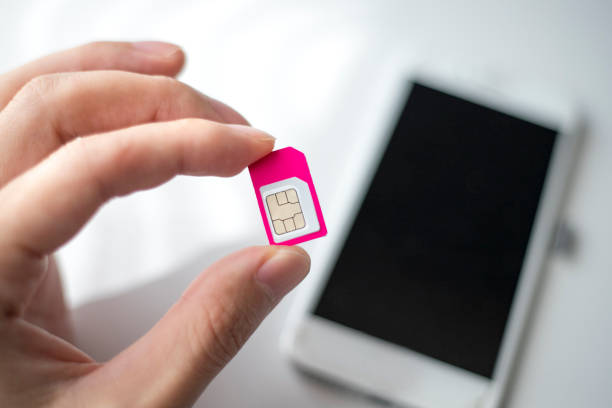
A SIM (Subscriber Identity Module) card stores essential information that allows your mobile device to connect to a network. It’s what enables you to make calls, send texts, and use mobile data. SIM cards are typically tied to either prepaid or postpaid plans, with each option offering different advantages.

If you’re deciding between these two, check out this comparison of prepaid vs. postpaid SIM cards to find which plan works best for you.

The Basics of SIM Card Activation

When you purchase a new SIM card or switch providers, the first step is to activate it. SIM card activation is the process that allows your card to register with your mobile carrier’s network. This is essential for you to start using your phone for calls, texting, and data.

1. How to Activate a SIM Card

Activating a SIM card can vary depending on the carrier and phone model, but the process is generally simple:

  • Insert the SIM card: Turn off your phone, remove the SIM card tray using the provided tool, and insert your new SIM card.
  • Turn on your device: Once the SIM card is in place, turn your device back on. You should see the network’s name in the top corner of your screen.
  • Follow carrier instructions: Some carriers will automatically activate your SIM, while others may require you to visit their website or call customer support to complete the process. Many carriers also provide an activation code or guide via email or SMS.
  • Test your connection: After activation, make a test call or send a text to ensure that everything is working correctly.

2. Online SIM Activation Options

Many carriers now offer the convenience of online SIM card activation. By logging into your carrier’s account portal, you can follow simple steps to activate your SIM card without leaving home. Some carriers even allow you to activate your SIM card via a dedicated app, adding another layer of convenience.

Benefits of SIM Activation

Activating your SIM card not only connects you to your mobile network but also unlocks other benefits, especially when considering SIM-only plans. Here’s why SIM card activation is important:

  • Improved connectivity: Whether on a prepaid or postpaid plan, an activated SIM allows access to calls, texts, and data.
  • Flexibility with international use: For those who frequently travel, an active SIM card can work internationally, especially if it’s from a provider that supports GSM unlocked phones.
  • Seamless network access: Activation ensures that your SIM card is fully registered with your carrier, giving you uninterrupted access to your network’s services.

Understanding SIM Card Deactivation

Deactivating a SIM card is crucial when changing carriers, selling your device, or protecting your privacy. It disconnects the phone from the network, preventing calls and mobile data use.

1. How to Deactivate a SIM Card

There are a few common scenarios where you might need to deactivate your SIM:

  • Switching carriers: When you change to a new mobile service provider, you’ll need to deactivate your old SIM card, usually by contacting your current provider and requesting deactivation.
  • Lost or stolen phones: If your phone is lost or stolen, contacting your carrier to deactivate the SIM is an essential step in preventing unauthorized use.
  • Temporary deactivation: Some carriers allow users to temporarily suspend or deactivate their SIM cards, which can be useful during travel or extended periods of not using your phone.

Postpaid vs. Prepaid SIM Deactivation

It’s worth noting that postpaid SIM cards often require you to close or transfer your account with the carrier before deactivation. Prepaid SIM cards, on the other hand, are typically easier to deactivate, especially when no contracts are involved.

Key Considerations When Deactivating a SIM Card

Before deactivating a SIM, here are some things to keep in mind:

  • Transfer your contacts: Ensure that all your contacts and important information stored on the SIM card have been backed up to your phone or the cloud before deactivation.
  • Account closure: For postpaid accounts, make sure all outstanding bills are settled before requesting deactivation.
  • SIM card reuse: In many cases, once a SIM card is deactivated, it cannot be reactivated or reused. You’ll need to get a new SIM card from your carrier if you wish to use the same phone number or services again.

Traveling Abroad and SIM Card Activation

For international travelers, GSM unlocked phones are ideal as they let you switch carriers globally by just changing the SIM card. This enables you to take advantage of local network rates rather than paying costly international roaming fees.

Read more about how GSM unlocked phones work internationally and how they can benefit frequent travelers.

Everything You Need to Know About SIM Card Activation and Deactivation Read More »

tablets and phones

Tablets vs. Phones: Which Gadget Offers Better Productivity Features?

In the age of digital devices, we are constantly presented with two popular options for productivity: tablets and phones. Both gadgets come with their own set of features designed to enhance productivity, but which one truly excels? In this blog post, we’ll take a deep dive into the key differences between tablets and phones and help you decide which device is better for your productivity needs.

Tablets and smartphones are both essential tools in the modern world, each offering a range of features to help you stay organized and productive. While phones are typically smaller and easier to carry around, tablets provide a larger screen that many people find useful for multitasking. But when it comes to productivity, which one stands out?

Portability and Convenience

Tablets: Great for Portability, But Bulky for Some

Tablets, especially the newer models, are incredibly lightweight and portable. If you need a device for travel or on-the-go work, tablets offer a larger screen while still being relatively easy to carry. However, they are often too large to fit in a pocket, making them less convenient for quick access.

Phones: Always in Your Pocket

Smartphones, on the other hand, win the battle when it comes to convenience. They are small enough to fit into any pocket, which makes them ideal for users who need to work while moving between meetings, locations, or even during commutes. For users seeking a device they can access instantly, phones are hard to beat.

For users interested in buying a portable tablet, you can explore the available models at this tablet shop.

Screen Size and Display Quality

Tablets: A Bigger Canvas for Work

The larger screen size of tablets offers a better viewing experience, especially when working on presentations, editing documents, or designing. A big display allows for better multitasking and easier navigation between apps.

Phones: Compact but Effective

Phones may have smaller screens, but modern smartphones boast high-resolution displays that make them suitable for a variety of tasks. If your productivity tasks don’t involve intensive design or editing work, a phone can serve just as well.

For a deeper comparison of how phones and tablets stack up when choosing the right device for your needs, check out this detailed guide: Phones vs. Tablets: Choosing the Right Device for Your Needs.

Multitasking Capabilities

Tablets: Made for Multitasking

Tablets typically excel in multitasking. Many modern tablets support split-screen modes, allowing you to run two apps simultaneously. This is great for comparing documents, answering emails while reviewing a presentation, or working with design tools.

Phones: Limited, But Still Effective

While newer smartphones are also incorporating split-screen features, the smaller display can sometimes make multitasking challenging. However, for quick tasks like answering emails or scheduling appointments, phones are more than capable.

Keyboard and Typing Efficiency

Tablets: Typing Like a Laptop

One of the major advantages tablets offer is the ability to connect external keyboards. This gives you a laptop-like experience without the bulk, making typing documents or emails much more efficient. Many users opt for tablets with keyboard attachments to enhance productivity further.

Phones: Compact Typing, but Slower

Typing on a smartphone is, by nature, slower and less efficient than on a tablet. Although voice typing is becoming more accurate, it still doesn’t compare to the speed and convenience of a full keyboard.

Battery Life: Which Device Lasts Longer?

Tablets: Long-Lasting Power

Tablets tend to have larger batteries, making them ideal for long work sessions without needing a charge. Many users find that tablets last an entire day of intensive use, especially when performing tasks that require more power.

Phones: Quick Charges, Shorter Lifespan

While smartphones are improving in battery life, they typically won’t last as long as tablets, especially when running multiple apps or using high-performance features.

Apps and Software for Productivity

Both tablets and phones use similar operating systems, whether it’s iOS or Android. However, the larger screen of a tablet allows for more powerful productivity apps, like graphic design software, to function more effectively.

Tablets: Ideal for Creative Tasks

If you’re into design, writing, or any creative work, tablets are your go-to device. With apps that utilize the larger display and offer stylus support, tablets can serve as a handy tool for artists, designers, and writers.

Phones: Great for Quick Access and Communication

Phones, while compact, are great for managing quick tasks like checking emails, setting reminders, or communicating with your team. Many productivity apps on phones are optimized for small screens, offering smooth and efficient performance.

Storage and File Management

Tablets: More Space for Your Files

Tablets typically come with more storage options compared to smartphones, making them a better choice for users who need to store large files like presentations, videos, or high-resolution images.

Phones: Compact, With Cloud Solutions

Although phones come with limited storage, cloud-based solutions are often integrated to provide seamless file management. For users who don’t need local storage, phones can still handle plenty of productivity tasks through cloud apps.

Affordability and Pricing

Tablets: A Bigger Investment

Tablets can be pricier, especially when you factor in accessories like keyboards or styluses. However, for those looking to get the most out of their productivity features, the investment may be worth it.

Phones: More Affordable, But Less Versatile

Phones are generally more affordable, but they don’t offer the same productivity capabilities as tablets. If you’re on a budget, however, a smartphone can still meet your basic productivity needs.

For affordable plans to pair with your gadget of choice, you can browse the available phone and tablet plans to find the best fit.

Customizing Your Gadget to Boost Productivity

Both devices allow for various customization options to enhance your workflow. From adding productivity apps to setting shortcuts and organizing your home screen, personalizing your gadget can make a significant difference in how productive you can be.

Plans and Data Usage

Another consideration is the type of plan you’ll need to support your device. If you’re opting for a tablet or phone, choosing the right data plan is essential for optimizing productivity on the go. A cost-effective data plan can ensure you stay connected without breaking the bank. Check out these plans for the best data deals.

Conclusion

So, which gadget offers better productivity features: tablets or phones? Ultimately, the answer depends on your specific needs. Tablets offer a larger screen, better multitasking, and support for external keyboards, making them ideal for intensive tasks. On the other hand, phones are portable, convenient, and perfect for quick tasks on the go. Assess your personal work style and choose the device that aligns best with your productivity goals.

Tablets vs. Phones: Which Gadget Offers Better Productivity Features? Read More »

5g connectivity

Stream, Browse, and Text Like Never Before with 5G Technology

The digital age is rapidly evolving, and with it comes the next big leap in technology: 5G. This revolutionary technology promises to transform how we stream, browse, and text, offering unprecedented speeds and connectivity. In this article, we’ll explore the myriad benefits of 5G technology and why it’s set to change the way we interact with the digital world.

What is 5G Technology?

5G stands for the fifth generation of wireless technology. It is designed to provide faster speeds, lower latency, and more reliable connections on smartphones and other devices than ever before.

Benefits of 5G Technology

1. Blazing Fast Speeds

One of the most talked-about benefits of 5G is its incredible speed. With 5G, you can expect download and upload speeds that are significantly faster than 4G. This means you can download a full-length HD movie in seconds.

2. Lower Latency

Latency is the time it takes for data to travel from one point to another. 5G technology reduces latency to nearly zero, making real-time communication and instant access to data a reality.

3. Enhanced Connectivity

5G technology can support a massive number of devices simultaneously. This means more reliable connections in crowded areas, ensuring you can always stay connected, even in the busiest of environments.

4. Improved Streaming Quality

With the increased bandwidth and speed of 5G, streaming high-definition videos, and live streams will be smoother and more seamless than ever. No more buffering or lag – just uninterrupted entertainment.

5. Superior Browsing Experience

Web pages will load instantly, and online gaming will be smoother, providing a more immersive and enjoyable browsing experience. The enhanced speed and connectivity of 5G make for a flawless internet experience.

How 5G Transforms Communication

1. Revolutionizing Text Messaging

5G technology enhances text messaging by supporting rich communication services (RCS). This means you can send high-quality images, videos, and audio messages quickly and effortlessly.

2. Video Calls with Crystal Clear Quality

The low latency and high-speed capabilities of 5G ensure that video calls are of the highest quality, with no lag or interruptions. Whether it’s a business meeting or a call with loved ones, 5G makes it better.

3. Seamless Connectivity for Smart Devices

5G is set to play a crucial role in the growth of the Internet of Things (IoT). It allows more devices to connect and communicate with each other, making smart homes and cities a reality.

5G in Everyday Life

1. Streaming on the Go

With 5G, you can stream your favorite shows and movies without any interruptions, even when you’re on the move. The improved bandwidth ensures that you can enjoy high-definition content wherever you are.

2. Browsing and Shopping Online

The enhanced speeds make online shopping more efficient and enjoyable. Websites load instantly, and you can browse through products and make purchases without any delays.

3. Gaming with Zero Lag

For gamers, 5G is a game-changer. It offers a seamless gaming experience with no lag, ensuring you never miss a moment of the action.

Why Choose JNA Mobility for 5G?

JNA Mobility offers one of the most advanced 5G networks, ensuring you get the best out of this revolutionary technology. From competitive plans to excellent coverage, JNA Mobility is your go-to choice for 5G.

1. Competitive 5G Plans

JNA Mobility offers a variety of 5G plans tailored to meet your needs, whether you’re a light user or a heavy streamer.

2. Reliable Network

Discover why JNA Mobility’s network is the best choice for your 5G needs. The network ensures you have a reliable and fast connection, no matter where you are.

Preparing for the 5G Future

1. Upgrading Your Devices

To take full advantage of 5G, you’ll need compatible devices. Ensure your smartphone and other gadgets are 5G-ready to experience the benefits.

2. Adapting to New Possibilities

5G opens up new possibilities in various sectors, including healthcare, education, and entertainment. Staying informed and adaptable will help you make the most of these advancements.

Conclusion

5G technology is set to revolutionize the way we stream, browse, and text, offering speeds and connectivity like never before. With the advancements brought by 5G, everyday activities become more seamless and enjoyable. Choosing a reliable provider like JNA Mobility ensures you get the best experience out of this cutting-edge technology. Embrace the future with 5G connectivity and experience the digital world in a whole new way.

Stream, Browse, and Text Like Never Before with 5G Technology Read More »

all major carriers

The Benefits of Using a Service That Connects You to All Major Carriers

Even a business professional, a student, or someone who just loves to stay in touch with family and friends, having a reliable mobile network is crucial. This is where services that connect you to all major carriers come into play. These services provide numerous benefits that can enhance your connectivity and ensure you have the best mobile experience possible.

1. Access to Multiple Networks

Uninterrupted Connectivity

One of the main benefits of using a service that connects you to all major carriers is uninterrupted connectivity. By having access to multiple networks, you can ensure that you always have a strong signal, regardless of your location. This is particularly useful if you travel frequently or live in an area where the coverage of a single carrier may be spotty.

Increased Network Reliability

Services that offer connections to multiple carriers provide increased network reliability. If one network experiences downtime or congestion, you can easily switch to another network to maintain your connectivity. Learn more about the advantages of using mobile virtual network operators (MVNOs) and how they leverage multiple carrier networks to offer better service.

2. Cost Savings

Competitive Pricing

When you use a service that connects you to all major carriers, you can take advantage of competitive pricing. These services often have agreements with multiple carriers, allowing them to offer plans at a lower cost than traditional single-carrier plans. This can result in significant savings, especially if you need multiple lines or use a lot of data.

Flexible Plans

Flexible plans are another benefit. Services that connect you to all major carriers often provide a variety of plan options to suit different needs and budgets. Whether you need a basic plan with limited data or an unlimited plan with all the bells and whistles, you can find a plan that fits your needs without breaking the bank.

3. Enhanced Features and Services

Access to Premium Features

By connecting to all major carriers, you can access premium features and services that may not be available with a single carrier. This can include things like advanced network technology, better customer support, and exclusive deals or promotions.

Comprehensive Coverage

Comprehensive coverage is a significant advantage of using these services. With access to all major carriers, you can ensure that you have coverage in more places, reducing the chances of dropped calls or slow data speeds. Discover more about exploring MVNOs with access to all major carriers to understand how they provide comprehensive coverage.

4. Simplified Management

Single Point of Contact

Managing multiple carrier accounts can be a hassle. By using a service that connects you to all major carriers, you have a single point of contact for all your mobile needs. This simplifies the management of your account and makes it easier to address any issues that arise.

Consolidated Billing

Consolidated billing is another benefit. Instead of receiving separate bills from each carrier, you receive a single, consolidated bill. This makes it easier to track your expenses and ensures you don’t miss any payments.

5. Improved Customer Support

24/7 Support

Many services that connect you to all major carriers offer 24/7 customer support. This means you can get help whenever you need it, whether you have a question about your plan or need assistance with a technical issue.

Dedicated Support Teams

These services often have dedicated support teams that are knowledgeable about multiple carriers and can provide more comprehensive assistance. This can lead to faster resolution of issues and a better overall customer experience.

6. Seamless Switching Between Carriers

No Service Interruptions

One of the key benefits of using a service that connects you to all major carriers is the ability to switch between carriers seamlessly. This means no service interruptions when you switch networks, ensuring you stay connected at all times.

Automatic Network Selection

Many of these services offer automatic network selection, which means your device will automatically connect to the best available network. This ensures you always have the best possible connection without having to manually switch networks.

7. Better Deals and Promotions

Exclusive Offers

By using a service that connects you to all major carriers, you can take advantage of exclusive deals and promotions. These services often have special agreements with carriers, allowing them to offer better deals than you would get directly from the carrier.

Seasonal Discounts

You can also benefit from seasonal discounts and promotions that are only available through these services. This can result in significant savings on your mobile plan.

8. Increased Flexibility

Customizable Plans

Increased flexibility is another benefit. These services often offer customizable plans that allow you to choose the features and services you need. This ensures you get a plan that fits your needs without paying for unnecessary extras.

Easy Plan Changes

Making changes to your plan is also easier with these services. Whether you need to add more data, change your plan, or add a new line, you can do so quickly and easily.

9. Advanced Technology Access

5G and Beyond

With access to all major carriers, you can take advantage of the latest network technologies, such as 5G. This ensures you have access to the fastest and most reliable networks available.

Cutting-Edge Devices

Many of these services also offer the latest devices, ensuring you can stay up to date with the latest technology. This can include smartphones, tablets, and other connected devices.

10. Greater Overall Satisfaction

Tailored Solutions

By offering tailored solutions, these services can provide a better overall experience. Whether you need a plan for personal use, business use, or both, you can find a solution that fits your needs.

Enhanced User Experience

The combination of better coverage, improved customer support, and access to advanced features leads to a better user experience. This results in greater overall satisfaction with your mobile service.

Conclusion

Using a service that connects you to all major carriers offers numerous benefits, including increased reliability, cost savings, enhanced features, simplified management, improved customer support, and greater overall satisfaction. By leveraging the strengths of multiple carriers, these services provide a superior mobile experience that can meet the needs of even the most demanding users.

The Benefits of Using a Service That Connects You to All Major Carriers Read More »

4g to 5g

Exploring Wireless Data Connection Technologies: From 4G to 5G

Wireless data connection technologies have come a long way, evolving from the early days of 2G to the rapid speeds of 4G and the groundbreaking advancements of 5G. This evolution has not only changed how we communicate but also transformed industries and everyday life. In this blog post, we will explore the journey from 4G to 5G, the benefits and challenges of each, and what the future holds for wireless data connections.

Understanding 4G: The Foundation of Modern Connectivity

4G, or Fourth Generation wireless technology, revolutionized mobile internet speeds, making high-speed browsing, streaming, and downloads possible on mobile devices.

Benefits of 4G

  • Speed and Efficiency: 4G offers faster download and upload speeds compared to its predecessors, significantly enhancing user experiences.
  • Connectivity: It supports a wide range of applications, from social media to online gaming, and has become a cornerstone of modern communication.

4G in Everyday Use

4G technology is widely available and supports most of our daily internet activities. It provides a reliable connection for streaming videos, browsing the web, and using mobile apps. If you’re interested in exploring various data plans that leverage 4G technology, check out the different network plans available.

The Leap to 5G: Transforming Communication and Industry

5G, Fifth Generation of wireless technology, promises to take connectivity to new heights with faster speeds, lower latency, and ability to connect more devices.

Key Advantages of 5G

  • Ultra-Fast Speeds: 5G offers speeds up to 100 times faster than 4G, enabling high-definition streaming, virtual reality applications, and seamless video conferencing.
  • Low Latency: The reduced latency of 5G allows for real-time communication, which is critical for applications like remote surgery and autonomous vehicles.
  • Massive Connectivity: 5G can support a massive number of devices, making it ideal for smart cities and the Internet of Things (IoT).

For a deeper understanding of how 5G and AI are transforming communication, explore the telecom industry’s advancements.

Nationwide 5G Rollout

The rollout of 5G is expanding rapidly across the nation, providing enhanced coverage and connectivity in urban and rural areas alike. Learn more about the nationwide rollout and coverage expansion of 5G technology.

Comparing 4G and 5G: The Evolution of Connectivity

Performance

While 4G offers reliable high-speed internet, 5G takes it further with significantly faster speeds and more stable connections.

Application

4G is sufficient for most current applications, but 5G opens the door to innovative technologies such as augmented reality, smart grids, and enhanced mobile broadband.

Challenges

The shift to 5G brings challenges like new infrastructure requirements, health considerations, and the digital divide between those with and without access to it.

Advantages and Disadvantages of Increasing Mobile Phone Use

With the evolution of wireless data technologies, the use of mobile phones has skyrocketed. While this brings numerous benefits, there are also drawbacks to consider. For a comprehensive analysis of the advantages and disadvantages of increasing mobile phone use, click here.

The Future of Wireless Data Connections

The future of wireless data connections is incredibly promising. With 5G’s widespread adoption, expect further advancements in speed, connectivity, and transformative new applications.

Innovations on the Horizon

Beyond 5G, researchers are already exploring 6G technology for even faster speeds and advanced capabilities.

Conclusion

The evolution from 4G to 5G represents a significant leap forward in wireless data connection technologies. Each new generation brings faster speeds, more reliable connections, and supports a growing number of devices and applications. Whether on 4G or exploring 5G, understanding these technologies is key to making the most of our connected world.

Exploring Wireless Data Connection Technologies: From 4G to 5G Read More »

mvnos network

Exploring MVNOs: The Alternative Mobile Network Solution

Mobile Virtual Network Operators (MVNOs) have emerged as a powerful alternative to traditional mobile carriers. If you’re looking for a cost-effective, flexible, and customer-centric mobile network solution, understanding MVNOs is essential. This article delves into what MVNOs are, their benefits, and how they compare to traditional carriers.

1. What Are MVNOs?

Mobile Virtual Network Operators (MVNOs) are companies that provide mobile phone services by leasing wireless capacity from traditional mobile network operators (MNOs) such as AT&T, Verizon, and T-Mobile, instead of owning and operating their own network infrastructure.

2. How Do MVNOs Work?

2.1 Network Leasing

MVNOs purchase bulk access to a network’s infrastructure at wholesale rates and resell it to consumers. This allows them to offer competitive pricing and flexible plans.

2.2 Service Customization

Unlike traditional carriers, MVNOs often tailor their services to niche markets, providing customized plans that meet specific consumer needs, such as international calling or data-heavy plans.

3. Advantages of Using MVNOs

3.1 Cost Savings

One of the primary advantages of using Mobile Virtual Network Operators (MVNOs) is the significant cost savings. MVNOs typically offer lower prices compared to traditional carriers because they have lower overhead costs.

3.2 Flexibility

MVNOs provide a variety of flexible plans, allowing customers to choose the exact features they need without paying for unnecessary extras. This customization is a significant draw for budget-conscious consumers.

3.3 Customer Service

Many MVNOs prioritize customer service, offering more personalized and responsive support compared to larger carriers, which often have more bureaucratic processes.

3.4 No Long-Term Contracts

Most MVNOs operate on a no-contract basis, giving customers the freedom to switch providers or plans without incurring hefty termination fees.

4. Comparing MVNOs and MNOs

4.1 Coverage and Reliability

While MVNOs use the same networks as MNOs, the quality of service can sometimes vary. However, with MVNOs with access to all major carriers, customers can often find plans that offer comparable coverage and reliability.

4.2 Pricing and Plans

MVNOs generally offer more competitive pricing and flexible plans compared to MNOs, making them an attractive option for those looking to save money on their mobile bills.

4.3 Brand Recognition

Traditional carriers have more established brand recognition and may offer exclusive deals on the latest devices. However, the rise of MVNOs is changing consumer perceptions, with many customers now recognizing the value and quality of MVNO services.

5. The Rise of MVNOs

5.1 Market Growth

The rise of MVNOs is a testament to the growing demand for affordable and flexible mobile services. As more consumers seek alternatives to traditional carriers, the MVNO market continues to expand.

5.2 Technological Advancements

Advancements in technology, such as eSIMs and enhanced network infrastructure, have made it easier for MVNOs to offer high-quality services that rival those of traditional carriers.

5.3 Consumer Trends

Today’s consumers are more informed and selective about their mobile service providers. MVNOs cater to this demographic by offering tailored services that meet specific needs, such as unlimited data, international calling, and no-contract plans.

6. Choosing the Right MVNO

6.1 Evaluate Your Needs

When choosing an MVNO, it’s essential to evaluate your mobile usage and needs. Consider factors such as data usage, coverage area, and specific features you require.

6.2 Compare Plans

Take the time to compare different MVNO plans to find the best fit for your needs. Look at the cost, data limits, additional features, and customer reviews.

6.3 Check Coverage

Ensure the MVNO you choose provides adequate coverage in your area. Since MVNOs lease networks from major carriers, coverage is generally good, but it’s always wise to double-check.

7. Setting Up with an MVNO

7.1 Activation Process

Setting up with an MVNO is usually straightforward. Once you choose a plan, the MVNO will send you a SIM card or an activation code if you’re using an eSIM. Follow the provided instructions to activate your service.

7.2 Porting Your Number

If you want to keep your current phone number, most MVNOs offer number porting services. You’ll need to provide your current carrier’s account information to facilitate the transfer.

7.3 Device Compatibility

Ensure your device is compatible with the MVNO’s network. Most unlocked phones will work with MVNOs, but it’s always best to check with the provider.

Exploring MVNOs: The Alternative Mobile Network Solution Read More »

best apps and tools

Enhancing Productivity: Apps and Tools for Streamlining Streaming, Browsing, and Texting

With countless apps and tools available, it’s essential to find the right ones to streamline your streaming, browsing, and texting activities. This article will explore the best apps and tools to enhance your productivity, making your digital life more efficient and enjoyable.

Top Apps for Streamlining Streaming

Popular Streaming Services and Their Features

Streaming has become a staple in our entertainment diet, with services like Netflix, Hulu, and Disney+ leading the way. These platforms offer user-friendly interfaces, high-quality content, and personalized recommendations, making it easier to find and enjoy your favorite shows and movies.

Benefits of Using Dedicated Streaming Apps

Using dedicated apps for streaming can significantly enhance your viewing experience. These apps often provide offline viewing options, parental controls, and multi-device support, allowing you to watch your favorite content anywhere, anytime.

Best Tools for Efficient Browsing

Web Browsers and Extensions

Choosing the right web browser is crucial for efficient browsing. Browsers like Google Chrome, Mozilla Firefox, and Microsoft Edge offer various extensions that can block ads, manage passwords, and enhance security, making your browsing experience smoother and more secure.

Privacy and Security Tools

In the digital age, privacy and security are paramount. Tools like VPNs, ad blockers, and secure browsers help protect your personal information and ensure a safe browsing experience.

Enhancing Texting Productivity

Texting Apps and Platforms

Texting apps like WhatsApp, Telegram, and Signal offer end-to-end encryption, ensuring your messages are secure. These apps also support multimedia sharing, group chats, and voice/video calls, making communication more versatile.

Integration with Other Productivity Tools

Integrating texting apps with productivity tools like Google Calendar, Trello, and Slack can streamline your workflow. These integrations allow you to set reminders, schedule meetings, and collaborate with team members seamlessly.

Combining Tools for Maximum Productivity

Cross-Platform Integration

Using tools that support cross-platform integration ensures that your data is synced across all your devices. Services like Google Drive, Dropbox, and Microsoft OneDrive make it easy to access your files from anywhere.

Syncing Data Across Devices

Apps that sync data across devices, such as Apple’s Continuity or Microsoft’s Your Phone, enable you to switch between devices without losing your place, enhancing your productivity and convenience.

Advantages of Using Mobile Virtual Network Operators (MVNOs)

Mobile Virtual Network Operators (MVNOs) offer cost-effective mobile plans that can enhance your productivity by providing reliable network coverage and affordable rates. Learn more about the advantages of using mobile virtual network operators (MVNOs).

Leveraging Voice over LTE (VoLTE) Technology

Voice over LTE (VoLTE) technology improves call quality and speed, making your communication more efficient. Discover the benefits of embracing Voice over LTE technology for better productivity.

Impact of 5G and AI on Productivity

The advent of 5G and AI technologies is revolutionizing communication. With faster internet speeds and intelligent automation, these technologies can significantly enhance your productivity. Explore how 5G and AI are transforming communication.

Mobile Plans for Enhanced Productivity

Prepaid vs Postpaid Plans

Choosing the right mobile plan can impact your productivity. Prepaid plans offer flexibility without long-term commitments, while postpaid plans often include additional perks and features. Learn about future trends in postpaid plans to make an informed decision.

Privacy and Security in the Digital Age

Protecting your personal data is crucial for maintaining productivity. Utilize security apps like LastPass for password management, and ProtonMail for encrypted email services to keep your information safe.

Trends in the Telecom Industry

Stay updated with the latest trends in the telecom industry to make informed decisions about your mobile and internet services. For insights into the prepaid wireless market, check out the US prepaid wireless market trends, growth, and opportunities.

Balancing Mobile Phone Use

While mobile phones are essential for productivity, excessive use can be counterproductive. Understand the advantages and disadvantages of increasing mobile phone use to find a healthy balance.

Choosing the Right Mobile Plan

Assess your individual needs and usage patterns to choose the right mobile plan. Explore various options available at JNA Mobility plans for the best fit.

Building a Productive Digital Environment

Setting up your devices for optimal performance involves regular maintenance, updates, and using the right apps. Ensure your digital environment supports your productivity goals.

Conclusion

In conclusion, enhancing productivity through the right apps and tools for streaming, browsing, and texting is essential in today’s digital age. By choosing the right services, integrating across platforms, and staying updated with the latest trends, you can streamline your digital activities and boost your efficiency. Explore the tools and plans mentioned to create a more productive and enjoyable digital experience.

Enhancing Productivity: Apps and Tools for Streamlining Streaming, Browsing, and Texting Read More »