
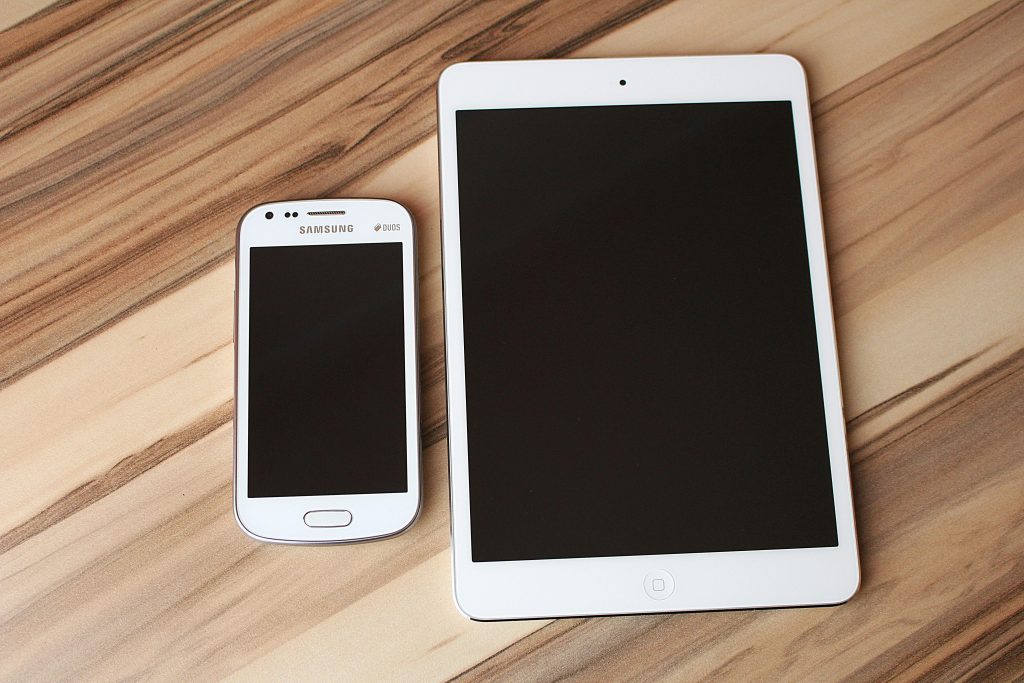
Phones vs. Tablets: Choosing the Right Device for Your Needs
Phones and tablets are two popular categories of portable electronic devices that have revolutionized the way we work, communicate, and entertain ourselves. While they share some similarities, such as touchscreen interfaces and internet connectivity, there are significant differences that distinguish them from each other.
Understanding the Difference Between Phones and Tablets
Portability and Convenience
Phones
- Compact and lightweight design
- Easily fit into pockets or small bags
- Ideal for on-the-go use and one-handed operation
Tablets
- Larger and bulkier form factor
- Require a separate bag or case for transportation
- Suitable for extended usage sessions and multimedia consumption
Screen Size and Display Quality
Phones
- Smaller screen size (typically 5-7 inches)
- High pixel density for crisp and vibrant visuals
- Limited screen real estate for multitasking and content consumption
Tablets
- Larger screen size (typically 7-12 inches)
- Immersive viewing experience for movies, games, and productivity tasks
- Enhanced productivity with split-screen multitasking and larger on-screen keyboards
Performance and Processing Power
Phones
- Compact hardware design with limited processing power
- Suitable for everyday tasks such as web browsing, social media, and light gaming
- May experience performance limitations with resource-intensive applications
Tablets
- Larger form factor allows for more powerful hardware components
- Enhanced multitasking capabilities and faster processing speeds
- Ideal for productivity tasks, creative work, and gaming
Operating System and Software Compatibility
Phones
- Run mobile operating systems such as iOS (Apple) or Android (Google)
- Access to a vast ecosystem of mobile apps optimized for smaller screens
- Seamless integration with other devices such as smartwatches and headphones
Tablets
- Utilize the same operating systems as smartphones but offer a tablet-optimized user interface
- Compatible with a wide range of productivity apps, creative tools, and multimedia software
- Enhanced multitasking features and split-screen functionality
Camera Capabilities
Phones
- Primary focus on camera quality and performance
- High-resolution sensors, advanced imaging algorithms, and optical image stabilization
- Ideal for capturing photos and videos on the go
Tablets
- Generally offer less advanced camera features compared to smartphones
- Suitable for basic photography and video calls but may lack advanced imaging technologies
- Secondary consideration for most tablet users
Battery Life and Usage Scenarios
Phones
- Limited battery capacity due to compact size
- Typically require daily charging, especially with heavy usage
- Portable power banks and wireless charging options available for on-the-go charging
Tablets
- Larger battery capacity for extended usage sessions
- Longer battery life compared to smartphones, often lasting multiple days with moderate use
- Ideal for activities such as reading, watching movies, or working on documents for extended periods
Storage Capacity and Expandability
Phones
- Offer varying storage capacities ranging from 32GB to 512GB
- Limited or no option for expandable storage via microSD cards
- Cloud storage solutions available for additional storage needs
Tablets
- Typically offer larger storage capacities starting from 64GB and above
- Some models feature expandable storage options via microSD cards
- Cloud storage integration for seamless access to files across devices
Connectivity Options
Phones
- Support for cellular networks (4G/LTE/5G) and Wi-Fi connectivity
- Dual SIM functionality for using multiple phone numbers
- Bluetooth and NFC for wireless connectivity with accessories and payment terminals
Tablets
- Similar connectivity options as smartphones with support for cellular and Wi-Fi networks
- Wi-Fi-only and cellular-enabled models available
- Bluetooth and NFC for pairing with accessories and making contactless payments
Price Considerations
Phones
- Wide range of price points to suit different budgets
- Premium flagship models with cutting-edge features and premium build materials
- Mid-range and budget-friendly options with compromises in hardware and features
Tablets
- Generally priced higher than smartphones due to larger displays and more powerful hardware
- Premium tablets with advanced features and premium build quality
- Budget-friendly options available with compromises in performance and display quality
User Experience and Interface
Phones
- Designed for one-handed use with a focus on ergonomics and accessibility
- Touchscreen gestures, shortcuts, and voice commands for navigating the interface
- Mobile-optimized apps and user interfaces for seamless interaction
Tablets
- Optimized for two-handed use with a larger display and more spacious layout
- Enhanced productivity features such as split-screen multitasking and desktop-like interfaces
- Tablet-specific apps and user interfaces for maximizing screen real estate
Choosing between phones and tablets ultimately depends on your individual needs, preferences, and usage patterns. Whether you prioritize portability, screen size, performance, or price, there is a device that’s right for you. By understanding the differences outlined in this guide, you can make an informed decision and select the device that best fits your lifestyle and requirements.
Phones vs. Tablets: Choosing the Right Device for Your Needs Read More »